Apparently, the latest Micorsoft Edge is reportedly sending each website URL you visit in the browser to Bing or more specifically to bingapis.com when the Follow Creator is enabled. This violates user privacy. You can protect your privacy by turning off or disabling Follow Creator feature in Edge, here is how to do that.
What is follow Creator feature in Edge?
Microsoft Edge introduced a feature for users to follow Creators’ posts on YouTube and other social media sites. The feature has been available for a year now. It allows users to receive notifications and updates about influencers whenever they post new stuff.
Edge also notifies creator updates on startup and lets users snooze these notifications.
The Follow Creators feature is another way of getting YouTube creators’ updates without the need to subscribe to them.
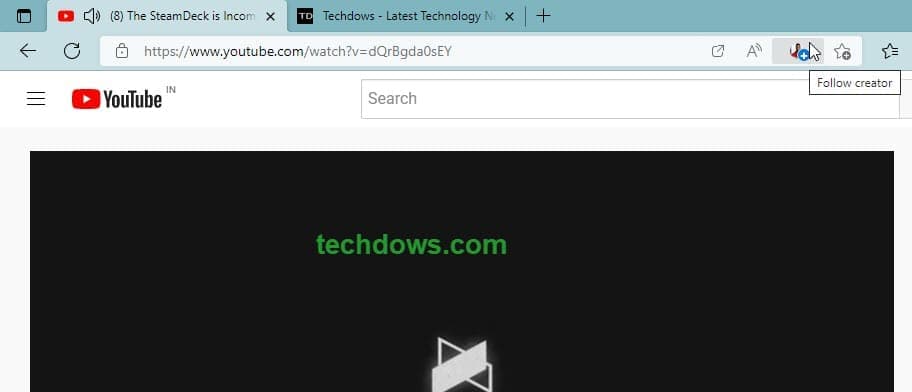
The Edge Follow Creator feature is a privacy nightmare
As spotted by Redditor, the Edge update 112.0.1722.34 and later seems to send every website URL a user visits to Bing with Follow Creator enabled. The feature is intended to track YouTube but ended up tracking every page.
According to the report, initially, the Follow Creator was limited to Social sites such as YouTube and now it may have been expanded to all user-visited sites. Or this could be a bug on the part of Microsoft.
Without technical details, common Edge users should get to know Microsoft Edge is tracking your website visits and sending them to bingapis.com. This evades user privacy. One way to protect now until Microsoft patches is to disable Follow Creator, here is how you can do that right now.
Disable Follow Creator feature in Microsoft Edge to Protect your Privacy
- Click on the Menu icon and select Settings
- Select Privacy, search, and services, and navigate to Services
- Disable “Show Suggestions to follow creators in Microsoft Edge”

Show suggestions to follow Creators in Microsoft Edge Setting
That would do it. When Micorsoft patches the issue, you can re-enable the setting and enjoy Follow Creator feature again in Edge.
What’s your take on this? Let us know in the comments below.
Final words: Microsoft is reportedly sending user website visits in Edge to Bing (bingapis.com) by default. To stop this, you’ve to disable or turn off Follow Creator. The instructions are covered in the article for the same that protect your privacy.