If you follow your favorite YouTube channels and subscribe to get notifications for new content, there is a whole new way to do that in Microsoft Edge through Follow Creator feature. Edge lets you follow desired YouTube Creators and shows notifications when they post new videos, here is how to use this feature in the Edge browser.
Follow Creator feature in Microsoft Edge
Do note as of posting, the Follow Creators feature on YouTube is getting tested in Canary, and Microsoft hasn’t made any announcement on the same yet.
How to follow a YouTube Creator in Microsoft Edge
- Visit any channel on YouTube in the Edge browser
- You’ll be asked to “Follow creator” through a blue-colored + icon in the address bar.

- To follow, click the icon. This opens the “Follow in Micorsoft Edge” panel, it confirms you’re following the creator and shows Chanel information and “Recent Posts”.
Similarly, you can follow any number of creators.
Note: This may be another way of subscribing to YouTube channels, the owners may not be notified or they don’t know you’re following them as this is Edge browser-only feature for YouTube.
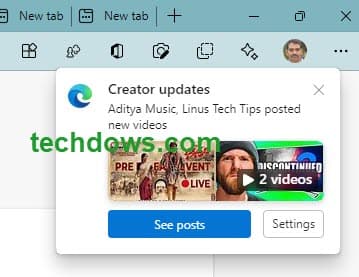
After this, whenever a new video is posted, you’ll be notified on Edge startup-like below.
How to Unfollow a YouTube Creator in Microsoft Edge
- Visit the respective Creator page on YouTube
- Click on Follow Creator button in the address bar and in the panel shown, click Unfollow.
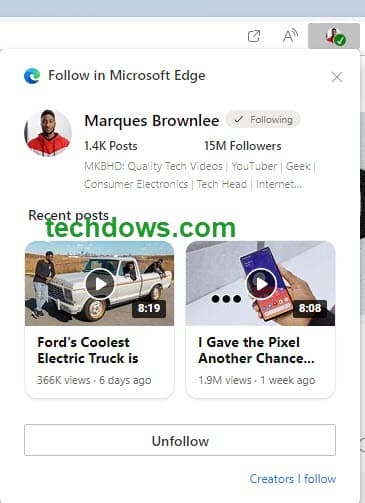
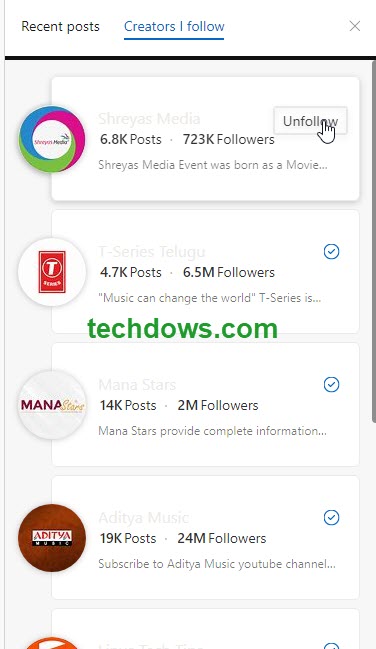
Tip: To unfollow in bulk or to unfollow many YouTubers, In the “Follow in Microsoft Edge” Pane, click “Creators I follow”
and unfollow each.
Or
Easy method:
- Click on the menu and Select Collections
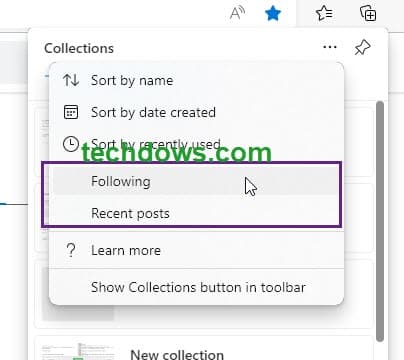
- Click on the 3-dot icon and select “Following”
- Unfollow the creators you no longer want to follow.
As shown in the below screenshot, the Collections feature in Edge serves as an option to display “Following” Creators and their “Recent posts.
If you don’t want Edge to show follow badges when you visit YouTube, you can disable that, here is how.
How to disable Follow recommendations on YouTube in Microsoft Edge
- Open Edge browser
- Click on the 3-dot icon and select Settings
- Select Privacy, search, and services
- Under Services
- Disable “Show follow recommendations in Microsoft Edge”
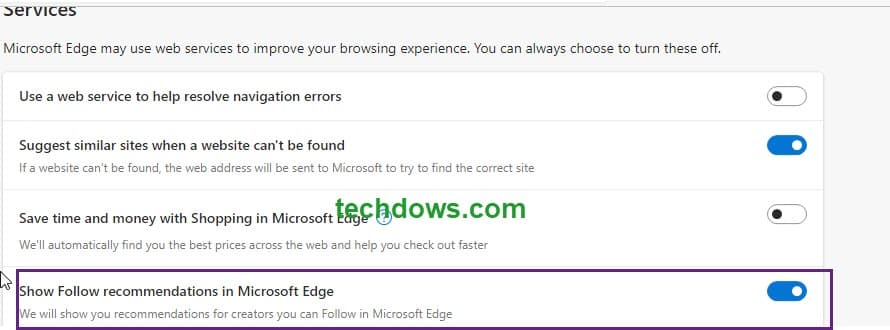
When you start Edge on your computer, it shows a notification “Creators Updates” to inform the they posted so n number of videos since your last visit, go and watch.
While the notification appears and goes away after a very few seconds if you don’t want Edge to show Creator update notifications on Edge Startup, you can stop it, here is how.
How to disable Creator Update Notifications in Microsoft Edge
- Click on the 3-dot menu icon and select Settings
- Visit Privacy, Search, and services
- Below the Services
- Disable “Notify me when creators I follow publish new content.”
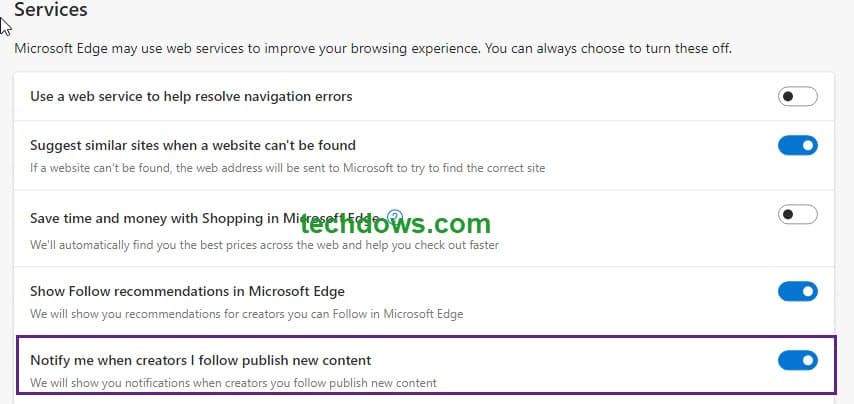
As of now, you can follow only some YouTube Creators that Edge supports, but not all. In the future, Microsoft may expand follow Creator feature to other websites and blogs also.
Final words:
Though YouTube is a Google service, Microsoft is integrating it into the Edge browser and making it super easy to follow Creators, which the user loves. Users get notified when the creators post updates. The feature is still being tested in Edge Canary, Microsoft hasn’t announced it till now. We’re not sure when this feature will hit the Edge release and becomes available to the public.
What’s your take on Microsoft Edge’s YouTube Creator follow feature? Have you liked it? Let us know in the comments below.
More about Microsoft Edge:
Microsoft Edge on Windows 11 to bring Mica effect to title bar and toolbar
Microsoft Edge gets a Sidebar for Bing Search, Office, Games, and more
Microsoft Edge gets Chrome’s Side Panel
Microsoft Edge gets a bunch of new PDF Features
How to enable or disable Office Sidebar in Microsoft Edge





