Google is working to redesign the downloads interface for the Chrome browser. The company is shifting Downloads from the shelf at the bottom to the toolbar on top. You’ll find the downloads experience and UI similar to the new Microsoft Edge and Firefox. Don’t be surprised if Chrome’s new Downloads interface resembles that of the new Edge download hub when it reaches the final stages.
Every Web browser has the ability to download files from sites on the web, Google Chrome is no different. When you start a download, Chrome shows its progress at the bottom of the shelf with options to pause, cancel, open when the download is complete and always open a certain file type.
The UI has not been updated for years, Google is now overhauling the downloads interface in Chrome.

First things first, as of now, the company s prepping to add a download icon to the toolbar area. This icon appears only when download is in progress and the icon with tooltip” Downloads” vanishes after a day according to the commit.
The commit clearly mentions choosing over “download bubble instead of download shelf”
Enable new Downloads UI in Chrome browser
- Ensure Chrome Canary is closed and not running
- Right-click on its icon on the desktop and select Properties
- At the end of the Target field, after giving a space, paste
--enable-features=DownloadBubble - Click OK and agree to the warning displayed on the screen.
Now if you start a download, you’ll get the new experience where a blue down arrow appears on the toolbar with the Shelf displaying its progress at the bottom.
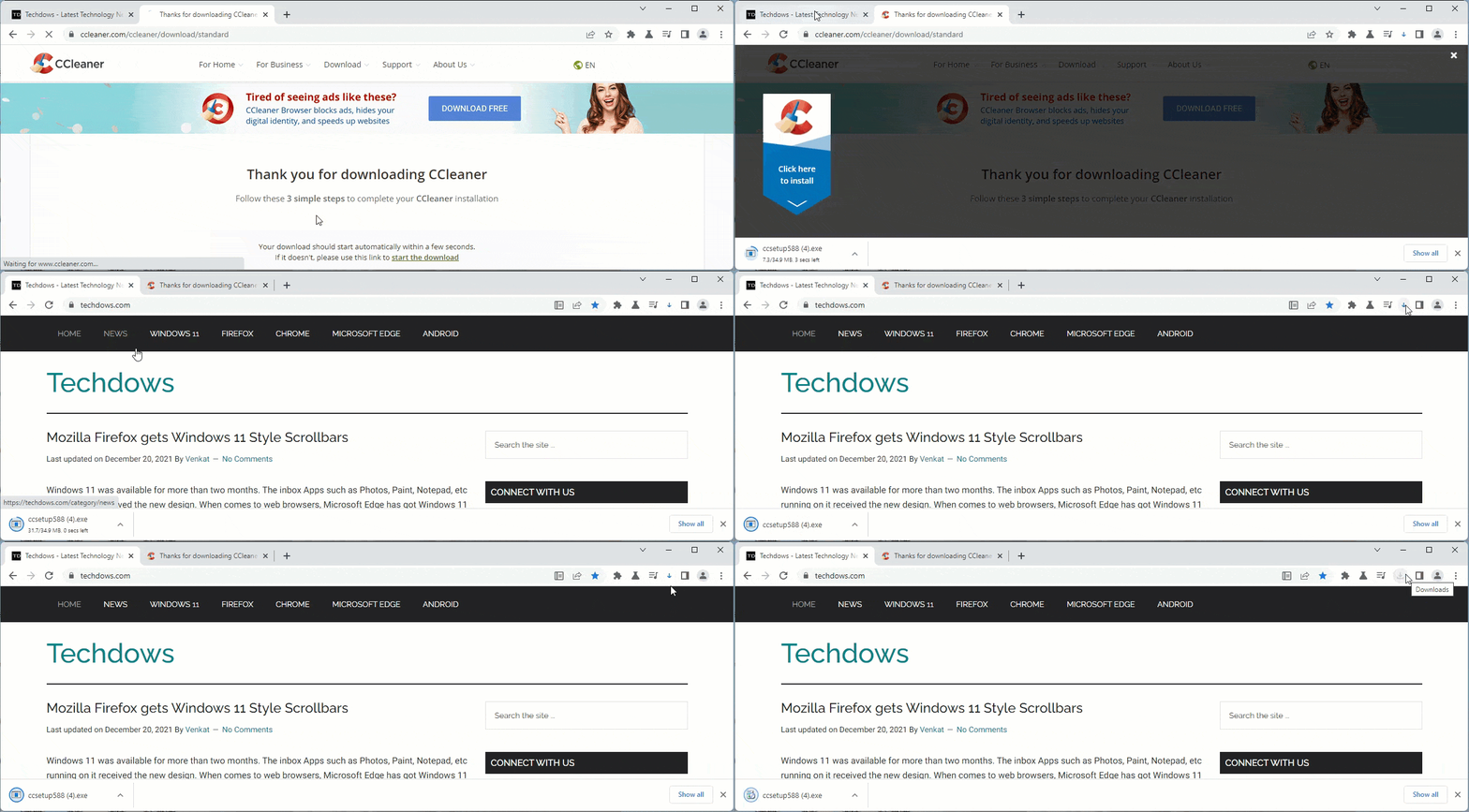
The above gif shows the early development of Chrome’s new downloads manager feature.
Chrome uses Windows Accent color and Menus turn rounded on Windows 11
On the other hand, Google has decided to use Windows accent color throughout Chrome browser UI.
What the change does is, the text selection background, focus rings, bookmark dialog and other UI elements of Chrome use Windows Accent color when you’ve “Show accent color on title bars and Windows borders” is enabled in Colors section of Personalization Settings on Windows 11 or Windows 10.
You can read more details about this new feature here.
With the general availability of Windows 11, the Chromium team has polished Chrome browser menus to appear with rounded corners on the new OS.
The change requires enabling flag, the company is removing it and enabling the Windows 11 style menus by default for Chrome browser going forward. This can happen anytime.
What’s your take on Chrome’s new Downloads UI and other features? Let us know in the comments below.
More about Chrome:
Chrome Tab Search to help in finding Media Tabs
Chrome soon lets you Edit Screenshots on desktop
First look at Chrome for Android’s Privacy Guide feature
Chrome Tab Search is getting Fuzzy Search




