Google has done it. Chrome incognito mode now hides the media metadata from Windows media controllers. For instance, on Windows 11 lock screen, you’ll now see the message “A site is playing media” instead of an album title and image.
Until now, when you play any video in Chrome Incognito Mode, a media notification will be displayed on Windows 11/10 lock screen, showing controls to adjust video/audio playback and revealing the album title, thumbnail, and other details. However, this will no longer be the case on all platforms.

Chrome Incognito no longer shows Playing video title & thumbnail on Windows 11/10 Lock Screen
We recently reported that Google is improving Chrome Incognito Mode to ensure media metadata won’t reach OS media Controls.
When you go Incognito in Chrome, you may assume that everything you browse will be cleared and won’t be noticeable outside Chrome during the session and after you exit Incognito.
However, there are serious privacy concerns regarding the video’s metadata appearing on the lock screen or media control when you press the media keys.
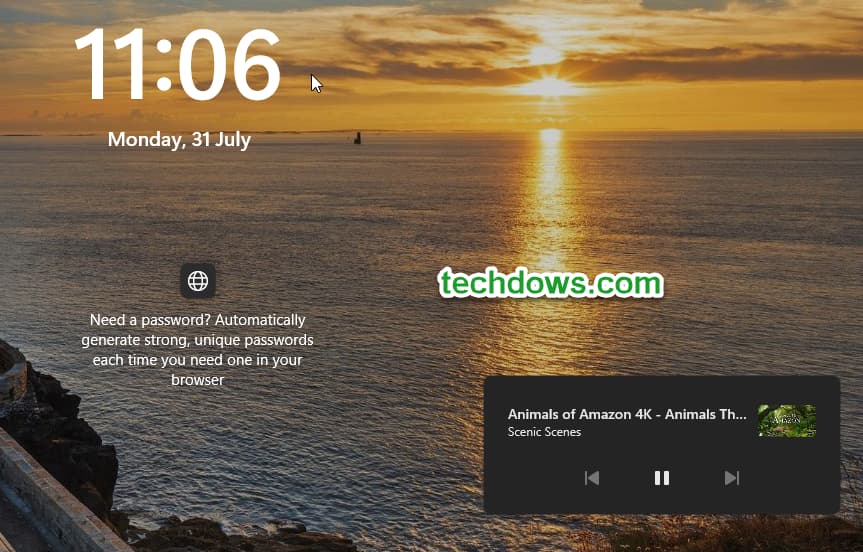
Google has started taking measures about this recently and is implementing the required change on all platforms such as Windows, Linux, Mac, ChromeOS, and Android, to ensure that album titles and other information in OS media players are filled with empty data.
As of today, on Windows 11, we can confirm, with the “Hide media metadata when in Incognito” flag enabled, the lock screen displays the “site is playing media” notification with controls while video/audio is playing in an incognito window in Chrome browser.

Here is what Google says about the feature flag: “When enabled, media metadata will be hidden from your OS’ media player if you are in an incognito session”.

Ironically, Chrome on Android has been showing the ” A site is playing media” notification from the beginning. Google wants to improve it as well, but I am not sure about the update on it now.
The privacy-preserving change for Chrome incognito mode can be spotted in the latest canary when you activate the above-said flag.
If you’re using Chrome on OS other than Windows, you can check yourself and let us know if it is working for you or not.
What’s your take on this improvement to Incogoto mode from Google in Chrome? Let us know in the comments below.
More on Chrome:
Finally, Chrome allows incognito Mode Screenshots on Android with improved Privacy
Chrome to warn when you download files in Incognito
Chrome’s Incognito Page gets a revamp on Android
Websites Still detecting Chrome Incognito Mode despite loophole fixed by Google




