Microsoft Universal Print's main pros are no print servers, no printer drivers on user devices and printing from anywhere without a VPN; its main cons are a hard dependency on the internet, Microsoft Entra ID and a monthly print job allowance.
This article explains how the service works, what it costs, which printers and devices it supports, and which organisations should skip it.
Microsoft Universal Print pros and cons at a glance
Universal Print is a Microsoft 365 cloud service that replaces Windows print servers. It suits organisations whose devices already sign in with Microsoft Entra ID.
| Pros | Cons |
|---|---|
| No on-premises print servers to patch or back up | No printing at all when the device or printer site loses internet access |
| No printer drivers deployed to Windows or Mac users | Every job travels through Azure, even when the PC and printer share a LAN |
| Users print from anywhere without a VPN | Windows PCs must be joined to Microsoft Entra ID; Windows Server cannot print through it |
| Central management in Azure Portal, PowerShell and Intune | Older printers need a connector PC that runs 24×7 |
| Included in Microsoft 365 E3, E5, F3 and Business Premium | Print volume is a pooled monthly job allowance, with paid add-ons above it |
| Secure release with QR code and Entra ID group access | Plotters are not supported and label printers have limited support |
What is Microsoft Universal Print?
Microsoft Universal Print is a multi-tenant cloud print service hosted on Azure. For organisations committed to Microsoft 365, it replaces the print server role of Windows Server.
| Item | Detail |
|---|---|
| Type of product | Cloud print service that is part of Microsoft 365 |
| Replaces | Windows Server print servers and the older Hybrid Cloud Print setup |
| Identity | Microsoft Entra ID users and groups control who can print to which printer |
| Management | Azure Portal, a Universal Print PowerShell module, Microsoft Graph and Intune |
| Printer standard | Built on the IPP and Mopria standards, so no printer driver is installed on user devices |
| Clients | Windows 10 version 1903 or later, Windows 11, macOS Ventura 13.3 or later, and OneDrive and Excel on the web |
| Who it is for | Organisations moving to the cloud whose Entra ID joined devices cannot find printers on local print servers |
How does Microsoft Universal Print work?
Universal Print sits between the user's device and the printer. All traffic is outgoing from the device, printer or connector, so no inbound firewall rule is needed.
| Stage | What happens |
|---|---|
| 1. Register | An admin registers a Universal Print ready printer directly, or registers an older printer through the Universal Print connector |
| 2. Share | The admin shares the printer with all users or with specific Entra ID groups in Azure Portal |
| 3. Discover | Users find the printer by name or location in Windows, or through the Universal Print app on a Mac; Intune can install it automatically |
| 4. Print | The device sends the job over HTTPS with TLS 1.2 to the Universal Print service in Azure |
| 5. Queue | The job is stored in the same Office storage used for mailboxes and OneDrive files |
| 6. Deliver | The printer, or the connector on its behalf, fetches the job and prints it |
| 7. Clean up | A job not claimed within three days is marked as aborted; jobs can stay in the service for up to 10 days in total |
What are the benefits of Microsoft Universal Print?
| Benefit | What it means in practice |
|---|---|
| No print servers | No server hardware, operating system patches or print spooler maintenance on premises |
| No client drivers | Windows has Universal Print support built in, and Macs use the Universal Print app, so driver crashes and driver exploits on endpoints go away |
| Print from anywhere | Users print over the internet without a VPN or being on the office network |
| Central management | Every printer, its status and usage reports sit in one Azure Portal view, even across many countries |
| Entra ID access control | Printer access follows Entra ID users, nested groups and dynamic groups |
| Security and compliance | Bring-your-own encryption key, data residency choice, and Microsoft certifications such as SOC, ISO 27001 and FedRAMP |
| Less waste | Secure release with QR code, plus default black-and-white and double-sided settings, cuts uncollected and costly prints |
| Easy hardware swaps | An admin can replace a printer in Azure Portal without users reinstalling it |
| Automatic updates | Microsoft runs the service on a continuous delivery model, so new features arrive without upgrades |
What are the disadvantages of Microsoft Universal Print?
| Disadvantage | Why it matters |
|---|---|
| Internet dependency | A device without internet cannot print, and the connector also needs internet to collect jobs |
| Cloud round trip | Jobs are always spooled in Azure, even when the PC sits next to the printer on the same LAN |
| Entra ID requirement | Windows devices must be Entra ID joined or hybrid joined; domain-only PCs cannot use it |
| No Windows Server clients | Windows Server is not supported for printing to Universal Print |
| Connector overhead | Printers without Universal Print firmware need a Windows connector PC that stays on 24×7 on the printer network |
| Job-based licensing | Each tenant gets a pooled monthly job allowance; heavy printers must buy add-on volume |
| Printer class limits | Only page printers are supported; plotters are not, and label printers have limited support |
| Advanced printer features | Some manufacturer features are outside the Mopria standard and need a Print Support App |
| Upload limit | A single user can send at most 1 GB of print data every 15 minutes |
| Single tenant | Printing across separate Entra ID tenants has not been validated |
Microsoft Universal Print license, pricing and print job limits
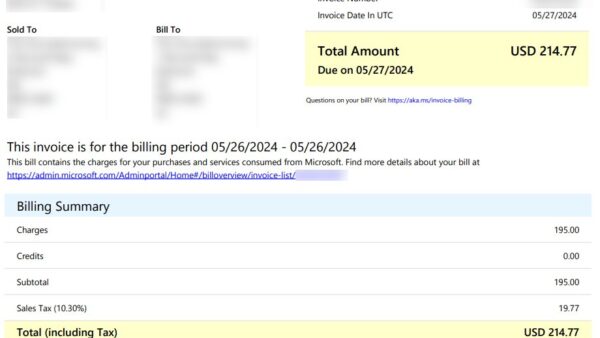
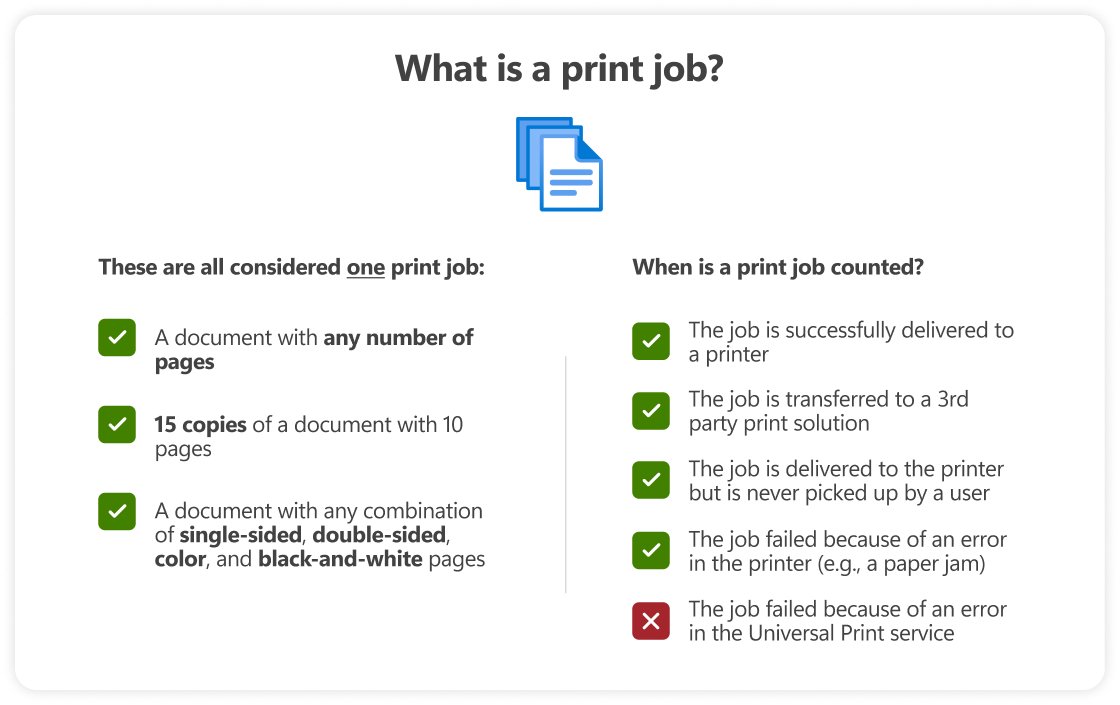
Universal Print counts completed print jobs, not pages, users or printers. Fifteen copies of a 10-page document count as one job, and failed jobs are not counted.
| Licence or add-on | Includes Universal Print? | Jobs added to the monthly pool |
|---|---|---|
| Microsoft 365 E3 or E5 | Yes | 100 per licence |
| Microsoft 365 Business Premium | Yes | 100 per licence |
| Microsoft 365 F3 | Yes | 5 per licence |
| Windows 10/11 Enterprise E3 or E5 | Yes | 5 per licence |
| Universal Print standalone | Yes | 5 per licence |
| Volume add-on, 500 jobs | Add-on | 500 for $25 a month, annual commitment |
| Additional capacity, 10,000 jobs | Add-on | 10,000 for $300 a month, annual commitment |
The pool is shared by every licensed user and refreshes at the start of each month. If the organisation goes over, printing continues, the admin receives an overage alert, and add-ons must be bought to stay compliant.
Universal Print ready printers vs the Universal Print connector
Universal Print ready printers are Mopria certified printers with firmware that talks to the service directly. Every other printer joins through the Universal Print connector, or through a partner appliance.
| Your situation | Use this | Why |
|---|---|---|
| Buying new printers | Universal Print ready models | Direct registration gives the best performance and management, with no connector to run |
| Existing printers that a firmware update makes ready | Update the firmware, then register directly | Removes the need for a connector PC |
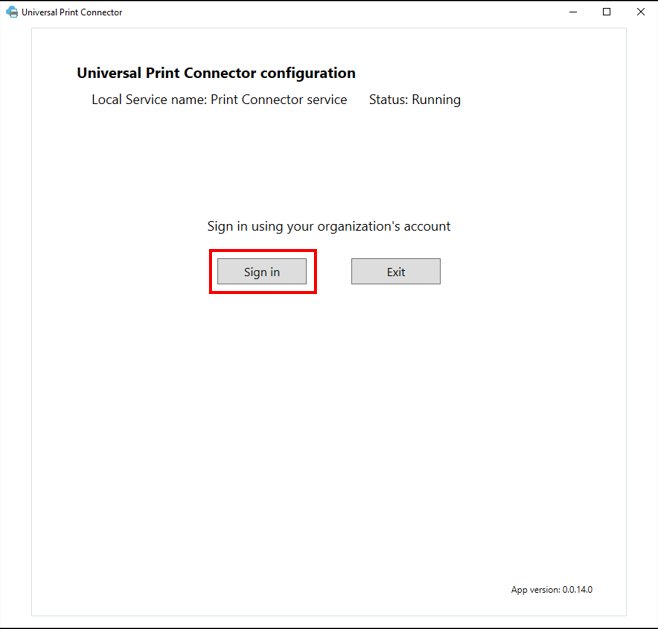
| Existing printers with no Universal Print firmware | Universal Print connector on Windows 11 Pro or Enterprise, or Windows Server 2025 | The connector registers the printers and fetches their jobs from the cloud |
| No spare PC that can run 24×7 | A partner connector appliance | Microsoft partners sell hardware implementations of the connector |
| Linux-only server estate | Not supported for the connector | The connector runs only on Windows client and Windows Server |
Never clone a connector machine and run both copies. Microsoft warns that parallel connectors interfere with each other and block printing.
Microsoft Universal Print supported devices and requirements
| Platform | Requirement | How users print |
|---|---|---|
| Windows 10 and Windows 11 | Version 1903 or later, joined to Microsoft Entra ID | Built into Windows; Intune can deploy printers on Windows 11 and Windows 10 21H2 or later |
| Windows Server | Not supported as a print client | Use it only to host the connector |
| macOS | Ventura 13.3 or later | Install the Universal Print app from the App Store and sign in with Entra ID |
| Web | OneDrive and Excel on the web | Select Print and choose a Universal Print printer |
| Connector host | Windows 11 Pro or Enterprise build 22631 or later recommended; Windows 10 19045, Server 2022 and 2019 still supported; .NET Framework 4.8 | Runs 24×7 with internet access on the printer network |
| Network | Outbound access to the print.microsoft.com endpoints and login.microsoftonline.com | No VPN and no inbound firewall rules |
Who should not use Microsoft Universal Print
Skip Universal Print, or keep a local print path beside it, if your sites have unreliable internet, your PCs are domain-joined only, or you rely on plotters and heavy label printing. Universal Print cannot print offline, requires Entra ID joined Windows devices, supports page printers only, and routes every job through Azure, so these environments lose printing or gain nothing over a local print server.
Microsoft Universal Print FAQ
What is Universal Print?
Universal Print is Microsoft's cloud print service for Microsoft 365. It replaces on-premises print servers, removes the need to install printer drivers on user devices, and lets people print to company printers over the internet from Windows, macOS and the web.
How does Microsoft Universal Print work?
An admin registers printers with the service, directly or through a connector, and shares them with Entra ID groups. Users send jobs over HTTPS to Azure, where they are queued, and the printer or connector fetches and prints them.
What is Microsoft Universal Print used for?
Microsoft Universal Print is used to retire Windows print servers in organisations that run on Microsoft 365 and Entra ID. It gives cloud-joined devices access to office printers without VPNs, drivers or local print queues.
How much does Microsoft Universal Print cost?
Universal Print is included in Microsoft 365 E3, E5, F3, Business Premium and Windows Enterprise E3 and E5, or bought standalone. Extra print volume costs $25 a month for 500 jobs or $300 a month for 10,000 jobs, with an annual commitment.
Is there a Microsoft Universal Print driver?
No. Universal Print pushes no driver to user devices, because support is built into Windows and the service uses the IPP standard. Manufacturer products with similar names, such as the Lexmark Universal Print Driver, are local drivers, not part of this service.
What is the Microsoft Universal Print connector?
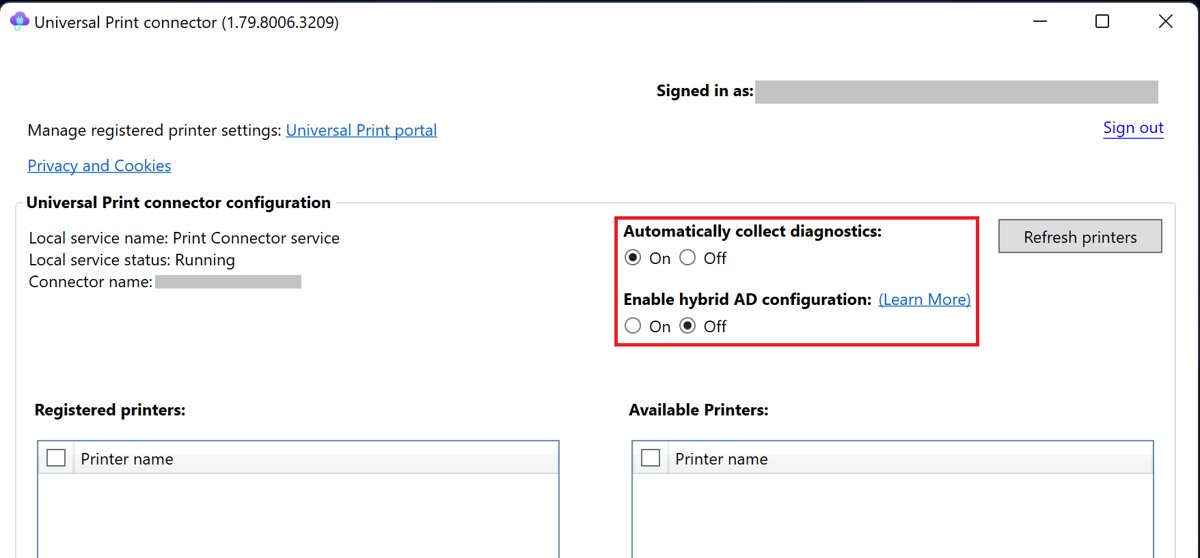
The Universal Print connector is a small Windows application that links printers without Universal Print firmware to the cloud service. It registers those printers, reports their status and fetches their jobs, and the PC running it must stay on 24×7.
Does Microsoft Universal Print work on macOS?
Yes. Macs running macOS Ventura 13.3 or later can print after installing the Universal Print app from the App Store and signing in with Microsoft Entra ID. Installed printers then appear in the normal macOS print dialog for any app.
Which printers are compatible with Microsoft Universal Print?
Any page printer can be used, either directly if it is Universal Print ready or through the connector if it is not. Plotters are not supported, and label printers have only limited support.
Bottom line: is Microsoft Universal Print worth it?
Universal Print is worth adopting if your organisation already licenses Microsoft 365 E3, E5 or Business Premium and its Windows devices are Entra ID joined. Those licences already include the service and a generous job pool, so retiring print servers and drivers costs little; organisations with offline sites, domain-only PCs or specialist printers should keep a local option.