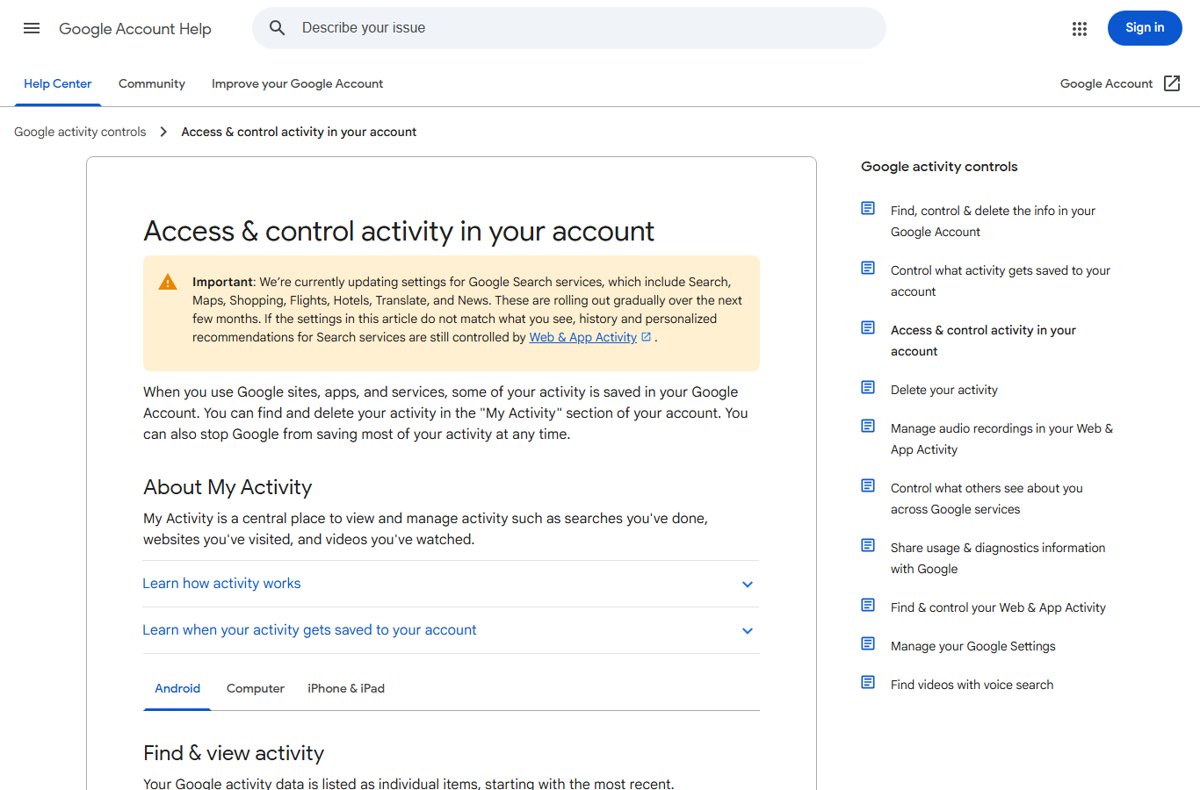
To open Google My Activity on Android, go to Settings, tap Google, tap Manage your Google Account, tap Data & privacy, then tap My Activity; or visit myactivity.google.com in Chrome.
This guide covers four ways in, how to search, delete and auto-delete activity, how to pause tracking and manage voice recordings, and how to download a copy.
Method 1: Open My Activity from Android Settings
Every Android phone with a Google account has this route built in, so it works even without the Google app or Chrome.
- Open your phone's Settings app.
- Tap Google, then Manage your Google Account.
- At the top, tap the Data & privacy tab.
- Under History settings (shown as Personalization & activity on some versions), tap My Activity.
- Scroll through your activity, which is listed by day and time with the newest first.
What Google My Activity Shows on Android
My Activity is the central list of what your Google Account saves: searches, sites visited in Chrome, videos watched and more. Each item can be opened with Details to see the date, time, why it was saved and sometimes the device and app.
| Activity type | Shows in My Activity? | Where it is controlled |
|---|---|---|
| Google Search, Discover, Chrome history (when synced) | Yes | Web & App Activity |
| YouTube watch and search history | Yes | YouTube History, or Manage all history in the YouTube app |
| Google Assistant voice recordings | Yes, with an audio icon, if saving is on | Include voice and audio activity under Web & App Activity |
| Places you have been | No; saved to Google Maps Timeline on your device | Maps app, Your Timeline |
| Other saved data, such as some product histories | Under More, then Other activity | Each product's own setting |
| Incognito browsing | No | Not saved to your account |
Before You Start: Make Sure You’re in the Right Google Account
If several accounts are signed in on the same phone or browser, activity can be saved to the default account rather than the one you expect.
- Open Settings, tap Google, and check the account name and email at the top.
- In Chrome, tap your profile picture on the My Activity page to see which account is showing.
- Make sure the phone is online, since offline activity appears only after it reconnects.
Method 2: Open My Activity in Chrome or Any Android Browser
- Open Chrome, Firefox, Samsung Internet or another browser.
- Go to myactivity.google.com.
- Sign in with your Google Account if asked.
- Add the page to your home screen from the browser menu for one-tap access later.
Signing in to Google inside an Incognito tab can still save your searches to that account, so sign out when you finish on a shared phone.
Method 3: Access My Activity from the Google App
- Open the Google app.
- At the top right, tap your profile picture or initial.
- Tap Search history to open My Activity filtered to your searches.
- Tap Controls to change what Search saves, or tap Delete above the history to remove it.
Method 4: Access My Activity from Gmail, YouTube, Maps, or Play Store
| App | Path | What opens |
|---|---|---|
| Gmail or Play Store | Tap your profile picture > Manage your Google Account > Data & privacy > My Activity | Full My Activity |
| YouTube | Tap your profile photo > Settings > Manage all history | YouTube history only, with search and a calendar filter |
| Google Maps | Tap your profile picture or initial > Your Timeline | Your location Timeline, which is kept separately from My Activity |
How to Search and Filter Your Google Activity
- Open myactivity.google.com and scroll down to your activity.
- To find a keyword, type it in the search bar at the top.
- To filter by date, tap the Calendar icon and choose a date, a preset range or your own start and end dates.
- To filter by product, tap Search and select products such as YouTube or Search.
- Combine date and product filters to narrow the list further.
How to Delete Individual Items from My Activity
- Go to myactivity.google.com.
- Browse by day, or search and filter to find the item.
- On the item, tap Delete.
- To clear a whole day at once, tap Delete next to that day's heading.
How to Delete Google Activity by Day, Date Range, or All Time
- Go to myactivity.google.com.
- Above your activity, tap Delete.
- Choose All time, or Custom range to pick dates.
- For a custom range, set the start and end dates; to clear one day only, tap Delete all activity from [day] next to that day.
- Tap Next, review the products included, then tap Delete.
- To delete only filtered results, filter first, then tap Delete next to the search bar and choose Delete Results.
Deleted searches can't be recovered. If deleted items still show on another device, connect that device to the internet or clear its cache and cookies.
How to Turn On Auto-Delete for Google Activity
- Open Settings, tap Google, then Manage your Google Account.
- Tap Data & privacy and scroll to History settings.
- Tap the setting to auto-delete, such as Web & App Activity or YouTube History.
- Scroll and tap Auto-delete.
- Choose how long to keep activity: 3, 18 or 36 months.
- Tap Next, then Confirm.
Some data goes sooner than the period you pick; device location and IP address are removed from Web & App Activity after 30 days.
How to Pause Google Activity Tracking
- In Manage your Google Account, tap Data & privacy.
- Under History settings, tap Web & App Activity.
- Tap Turn off, then choose Turn off or Turn off and delete activity.
- For YouTube, open the YouTube app, tap your profile photo, tap Settings, Manage all history, then the Controls tab, and clear Include the YouTube videos you watch.
- For location, open Google Maps, tap your profile picture, tap Your Timeline, then More, Location & privacy settings, and turn Timeline off.
How to Find and Manage Voice and Audio Activity
Saving Google Assistant voice recordings is off unless you turned it on. Turning it off later does not delete recordings already saved.
- Open Settings, tap Google, then Manage your Google Account.
- Tap Data & privacy, then Web & App Activity under History settings.
- Check or clear Include voice and audio activity.
- Tap Manage activity to list saved items; entries with an audio icon contain a recording.
- Tap Details, then View recording, then Play to hear one.
- Tap Delete next to an item to remove it.
How to Require Extra Verification for My Activity
On a shared phone or tablet, this makes anyone viewing your full history confirm it is you first.
- Open myactivity.google.com on your Android phone or tablet.
- Above your activity, tap Manage My Activity verification.
- Select Require extra verification.
- Tap Save.
How to Download a Copy of Your Google Activity
Google Takeout exports your activity as an archive. Downloading does not delete anything from Google's servers.
- Sign in and open the Google Takeout page at takeout.google.com.
- Uncheck the products you do not want, keeping My Activity selected.
- Tap Next step.
- Choose a delivery method, such as Send download link via email or Add to Drive.
- Choose One-time archive, a file type (Zip or Tgz) and an archive size.
- Create the export and wait for the email with the download link; most arrive the same day.
Troubleshooting: If My Activity Won’t Open on Android
My Activity is empty or missing recent items
You are signed out, offline, saving is off, or another account is the default.
- Confirm you are signed in to the right Google Account.
- Connect to the internet so offline activity can upload.
- Check that Web & App Activity and YouTube History are turned on.
- Sign out of extra accounts in the browser so activity is not saved to the default one.
Deleted activity keeps showing
A device was offline when you deleted, or the browser shows a cached page.
- Connect every device to the internet so the deletion syncs.
- Clear Chrome's cache and cookies, then reload myactivity.google.com.
Activity you don't recognize
Sites using Google services, predicted content such as YouTube autoplay, or another person using your account.
- Open the item and tap Details to see the device and app.
- Check whether several accounts are signed in on the same browser.
- If you suspect someone else, change your password and turn on 2-Step Verification.
Location history is not in My Activity
Location visits are saved to Google Maps Timeline, not My Activity.
- Open Google Maps, tap your profile picture, then Your Timeline.
- Update Google Maps if Timeline does not appear; it needs version 11.106 or later and is not on Android Go.
Privacy Tips for Using My Activity on Android
- Turn on Require extra verification if anyone else uses your phone.
- Set auto-delete on Web & App Activity and YouTube History so old activity clears itself.
- Use Incognito mode in Chrome for searches you do not want saved, and stay signed out there.
- Protect the account with 2-Step Verification and an authenticator app for codes.
- Review Other activity under More now and then, since some data never shows in the main list.
Frequently asked questions
Where is Google My Activity on Android?
Open Settings, tap Google, tap Manage your Google Account, tap Data & privacy and then My Activity. You can also open myactivity.google.com in any Android browser.
How do I check my Google activity?
Go to myactivity.google.com while signed in. Activity is listed by day, newest first, and you can search by keyword or filter by date and product. Tap Details on an item for its time, device and reason it was saved.
What is the Google access log activity?
My Activity shows what you did with Google services, such as searches and videos watched. Other saved data, such as some product histories, sits under More, then Other activity, and a full copy can be exported with Google Takeout.
Can I delete all my Google activity at once?
Yes. On myactivity.google.com, tap Delete above your activity, choose All time, tap Next and then Delete. The deletion can't be undone.
How do I stop Google from saving my activity?
In Manage your Google Account, open Data & privacy, tap Web & App Activity and choose Turn off or Turn off and delete activity. YouTube History and Maps Timeline have their own switches.
Does My Activity include my location history?
No. When Timeline is on, location visits are saved to Google Maps Timeline on your device instead. Open Google Maps, tap your profile picture and choose Your Timeline to see or delete them.
Can I password-protect My Activity?
Yes. On myactivity.google.com, tap Manage My Activity verification, select Require extra verification and tap Save. Anyone opening your full history must then confirm your identity.
Does downloading my Google data delete it?
No. A Google Takeout archive is only a copy. To remove data from Google's servers, delete it in My Activity or set up auto-delete.