Windows 11 26H2, also called the Windows 11 2026 Update, is the annual feature update Microsoft released on 29 September 2026 as a small enablement package (KB5121794) for PCs on Windows 11 24H2 and 25H2.
This guide covers how to get it, the release timeline, what changes, the platform underneath, how long it is supported, the requirements and the issues Microsoft has already flagged.
How to get Windows 11 26H2 today
Your PC must already run Windows 11 24H2 or 25H2 with the September 22, 2026 update (KB5124010) or a later cumulative update installed. The rollout is staged, so most PCs are not offered 26H2 on day one.
- Open Settings and select Windows Update.
- Turn on Get the latest updates as soon as they're available.
- Select Check for updates and install any pending cumulative update first.
- When Windows 11, version 26H2 is available appears, select Download & install.
- Restart when prompted. One restart finishes the update.
If the offer does not appear yet, your PC is either later in the rollout or under a safeguard hold. Every other official route, including ISO and Installation Assistant options, is in the 26H2 download and install guide.
What is Windows 11 26H2?
Windows 11 26H2 is a version label, not a new operating system. It switches on features that already shipped dormant in monthly updates for 24H2 and 25H2, and it restarts the support clock.
| Item | Windows 11 26H2 |
|---|---|
| Official names | Windows 11, version 26H2; Windows 11 2026 Update |
| General availability | 29 September 2026 |
| OS build | 26300 (26300.9550 is the latest build listed at launch) |
| Delivery to existing PCs | Enablement package KB5121794 |
| Prerequisite update | KB5124010 (22 September 2026) or a later cumulative update |
| Eligible starting versions | Windows 11 24H2 (build 26100) and 25H2 (build 26200) |
| Restarts needed | One |
| Support, Home and Pro | Until 10 October 2028 |
| Support, Enterprise and Education | Until 9 October 2029 |
Release date
Windows 11 26H2 was expected in the fall of 2026, and it arrived on schedule: Microsoft declared general availability on 29 September 2026. Preview builds reached Windows Insiders about a month earlier.
| Date | Milestone |
|---|---|
| 19 June 2026 | Microsoft publishes its Get ready for Windows 11, version 26H2 notice and confirms delivery as an enablement package |
| 27 August 2026 | Build 26300.9278 released to the Release Preview Channel |
| 31 August 2026 | ISO images posted on the Windows Insider download page |
| 22 September 2026 | KB5124010 preview update, the prerequisite for the enablement package |
| 29 September 2026 | General availability through Windows Update, WSUS, Autopatch and the Microsoft 365 admin center |
| Next few months | Phased rollout widens to more eligible PCs |
Microsoft has not published a date when every eligible PC will be offered the update. The 26H2 release date and rollout timing article tracks the rollout stages.
Windows 11 26H2 is a quick update for existing PCs
Windows 11 24H2, 25H2 and 26H2 share one servicing branch and an identical set of system files. The 26H2 features already sit on your PC in a dormant state, and the enablement package acts as the switch that turns them on.
| Your PC runs | Path to 26H2 | What to expect |
|---|---|---|
| Windows 11 25H2 | Enablement package KB5121794 through Windows Update | Installs like a monthly update, one restart |
| Windows 11 24H2 | Same enablement package after KB5124010 or later | One restart; also note 24H2 Home and Pro lose updates on 13 October 2026 |
| Windows 11 26H1 (new Snapdragon X2 era devices) | No upgrade to 26H2 | 26H1 uses a different Windows core; Microsoft says these devices get a path in a future release |
| Windows 11 23H2 or older, or Windows 10 | Not covered by the enablement package | Microsoft's 26H2 announcement only describes the 24H2 and 25H2 path |
The KB5121794 enablement package article explains the switch in more depth.
Windows 11 26H2’s download is small
Microsoft describes the 26H2 install as a small download and a quick restart. It has not published an exact size for the enablement package.
| Piece | What it contains | Size signal from Microsoft |
|---|---|---|
| Latest cumulative update (KB5124010 or later) | The 26H2 code, dormant, plus security and quality fixes | A normal monthly update |
| Enablement package (KB5121794) | The switch that activates 26H2 features and the new version number | Described as small and quick to install |
| Restart | Moves the PC from 24H2 or 25H2 to 26H2 | One restart in most scenarios |
New features
Most 26H2 features reached 24H2 and 25H2 PCs gradually through monthly updates in the past year. Installing 26H2 consolidates them and turns a few on by default.
| Area | Feature | Default state |
|---|---|---|
| Taskbar | Move the taskbar to the top, left or right, plus a smaller taskbar option | Choice in Settings |
| Start menu | Redesigned Start with a scrollable All section, category and grid views, and size choices | On |
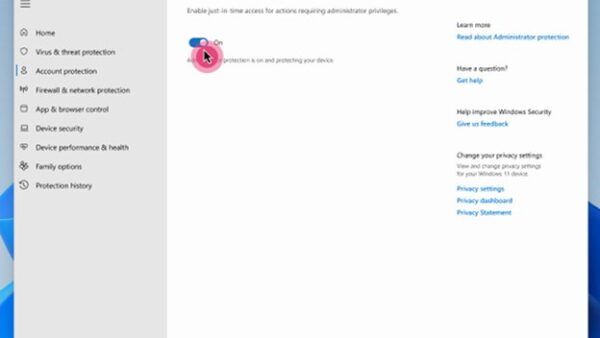
| Security | Administrator protection with just-in-time admin rights | Off; enable with Intune or Group Policy |
| Security | Built-in System Monitor (Sysmon) | Off |
| Security | Smart App Control can be turned on or off without a clean install | Your choice |
| Sign-in | Passkeys in third-party credential managers; Enhanced Sign-in Security with external fingerprint readers | Available |
| Recovery | Point-in-time restore and quick machine recovery | Quick machine recovery off on managed devices unless enabled |
| File Explorer | AI actions, more archive formats (uu, cpio, xar, nupkg), faster Home, voice typing when renaming | On |
| Search | Result previews, better typo handling for apps, clearer result labels | On |
| Camera | Multi-App Camera and Basic Camera mode | Configurable |
| Task Manager | NPU usage columns and an Isolation column | Optional columns |
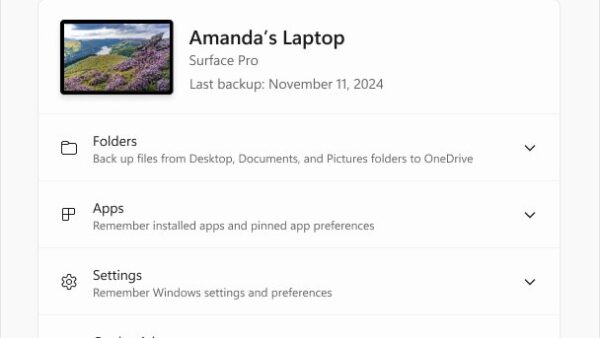
| Commercial PCs | Windows settings backup, app-specific taskbar actions, File Explorer enhancements | Now on by default |
A feature-by-feature walkthrough is in what actually changed in 26H2, and moving the taskbar has its own movable taskbar guide.
What users should expect from Windows 11 26H2
On a home PC that already has recent monthly updates, the visible change after the restart is small. The version number changes, the support clock resets, and a few settings become available.
| You are | What changes after installing 26H2 |
|---|---|
| Home or Pro user on 25H2 | New version number and build 26300; support extends to October 2028; features already delivered stay the same |
| Home or Pro user on 24H2 | Same, plus your PC stays supported past 24H2's 13 October 2026 cutoff |
| User of scripts that call WMIC | WMIC is removed and is no longer offered as a Feature on Demand; move scripts to PowerShell |
| IT admin | Settings backup, taskbar app actions and File Explorer enhancements switch on by default for commercial devices; existing policies are still honored |
| Owner of a Snapdragon 850 PC | 26H2 is the last version Microsoft supports on that processor |
Platform changes
26H2 stays on the same core as 24H2 and 25H2, which is why the jump is small. The platform changes that matter are about trust and compatibility rather than a new kernel.
| Change | What it means |
|---|---|
| Shared servicing branch with 24H2 and 25H2 | Same system files; builds 26100, 26200 and 26300 receive the same monthly update |
| 26H1 on a separate core (build 28000) | 26H1 devices cannot move to 26H2 |
| Default trust for cross-signed kernel drivers removed | Only WHCP drivers and an allow list of trusted legacy drivers load; Windows audits for at least 100 hours and three restarts before enforcing |
| Post-quantum cryptography APIs | ML-KEM and ML-DSA available through CNG and .NET |
| Hotpatch on 26H2 | Baseline restart update in October 2026, hotpatch months in November and December |
| WMIC removed | Gone from 24H2 and later, including 26H2 |
Why Microsoft is releasing another annual version
Windows 11 follows an annual feature update cadence with one release in the second half of each calendar year. A new version number is how Microsoft resets the support lifecycle and changes defaults for business PCs.
Treat 26H2 as a support renewal first and a feature release second. Installing 26H2 grants 24 months of support for Home and Pro and 36 months for Enterprise and Education, while the features themselves mostly arrived through monthly updates already.
How long is Windows 11 26H2 supported?
| Edition | Support length | End of updates |
|---|---|---|
| Home, Pro, Pro Education, Pro for Workstations | 24 months | 10 October 2028 |
| Enterprise, Education, IoT Enterprise, Enterprise multi-session | 36 months | 9 October 2029 |
| For comparison: 24H2 Home and Pro | Ends soon | 13 October 2026 |
| For comparison: 25H2 Home and Pro | Current | 12 October 2027 |
Microsoft's lifecycle page shows the Home and Pro end date as 9 October 2028 because it lists dates in Pacific Time. The full 26H2 servicing timeline covers every edition.
Windows 11 26H2 system requirements
Microsoft has not announced new hardware requirements for 26H2. The standard Windows 11 minimums apply, and a PC already running 24H2 or 25H2 meets them.
| Component | Minimum |
|---|---|
| Processor | 1 GHz or faster, two or more cores, compatible 64-bit processor or SoC |
| Memory | 4 GB |
| Storage | 64 GB or more |
| Firmware | UEFI, Secure Boot capable |
| TPM | Version 2.0 |
| Graphics | DirectX 12 compatible with a WDDM 2.0 driver |
| Display | 720p, larger than 9 inches, 8 bits per color channel |
| Installed version | Windows 11 24H2 or 25H2 with KB5124010 or later |
Microsoft has not published a separate 26H2 processor list yet. Details on eligibility are in the 26H2 system requirements guide.
How to check you are running Windows 11 26H2
- Press Windows + R, type
winverand press Enter. - Read the version line. It should say Version 26H2 with an OS build starting 26300.
- Alternatively open Settings > System > About and check Version and OS build under Windows specifications.
A build starting 26200 means you are still on 25H2, and 26100 means 24H2.
Known issues at launch
Microsoft listed three issues on its 26H2 release health page on launch day, all marked mitigated. None affect a typical home PC with standard audio and a local account.
| Issue | Who is affected | Current workaround |
|---|---|---|
| USB audio device shows Code 10 or produces no sound | Some USB Audio Class 1.0 devices | Fix planned in a future update; businesses can contact Microsoft Support |
| Domain trust relationship fails at sign-in | Credential Guard devices with Machine Identity Isolation enforcement and no Windows Server 2025 domain controllers | Turn off Machine Identity Isolation the way it was turned on, restart, then repair the secure channel |
| Black screen after sign-in | Mostly Azure Virtual Desktop hosts using FSLogix | Start explorer.exe from Task Manager's Run new task, or deploy the Known Issue Rollback policy |
Fix steps for each issue are in the 26H2 known issues guide.
Frequently Asked Questions
What is Windows 11 26H2?
Windows 11 26H2 is the 2026 annual feature update for Windows 11, released on 29 September 2026. It reaches 24H2 and 25H2 PCs as a small enablement package that activates features already delivered through monthly updates and resets the support lifecycle.
What is 26H2?
26H2 is Microsoft's version label meaning the second half of 2026. It names the Windows 11 feature update released in that period, also branded the Windows 11 2026 Update, with OS build number 26300.
What is the KB number for Windows 11 26H2?
The enablement package that moves a PC to 26H2 is KB5121794. It requires the September 22, 2026 update KB5124010 or a later cumulative update. KB5124010 is also the latest cumulative update listed for 26H2 at launch, as build 26300.9550.
Is there a Windows 11 26H2 download or installer?
Yes. Most PCs get 26H2 from Settings > Windows Update. KB5121794 is also listed on the Microsoft Update Catalog and WSUS, and ISO images were posted for Windows Insiders on 31 August 2026.
When was Windows 11 26H2 released?
Microsoft released Windows 11 26H2 to the general public on 29 September 2026. The rollout is phased and expands over the following months, so many PCs will not see the offer immediately.
What version and build number is Windows 11 26H2?
Windows 11 26H2 reports Version 26H2 and OS build 26300 in winver and Settings. The build revision matches 24H2 (26100) and 25H2 (26200) because all three share the same monthly updates.
Is Windows 11 26H2 still in preview?
No. The Release Preview for Insiders started on 27 August 2026, and 26H2 reached general availability on 29 September 2026. It is now a supported release for all eligible Windows 11 24H2 and 25H2 PCs.
Should you install Windows 11 26H2?
Install 26H2 when Windows Update offers it, and install it before 13 October 2026 if your Home or Pro PC still runs 24H2. The update is a single-restart switch with few visible changes, and it extends security updates to October 2028 for Home and Pro, while 24H2 Home and Pro stop receiving updates in October 2026.

Windows 11 26H2 known issues and how to fix them - Techdows
[…] and waiting for the offer, this table shows what you would or would not escape by moving up. The complete guide to the 2026 update covers what else […]
Administrator protection in Windows 11 26H2: what it blocks and how to turn it on - Techdows
[…] For the rest of the release, see the Windows 11 26H2 overview. […]