The official HWMonitor download for Windows 11 and Windows 10 is a free 3.5 MB setup from CPUID at cpuid.com. HWMonitor reads your PC’s health sensors in real time: temperatures, voltages, power, currents, fan speeds, utilisation and clock speeds.
One English setup covers both 32-bit and 64-bit Windows. CPUID also ships a no-install ZIP, a native build for Windows on ARM laptops and a paid HWMonitor PRO edition with remote monitoring and graphs.
This guide covers which file to pick, the setup and winget routes, the portable ZIP, checking the installer hash, HWMonitor versus PRO, the options for Mac users and fixes for common problems.
Check the HWMonitor system requirements before you download
HWMonitor runs on any 32-bit or 64-bit Windows PC with an Intel or AMD processor. Confirm the release, size and source in this table.
| Field | Details |
|---|---|
| Software | HWMonitor (hardware monitoring software) |
| Developer | CPUID, Inc. |
| Latest version | 1.68 for Windows x86/x64, released 14 September 2026 |
| License / Price | Freeware; HWMonitor PRO is paid after a trial |
| File size | 3.5 MB (English setup, 32-bit and 64-bit) |
| Supported OS | Windows x86/x64 (Windows 11 and 10); Windows on ARM64 through a separate build |
| Architecture | x86 and x64 in one setup; native ARM64 build 1.05 as a ZIP |
| Offline installer | Yes. The setup and the ZIP need no further download |
| Official download source | HWMonitor page on cpuid.com |
| Last verified | 2026-09-25 |
Which HWMonitor download do you need?
CPUID lists every build on two pages. Match your machine to a row and open that link.
| Your machine | Get this | Size |
|---|---|---|
| Windows 11 or 10 PC with an Intel or AMD processor (most PCs) | SETUP • ENGLISH, 32 and 64-bit version | 3.5 MB |
| Same PC, but you want no installation (USB stick, locked-down PC) | ZIP • ENGLISH, 32 or 64-bit version | ZIP archive |
| Windows laptop with a Snapdragon or other ARM64 chip | HWMonitor for Windows ARM64, version 1.05 ZIP | ZIP archive |
| You need to watch other PCs remotely or log graphs | HWMonitor PRO 1.59 (30-day trial) | Setup or ZIP |
To check your processor type, open Settings > System > About and read System type. An entry that says ARM-based processor needs the ARM64 build.
Download HWMonitor from the official CPUID pages
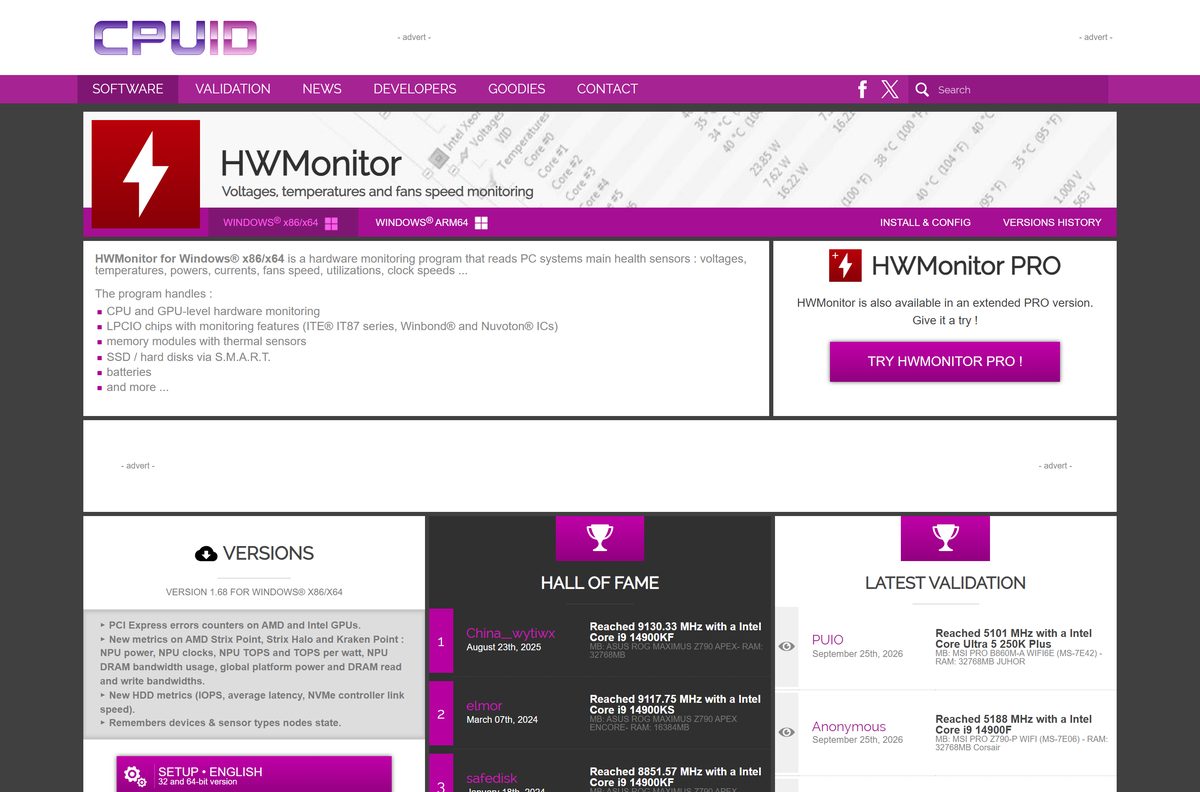
CPUID publishes every HWMonitor build on cpuid.com. Each download button opens a CPUID page that starts the file from download.cpuid.com.
- HWMonitor for Windows x86/x64 — 3.5 MB · English setup and ZIP, plus the full version history
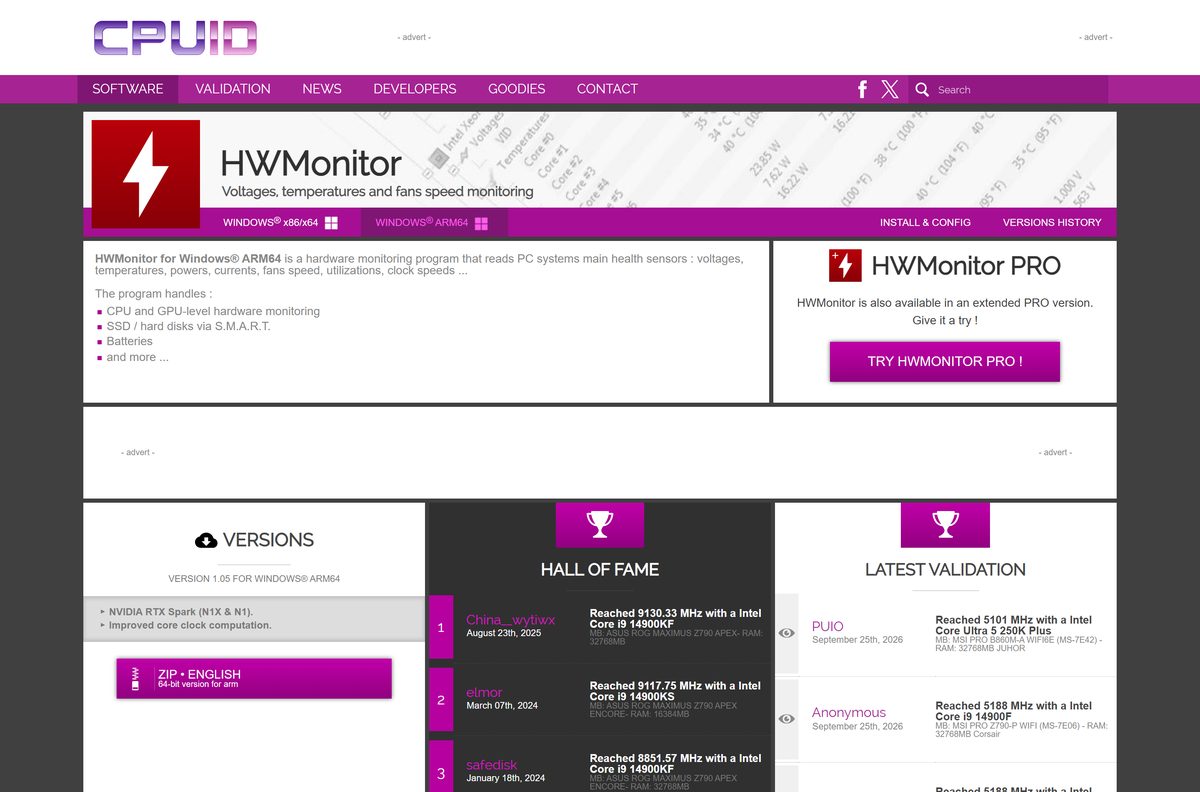
- HWMonitor for Windows ARM64 — Native ARM64 ZIP, version 1.05, released 19 August 2026
- HWMonitor PRO for Windows — Paid edition, version 1.59, with a full-featured trial
- HWMonitor PRO for Android — Version 1.14, sends phone sensors to HWMonitor PRO on a PC
Skip download portals. HWMonitor asks for administrator rights to read hardware sensors, so a repackaged setup from a mirror is a real risk.
How to install HWMonitor on Windows 11 and 10
The setup is an Inno Setup installer. It installs the program for all users and asks for administrator rights.
- Open the HWMonitor page on cpuid.com.
- Under the newest VERSION for WINDOWS® X86/X64, select SETUP • ENGLISH.
- On the next CPUID page, select the download button and save the setup file.
- Open your Downloads folder and double-click hwmonitor_1.68.exe .
- Select Yes in the User Account Control prompt.
- Accept the licence agreement and select Next through the wizard.
- Keep the default folder, C:\Program Files\CPUID\HWMonitor , and select Install.
- Select Finish, then open HWMonitor from the Start menu and select Yes again to let it read your sensors.
HWMonitor lists each device as a tree, from the processor and graphics card down to drives and batteries.
Install HWMonitor with winget
The Windows Package Manager installs the same CPUID setup from download.cpuid.com under the package ID CPUID.HWMonitor .
- Right-click Start and select Terminal (Admin).
- Type winget install –id CPUID.HWMonitor -e and press Enter.
- Type Y if winget asks you to accept the source agreements.
- Wait for Successfully installed, then open HWMonitor from the Start menu.
- Later, run winget upgrade –id CPUID.HWMonitor -e to move to the newest release.
Winget checks the setup against the SHA-256 hash in its HWMonitor manifest before it runs it, so a tampered file never installs.
Run HWMonitor without installing it from the ZIP
The ZIP holds the 32-bit and the 64-bit program. Nothing is added to the Start menu or the uninstall list.
- Open the HWMonitor page on cpuid.com and select ZIP • ENGLISH.
- Select the download button on the next CPUID page and save the ZIP.
- Right-click the ZIP and select Extract All.
- Pick a folder or a USB drive and select Extract.
- Open the folder and double-click the 64-bit HWMonitor program on 64-bit Windows, or the 32-bit one on 32-bit Windows.
- Select Yes in the User Account Control prompt.
On a Windows on ARM laptop, use the ZIP from the ARM64 page instead. That build reads CPU, GPU, drive and battery sensors.
How to verify the HWMonitor installer
Compare the file’s SHA-256 hash with the value listed in Microsoft’s winget manifest for the same CPUID download.
- Open Terminal in your Downloads folder.
- Run Get-FileHash .\hwmonitor_1.68.exe -Algorithm SHA256 .
- Compare the result with FAE15460133A648CACA1A63FD809EF0B042CF82DAF73C239FA5AC7B062CB2B16 .
- Right-click the setup, select Properties and confirm the size is about 3.5 MB.
- Delete the file if the hash differs, and download it again from cpuid.com.
The hash applies only to this English setup. Each new release carries its own value in the winget manifest.
Choose between HWMonitor and HWMonitor PRO
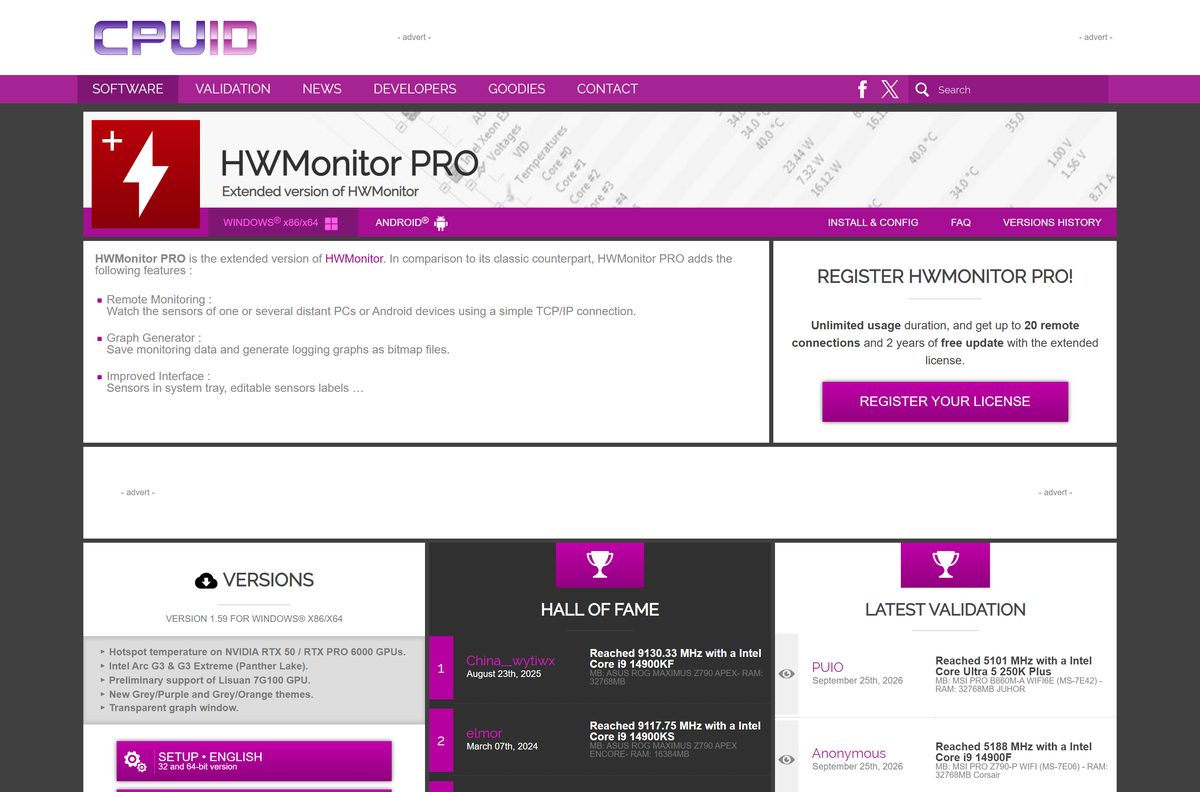
Install the free HWMonitor unless you need to watch other machines or save graphs. HWMonitor PRO reads the same sensors. It adds remote monitoring of PCs and Android devices over TCP/IP, a graph generator, sensors in the system tray and editable sensor labels. Try it free first: the trial includes every feature of the registered version.
The PRO edition is a separate program with its own version numbers, currently 1.59 for Windows.
Is HWMonitor free?
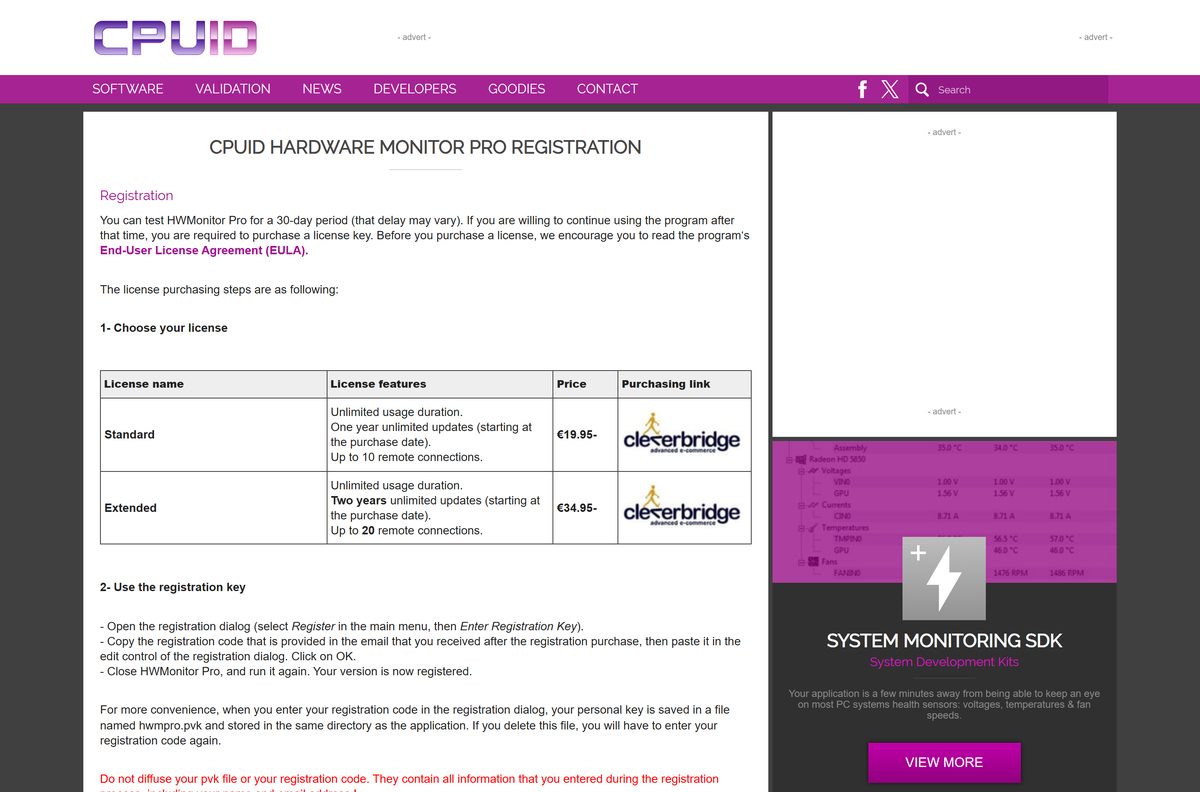
Yes. HWMonitor is freeware from CPUID, with no trial, licence key or time limit. Only HWMonitor PRO costs money. After a 30-day trial it needs a Standard licence at €19.95, with one year of updates and 10 remote connections, or an Extended licence at €34.95, with two years of updates and 20 remote connections. Any site selling a key for the free HWMonitor is not CPUID.
Is there a HWMonitor download for Mac or Android?
CPUID builds HWMonitor for Windows on x86/x64 and Windows on ARM64 only. Pick the route that matches your device.
| Your device | What to use |
|---|---|
| Mac running macOS | Open Activity Monitor from Applications > Utilities to watch CPU, memory and energy use; there is no macOS build |
| Mac running Windows in Boot Camp or a virtual machine | HWMonitor for Windows from cpuid.com |
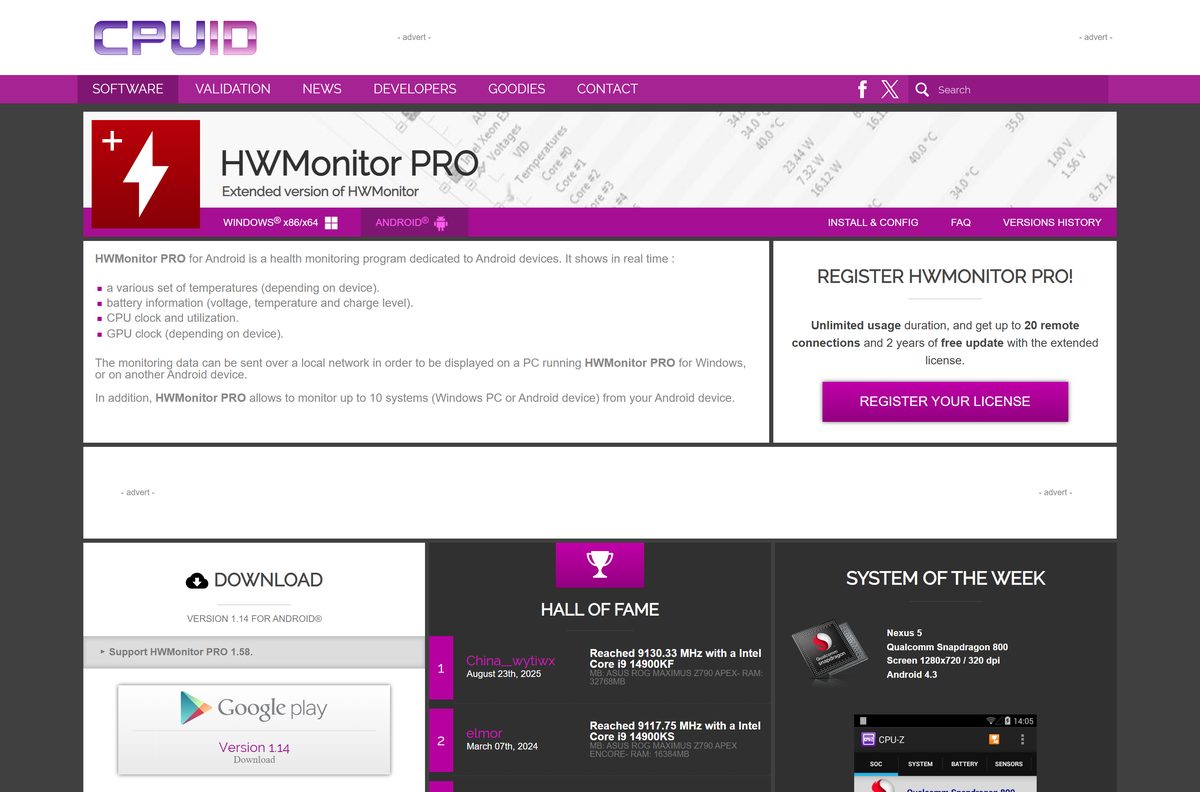
| Android phone or tablet | HWMonitor PRO for Android on cpuid.com |
The Android app shows temperatures, battery data and CPU clocks, and can send them to HWMonitor PRO on a PC over Wi-Fi.
How to check your HWMonitor version and update it
Each release adds support for new processors, graphics cards, power supplies and coolers. Update after a hardware upgrade.
- Open Settings > Apps > Installed apps.
- Find CPUID HWMonitor and read the version number under its name.
- Compare it with the top entry under VERSIONS HISTORY on the HWMonitor page.
- If yours is older, download the new setup and run it over the existing copy.
- For a winget install, run winget upgrade –id CPUID.HWMonitor -e instead.
- For the ZIP copy, extract the new ZIP over the old folder.
Fix HWMonitor problems on Windows 11 or 10
The setup will not run or is blocked by SmartScreen
The file came from a mirror, or the download is incomplete.
- Delete the file and download it again from cpuid.com.
- Check its SHA-256 hash as shown above.
- Use the ZIP build if your PC blocks installers.
A new graphics card, power supply or cooler is missing from the list
Your copy predates support for that device.
- Check your version under Settings > Apps > Installed apps.
- Install the newest release from the HWMonitor page.
- Restart HWMonitor and expand the device tree again.
A sensor shows an undefined or clearly wrong value
The chip on your board is not fully mapped yet.
- Select File > Save to create a full text report.
- Email the report to CPUID at cpuz[at]cpuid.com with a note on the wrong sensor.
- Rely on the CPU and GPU readings, which come from the chips themselves.
The standard setup fails on a Snapdragon laptop
Windows on ARM needs the native ARM64 build.
- Open the HWMonitor ARM64 page.
- Download ZIP • ENGLISH, the 64-bit version for ARM.
- Extract it and run the program from the folder.
How to uninstall HWMonitor
The setup copy has a normal uninstaller. The ZIP copy needs only a delete.
- Close HWMonitor.
- Open Settings > Apps > Installed apps.
- Find CPUID HWMonitor, select the three dots and select Uninstall.
- Or open Start > All apps > CPUID and select Uninstall HWMonitor.
- For a winget install, run winget uninstall –id CPUID.HWMonitor -e .
- For the ZIP copy, delete the extracted folder.
Choose a HWMonitor alternative for your task
HWMonitor watches sensors. Pick another tool when you need hardware details, a stress test or a quick check without installing anything.
| Tool | Best for | Limits |
|---|---|---|
| CPU-Z (CPUID) | Processor, motherboard and memory timing details | No temperature or fan readings |
| powerMAX (CPUID) | CPU and GPU load testing while HWMonitor records temperatures | A load test, not a monitor |
| HWMonitor PRO (CPUID) | Remote monitoring, graphs and tray sensors | Paid after the trial |
| Task Manager | Quick CPU, memory, disk and GPU load on the Performance tab | No motherboard voltages or fan speeds |
Frequently asked questions
Is HWMonitor free?
Yes. HWMonitor is freeware from CPUID with no trial or licence key. Only the separate HWMonitor PRO edition is paid, at €19.95 for a Standard licence or €34.95 for an Extended licence after a 30-day trial.
Where do I download HWMonitor?
Download it from the HWMonitor page on cpuid.com. Choose SETUP for an installed copy or ZIP for a portable one. Windows on ARM laptops use the separate ARM64 page on the same site.
Does HWMonitor work on Windows 11?
Yes. HWMonitor is built for Windows on x86/x64, which covers Windows 11 and Windows 10 PCs with Intel or AMD processors. Windows 11 laptops with ARM64 chips use the separate native ARM64 build.
How big is the HWMonitor download?
The English setup for version 1.68 is 3.5 MB and covers both 32-bit and 64-bit Windows. The ZIP and the ARM64 build are separate archives on the CPUID site.
Is there an offline installer for HWMonitor?
Yes. The HWMonitor setup is a complete offline installer, and the ZIP needs no installation at all. Neither downloads anything else, so both work on a PC without an internet connection.
Is there a HWMonitor for Mac?
No. CPUID makes HWMonitor for Windows on x86/x64 and Windows on ARM64 only. On a Mac, Activity Monitor shows CPU, memory and energy use, and a Windows virtual machine or Boot Camp can run HWMonitor.
Does HWMonitor support 64-bit and ARM64?
Yes. The standard setup installs the program for 32-bit or 64-bit Windows. Windows on ARM laptops need the separate native ARM64 build, version 1.05, from the CPUID site.
Is HWMonitor safe?
Yes, when it comes from cpuid.com. It asks for administrator rights only to read hardware sensors. Avoid mirror sites, and check the setup’s SHA-256 hash against the winget manifest.
What is the latest version of HWMonitor?
The latest HWMonitor for Windows is version 1.68, released on 14 September 2026 with PCI Express error counters and NPU metrics for AMD Strix chips. The ARM64 build is at 1.05 and HWMonitor PRO at 1.59.
Is HWMonitor available for Android?
Only the PRO edition. HWMonitor PRO for Android, version 1.14, shows phone temperatures, battery and CPU clocks, and sends them over Wi-Fi to HWMonitor PRO on a Windows PC.
Why won’t HWMonitor install or open?
The usual causes are an incomplete or mirrored download, a declined administrator prompt, or the x86/x64 setup on a Windows on ARM laptop. Download again from cpuid.com, or use the ARM64 ZIP on ARM hardware.