A Sketchbook download takes a few minutes on any device. On a Windows 11 or Windows 10 PC you install Sketchbook Pro from the Microsoft Store, and on a Mac from the Mac App Store. On an iPhone, iPad or Android device you get the free Sketchbook app.
Sketchbook Pro gives you hundreds of brushes, layers with blend modes, symmetry tools, Flipbook animation and full pen pressure and tilt support.
This guide covers which download fits your device, the official links, install steps, pricing, system requirements and fixes for Sketchbook Pro not installing.
Which Sketchbook download do you need?
Sketchbook comes in two apps. Sketchbook Pro runs on Windows and Mac, and Sketchbook runs on phones and tablets. Match your device to a row.
| Your device | What to install | Price | Size |
|---|---|---|---|
| Windows 11 or Windows 10 PC, x64 or ARM | Sketchbook Pro in the Microsoft Store | $24.99 one-time | Up to 130.4 MB (x64 + ARM64 bundle) |
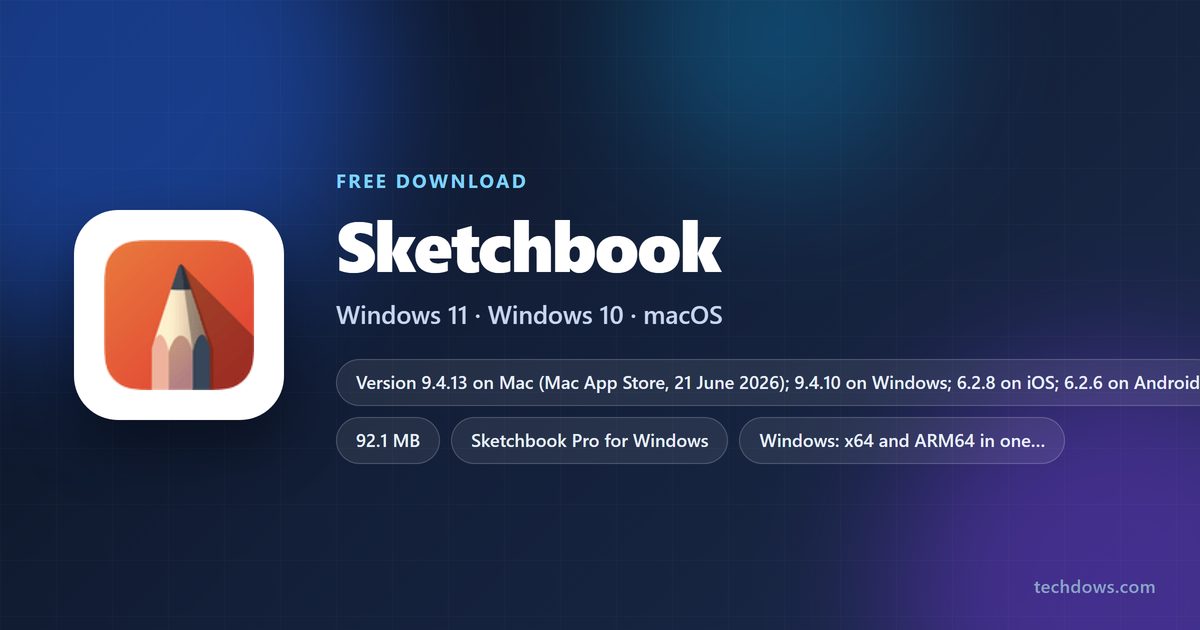
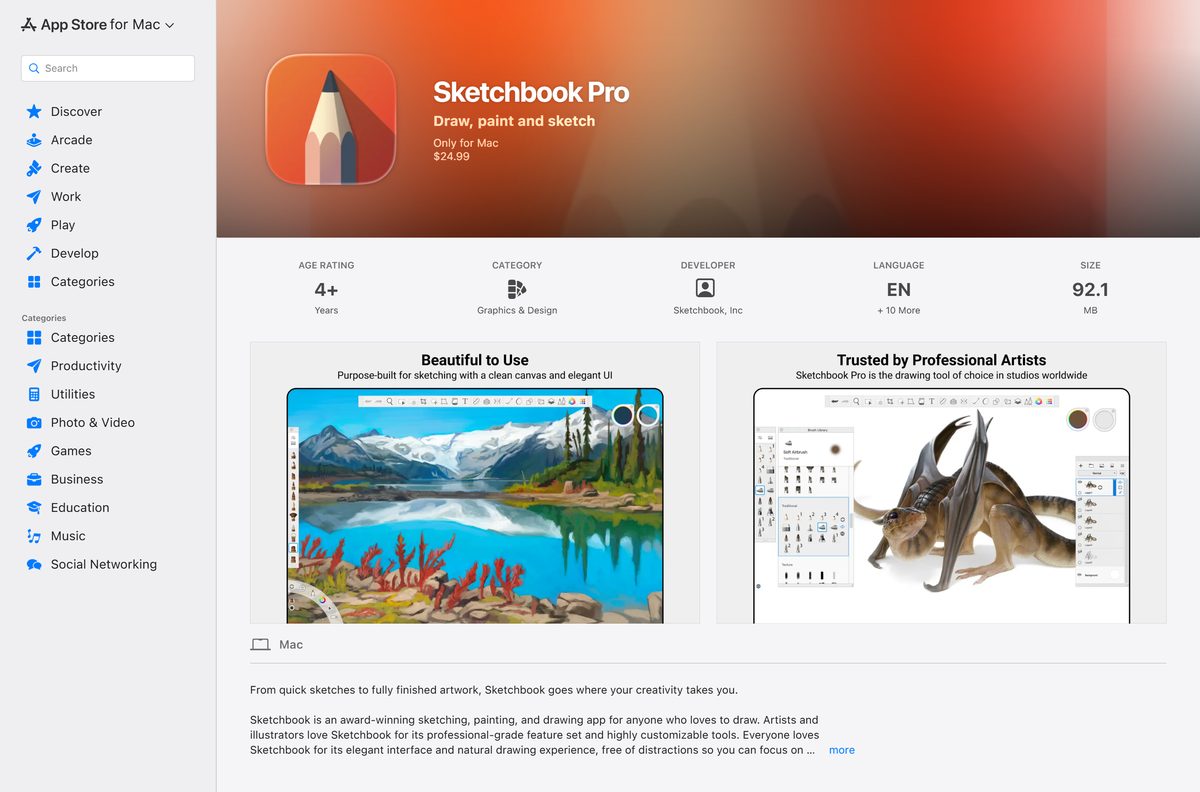
| Mac on macOS 12 Monterey or later | Sketchbook Pro in the Mac App Store | $24.99 one-time | 92.1 MB |
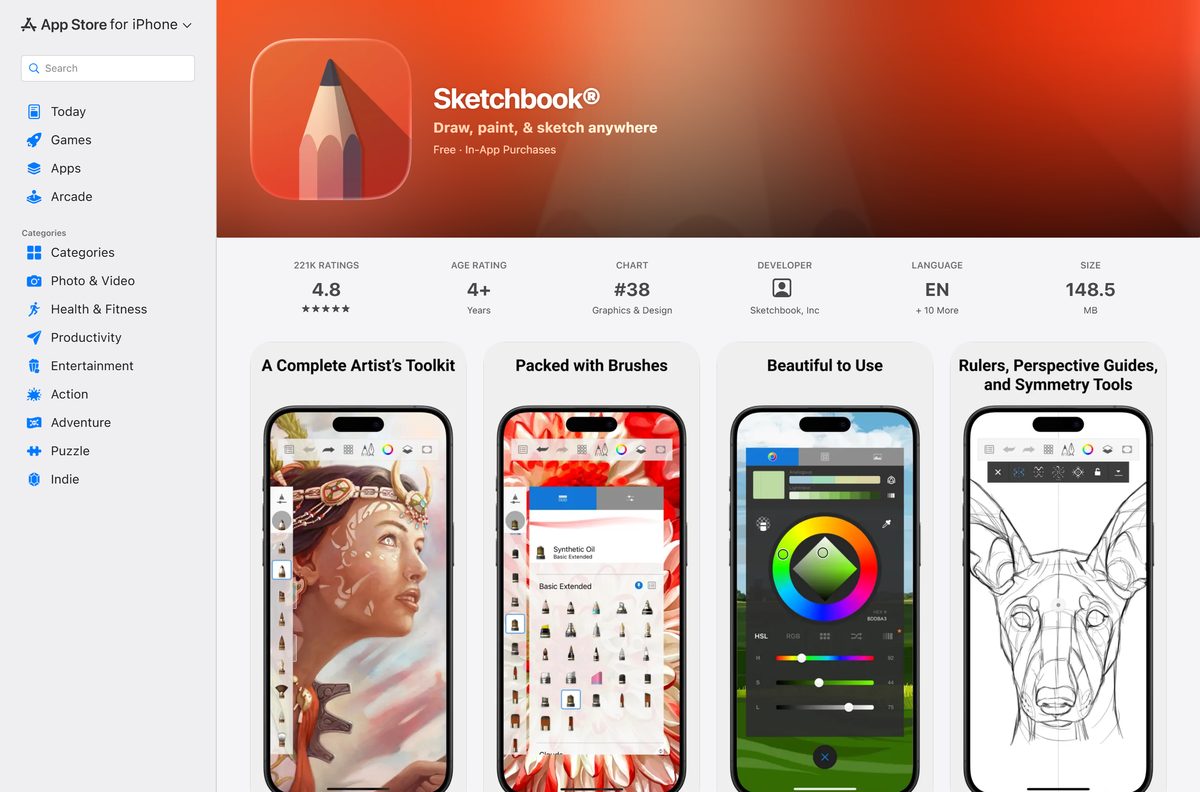
| iPhone or iPad on iOS 14 or later | Sketchbook on the App Store | Free, $2.99 Premium Bundle | 148.5 MB |
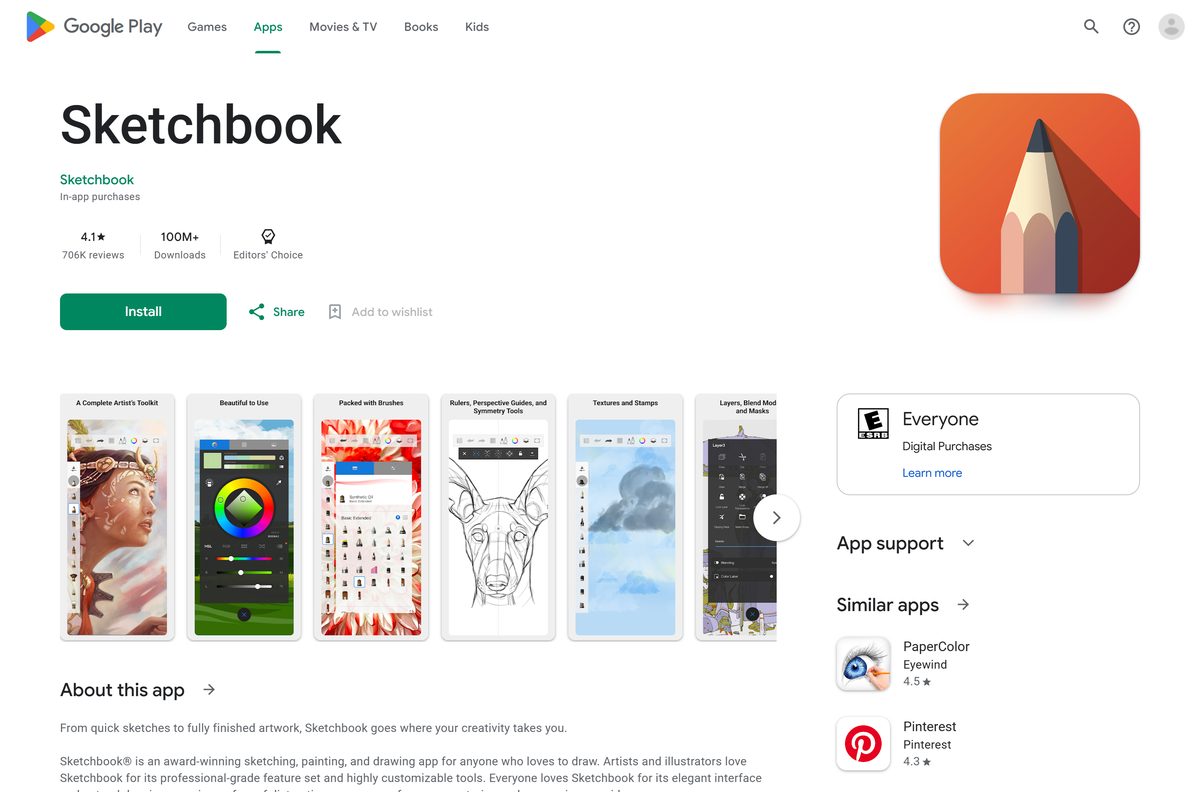
| Android phone, tablet or Chromebook | Sketchbook on Google Play | Free, in-app purchases | Play states no size |
A purchase on one store does not carry over to another. Buying on Windows does not unlock the Mac App Store version.
Download Sketchbook from the official stores
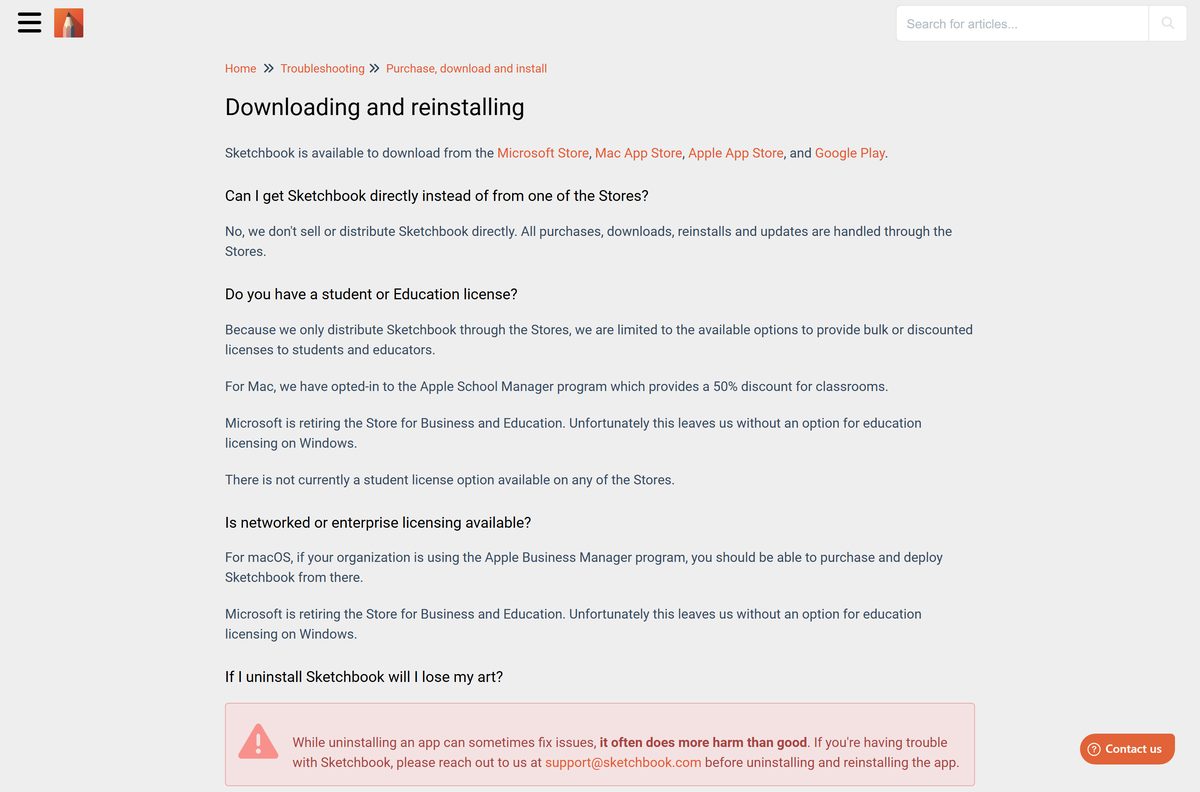
Sketchbook, Inc. sells and updates the app only through these stores. Its own site links to the same listings.
- Sketchbook Pro in the Microsoft Store — up to 130.4 MB · Windows 10 and 11, x64 and ARM64, $24.99
- Sketchbook Pro in the Mac App Store — 92.1 MB · version 9.4.13, macOS 12.0 or later, $24.99
- Sketchbook on the App Store — 148.5 MB · iPhone and iPad, iOS 14 or later, free
- Sketchbook on Google Play — Android 9 or later, free, 100M+ downloads
- Sketchbook apps page — the vendor’s own list of these store links
The Microsoft Store catalog also carries a free trial license for Sketchbook Pro. When the listing shows Free trial, you can test the app before you pay.
How to install Sketchbook Pro on Windows 11 and 10
Sign in to Windows with the Microsoft account you want the licence tied to.
- Open the Sketchbook Pro listing in the Microsoft Store from the link above.
- Select Buy to pay $24.99, or Free trial if the listing offers it.
- Confirm the payment with your Microsoft account.
- Wait for the Store to download and install the package.
- Select Open, or search for Sketchbook Pro in the Start menu.
- Right-click the Start menu entry and select Pin to taskbar for quick access.
- Open Settings > Bluetooth & devices > Pen & Windows Ink and make sure Windows Ink is on for pen pressure.
The same Microsoft account can install Sketchbook Pro on other PCs from the Store’s Library without paying again.
Which Sketchbook download do you need for your Mac?
Open the Apple menu and select About This Mac to see your chip and macOS version.
| Your Mac says | Install | Notes |
|---|---|---|
| Apple M-series chip, macOS 12 or later | Sketchbook Pro in the Mac App Store | Runs on Apple Silicon |
| Intel processor at 2.4 GHz or faster, macOS 12 or later | Sketchbook Pro in the Mac App Store | Same listing, same $24.99 price |
| macOS 11 Big Sur or earlier | Sketchbook on the App Store for an iPad instead | The Mac App Store requires macOS 12.0 or later |
An Apple ID can install the app on up to 10 devices, including a maximum of 5 computers.
Is Sketchbook free?
The mobile app is free. Sketchbook Pro for Windows and Mac is a $24.99 one-time purchase. Sketchbook for iPhone, iPad and Android installs free, and the App Store sells an optional Premium Bundle for $2.99 that adds custom brushes, canvas resizing and clipping masks. Sketchbook Pro costs $24.99 in both the Microsoft Store and the Mac App Store. The Microsoft Store processes the Windows sale, and it is not a subscription. Only direct enterprise and education licences are annual, at $24.99 per seat per year with a 10-seat minimum.
A site offering a free Sketchbook Pro .exe is not an official source. Sketchbook, Inc. distributes no installer outside the stores.
Choose between Sketchbook Pro and an old Autodesk SketchBook copy
Install the current Sketchbook Pro from Sketchbook, Inc. Autodesk discontinued Autodesk SketchBook, and older desktop copies cannot update because their licences are tied to Autodesk. If you bought Autodesk SketchBook from the Apple or Microsoft Store, you can still reinstall it from your purchase history. The preloaded 5.x version on Windows tablets cannot be downloaded again after a factory reset.
Old Autodesk copies keep working, but they receive no updates or bug fixes.
How to check your Sketchbook Pro version and update it
The stores install updates for you. Force a check when you want the newest build now.
- On Windows, open the Microsoft Store and select Library.
- Select Get updates and wait for Sketchbook Pro to update.
- On a Mac, open the App Store and select Updates in the sidebar.
- Select Update next to Sketchbook Pro if it appears.
- Open the Sketchbook Pro store listing to see the current version number under What’s New or version history.
The Mac App Store listed version 9.4.13 on 21 June 2026, and Sketchbook lists 9.4.10 for Windows.
Check the Sketchbook system requirements for your PC or Mac
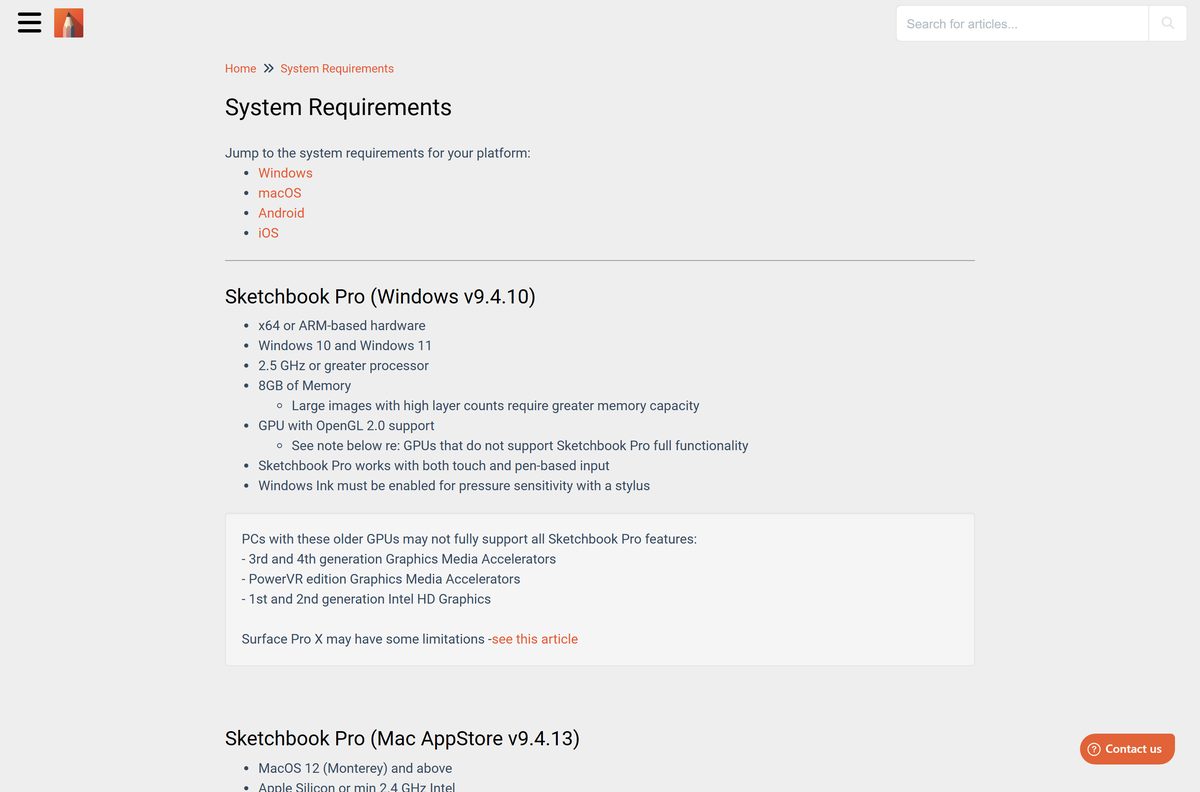
Check your PC under Settings > System > About. Large canvases with many layers need more than the 8 GB minimum.
| Field | Value |
|---|---|
| App | Sketchbook Pro (desktop), Sketchbook (mobile) |
| Developer | Sketchbook, Inc. |
| Latest version | 9.4.13 on Mac, 9.4.10 on Windows, 6.2.8 on iOS, 6.2.6 on Android |
| Price | $24.99 one-time on Windows and Mac; mobile free with in-app purchases |
| Windows | Windows 10 or Windows 11, 2.5 GHz or faster processor |
| Mac | macOS 12 Monterey or later, Apple Silicon or 2.4 GHz Intel |
| Memory | 8 GB |
| Graphics | GPU with OpenGL 2.0 support |
| Architecture | x64 and ARM64 on Windows; Apple Silicon and Intel on Mac |
| iPhone and iPad | iOS 14.0 or later, 148.5 MB |
| Android | Android 9 or later |
| Download size | 92.1 MB on Mac; up to 130.4 MB bundle on Windows |
| Offline installer | None; store installs only |
| Official source | sketchbook.com/apps |
| Last verified | 2026-09-25 |
PCs with 1st or 2nd generation Intel HD Graphics or older Graphics Media Accelerators may not run every Sketchbook Pro feature.
Fix Sketchbook Pro not installing on Windows 11 or 10
The Microsoft Store purchase or download fails
The Store app’s cache is stuck.
- Press Windows key + R to open Run.
- Type wsreset and press Enter.
- Reopen the Sketchbook Pro listing and select Install again.
Sketchbook Pro asks you to buy it again on a second PC
The second PC is signed in with a different Microsoft account.
- Open the Microsoft Store and select your profile picture.
- Sign in with the account that bought Sketchbook Pro.
- Install the app from Library.
The Store rejects your card
Your Windows Home Location does not match the card’s country.
- Open Settings > Time & language > Language & region.
- Set Country or region to the card’s country.
- Retry the purchase, and contact Microsoft Support if it still fails.
Pen pressure does nothing
Sketchbook Pro reads pressure through Windows Ink.
- Open your pen tablet’s driver settings.
- Turn on Windows Ink.
- Restart Sketchbook Pro and draw a test stroke.
How to uninstall Sketchbook Pro
On Windows and Mac, uninstalling keeps your saved artwork. On an iPhone or iPad, removing the app deletes every saved drawing, so back up first.
- On Windows, open Settings > Apps > Installed apps.
- Find Sketchbook Pro, select the three-dot menu and select Uninstall.
- On a Mac, open Finder > Applications and drag Sketchbook Pro to the Trash.
- On Android, press and hold the Sketchbook icon and select Uninstall.
- Reinstall later from your store account’s purchase history without paying again.
A Windows reinstall resets Sketchbook Pro’s preferences to the defaults.
Which Sketchbook app or other drawing app should you use?
Pick by device first. Every row here comes from Sketchbook, Inc. or the store that sells it.
| If you draw on | Use | Cost |
|---|---|---|
| A Windows PC with a pen tablet | Sketchbook Pro from the Microsoft Store | $24.99 one-time |
| A Mac with a pen display | Sketchbook Pro from the Mac App Store | $24.99 one-time |
| An iPad with Apple Pencil | Sketchbook from the App Store | Free, $2.99 Premium Bundle |
| An Android tablet with S Pen, or a Chromebook | Sketchbook from Google Play | Free, in-app purchases |
| A school or company fleet of 10 or more seats | Sketchbook direct licence | $24.99 per seat per year |
Chromebooks install the Android app from Google Play, and pen pressure depends on the device’s drivers.
Frequently asked questions
Is Sketchbook free to download?
The phone and tablet app is free. Sketchbook for iPhone, iPad and Android installs at no cost, with an optional $2.99 Premium Bundle on the App Store. Sketchbook Pro for Windows and Mac costs $24.99 as a one-time purchase in the Microsoft Store and the Mac App Store.
What is the official Sketchbook download page?
The official page is sketchbook.com/apps. It links to Sketchbook Pro in the Microsoft Store and the Mac App Store, and to Sketchbook on the App Store and Google Play. Sketchbook, Inc. sells no copy of the app from its own website.
Does Sketchbook Pro work on Windows 11?
Yes. Sketchbook Pro supports Windows 10 and Windows 11 on x64 or ARM hardware. It needs a 2.5 GHz or faster processor, 8 GB of memory and a GPU with OpenGL 2.0 support. Windows Ink must be on for pen pressure.
How big is the Sketchbook Pro download?
The Mac App Store lists Sketchbook Pro at 92.1 MB. The Microsoft Store package bundles the x64 and ARM64 builds at up to about 130.4 MB, and Windows fetches only the part your PC needs. The iPhone and iPad app is 148.5 MB.
Is there a Sketchbook Pro offline installer or .exe?
No. Sketchbook, Inc. distributes Sketchbook only through the Microsoft Store, Mac App Store, App Store and Google Play. Organisations that buy direct licences get Windows and macOS installers through the licence portal instead.
Is Sketchbook Pro available for Mac?
Yes. Sketchbook Pro is on the Mac App Store for $24.99 and needs macOS 12 Monterey or later. It runs on Apple Silicon Macs and on Intel Macs with a 2.4 GHz or faster processor and 8 GB of memory.
Does Sketchbook Pro run on ARM64 Windows laptops?
Yes. Sketchbook Pro 9.2 and later runs natively on Windows PCs with ARM processors, including Snapdragon Surface Pro models. The Microsoft Store package contains both x64 and ARM64 builds. Check that your pen tablet maker supplies ARM drivers.
Is Sketchbook Pro a subscription?
No, not for individual buyers. Sketchbook Pro in the Microsoft Store and the Mac App Store is a one-time $24.99 purchase. Only direct enterprise and education licences are annual, at $24.99 per seat per year with a 10-seat minimum.
Is Sketchbook safe to download?
Yes, when you install it from the Microsoft Store, Mac App Store, App Store or Google Play listings published by Sketchbook, Inc. Avoid any Sketchbook Pro .exe, crack or APK from other sites, because Sketchbook, Inc. publishes none.
What is the latest version of Sketchbook Pro?
The Mac App Store lists Sketchbook Pro 9.4.13, released on 21 June 2026. Sketchbook’s own requirements page lists version 9.4.10 for Windows, 6.2.8 for iOS and 6.2.6 for Android. The stores install updates automatically.
Can I still download Autodesk SketchBook?
Only if you already own it. Autodesk discontinued Autodesk SketchBook, and old copies cannot update to the current release. Reinstall a store copy from your purchase history, or buy the current Sketchbook Pro from Sketchbook, Inc.
Why won’t Sketchbook Pro install from the Microsoft Store?
Reset the Store first: press Windows key + R, type wsreset and press Enter. Then check that the PC uses the Microsoft account that bought the app, and that your Windows Home Location matches your payment card’s country.