The Hello Neighbor download for PC comes from Steam or the Microsoft Store on Windows 11 and Windows 10. Buy it once, let the store client install it, and start sneaking into the Neighbor’s house.
Dynamic Pixels develops the stealth horror game and tinyBuild publishes it. The same game installs free to start on Apple silicon Macs, iPhone, iPad and Android, with in-app purchases.
Below: which store to use, the official links, install steps for each platform, PC requirements, fixes and removal.
Which download do you need for your device?
Every platform gets the game from its own official store. Match your device to a row and open that link.
| Your device | Where to get it | Price |
|---|---|---|
| Windows 11 or Windows 10 PC, 64-bit, with Steam | Steam store page | $29.99 |
| Windows 11 or Windows 10 PC, 64-bit, with a Microsoft account | Microsoft Store listing | $29.99 |
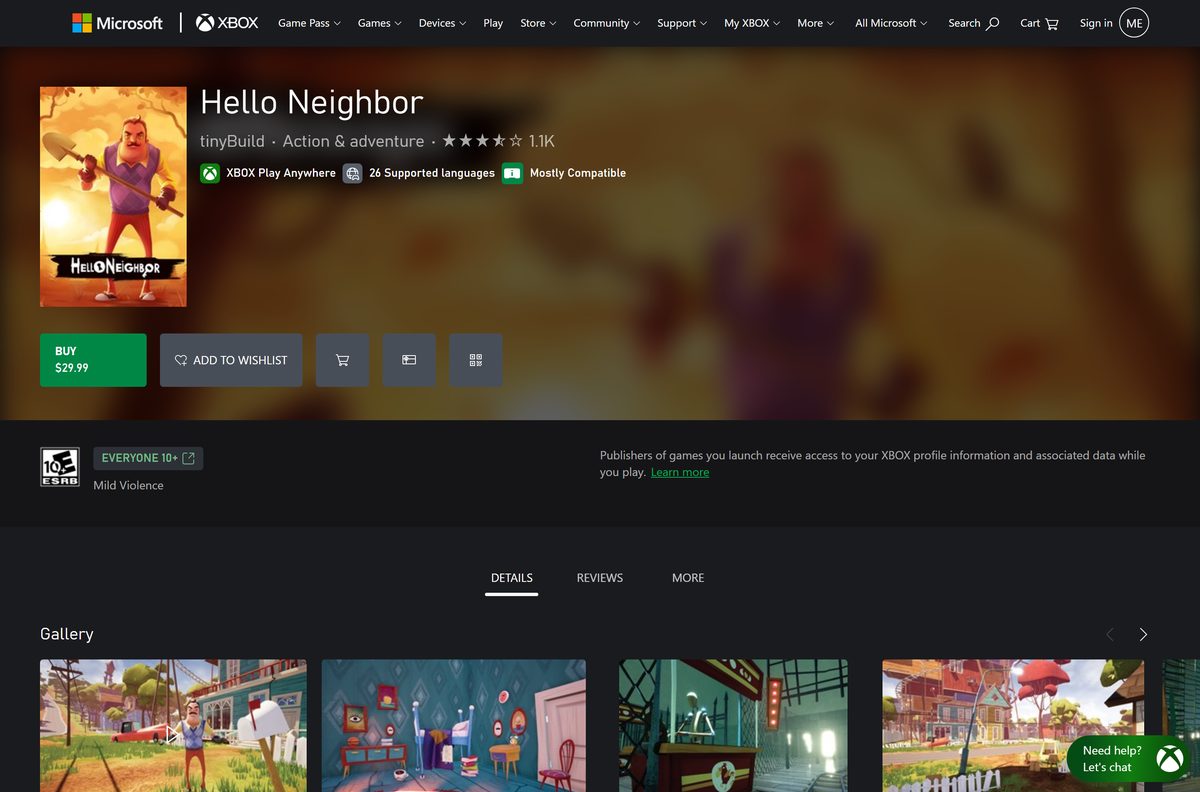
| Xbox console, or PC and Xbox with one purchase | Xbox store page | $29.99, Xbox Play Anywhere |
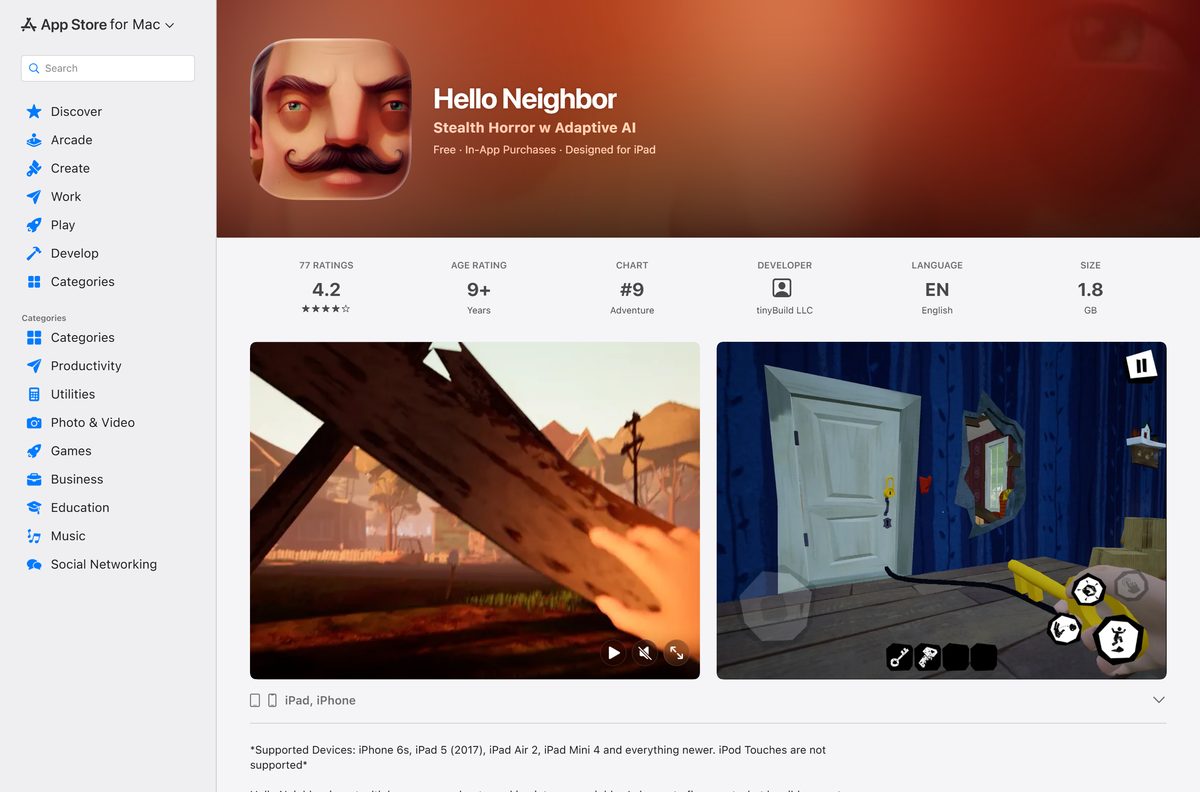
| Mac with an Apple silicon chip | Mac App Store listing | Free, in-app purchases |
| iPhone or iPad on iOS 13.0 or later | App Store listing | Free, in-app purchases |
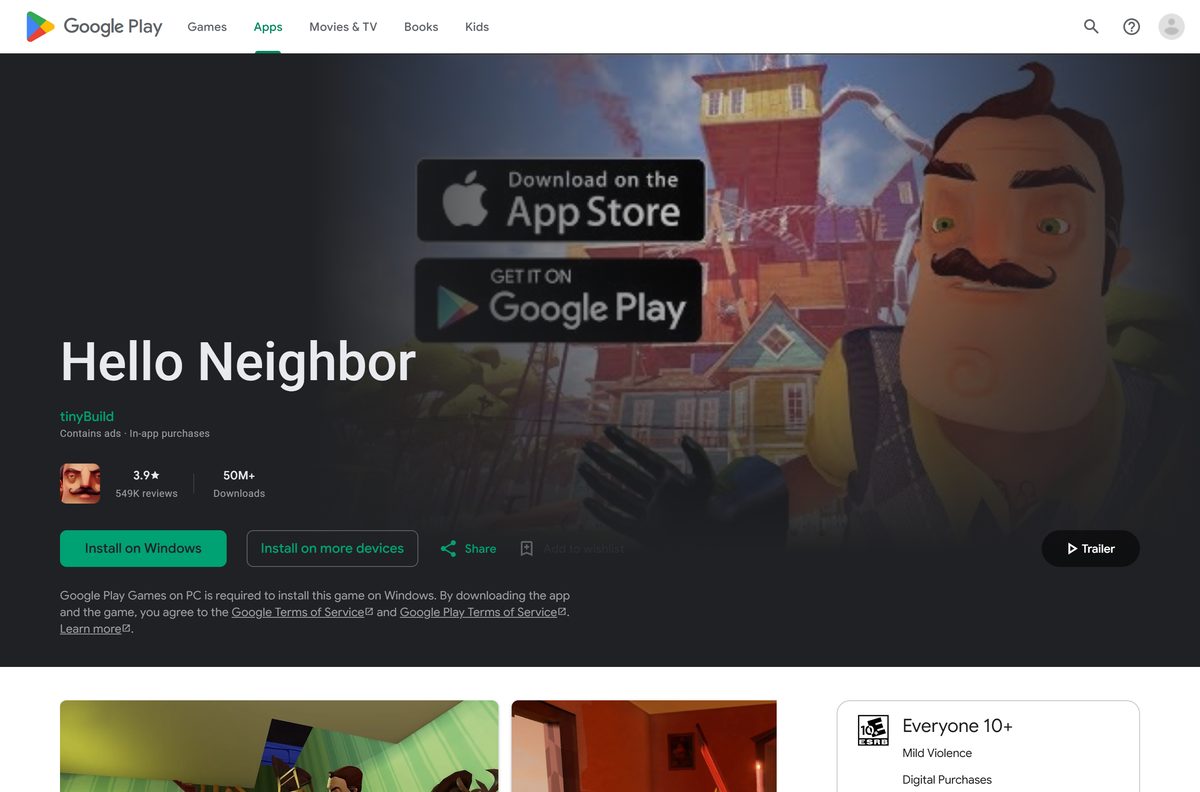
| Android phone or tablet | Google Play listing | Free, ads and in-app purchases |
Neither PC store offers a standalone offline installer. Steam or the Microsoft Store downloads the files, and the current Windows package is about 2 GB.
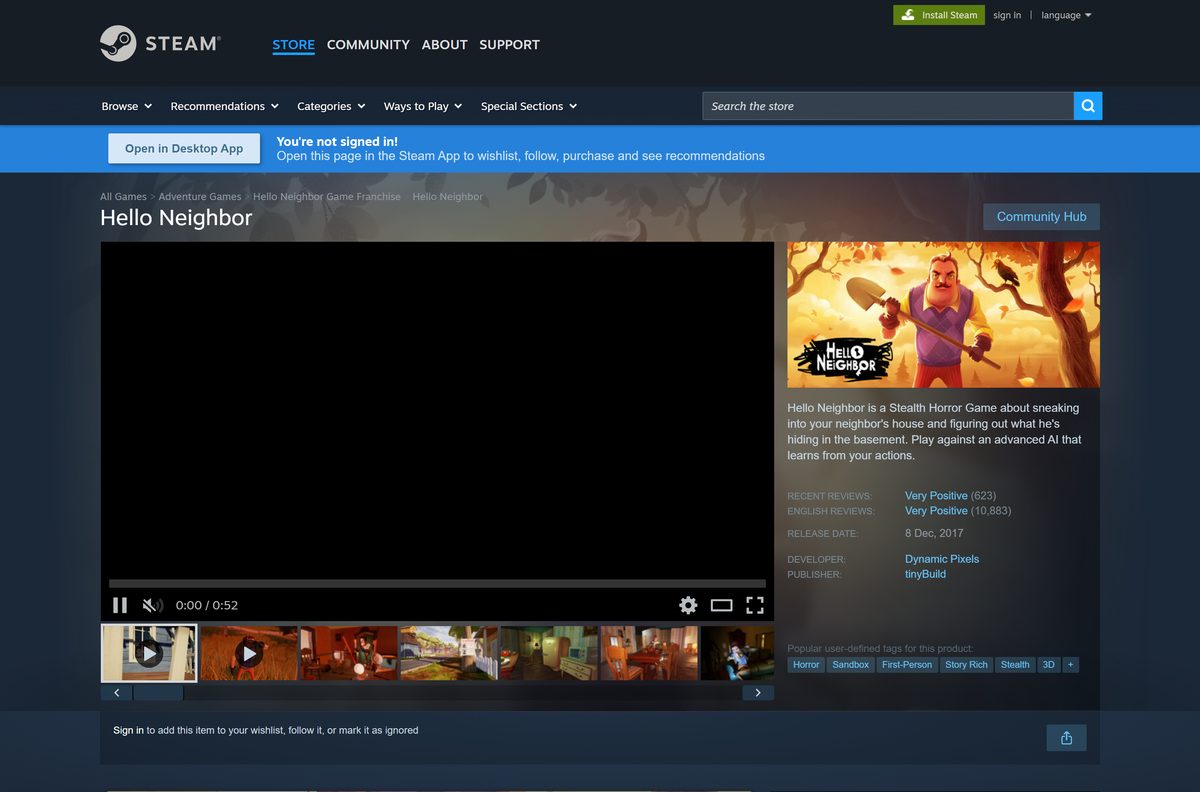
Download Hello Neighbor from the official store links
Each PC listing names Dynamic Pixels as developer and tinyBuild as publisher. Use these links instead of a download site.
- Hello Neighbor on Steam — Windows, 64-bit, $29.99
- Hello Neighbor on the Microsoft Store — About 2 GB · Windows 10 and 11, x64, $29.99
- Hello Neighbor on Xbox — Xbox Play Anywhere, one purchase for PC and Xbox
- Hello Neighbor on the App Store — 1.8 GB · Free on iPhone, iPad and Apple silicon Macs
- Hello Neighbor on Google Play — Free on Android, and on Windows through Google Play Games on PC
A site that offers a free PC setup file, a repack or a cracked build is not an official source. The paid PC game only comes from these stores.
How to install the game on Windows 11 and 10 with Steam
Steam is the most common PC route. Install the Steam client first and sign in to your Steam account.
- Open the Steam store page in the Steam client.
- Select Add to Cart, then open your cart.
- Select Purchase for myself and complete the $29.99 payment.
- Go to your Library and select the game in the left list.
- Select Install, pick a drive with at least 5 GB free, and confirm.
- Select Play when the download finishes.
The Steam version has full controller support, 17 achievements, trading cards, Remote Play on TV and Family Sharing. Mods install from the Steam Workshop.
Install it from the Microsoft Store or the Xbox app
The Microsoft Store version is an x64 package that needs Windows 10 version 1607 (build 14393) or later. Xbox Play Anywhere means one purchase covers both PC and Xbox.
- Open the Microsoft Store listing and sign in with your Microsoft account.
- Select Buy and complete the $29.99 payment.
- Select Install and let the Microsoft Store or Xbox app finish the download.
- Open Start, search for the game, and select it to launch.
- Sign in with your Xbox profile when the game asks, so cloud saves sync.
The Xbox page lists Xbox cloud saves, so progress carries between a PC and an Xbox console on the same account.
Is the PC version free?
No. The Windows game costs money, while the Mac and mobile releases cost nothing to download.
Pay $29.99 on Steam or the Microsoft Store for the full Windows game. Steam and Xbox both list the PC game at $29.99. The App Store lists the iPhone, iPad and Mac version as free with in-app purchases. Google Play lists the Android version as free, with ads and in-app purchases.
Google Play also offers the Android version on Windows through Google Play Games on PC, the only free route on a Windows PC.
Should you buy on Steam or the Microsoft Store?
Both stores sell the same game at the same price. The extras decide it.
Buy on Steam if you want mods; choose the Microsoft Store if you also own an Xbox. Steam adds the Workshop for community mods, Remote Play, Family Sharing, trading cards and achievements. The Microsoft Store copy supports Xbox Play Anywhere and Xbox cloud saves, so it also runs on Xbox with the same progress.
Which download do you need for your Mac?
Steam lists Windows as the only desktop platform, so there is no Mac build there. Apple silicon Macs run the iPad version from the Mac App Store instead.
The Mac App Store listing shows the game as Designed for iPad. Apple runs unmodified iPhone and iPad apps only on Macs with Apple silicon.
| Your Mac | What to do | Link |
|---|---|---|
| Mac with an M-series Apple silicon chip | Open the App Store, search for Hello Neighbor, then select Get on the listing labeled Designed for iPad | Mac App Store listing |
| Mac with an Intel processor | The iPad version does not install on Intel Macs; play on an iPhone, iPad or a Windows PC instead | iPhone and iPad listing |
| Mac plus a Windows PC in the house | Buy the Windows version on Steam and play on the PC | Steam store page |
To check your chip, open the Apple menu and select About This Mac. The Chip line shows Apple M1 or later on Apple silicon models.
Check the PC system requirements before you buy
The PC game needs a 64-bit system and a mid-range graphics card. Steam lists these Windows requirements.
| Field | Value |
|---|---|
| Game | Hello Neighbor |
| Developer | Dynamic Pixels |
| Publisher | tinyBuild |
| Latest version | Microsoft Store package 1.2.0.2; iOS 2.3.12 (April 16, 2025) |
| Released | December 8, 2017 |
| Price | $29.99 on PC; free with in-app purchases on Mac, iPhone, iPad and Android |
| Operating system | Windows 7 and up minimum, Windows 10 recommended; Microsoft Store copy needs Windows 10 build 14393 or later |
| Architecture | 64-bit processor and Windows required; Microsoft Store package is x64 only |
| Processor | Intel Core i5 minimum, i7 recommended |
| Memory | 6 GB RAM minimum, 8 GB recommended |
| Graphics | GTX 770 minimum, GTX 1060 recommended |
| DirectX | Version 11 minimum, version 12 recommended |
| Storage | 5 GB available space |
| Download size | About 2 GB (current Microsoft Store Windows package) |
| Offline installer | No, Steam or the Microsoft Store downloads the game |
| Official sources | Steam, Microsoft Store, Xbox, App Store, Google Play |
| Last verified | 2026-09-25 |
To check your PC, open Settings, select System, then About. The Installed RAM and System type lines show your memory and whether Windows is 64-bit.
How to keep the game updated on each platform
Store clients update the game for you, but a paused or failed update can leave an old build in place.
- Close the game completely.
- In Steam, open your Library and let any pending update finish before you select Play.
- In the Microsoft Store, open Library and select Get updates.
- On iPhone, iPad or Mac, open the App Store, select your account, and update from the list.
- On Android, open Google Play, tap your profile, select Manage apps & device, then Update all.
The App Store build reached version 2.3.12 on April 16, 2025, and Google Play shows an update dated April 15, 2025.
Verify and repair the game files in Steam
There is no setup file to scan, because the store client downloads the game. Steam can check every installed file and replace damaged ones without touching your purchase.
- Restart your computer and launch Steam.
- Right-click the game in your Library and select Properties.
- Open the Installed Files tab and select Verify integrity of game files.
- Wait for the check to finish, then launch the game.
For a Microsoft Store copy, uninstall the game and install it again from your Library in the Microsoft Store.
Fix the game not downloading or launching
Find the symptom that matches your screen and follow the fix under it.
The Steam download is stuck or slow
A stale Steam download cache holds the queue.
- Open Steam and select Steam, then Settings.
- Select Downloads and choose Clear Download Cache.
- Sign in again and restart the download from your Library.
The store refuses to install on your PC
The game needs 64-bit Windows and 5 GB of free space.
- Open Settings, select System, then About, and confirm System type says 64-bit.
- Free at least 5 GB on the target drive.
- Retry the install from Steam or the Microsoft Store.
The game will not launch or crashes on start
Damaged files, a broken mod or an old graphics driver block the start.
- Unsubscribe from recently added Workshop mods in Steam.
- Verify the files in Steam, or reinstall the Microsoft Store copy.
- Update your graphics driver from the GPU maker’s site.
- Restart the PC and launch the game again.
The Mac App Store shows no Get button
The iPad version installs only on Apple silicon Macs.
- Open the Apple menu and select About This Mac.
- Confirm the Chip line shows an Apple M-series chip.
- On an Intel Mac, play on an iPhone, an iPad or a Windows PC instead.
How to uninstall the game on PC and Mac
Removing the game deletes the local files. Purchases made through Steam or the Microsoft Store stay on your account, so a reinstall costs nothing.
Steam
Steam removes its own games.
- Right-click the game in your Steam Library.
- Select Manage, then Uninstall.
- Confirm with Uninstall.
Microsoft Store
Windows lists the Store copy with other installed apps.
- Select Start, then Settings, then Apps, then Installed apps.
- Find the game and select More, then Uninstall.
- Confirm with Uninstall.
Mac
App Store games sit in the Applications folder.
- Open Finder and select Applications.
- Drag the game to the Trash.
- Empty the Trash.
Which free ways can you play without buying the PC version?
The Windows copy on Steam or the Microsoft Store is the paid route. These official versions cost nothing to download.
| Option | Cost | What it needs |
|---|---|---|
| Android through Google Play | Free, with ads and in-app purchases | An Android phone or tablet |
| Windows through Google Play Games on PC | Free, with ads and in-app purchases | The Google Play Games on PC app |
| iPhone or iPad through the App Store | Free, with in-app purchases | iOS 13.0 or later, iPhone 6s or iPad 5 and newer |
| Apple silicon Mac through the Mac App Store | Free, with in-app purchases | A Mac with an M-series chip |
The mobile versions use touch controls built for phones and tablets. The Steam and Microsoft Store copies are the full PC release with keyboard, mouse and controller support.
Frequently asked questions
Is Hello Neighbor free on PC?
No. The Windows game costs $29.99 on Steam and on the Microsoft Store. The Android version installs free on Windows through Google Play Games on PC, with ads and in-app purchases.
Is Hello Neighbor free on mobile?
Yes, to download. The App Store lists it as free with in-app purchases on iPhone and iPad. Google Play lists it as free on Android, with ads and in-app purchases.
Where is the official Hello Neighbor download for PC?
Use the Steam store page or the Microsoft Store listing. Both name Dynamic Pixels as developer and tinyBuild as publisher, and both download the game through their own client.
Can you download Hello Neighbor on a Mac?
Yes, on a Mac with an Apple silicon chip. The Mac App Store offers the iPad version, labeled Designed for iPad. Steam lists no macOS build, and Intel Macs cannot run iPad apps.
Does Hello Neighbor work on Windows 11?
Yes. Steam lists Windows 7 and up as the minimum and Windows 10 as recommended. The Microsoft Store package needs Windows 10 build 14393 or later on x64, and Windows 11 meets both.
How big is the Hello Neighbor download?
The current Microsoft Store Windows package is about 2 GB. Steam asks for 5 GB of free space. The App Store lists the iPhone and iPad version at 1.8 GB.
Is there a Hello Neighbor offline installer?
No. Steam and the Microsoft Store download the game through their clients, and no official listing offers a standalone setup file. The game is single-player, so it plays offline once installed.
Does Hello Neighbor run on 32-bit Windows?
No. Steam states that the game requires a 64-bit processor and operating system, and the Microsoft Store package is x64 only. Check System type under Settings, System, About.
Who makes Hello Neighbor?
Dynamic Pixels developed the game and tinyBuild publishes it. The full release arrived on Steam and the Microsoft Store on December 8, 2017.
Is it safe to download Hello Neighbor?
Yes, from Steam, the Microsoft Store, the App Store or Google Play. Skip sites that offer a free PC setup file or a cracked build, because the PC game is sold only through official stores.