You can put Sling TV on a Windows 11, Windows 10 or Mac desktop in about a minute. Sign in at watch.sling.com in Chrome or Edge, then install the page as an app. Windows drops a shortcut in the Start menu and the player opens in its own window, without a browser tab around it.
The app costs nothing to install, and Sling Freestream plays 600+ free live channels before you enter any card details. A paid Sling plan unlocks the full channel line-up, starting at $19.99 a month.
Below are the official links, the Windows and Mac setup, what each plan costs, and fixes for playback that stalls.
Which Sling TV download do you need?
Match the machine in front of you to a row. One account covers every route.
| Your device | What to get | Minimum version |
|---|---|---|
| Windows 11 or Windows 10 PC | Install watch.sling.com as an app in Edge or Chrome | Edge 17, Chrome 107 |
| MacBook, iMac, Mac mini or Mac Studio | Sign in at watch.sling.com in Safari or Chrome | Safari 11, Chrome 107 |
| Chromebook | Sign in at watch.sling.com in Chrome | Chrome 107 |
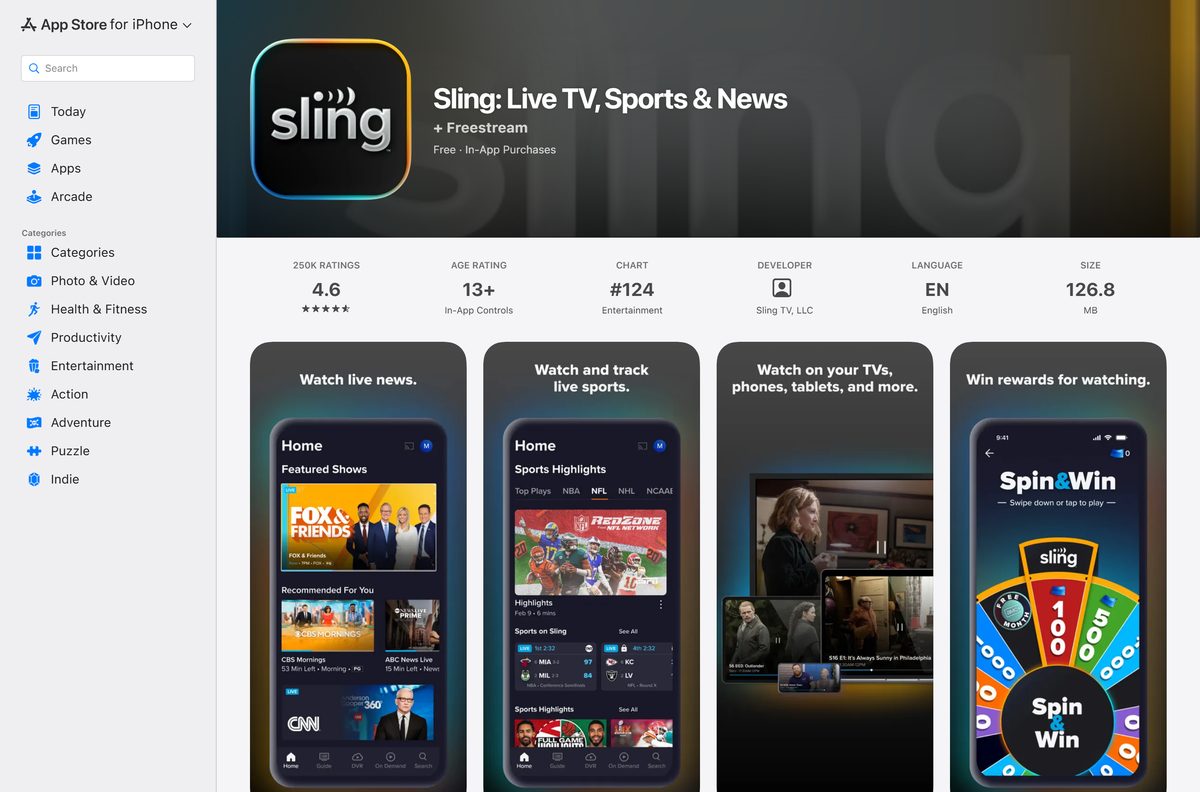
| iPhone or iPad | Sling on the App Store, 120.9 MB | iOS or iPadOS 16.1 |
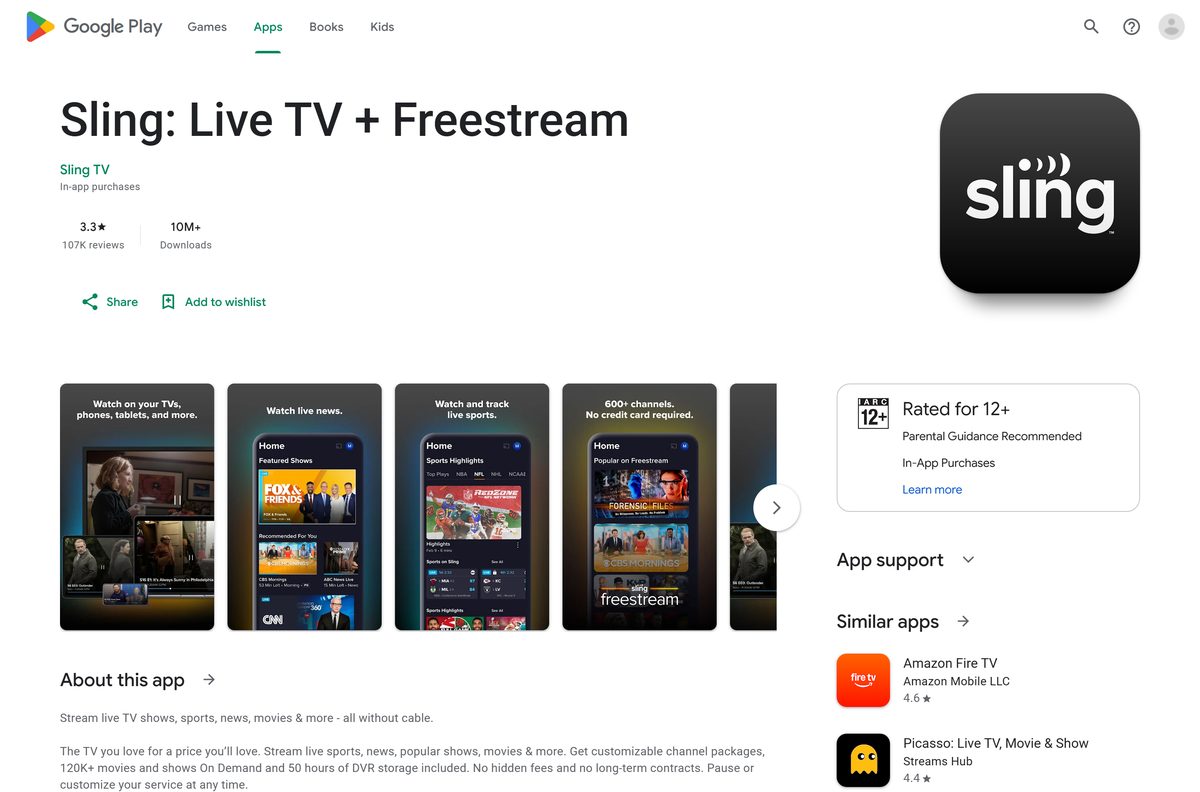
| Android phone or tablet | Sling on Google Play | Android 5.0 |
| No account yet, and you want to try it first | Sling Freestream, 600+ free channels | Any supported browser |
There is no setup file for a computer. The installed shortcut belongs to the browser, not to a separate program.
Download Sling TV from its official pages
Every link below is published by Sling or by the store that distributes its mobile app.
- watch.sling.com, the sign-in and playback site — Chrome, Edge or Safari on Windows, Mac and ChromeOS
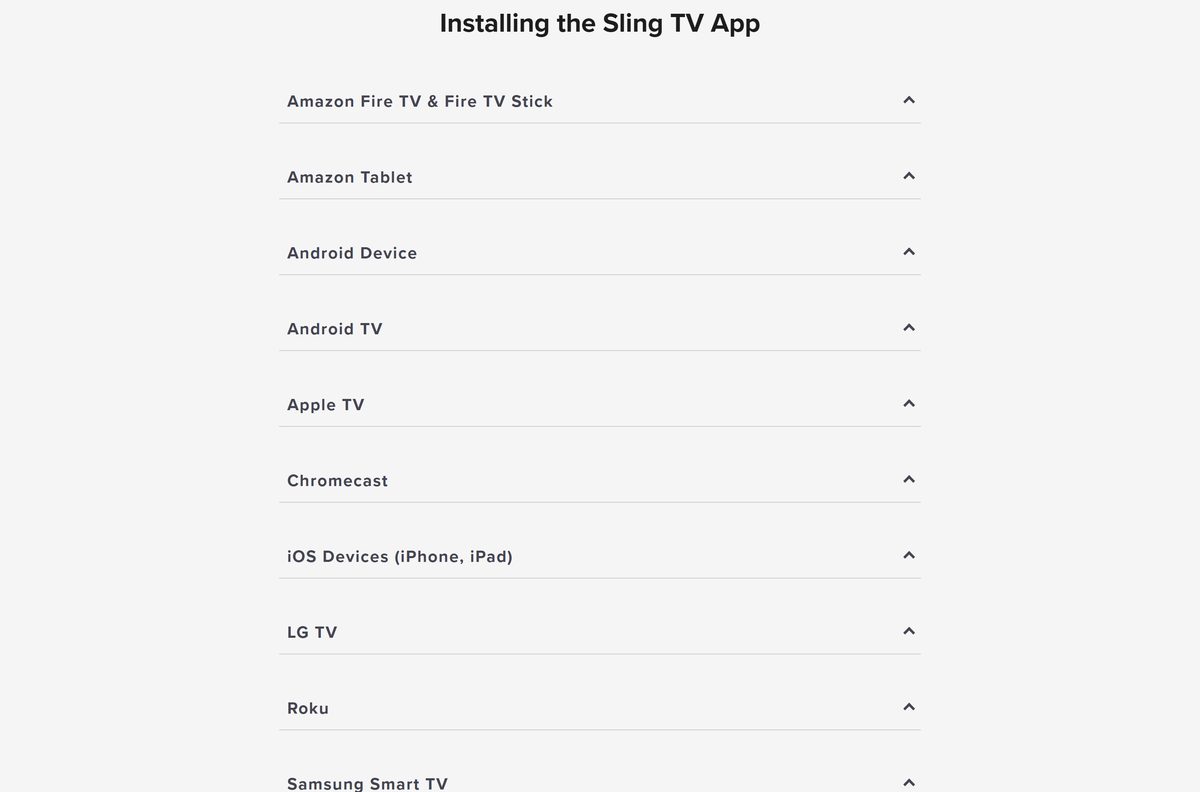
- Installing the Sling app, the official setup guide — per-device steps for phones, tablets, consoles and TVs
- Sling on the App Store — 120.9 MB · seller Sling TV LLC; needs iOS or iPadOS 16.1 or later
- Sling on Google Play — package com.sling; Android 5.0 Lollipop or newer
- Sling Freestream, free live TV with no account — 600+ channels and on-demand titles
- Supported devices in the Sling Help Center — browser versions and per-device support pages
A site offering a Sling setup file for Windows or macOS is not Sling.
Check the Sling TV system requirements before you sign in
The floor is a current browser and a United States connection. No processor, memory or disk figure applies, because nothing is compiled for the desktop.
| Field | Value |
|---|---|
| Software | Sling TV |
| Developer | Sling TV L.L.C. |
| Latest version | 9.41.3 (App Store build; the web player is not versioned) |
| License | Free to install; a paid plan unlocks the full line-up |
| Windows | Windows 11 and Windows 10 via Edge 17+ or Chrome 107+ |
| macOS | Safari 11+ or Chrome 107+ |
| Mobile | iOS and iPadOS 16.1+, Android 5.0+ |
| Architecture | Browser-based on desktop: x64, x86, ARM64 and Apple silicon |
| Desktop download size | None; nothing installs on a PC or a Mac |
| App Store size | 120.9 MB |
| Offline installer | No |
| Availability | United States only |
| Last verified | 2026-09-22 |
A VPN that exits outside the United States blocks playback, even on a paid plan.
How to install Sling TV on Windows 11 and 10
Edge and Chrome both turn the player into a Start menu entry. The window loses the address bar and behaves like any other desktop app.
- Open Microsoft Edge or Google Chrome and go to watch.sling.com.
- Select Sign In and enter the email address and password on your account.
- In Edge, select the three dots, then Apps, then Install this site as an app.
- In Chrome, select the three dots, then Cast, save and share, then Install page as app.
- Name the shortcut and select Install.
- Right-click the new Start menu entry and choose Pin to taskbar.
No account yet? Open sling.com first, pick a plan, then come back and sign in.
Which Sling TV download do you need for your Mac?
Apple’s catalogue carries no Mac build, so a Mac plays the same web player a PC does. Safari works from version 11.
| Your Apple device | What to do | Minimum version |
|---|---|---|
| MacBook Air, MacBook Pro, iMac, Mac mini or Mac Studio | Sign in at watch.sling.com in Safari | Safari 11 |
| A Mac where you want a dock icon | Open watch.sling.com in Chrome and install it as an app | Chrome 107 |
| iPhone or iPad | Sling on the App Store, 120.9 MB | iOS or iPadOS 16.1 |
| Apple TV box | The App Store on the box itself | Apple TV 4th generation |
Safari has no install-as-app command. Add the page to Favourites, or use Chrome when you want a dock icon.
Install the Sling TV app on a phone or tablet
The mobile builds are real apps, unlike the desktop route. Both are free and sign in with the same account.
- On iPhone or iPad, open the App Store listing and select Get.
- Confirm with Face ID, Touch ID or your Apple Account password.
- On Android, open Google Play and select Install.
- Open the app, select Sign In and enter the email address on your account.
The App Store build needs iOS or iPadOS 16.1 or later. Android phones need 5.0 Lollipop or newer.
Is Sling TV free?
Installing costs nothing. Watching the full channel list does not.
The app is free, Sling Freestream is genuinely free, and every full channel package is paid. Freestream plays 600+ live channels with no account at all. Beyond that, Sling Orange is $45.99 a month, Sling Blue is $45.99, and the two together are $60.99. Sling Essentials and Sling Select each start at $19.99, and the pair starts at $34.99. Day passes on Sling Orange cost $4.99 for 24 hours, $9.99 for three days and $14.99 for a week.
Prices are the United States rates on sling.com and exclude state and local taxes.
Which Sling TV plan should you install, Orange or Blue?
The two packages carry different channels and different stream limits, and they cost the same.
Take Sling Blue for a household, Sling Orange for one viewer who wants ESPN and Disney channels. Sling Orange allows one stream at a time, so a second TV in the house simply stops. Sling Blue allows three, which covers most families. Both run $45.99 a month. Subscribing to both costs $60.99 and gives four streams, because each service keeps its own count. Sling Essentials and Sling Select split the same way at a lower price.
Extras you add sit inside the stream count of the package they belong to.
What Sling TV runs on, and which version you need
The desktop requirement is the browser, so keeping it current is the whole maintenance job.
| Platform | Minimum version | Notes |
|---|---|---|
| Google Chrome | 107 | Windows, macOS and Chromebook |
| Microsoft Edge | 17 | Best on the current release; updates with Windows |
| Safari | 11 | macOS only; no install-as-app command |
| iPhone and iPad | iOS or iPadOS 16.1 | App Store build, 120.9 MB |
| Android | 5.0 Lollipop | Google Play, package com.sling |
| Apple TV | 4th generation or later | App Store on the box |
| Roku, LG and Samsung TVs | Select models | Check the per-device support page |
Sling is blunt about old hardware: a device that stops receiving operating system updates eventually stops receiving app updates too.
How to check your Sling TV version and update it
On a PC or a Mac the version that matters is the browser’s, because the player itself reloads from the server on every launch.
- In Edge, select the three dots, then Help and feedback, then About Microsoft Edge.
- Let the page download any update and select Restart.
- In Chrome, select the three dots, then Help, then About Google Chrome, and restart when prompted.
- On Windows, open Settings, then Windows Update, and install pending updates so Edge moves forward.
- On iPhone or iPad, open the App Store, select your profile picture and look under Available Updates.
- On Android, open Google Play, select your profile picture, then Manage apps & device.
Reinstalling the mobile app clears its data and pulls the newest build in one step.
Fix Sling TV not working on Windows 11 or 10
Most desktop failures are a location check or a stale browser cache, not a broken install.
The player says your connection is blocked
A VPN, a proxy or an IP address that looks like it sits outside the United States.
- Disconnect the VPN or proxy and reload the page.
- Turn off any ad blocker on the tab.
- Open a private or incognito window and sign in there.
- Ask your internet provider to refresh your IP address if the message stays.
Video buffers, freezes or shows a black frame
Network congestion or a cache that has gone stale.
- Change to another channel, then switch back.
- Close other apps and browser tabs that are using the connection.
- Clear the browser cache and reload the page.
- Unplug the router for at least ten seconds, wait two minutes, then reload.
Sign-in fails or the shortcut opens a blank window
A stale session on the device.
- Select Settings, then Account, then Sign Out.
- Close the window and open the shortcut again.
- Sign back in with the email address on the account.
- Use password help if the password is not accepted.
The browser offers no option to install the page as an app
An old Edge or Chrome build, or Safari, which has no such command.
- Update the browser from its About page and restart it.
- Confirm the build is Edge 17 or newer, or Chrome 107 or newer.
- On a Mac in Safari, add the page to Favourites instead.
- Work through Sling’s general troubleshooting steps if playback still fails.
How to uninstall Sling TV and cancel the plan
Removing the shortcut stops nothing on the bill. Cancelling is a separate job on the account page.
- Open Settings with Windows + I, then go to Apps, then Installed apps.
- Find the entry, select the three dots and choose Uninstall.
- In Edge, you can also open Apps, then Manage apps, and select Uninstall there.
- On a Mac, drag the Chrome app shortcut from the Applications folder to the Bin.
- To stop the billing, sign in at sling.com and open your account page.
- Follow Sling’s pause or cancel article to finish.
Fees are charged monthly in advance, and Sling issues no refund for part of a paid month.
Which other ways can you watch Sling TV?
The desktop player is one of many front doors to the same account.
| Route | Who it suits | What you need |
|---|---|---|
| watch.sling.com in a browser | Windows, Mac and Chromebook | Edge 17+, Chrome 107+ or Safari 11+ |
| The App Store build | iPhone and iPad | iOS or iPadOS 16.1 or later |
| The Google Play build | Android phones and tablets | Android 5.0 or newer |
| Samsung, LG and VIZIO SmartCast | A smart television | Select models; VIZIO from 2016 |
| Xbox | A console already under the TV | Select models |
| Sling Freestream | Anyone testing the service | No account at all |
Stream limits follow the plan, not the device, so a second screen counts wherever it runs.
Frequently asked questions
Is there a Sling TV download for Windows 11 or Windows 10?
There is no setup file. Sling lists only the Chrome and Edge browsers for computers, so you sign in at watch.sling.com and install that page as an app. Windows then adds a Start menu shortcut that opens in its own window.
Is the Sling TV app free to download?
Yes. Installing the desktop shortcut costs nothing, and the App Store and Google Play builds are free too. Sling Freestream plays 600+ live channels with no account. A paid plan is needed for the full channel line-up.
Is there a Sling TV app for Mac?
No. Apple’s catalogue lists no Mac build. On a Mac you sign in at watch.sling.com in Safari 11 or newer, or open the same page in Chrome 107 or newer and install it as an app for a dock icon.
How much does Sling TV cost each month?
Sling Orange is $45.99 a month and Sling Blue is $45.99. Both together cost $60.99. Sling Essentials and Sling Select each start at $19.99, and the pair starts at $34.99. Day passes on Sling Orange run from $4.99.
Is there a Sling TV offline installer?
No. Nothing is compiled for Windows or macOS, so there is no exe, msi, dmg or pkg to keep. The player loads from the server each time, which is why the desktop route needs a live connection.
How big is the Sling TV app on a phone?
The App Store build is 120.9 MB, or 126,821,376 bytes, and needs iOS or iPadOS 16.1 or later. The Google Play build installs under the package name com.sling and needs Android 5.0 Lollipop or newer.
How many people can watch at the same time?
Sling Orange allows one stream and Sling Blue allows three. Subscribing to both gives four, because each service keeps its own count. Sling Essentials allows one and Sling Select allows three, on the same rule.
Does Sling TV work outside the United States?
No. Sling’s offer details state the service is available only within the United States. A VPN does not help either: the player answers with a blocked-connection message and refuses to start the stream.
How do I cancel a Sling TV plan?
Sign in at sling.com, open your account page and cancel there, or use the pause and cancel article in the Help Center. Fees are billed monthly in advance, and no refund is issued for a partial month.