An Onshape download takes about a minute. Sign up free at onshape.com, open cad.onshape.com in your browser on Windows 11, Windows 10, Mac, Linux or ChromeOS, and add the free app on iPhone, iPad or Android.
This guide covers the official sign-up route, the browser app on Windows and Mac, the mobile apps, what the Free Plan costs you in privacy, the paid plans, sign-in failures and clean removal.
Which Onshape download do you need for Windows 11 or Windows 10?
PTC ships no setup file for Onshape. Match your device to the route below and go.
| Your device | What you get | Where |
|---|---|---|
| Windows 11 or Windows 10 PC | The browser app, installed from Edge or Chrome | Sign up free |
| Mac, Linux PC or Chromebook | The same browser app at cad.onshape.com | cad.onshape.com |
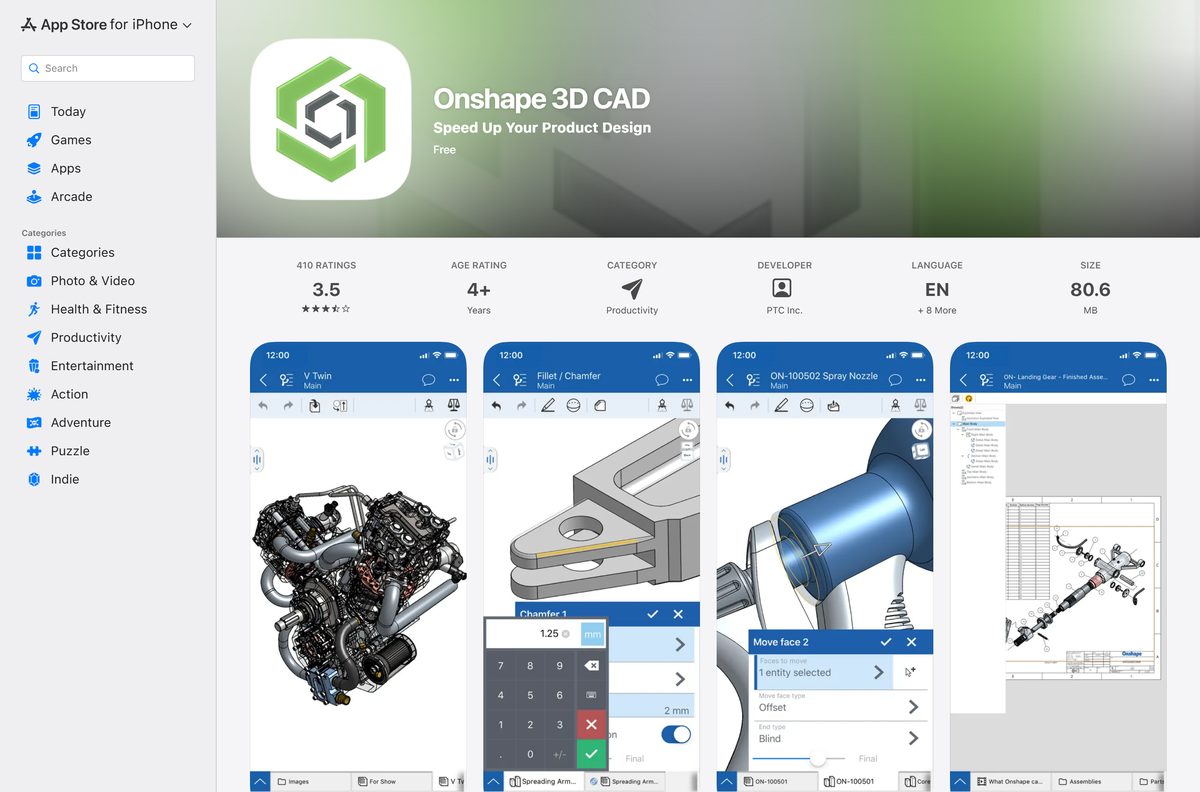
| iPhone or iPad on iOS 18.0 or later | Onshape 3D CAD, 76.4 MB | App Store |
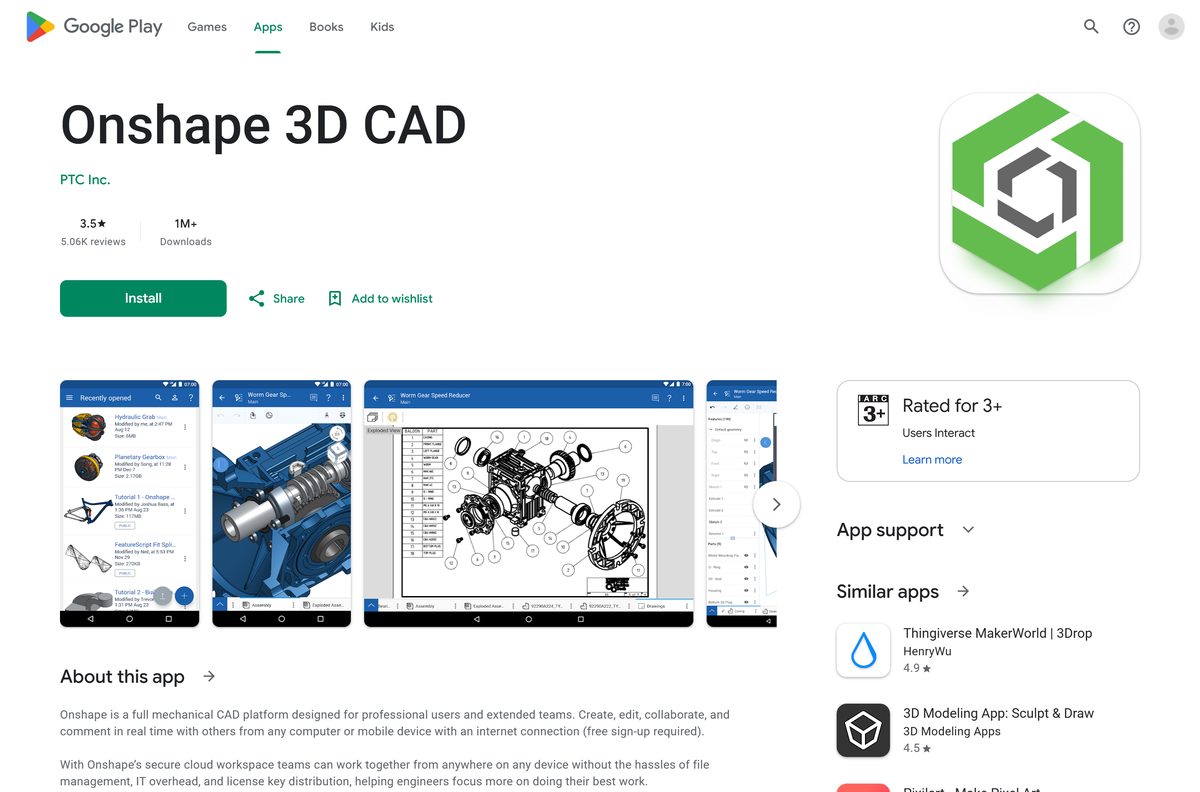
| Android phone, tablet or Chromebook | Onshape 3D CAD from PTC Inc. | Google Play |
| Apple Vision Pro on visionOS 26.0 or later | Onshape Vision, 309 MB | App Store |
Every row opens the same documents. The model lives in your account, not in a file on one machine.
Download Onshape from the official sources
PTC distributes Onshape through onshape.com, the App Store and Google Play. Nothing else is official.
- Sign up for the Onshape Free Plan — No credit card required
- Open Onshape in a browser — Windows, Mac, Linux, ChromeOS
- Onshape 3D CAD on the App Store — 76.4 MB · iOS and iPadOS 18.0 or later
- Onshape 3D CAD on Google Play — Phone, tablet and Chromebook
- Onshape Vision on the App Store — 309 MB · Apple Vision Pro, visionOS 26.0 or later
- Plans and pricing — Free, Standard, Professional, Enterprise
Check the Onshape system requirements before you sign up
The requirement that catches people is bandwidth, not hardware. A dropped connection stops the session.
| Field | Detail |
|---|---|
| Software | Onshape |
| Developer | PTC Inc. |
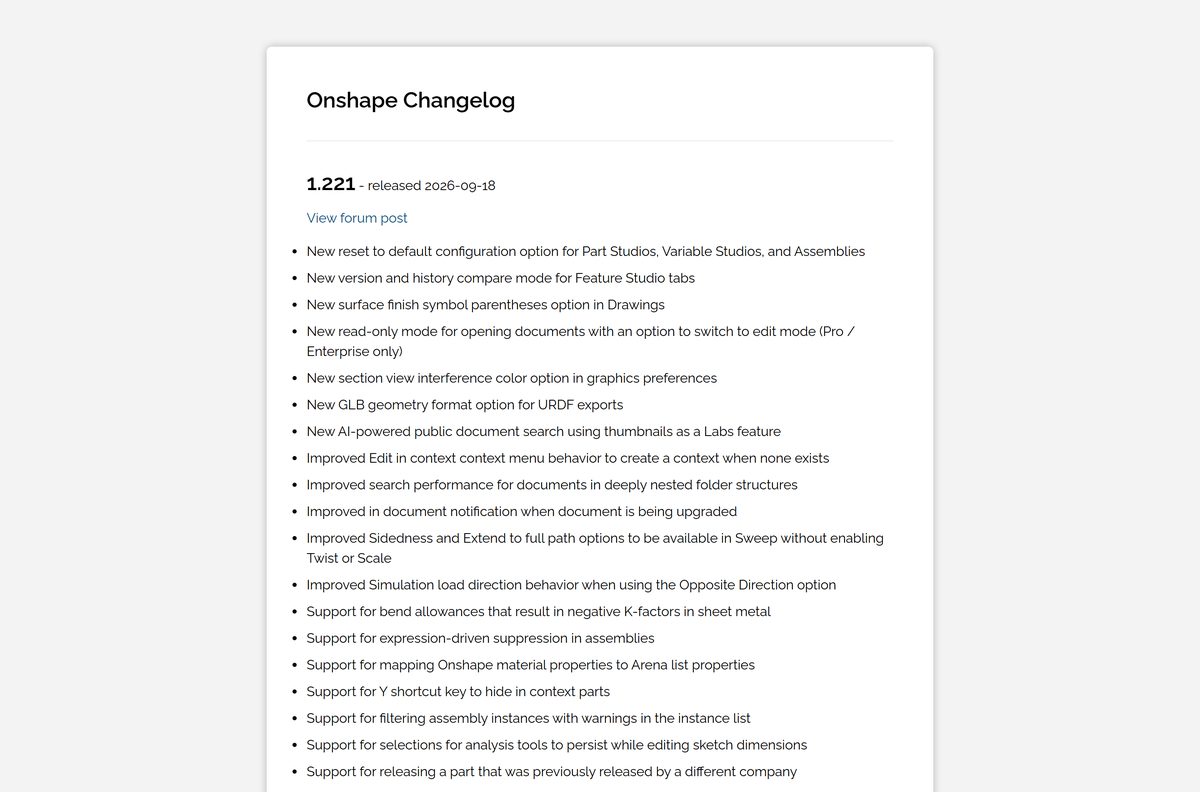
| Latest version | 1.221, released 18 September 2026 |
| Update cadence | Automatic, every 3 weeks |
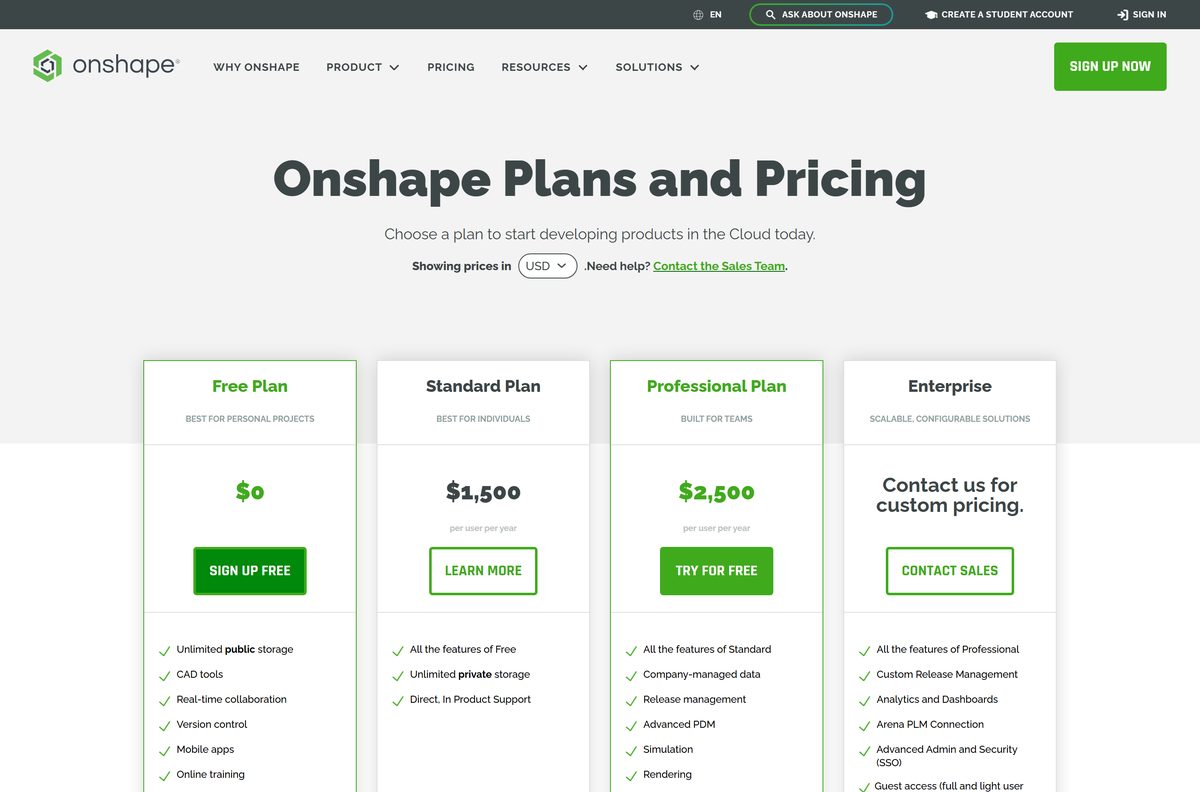
| Licence | Free Plan $0 · Standard $1,500 per user per year · Professional $2,500 per user per year · Enterprise custom |
| Download size | 76.4 MB for the iPhone and iPad app; 309 MB for Onshape Vision; no PC or Mac installer |
| Supported OS | Windows 11, Windows 10, macOS, Linux and ChromeOS in a browser; iOS and iPadOS 18.0 or later; Android; visionOS 26.0 or later |
| Architecture | No 32-bit, 64-bit or ARM64 build to pick; the browser supplies it |
| Hardware | No specialty hardware, administration or maintenance |
| Official download source | onshape.com |
| Offline installer | No |
| Last verified | 2026-09-22 |
How to install Onshape on Windows 11 and Windows 10
Installing the site as an app gives you a Start menu entry, a taskbar icon and a window with no browser tabs.
- Open Microsoft Edge and go to onshape.com/en/sign-up.
- Type your first name, last name and email address, then select Next.
- Open the activation message from [email protected] and set a password.
- Go to cad.onshape.com and sign in with that address.
- Select Settings and more, the three-dot button at the top right.
- Select More tools, then Apps, then Install this site as an app.
- Keep the name Onshape and select Install.
- Right-click the new taskbar icon and select Pin to taskbar, then create your first document.
In Chrome the path is More, then Cast, save, and share, then Install page as app.
How to install the Onshape app on iPhone, iPad and Android
The mobile app signs in to the same account and shows the same documents as the browser.
- On iPhone or iPad, open the App Store and search for Onshape 3D CAD.
- Check the seller reads PTC Inc., then select Get and confirm the 76.4 MB download.
- On Android, open Google Play and search for Onshape 3D CAD.
- Check the developer reads PTC Inc., then select Install.
- Open the app and sign in with the email address you registered at onshape.com.
- Turn the device sideways before editing a sketch, because the toolbars need the width.
Android users on a Chromebook install the same listing, which Google Play marks for Phone, Chromebook and Tablet.
Which Onshape download do you need for your Mac?
There is no .dmg and no Mac App Store listing. Apple silicon and Intel take the same route.
| Your Mac or Apple device | What to do | Link |
|---|---|---|
| Any Mac, Apple silicon or Intel | Sign in at cad.onshape.com in your browser | cad.onshape.com |
| Mac on macOS Sonoma 14 or later | Open the site in Safari, then File, Add to Dock, name it and select Add | Apple’s web app steps |
| iPad on iPadOS 18.0 or later | Install Onshape 3D CAD, 76.4 MB | App Store |
| Apple Vision Pro on visionOS 26.0 or later | Install Onshape Vision, 309 MB | App Store |
Is Onshape free?
The Free Plan is a real plan, not a trial, and it does not expire.
Yes, the Free Plan costs $0 — and every document you create on it is public. PTC states the terms plainly: for non-commercial use only, with all Onshape Documents accessible to the public. You get unlimited public storage, CAD tools, real-time collaboration, version control, the mobile apps and online training. Students and educators get professional-grade CAD free of charge, with documents watermarked, and eligibility turns on educational use rather than an .edu address.
Qualified professionals can run Onshape Professional free for up to six months through the Discovery Program, and qualified startups can get professional licences at no cost.
Should you stay on the Free Plan or pay for Standard?
Move to Standard the day a design has to stay private or earn money. Standard costs $1,500 per user per year and adds unlimited private storage plus direct in-product support. Professional costs $2,500 per user per year and adds company-managed data, release management, advanced PDM, simulation, rendering, ECAD/MCAD exchange and CAM. Enterprise is custom-priced and adds analytics dashboards, the Arena PLM connection, SSO and guest licensing. Until then the Free Plan is the honest choice for a hobby project you are happy to publish.
Compare the tiers on the plans and pricing page before you commit a team.
How to check your Onshape version and update it
Nothing to patch on the desktop: the release number belongs to the service, and a reload picks it up.
- Open the changelog and read the top entry, currently 1.221 – released 2026-09-18.
- Reload the Onshape tab or window to load the current release.
- On iPhone or iPad, open the App Store, tap your account picture and select Update next to Onshape 3D CAD.
- On Android, open Google Play, tap your profile, select Manage apps & device and then Update.
- Compare the mobile build against 1.220.9526, the version the App Store listed on 31 August 2026.
Updates land automatically every three weeks, so a stale release usually means a cached tab rather than a missed patch.
How to check an Onshape download is genuine
The one rule that settles most of these: a Windows or Mac setup file for this product does not exist.
- Start every install at onshape.com/en/sign-up rather than a search advert.
- On the App Store, confirm the seller line reads PTC Inc. before you tap Get.
- On Google Play, confirm the developer line reads PTC Inc. before you tap Install.
- Delete anything named Onshape.exe, Onshape setup or an Onshape crack, because PTC publishes no installer.
- Ignore any site selling a licence key, since accounts are provisioned online instead.
- Expect the activation mail from [email protected], sent through outbound-email.onshape.com.
Fix Onshape not loading or not installing on Windows 11 and 10
You cannot find an Onshape installer for Windows
No setup file exists, and a Microsoft Store search for the name returns third-party CAD apps rather than anything from PTC Inc.
- Sign up at onshape.com/en/sign-up.
- Open cad.onshape.com in Edge or Chrome.
- Install the site as an app so it gets a Start menu entry and a taskbar icon.
The activation email never arrives
A mail filter is holding the message that sets your password.
- Search your junk folder for [email protected].
- Ask your mail administrator to allow [email protected] and outbound-email.onshape.com.
- Add the sending address 167.89.77.213 to the allow list if filtering works on IP.
- Request the sign-up link again once the rule is live.
Documents load slowly or the view stutters
The session streams from the cloud, so a patchy link hurts more than an old processor.
- Move to a wired or 5 GHz connection and close other streaming tabs.
- Reload the tab so the browser drops a stale session.
- Turn off browser extensions that inject scripts into every page.
- Clear the browser cache, then sign in again at cad.onshape.com.
The mobile app will not install
The device is below the minimum OS the store listing requires.
- Update the iPhone or iPad to iOS 18.0 or later, the minimum on the App Store listing.
- On Android, open the Google Play listing and check the device shows as supported.
- Free up at least 76.4 MB on an iPhone or iPad before you retry.
- Use the browser at cad.onshape.com on any device the app will not cover.
How to uninstall Onshape from a PC, Mac or phone
Removing the app removes a shortcut. The documents stay in your account until you delete them there.
- In Edge, open edge://apps, select Details on the Onshape card, then Uninstall and confirm.
- In Chrome, open chrome://apps, right-click the app and choose the uninstall option, then Remove.
- On a Mac, open the Applications folder in your home folder and drag the web app to the Trash.
- On iPhone or iPad, touch and hold the icon, select Remove App, then Delete App.
- On Android, open the Google Play listing and select Uninstall.
- Sign in at cad.onshape.com afterwards to delete or export the documents you no longer want.
Which alternative should you pick if you need offline CAD?
Choose an installed CAD package such as PTC’s own Creo when the machine has no reliable internet. Onshape ships no .exe, .msi or .dmg, so an air-gapped workstation or a long flight leaves you with nothing to open. PTC sells Creo as an on-premises parametric 3D CAD platform and Creo+ as a SaaS offering, which covers the same work with a local installation. Keep Onshape where the draw is shared access from a laptop, a tablet and a phone on the same account.
Read the Creo product page for the on-premises option.
Frequently asked questions
Is Onshape free to download?
Yes. The Free Plan costs $0 and needs no credit card, and the iPhone, iPad and Android apps are free on the App Store and Google Play. The catch is that every document on the Free Plan is public and non-commercial.
What is the official Onshape download page?
Start at onshape.com/en/sign-up, then work at cad.onshape.com. The mobile apps are Onshape 3D CAD on the App Store and Google Play, both published by PTC Inc. No other site is official.
Can I download Onshape on Windows 11?
Yes, as a browser app. Open cad.onshape.com in Edge, select Settings and more, then More tools, Apps and Install this site as an app. Onshape then opens from the Start menu and the taskbar.
How big is the Onshape download?
The iPhone and iPad app is 76.4 MB on the App Store, and Onshape Vision for Apple Vision Pro is 309 MB. Google Play states no size. There is no PC or Mac installer to download.
Is there an Onshape offline installer or .exe?
No. PTC publishes no .exe, .msi or .dmg, and the Microsoft Store has no app from PTC Inc. Onshape runs in a browser and needs a working internet connection at all times.
Is there an Onshape app for Mac?
Not as a native app. Use cad.onshape.com in a browser, or on macOS Sonoma 14 or later open the site in Safari and choose File, then Add to Dock, to get a web app in the Dock.
Is Onshape 64-bit, 32-bit or ARM64?
The question does not apply. There is no desktop build to choose, so the browser supplies the architecture. That is why Onshape works the same on an Intel PC, an Arm laptop, a Mac, a Chromebook and Linux.
Is it safe to download Onshape from other sites?
No. Any file called Onshape setup, Onshape.exe or an Onshape crack is fake, because PTC ships no Windows installer. Check that the store seller reads PTC Inc. before you install the mobile app.
What is the latest version of Onshape?
The changelog lists 1.221, released on 18 September 2026. Updates arrive automatically every three weeks, so the browser always loads the current release. The iPhone and iPad app is 1.220.9526.
Why won’t Onshape install on my PC?
Because there is nothing to install. No Onshape installer exists for Windows 11 or Windows 10, and the Microsoft Store has no PTC app. Sign up at onshape.com and install cad.onshape.com as a browser app instead.
How much does Onshape cost after the free plan?
Standard is $1,500 per user per year and adds unlimited private storage. Professional is $2,500 per user per year and adds simulation, rendering, release management and CAM. Enterprise pricing is custom.
Can students get Onshape free?
Yes. Students and educators get professional-grade CAD free of charge, and eligibility is based on educational use rather than an .edu email address. Documents created on an education plan are watermarked.