The Minecraft Dungeons download for PC comes from Steam or the Microsoft Store on Windows 11 and Windows 10. Buy it once for $19.99, or install it with a Game Pass plan, and play solo or with up to three friends.
Mojang Studios and Double Eleven develop the game, and Xbox Game Studios publishes it. The PC version is a 64-bit Windows game of about 6 GB.
Below: which store to use, the official links, install steps, requirements, fixes, removal and how the game compares with Minecraft Dungeons II.
Which Minecraft Dungeons download do you need?
Every PC route ends with the same Windows game. The difference is the store app and what the purchase includes.
| Your situation | Where to get it | Price |
|---|---|---|
| You already use Steam | Steam store page | $19.99 |
| You want it in the Minecraft Launcher with your other Minecraft games | Microsoft Store listing | $19.99 |
| You want the game plus all six story DLCs | Ultimate Edition on Steam | $39.99 |
| You have Game Pass Premium, the PC-only tier or Ultimate | Xbox PC listing | Included with the plan |
Neither store offers a standalone offline installer. The Steam client or the Minecraft Launcher downloads the files.
Download Minecraft Dungeons from the official store links
Each listing below names Xbox Game Studios as publisher. Use these links instead of a download site.
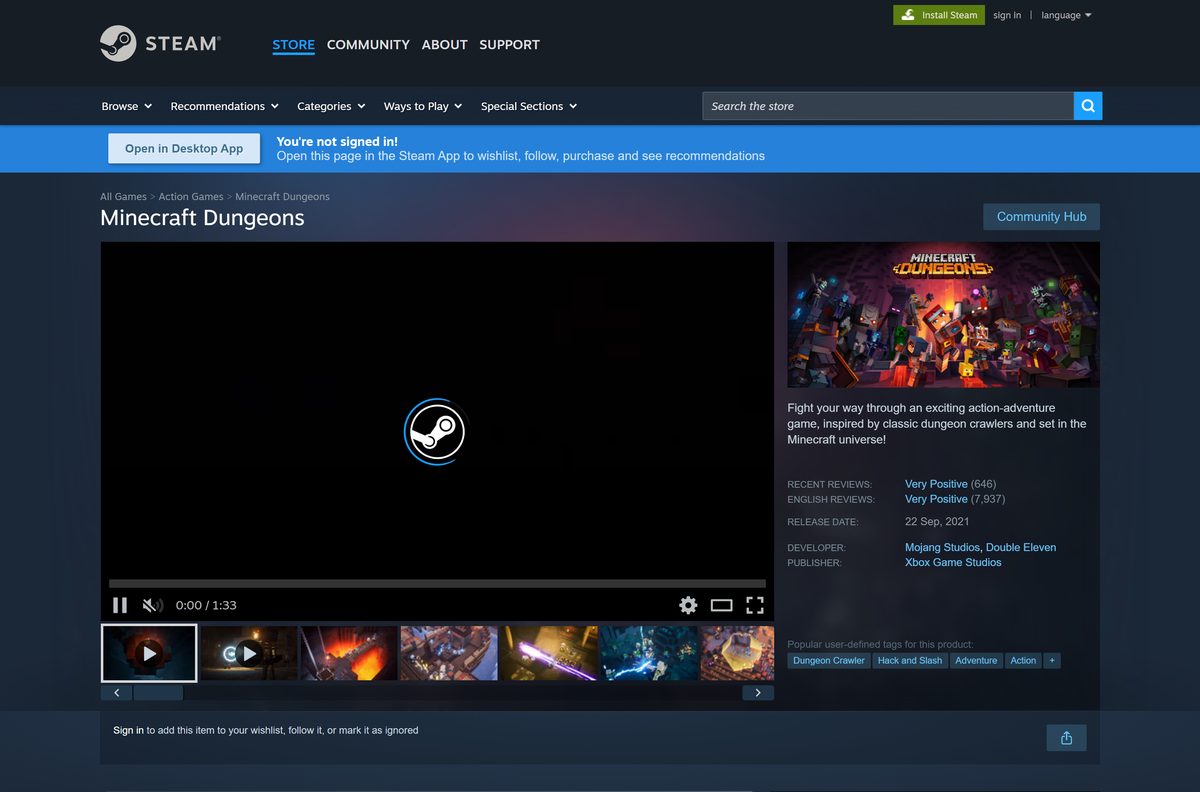
- Minecraft Dungeons on Steam — 6 GB · Windows, $19.99, Microsoft account required
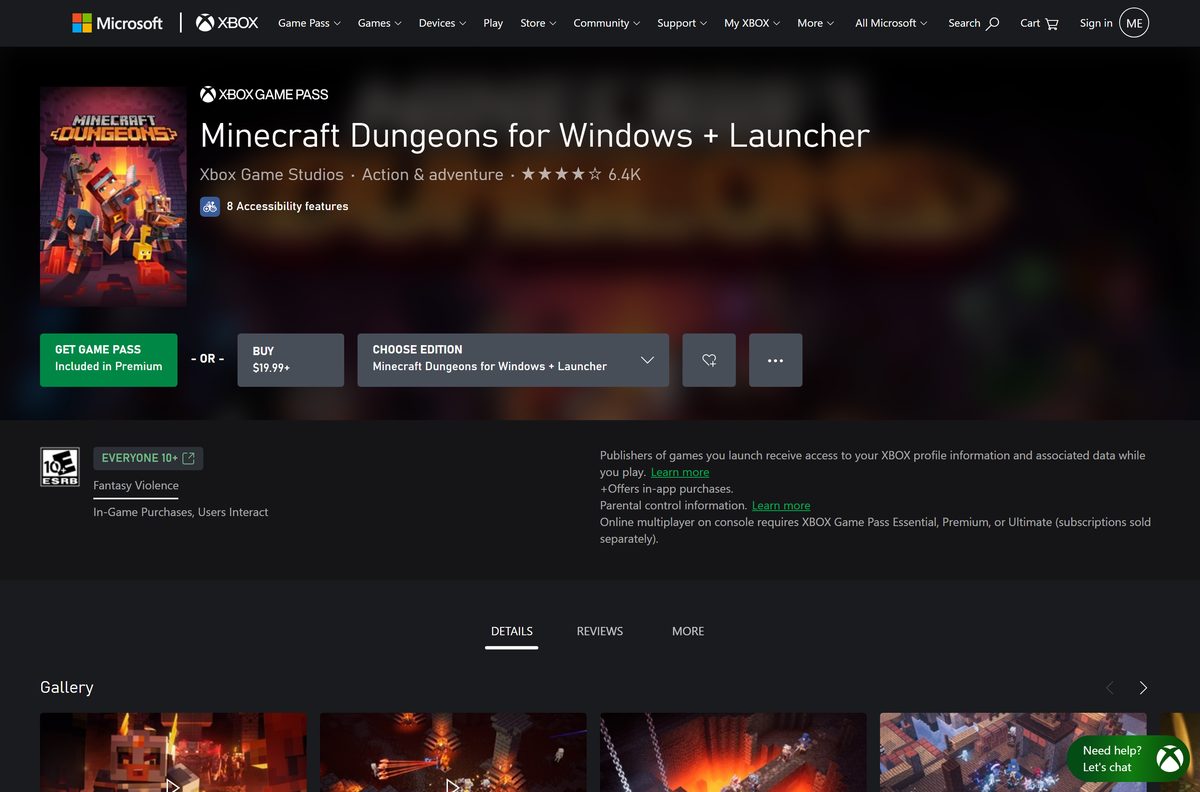
- Minecraft Dungeons for Windows + Launcher on the Microsoft Store — 5.9 GB · Windows 10 and 11, x64, $19.99 or Game Pass
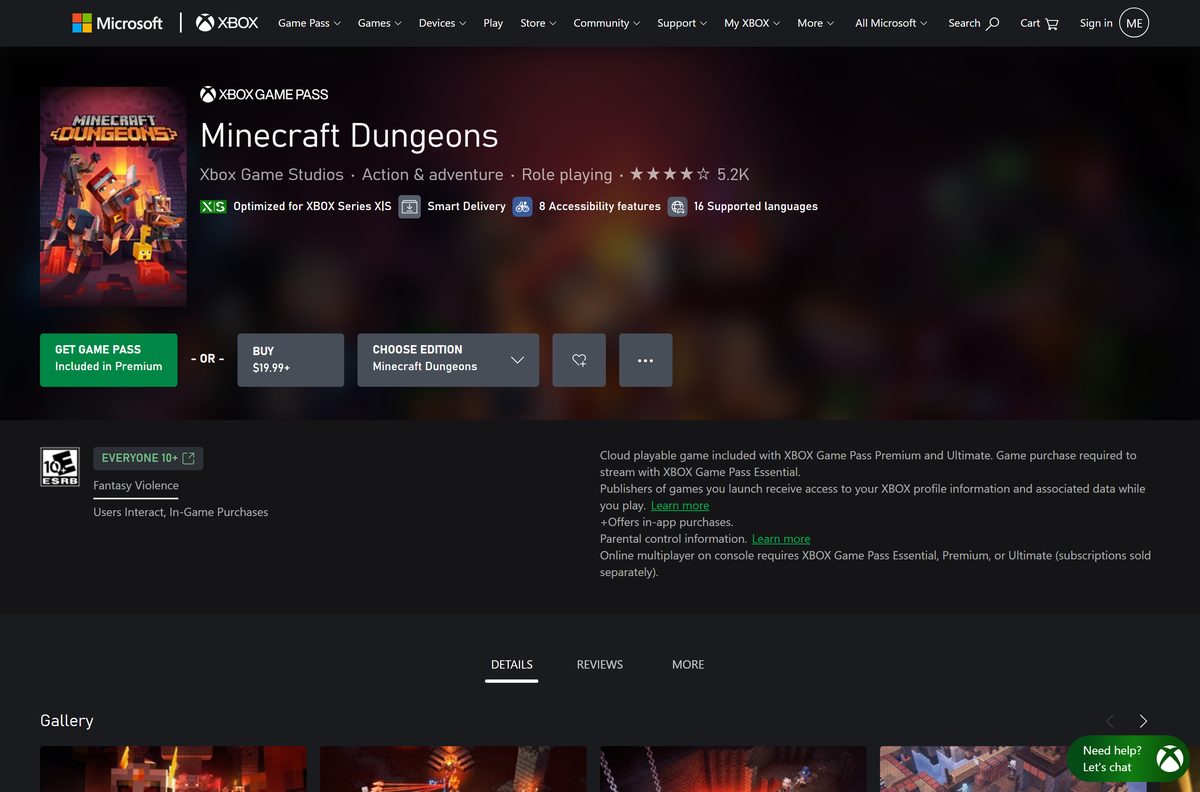
- Minecraft Dungeons for Windows on Xbox — PC edition, Ultimate Edition and Game Pass details
- Minecraft Launcher on the Microsoft Store — Free, runs the Microsoft Store copy
A site offering a free PC setup file or a cracked build is not an official source. The game only comes from these stores.
How to install Minecraft Dungeons on Windows 11 and 10 with Steam
Install the Steam client and sign in first. Keep your Microsoft account details ready, because the game asks for them on first launch.
- Open the Steam store page in the Steam client.
- Select Add to Cart next to the edition you want, then open your cart.
- Select Purchase for myself and complete the payment.
- Go to your Library and select the game in the left list.
- Select Install, pick a drive with at least 6 GB free, and confirm.
- Select Play, then sign in with your Microsoft account when prompted.
The Steam version supports full controller play, split-screen co-op and Family Sharing.
Install it from the Microsoft Store, Minecraft Launcher or Game Pass
The Microsoft Store edition comes bundled with the free Minecraft Launcher. The launcher also runs Minecraft for Windows and Java Edition, which the Minecraft download guide covers.
- Open the Microsoft Store listing and sign in with your Microsoft account.
- Select Buy for $19.99, or select the Game Pass option if your plan includes it.
- Open the Minecraft Launcher from the Start menu once the Store finishes.
- Select Minecraft Dungeons in the left column.
- Select Install and wait for the 5.9 GB package to download.
- Select Play to start the game.
The launcher does not support Windows 10 in S mode or ARM-based PCs. Use an x64 Windows PC.
Is Minecraft Dungeons free?
No. The PC game costs money, with one exception for Game Pass members.
Pay $19.99 on Steam or the Microsoft Store, or install it through a Game Pass plan you already have. Steam and the Microsoft Store both list the base game at $19.99 and the Ultimate Edition at $39.99. Xbox lists the game under Game Pass Premium, the PC-only tier and Ultimate. DLC packs cost $5.99 each on Xbox, and Steam sells all six as a $19.99 bundle.
The Steam Ultimate Edition adds DLC artwork and the game soundtrack, which Steam says is exclusive to its store.
Should you buy Minecraft Dungeons or wait for Minecraft Dungeons II?
The original game is finished. Its last patch, 1.17.0.0, shipped on November 30, 2022, and brought a weekly Tower rotation with gear from past seasonal events.
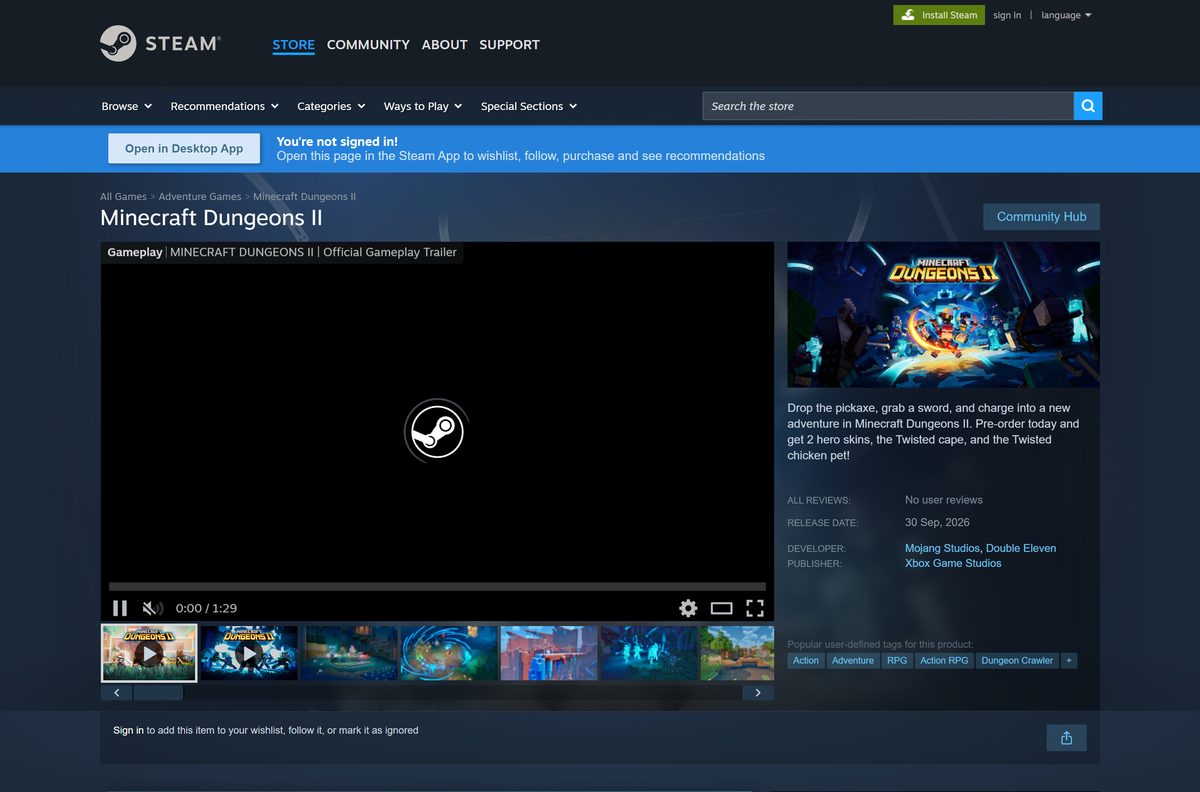
Every Mojang announcement on the Steam page since then promotes Minecraft Dungeons II. The sequel releases on September 29, 2026, for $29.99, and Steam lists it for Windows.
Buy the original if you want a complete, finished story for less money. Pre-order Minecraft Dungeons II if you want new content. The original includes the base campaign and six DLC chapters, and it no longer changes. The sequel continues the series with four-player co-op, and Mojang’s Hero Cape reward requires playing both games on the same Microsoft account.
See the Minecraft Dungeons II Steam page for pre-order editions and the release date.
Which Minecraft Dungeons option works on your Mac?
Steam lists Windows as the only desktop platform, and the Microsoft Store package is Windows only. A Mac cannot install the PC game.
| Your setup | What to do | Link |
|---|---|---|
| Mac with Game Pass Premium or Ultimate | Stream the console version through Xbox Cloud Gaming, which the Xbox listing includes with both plans | Xbox console listing |
| Mac plus a Windows PC in the house | Buy the Windows version on Steam and play it on the PC | Steam store page |
| Mac only, no Game Pass | There is no macOS build; the game needs a 64-bit Windows PC or an Xbox console | Xbox console listing |
The Xbox listing notes that Game Pass Essential members must buy the game before they can stream it.
Check the Minecraft Dungeons PC requirements before you buy
Steam lists the same hardware for minimum and recommended play.
| Field | Value |
|---|---|
| Game | Minecraft Dungeons |
| Developer | Mojang Studios and Double Eleven |
| Publisher | Xbox Game Studios |
| Latest version | 1.17.0.0 (November 30, 2022) |
| Price | $19.99; Ultimate Edition $39.99; included with Game Pass Premium, PC and Ultimate |
| Supported OS | Windows 11 and Windows 10 (build 18362 or later on the Microsoft Store); not Windows 10 S |
| Architecture | 64-bit (x64) only |
| Processor | Core i5 2.8GHz or equivalent |
| Memory | 8 GB RAM |
| Graphics | NVIDIA GeForce GTX 660 or AMD Radeon HD 7870, DirectX 11 |
| Storage | 6 GB free (Microsoft Store package about 5.9 GB) |
| Players | 1 to 4, online or local co-op |
| Offline installer | No, Steam or the Minecraft Launcher downloads the game |
| Mac version | No |
| Last verified | 2026-09-24 |
To check your PC, open Settings, select System, then About. The Installed RAM and System type lines show your memory and whether Windows is 64-bit.
How to make sure you have the final 1.17.0.0 build
Online co-op works best when every player runs the same final build. Turn on automatic updates once and leave them on.
- In Steam, right-click the game in your Library and select Properties.
- Select Updates and set Automatic Updates to keep the game updated.
- In the Microsoft Store, select Library, then Get updates.
- Restart the Minecraft Launcher or Steam so any pending update installs.
Verify or repair the Minecraft Dungeons game files
A crash on launch or a missing level usually means a damaged file. Both stores can repair the install without a full download.
- In Steam, right-click the game and select Properties.
- Select Installed Files, then Verify integrity of game files.
- For the Microsoft Store copy, open Settings, then Apps and Installed apps.
- Select the three dots next to Minecraft Dungeons and choose Advanced options.
- Select Repair. Avoid Reset, which clears local app data.
Fix Minecraft Dungeons not installing or launching on Windows
Find the symptom that matches your screen and follow the fix under it.
The Minecraft Launcher will not install the game
The PC runs Windows 10 in S mode or has an ARM processor.
- Open Settings, select System, then About.
- Check that System type says 64-bit operating system, x64-based processor.
- Switch out of S mode, or buy the Steam version on an x64 PC.
The Steam copy asks for a Microsoft account and stops
The game links every copy to a Microsoft account.
- Select Sign in on the prompt and use your Microsoft account.
- Create a free account at the prompt if you do not have one.
- Restart the game once sign-in completes.
The game crashes at start or shows a black screen
An old graphics driver or damaged files block the start.
- Install pending updates from Settings and Windows Update.
- Update your graphics driver from the GPU maker’s site.
- Verify the files in Steam or select Repair for the Store copy.
- Restart the PC and launch the game again.
The download stops with a disk space error
The drive has less than 6 GB free.
- Open Settings, select System, then Storage.
- Remove temporary files or move the install to another drive.
- Restart the download from Steam or the Minecraft Launcher.
How to uninstall Minecraft Dungeons without losing progress
The Microsoft Store description warns that uninstalling the Windows 10 version permanently removes save files. Back them up first if you plan to return.
- Copy your save folder to another drive before you remove the game.
- For Steam, right-click the game in your Library and select Manage, then Uninstall.
- For the Microsoft Store copy, open Settings, then Apps and Installed apps.
- Select the three dots next to Minecraft Dungeons and choose Uninstall.
- Confirm, then restart the PC.
Your purchase stays on your Steam or Microsoft account, so you can reinstall later at no cost.
Frequently asked questions
Is Minecraft Dungeons free on PC?
No. The base game costs $19.99 on Steam and on the Microsoft Store. It is also included with Xbox Game Pass Premium, the PC-only Game Pass tier and Ultimate, so members can install it at no extra cost.
Where is the official Minecraft Dungeons download for PC?
Use the Steam store page or the Microsoft Store listing. Both name Xbox Game Studios as publisher and Mojang Studios as developer, and both download the game through their own app.
Can you download Minecraft Dungeons on a Mac?
No. Steam lists Windows as the only desktop platform, and the Microsoft Store package is Windows only. Game Pass Premium and Ultimate members can stream the console version through Xbox Cloud Gaming instead.
Does Minecraft Dungeons work on Windows 11?
Yes. The Microsoft Store package needs Windows 10 build 18362 or later on a 64-bit PC, and Windows 11 meets that. The launcher does not support Windows 10 in S mode or ARM devices.
How big is the Minecraft Dungeons download?
The Microsoft Store package for Windows is about 5.9 GB. Steam asks for 6 GB of free space.
Is Minecraft Dungeons still being updated?
No new patches have shipped since version 1.17.0.0 on November 30, 2022. Mojang’s recent announcements cover Minecraft Dungeons II, which releases on September 29, 2026.
Do you need a Microsoft account to play on Steam?
Yes. The Steam listing requires a Microsoft account. Sign in with the same account you use for Minecraft to keep capes and friends linked.
Is Minecraft Dungeons the same as Minecraft?
No. It is a separate dungeon crawler for up to four players and is sold separately. For the building game, see the Minecraft download guide.