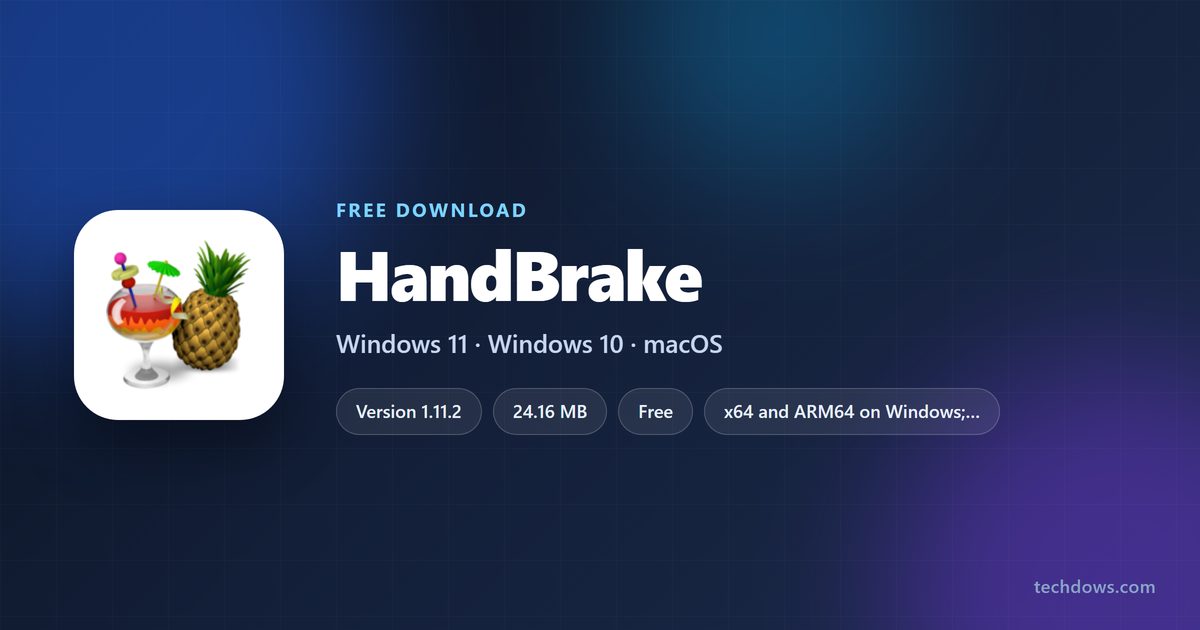
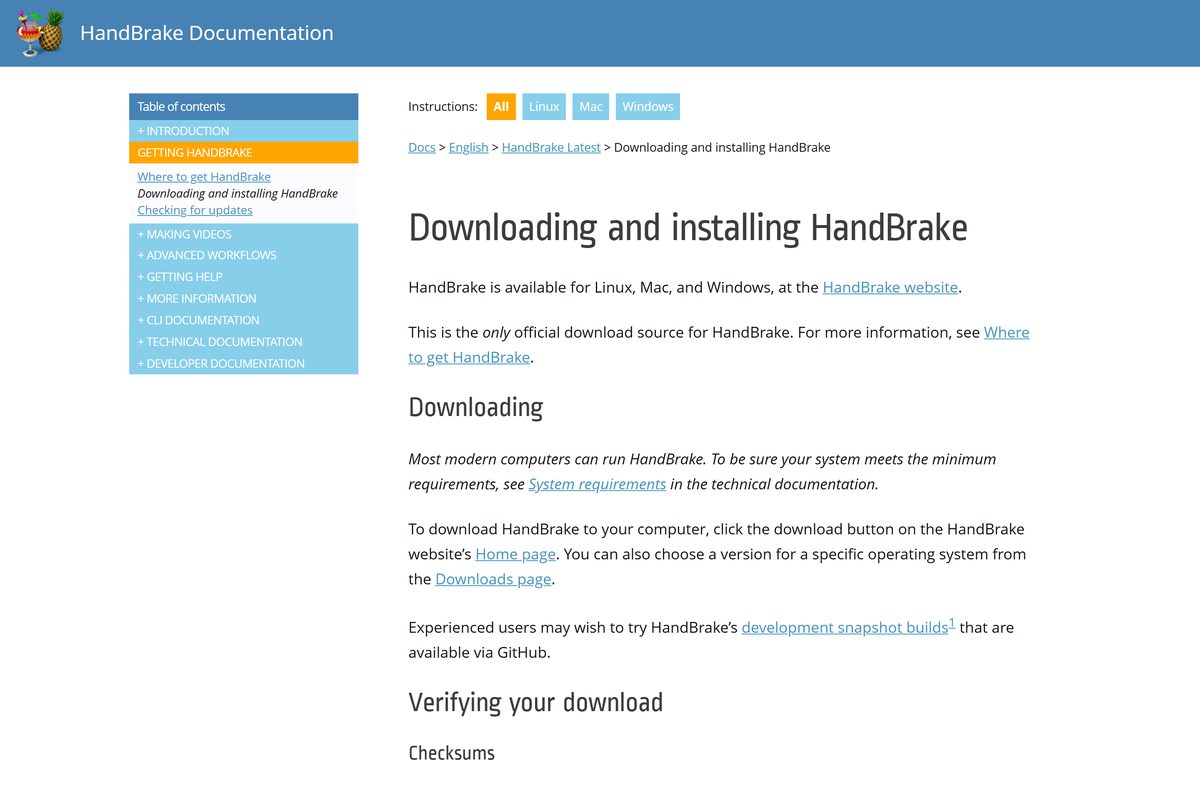
The official HandBrake download is version 1.11.2, published by the HandBrake Team at handbrake.fr. It runs on Windows 11, Windows 10, macOS and Linux, and the Windows setup is a full standalone installer.
Windows needs one thing first: Microsoft .NET Desktop Runtime 10.0. HandBrake will not start without it, and that single missing dependency causes most failed installs.
Pick the file that matches your processor below, install the runtime, then run the setup. Mac users get one universal disk image for Apple silicon and Intel.
Which HandBrake download do you need?
Match your machine to a row. On Windows, press Windows + I, open System > About and read the System type line.
| Your machine | File to download | Size |
|---|---|---|
| Windows 11 or 10, Intel or AMD processor | HandBrake-1.11.2-x86_64-Win_GUI.exe | 24.16 MB |
| Windows 11 on a Snapdragon or other ARM64 chip | HandBrake-1.11.2-arm64-Win_GUI.exe | 17.73 MB |
| Windows, no admin rights or a USB stick | HandBrake-1.11.2-x86_64-Win_GUI.zip | 33.32 MB |
| Any Mac from macOS 10.13 High Sierra up | HandBrake-1.11.2.dmg | 45.76 MB |
| Linux, as a Flatpak bundle | HandBrake-1.11.2-x86_64.flatpak | 28.39 MB |
There is no 32-bit build, and no separate M1 or M4 build. Both Windows files are 64-bit, and the Mac disk image is a universal binary covering Apple silicon and Intel.
Download HandBrake from the official source
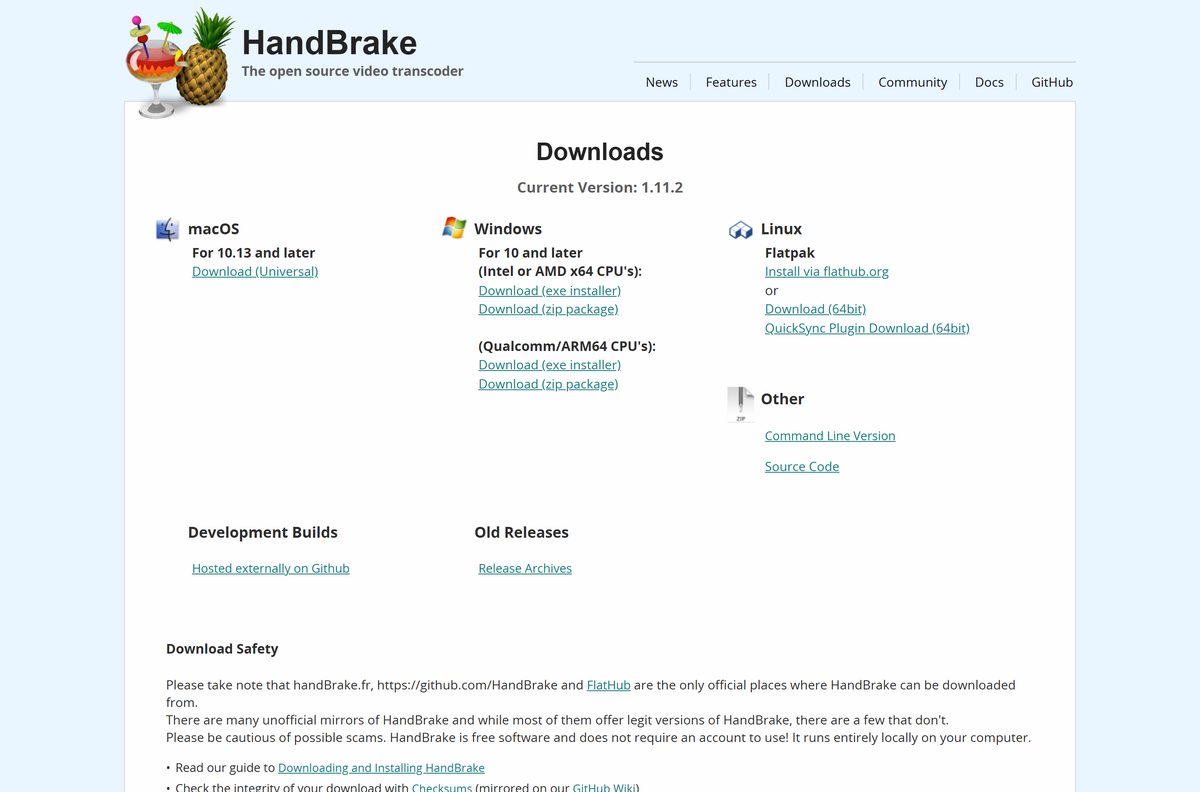
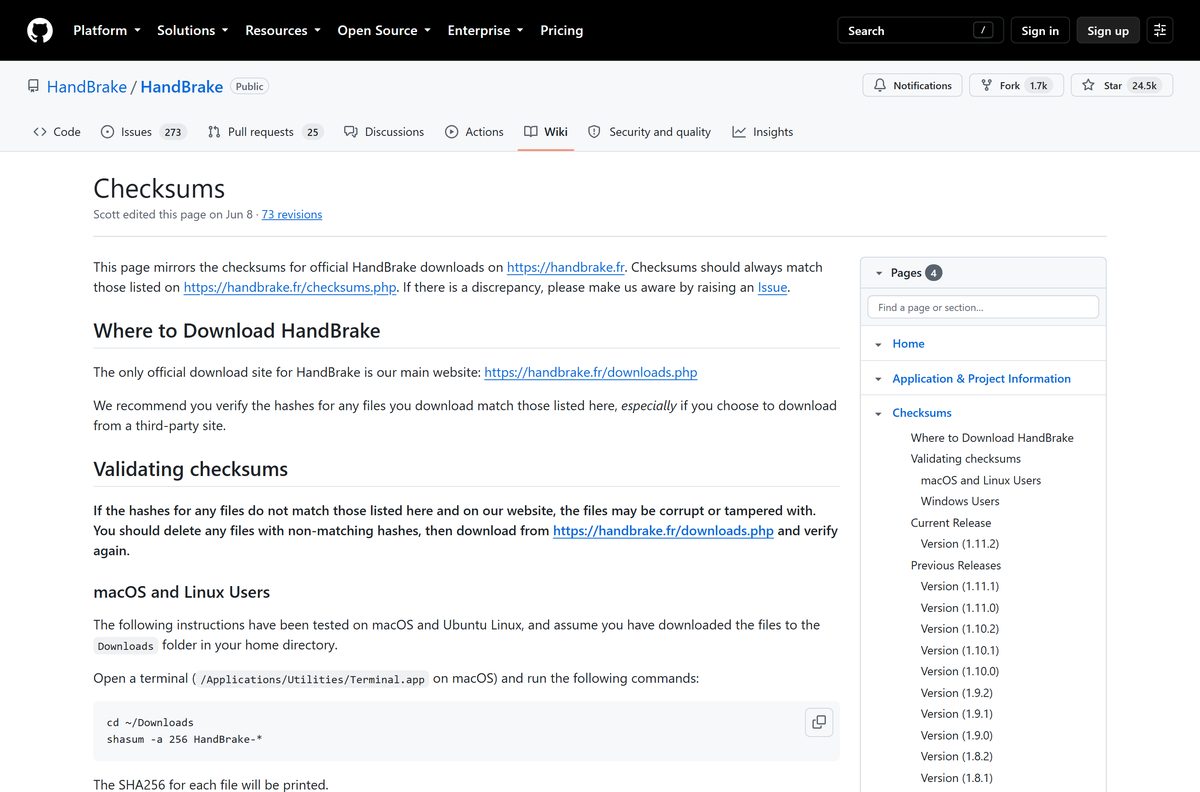
The HandBrake Team names its own website as the only official download source. The buttons there hand off to the project release archive, which is where the published checksums point.
- HandBrake downloads page — installers and portable builds for Windows, Mac and Linux
- Command line downloads — HandBrakeCLI for scripting and servers
- Release archive on GitHub — every release with its files and notes
- Older releases with checksums — unsupported, for machines that cannot run the current release
HandBrake ships as a desktop application only, so a site converting your video in a browser under the same name is not the project. The team warns that third-party websites and peer-to-peer copies may add other applications, ransomware or malware, and to avoid copies on marketplaces and auction sites because HandBrake is free software.
Linux users can also install the Flatpak from Flathub, which the HandBrake Team lists as a supported route.
How to install HandBrake on Windows 11 and 10
Install the runtime first. HandBrake fails to launch on a PC without it, and gives no useful error to explain why.
- Install Microsoft .NET Desktop Runtime 10.0 from Microsoft: the x64 build for Intel and AMD, or the Arm64 build for Snapdragon.
- Download the HandBrake installer that matches your processor from the table above.
- Double-click the downloaded file to start the setup.
- Select OK if the installer offers to remove a previous version.
- Read the licence terms and continue past them.
- Leave the install folder at C:\Program Files\HandBrake and select Install.
- Select Finish when the progress bar completes.
- Open HandBrake from the Start menu or the new desktop shortcut.
Nothing downloads during the install. Once the setup file is on disk the machine can be offline, and every account on the PC gets HandBrake.
Install HandBrake with winget from a terminal
Microsoft’s winget repository carries HandBrake, and the manifest points at the project’s own release file. The package declares the .NET runtime as a dependency, so winget pulls that in for you.
- Open Terminal from the Start menu.
- Run winget install –id HandBrake.HandBrake –exact .
- Accept the source agreement if winget asks for it.
- Let winget install Microsoft.DotNet.DesktopRuntime.10 first when it reports a dependency.
- Run winget upgrade –id HandBrake.HandBrake later to move to a newer release.
winget installs to %ProgramFiles%\HandBrake and picks the x64 or ARM64 file to match the PC. The SHA256 in the manifest matches the one the HandBrake Team publishes.
How to verify the HandBrake installer before you run it
The team publishes a SHA256 for every file it releases. Comparing yours takes about twenty seconds and catches a tampered or truncated download.
- Open the Checksums page and find the row for your file.
- On Windows, open Command Prompt and run cd Downloads .
- Run certUtil -hashfile HandBrake-1.11.2-x86_64-Win_GUI.exe SHA256 .
- Check the result reads 6becb8e5a041941d5f2fd6fe83c66fc15b2b16190e2e79f5ad47eb4cd18df8cd .
- On a Mac, open Terminal and run shasum -a 256 ~/Downloads/HandBrake-1.11.2.dmg .
- Check that result reads 4afe27aaa77a7bbb0dcda1a335d96a5f53649f2649fb84de6982ffecc35de9d7 .
- Delete the file and download it again if the two strings differ.
A checksum missing from the published list is a reason to stop. OpenPGP signatures cover the same files for anyone who prefers a signature to a hash.
Run HandBrake without installing it
The zip build is the same application with no setup program and no registry entries. It still needs the .NET Desktop Runtime on whichever PC you plug into.
- Download HandBrake-1.11.2-x86_64-Win_GUI.zip at 33.32 MB, or the ARM64 zip at 26.15 MB.
- Right-click the file and select Extract All.
- Pick a folder on your USB stick or external drive.
- Open the extracted folder and run HandBrake.exe.
- Check that the runtime is present on the host PC if the window never appears.
Settings and presets land in %AppData%\HandBrake on the host PC, not on the stick. Export a preset to the stick if it needs to travel with you.
Which HandBrake download do you need for your Mac?
One disk image covers every Mac. Your macOS version decides which release you can run, not your chip.
| Your macOS version | Release to install | File | Size |
|---|---|---|---|
| 26 Tahoe, 15 Sequoia or 14 Sonoma | Current release, supported | HandBrake-1.11.2.dmg | 45.76 MB |
| 13 Ventura back to 10.13 High Sierra | Current release runs, deprecated | HandBrake-1.11.2.dmg | 45.76 MB |
| 10.12 Sierra or 10.11 El Capitan | 1.4.2, the last compatible build | Old releases | varies |
| Command line on a supported Mac | Current release | HandBrakeCLI-1.11.2.dmg | 36.42 MB |
Open the disk image and drag HandBrake to your Applications folder, then eject the image. If macOS refuses the first launch, Control-click the icon, select Open, and confirm at the prompt.
Is HandBrake free?
Yes, and there is nothing to buy. HandBrake is open-source software under the GNU General Public License version 2, with portions under BSD 3-Clause. There is no paid tier, no licence key, no trial limit and no watermark. The licence puts no restriction on commercial use either, so a business can run it without paying anyone. The team warns about online marketplaces and auction sites listing it for sale, because anything they charge for is a copy of software the licence gives away.
Which HandBrake version should you install on Windows 7, 8.1 or an old Mac?
Install 1.11.2 unless your operating system sits on the unsupported list. Windows 8.1 and Windows 7 SP1 stop at HandBrake 1.3.3, with 1.4.2 running with limitations. Windows Vista stops at 1.0.7 and Windows XP at 0.9.9. On the Mac side, macOS 10.12 Sierra and older stop at 1.4.2. Those builds are years behind on codecs and receive no fixes of any kind, so treat them as a stopgap rather than a destination.
How to check your HandBrake version and update it
HandBrake checks for its own updates and installs over the previous copy. Nothing needs uninstalling first.
- On Windows, open the Help menu and select Check for Updates….
- Turn the automatic check on under Tools > Preferences > General.
- On a Mac, open the HandBrake menu and select Check for Updates….
- Set the automatic check under HandBrake > Preferences… > General.
- On Linux, run flatpak update fr.handbrake.ghb in a terminal.
- Run the new installer and select OK when it offers to remove the old version.
Back up custom presets and preferences before a major update, because the team does not guarantee that presets carry across versions.
Check the HandBrake system requirements before you download
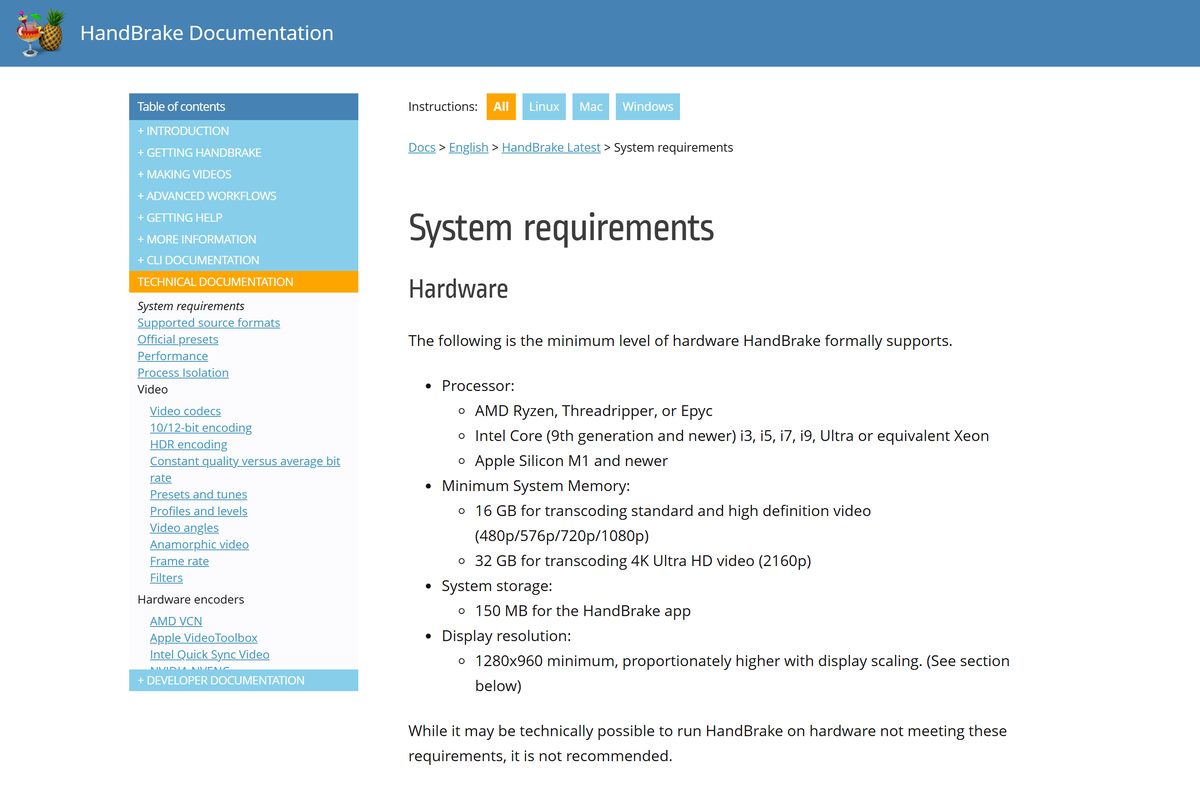
Transcoding is one of the heaviest jobs a desktop runs. The memory figures below are the levels the team formally supports, and it advises against going under them.
| Field | Value |
|---|---|
| Developer | The HandBrake Team |
| Latest version | 1.11.2 |
| Released | 7 June 2026 |
| Licence | Free and open source, GNU GPL version 2 |
| Supported OS | Windows 11, Windows 10 version 1909 or later, macOS 10.13 or later, Linux via Flatpak |
| Architecture | x64 and ARM64 on Windows, universal binary on macOS, no 32-bit build |
| Windows installer size | 24.16 MB x64, 17.73 MB ARM64 |
| Mac disk image size | 45.76 MB, universal |
| Offline installer | Yes, the Windows setup needs no further download |
| Windows prerequisite | Microsoft .NET Desktop Runtime 10.0 |
| Minimum processor | AMD Ryzen, Intel Core 9th generation or newer, or Apple M1 or newer |
| Minimum memory | 16 GB for SD and HD, 32 GB for 4K |
| Disk space | 150 MB for the app |
| Official download source | handbrake.fr |
| Last verified | 11 September 2026 |
On Windows 10 with a 12th generation Intel processor or newer, switch the power profile to High Performance. The team recommends it to hold encoding speed while HandBrake sits in the background.
What HandBrake can open and what it writes
HandBrake reads far more than it writes. Everything it produces lands in one of three containers.
| Category | What HandBrake handles |
|---|---|
| Source containers | MP4, M4V, MOV, MKV, WebM, MPG, AVI, WMV, FLV, MPEG-TS, VOB, MTS, M2TS |
| Disc sources | DVD, Blu-ray, AVCHD and HD-DVD folders and images with no copy protection |
| Output containers | MP4, MKV and WebM |
| Video encoders | AV1, H.265, H.264, MPEG-4, MPEG-2, VP8 and VP9 |
| Hardware encoders | AMD VCN, Intel Quick Sync Video, NVIDIA NVENC, Apple VideoToolbox, Media Foundation on ARM |
| Audio encoders | AAC and HE-AAC, MP3, FLAC, AC3, E-AC3, Opus and Vorbis |
| Audio pass-through | AC-3, E-AC3, FLAC, DTS, DTS-HD, TrueHD, AAC, Opus and MP3 |
| Subtitles | VobSub, CEA-608 closed captions, SSA and SRT |
| Will not do | Join clips, copy video without re-encoding, author discs, or open DRM files |
HandBrake does not defeat or circumvent copy protection of any kind, and it does not work with files carrying digital rights management. That rules out purchases from iTunes, Amazon Video and Netflix, along with many commercial DVDs and Blu-rays.
Fix HandBrake not installing, not opening or not converting
HandBrake will not start on Windows
The .NET Desktop Runtime 10.0 is missing, or the architecture does not match the PC.
- Install the x64 runtime on an Intel or AMD PC, or the Arm64 runtime on a Snapdragon PC.
- Pick the entry under Run desktop apps if you download from the Microsoft page instead.
- Restart the PC.
- Open HandBrake again.
HandBrake will not open on a Mac
macOS blocks the first launch of an application that arrived in a disk image.
- Open your Applications folder.
- Control-click the HandBrake icon and select Open.
- Confirm at the prompt asking whether to trust the application.
- Launch it normally from then on.
HandBrake crashes or misbehaves after an update
A configuration file left behind by an older version.
- Close HandBrake.
- On Windows, delete %AppData%\HandBrake and %LocalAppData%\HandBrake .
- On a Mac, delete ~/Library/Application Support/HandBrake .
- On Linux, delete ~/.config/ghb .
- Reinstall the current release and open it again.
HandBrake will not open your disc or file
The source is copy protected, carries DRM, or sits outside the supported format list.
- Play the file in another player to confirm it opens at all.
- Check the source against the format table above.
- Open the disc folder or the ISO directly rather than the drive letter.
- Read the Activity Log for the line where the scan stopped.
HandBrake is not using your graphics card
The hardware encoder is switched off, or the driver is older than the encoder needs.
- Open Tools > Preferences and enable the hardware encoder on the Video tab.
- Update the NVIDIA driver to 570.0 or later for NVENC.
- Confirm the GPU is an RTX 2060 or newer, since NVENC needs Turing or above.
- Select a preset under the Hardware category, such as H.265 NVENC 1080p.
Slow encodes are usually the settings rather than a fault. Higher resolutions, slower presets and heavy filters such as NLMeans all cost time.
How to uninstall HandBrake
The uninstaller leaves your presets and preferences behind. Delete those folders too for a clean removal.
- Close HandBrake and let any queued encode finish.
- Press Windows + I, then open Apps > Installed apps.
- Select the three dots beside HandBrake, then Uninstall.
- To do it from a terminal instead, run winget uninstall –id HandBrake.HandBrake .
- Delete %AppData%\HandBrake and %LocalAppData%\HandBrake to clear presets and preferences.
- On a Mac, drag HandBrake from Applications to the Trash, then delete ~/Library/Application Support/HandBrake.
- On Linux, run flatpak uninstall fr.handbrake.ghb .
Export any preset you want to keep before deleting those folders. A preset file survives the uninstall and imports straight back afterwards.
What to use instead of HandBrake
Reach for something else when the job is not a re-encode. Joining clips, copying a stream without converting it and authoring a disc all fall outside what HandBrake does.
| Tool | Published by | Best for | Price |
|---|---|---|---|
| HandBrakeCLI | The HandBrake Team | The same engine inside a script | Free |
| VLC media player | VideoLAN | Playing the converted file on Windows, Mac and Linux | Free |
Frequently asked questions
Is HandBrake free to download?
Yes. HandBrake is open-source software under the GNU General Public License version 2. There is no paid tier, no licence key and no trial limit, and the licence places no restriction on using it at work.
What is the official HandBrake download page?
The downloads page on handbrake.fr, which the team names as the only official source. Its buttons hand off to the project release archive on GitHub, the same files the published checksums describe.
Is HandBrake safe to download?
It is, from those two places. The team warns that third-party websites and peer-to-peer copies may add other applications, ransomware or malware. Compare the published SHA256 before you run the file.
Which HandBrake download works on Windows 11?
HandBrake-1.11.2-x86_64-Win_GUI.exe on an Intel or AMD PC, and HandBrake-1.11.2-arm64-Win_GUI.exe on a Snapdragon PC. Both need Microsoft .NET Desktop Runtime 10.0 first. Windows 10 works from version 1909 onward.
How big is the HandBrake download?
The 64-bit Windows installer is 24.16 MB and the ARM64 installer is 17.73 MB. The Mac disk image is 45.76 MB. Add about 57 MB for the .NET Desktop Runtime if the PC lacks it.
Is there a HandBrake offline installer?
Yes. The Windows setup is a full standalone installer that needs no internet connection once it is on disk. Only the .NET Desktop Runtime is a separate download, and Microsoft ships that as a standalone file too.
Is there a HandBrake version for Mac?
Yes. A single universal disk image covers Apple silicon and Intel Macs, so there is no separate M1 or M4 build. macOS 14 Sonoma, 15 Sequoia and 26 Tahoe are supported; older versions run without support.
Does HandBrake have a 32-bit build?
No. The Windows releases are x64 and ARM64, and both are 64-bit. Windows 7 SP1 and Windows 8.1 stop at HandBrake 1.3.3, and Windows XP at 0.9.9. The team supports none of those any more.
Why will HandBrake not open after installing?
Microsoft .NET Desktop Runtime 10.0 is missing, or the wrong architecture went on. Install the x64 build on an Intel or AMD PC and the Arm64 build on a Snapdragon PC, then restart the machine.
Can HandBrake rip a DVD or Blu-ray?
Only a disc with no copy protection. HandBrake does not defeat or circumvent copy protection of any kind, and it does not open files carrying digital rights management. Most commercial discs fall outside what it reads.
Does HandBrake use your graphics card?
Yes, once you switch a hardware encoder on. AMD VCN, Intel Quick Sync Video, NVIDIA NVENC and Apple VideoToolbox are all supported. NVENC needs an RTX 2060 or newer with driver 570.0 or later.
Which HandBrake version is current?
HandBrake 1.11.2, released on 7 June 2026. Open the Help menu and select Check for Updates on Windows, or the HandBrake menu on a Mac, to see whether your copy has fallen behind.