The Autodesk Inventor download for Windows 11 and Windows 10 comes straight from Autodesk, and you can try the full program free before you subscribe. Students and teachers at qualified schools get it through Autodesk’s education access.
This guide covers the right Inventor release for your PC, the trial and education routes, the offline installer, Mac options, system requirements, updates, and fixes when setup fails.
Inventor is a paid subscription, and the trial is for evaluation only.
Which Autodesk Inventor download do you need?
Every route ends in the same Windows installer. What changes is the licence attached to it, so match your situation to a row.
| Your situation | Get this | What you can do |
|---|---|---|
| You want to test Inventor before you pay | Inventor free trial | Full program for evaluation, 15 to 30 days |
| You have a paid subscription | Autodesk Account, Products and Services | Install the current release with its latest updates |
| You are a student or educator | Autodesk education download | Non-commercial learning, up to two devices |
| You only need to open .ipt, .iam or .idw files | Inventor Read-only Mode | View files without using a licence; no editing |
| You work on a Mac | Autodesk Fusion for Mac | Autodesk’s own CAD app with a native macOS build |
Read-only Mode ships inside every Inventor installation, including the trial. It keeps working after the trial ends.
Download Autodesk Inventor from the official links
Autodesk issues every Inventor installer after you sign in. There is no public setup file to grab without an Autodesk account.
- Autodesk Inventor free trial — select Download free trial, then install the product
- Autodesk Account — subscribers install from Products and Services
- Autodesk download methods explained — Install, Download, Direct download and Custom install compared
- Inventor 2027 help and release notes — What’s New, updates and installation topics
Autodesk publishes no single installer size. Plan for about 40 GB of free disk space, which covers the temporary download files and the finished install.
A copy offered on any other site is repackaged or cracked. Skip it.
How to install Autodesk Inventor on Windows 11
These steps use the Install method, which downloads and installs in one pass and includes the latest updates.
- Sign in to Autodesk Account with your Autodesk ID.
- Open Products and Services.
- Find Inventor in the list of your products.
- Select Install.
- Run the installer when your browser finishes the download.
- Accept the license agreements.
- Choose the install location and review the default components.
- Start the installation and wait for it to finish.
- Launch Inventor from the Start menu and sign in to activate it.
Setup adds Autodesk DWG TrueView, the Inventor Electrical Catalog Browser and the Inventor Content Libraries by default. Clear any you do not need before you install, because changing options later means a full uninstall and reinstall.
If the download does not start, turn off your browser’s pop-up blocker and select Install again.
Download a complete Inventor offline installer
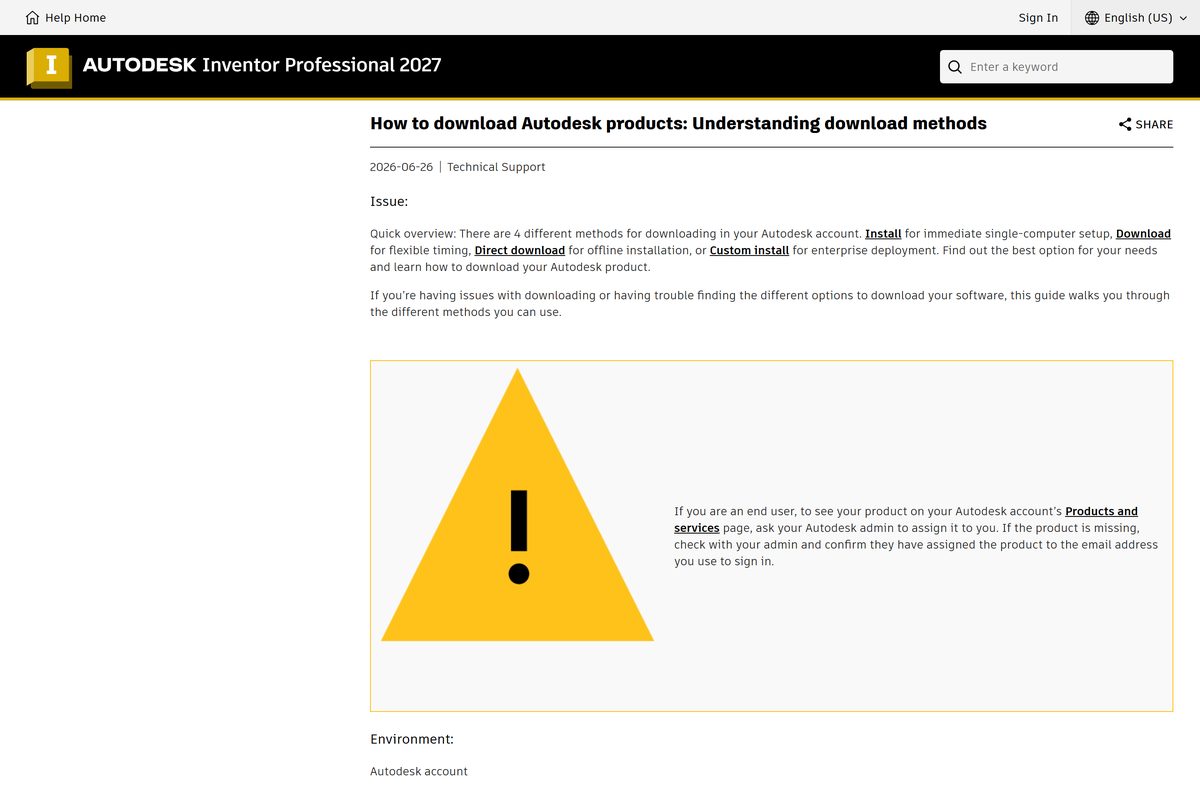
Autodesk Account offers four download methods. Pick the one that matches the machine you are setting up.
| Method | Runs on | Use it when |
|---|---|---|
| Install | Windows | You set up one PC with a working connection |
| Download | Windows, macOS, Linux browsers | You want the installer saved to run later as administrator |
| Direct download | Windows | You install on a PC with no internet access |
| Custom install | Windows | You build one deployment package for several products or PCs |
To get the offline package, open Products and Services, select View details for Inventor, then pick Direct download from the drop-down. Copy the file to the target PC and run it as administrator.
Direct download skips updates for most products, so install the latest update afterwards. If the package arrives in several parts, keep them in one folder and start with the file that has 001 in its name.
Which Autodesk option works on a Mac?
Inventor runs on Windows only, and Autodesk’s list of Mac-compatible software leaves it out. Pick the row that matches how you work.
| Your Mac need | Use this | Trade-off |
|---|---|---|
| Parametric 3D modeling on macOS | Autodesk Fusion | Different app; native Inventor files need Inventor |
| 2D drawings and DWG work | Mac-compatible Autodesk software list | AutoCAD for Mac covers drafting, not assemblies |
| Full Inventor with .iam assemblies | A Windows 11 PC with the Inventor trial | Needs separate Windows hardware |
Autodesk lists Fusion, AutoCAD for Mac, Maya and a handful of other titles as Mac-compatible. Inventor is not among them.
Is Autodesk Inventor free?
No. Inventor is a paid Autodesk subscription, with a free trial for evaluation. Autodesk trials are fully licensed for 15 to 30 days and are for evaluation only, never for profit, production or commercial work. Students and educators at qualified institutions can install the education licence on up to two devices for learning. Read-only Mode is the one part that stays free, because it opens files without consuming a licence. A site offering a free full version is handing out cracked, tampered software.
Autodesk flags education licences used outside their terms with an in-product notice and can block access.
Should you install Inventor 2027 or Inventor 2026?
The deciding factor is your version of Windows.
Install Inventor 2027 on Windows 11. Stay on Inventor 2026 if the PC still runs Windows 10. Inventor 2027 lists 64-bit Windows 11 as its only supported system and needs .NET 10. Inventor 2026 supports both Windows 11 and Windows 10. Files saved in 2027 can need an update or a newer release to open in older copies, so match the version your team or clients use.
How to open Inventor files without a licence
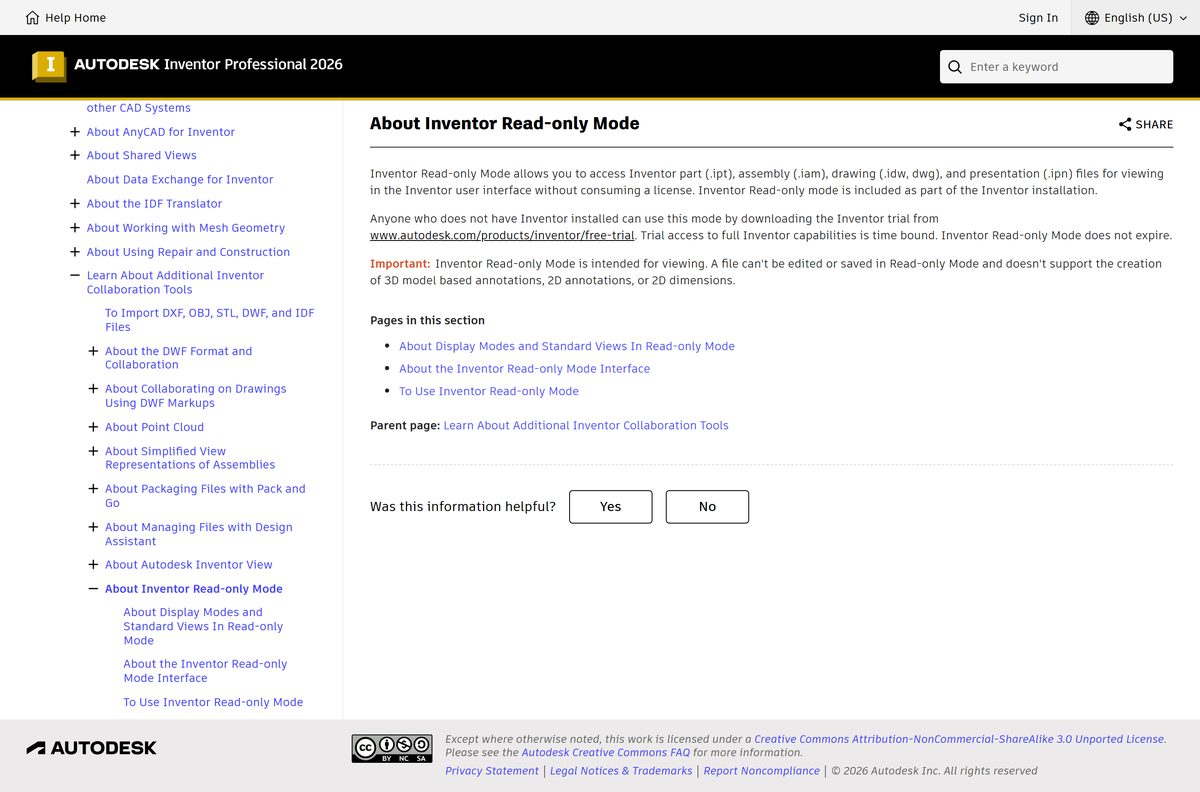
Read-only Mode comes with every Inventor install. It opens design files in the normal interface without consuming a licence, and it does not expire when the trial ends.
| File type | Extension | Read-only Mode |
|---|---|---|
| Part | .ipt | View |
| Assembly | .iam | View |
| Drawing | .idw, .dwg | View |
| Presentation | .ipn | View |
| Any file | all | No editing, saving, annotations or dimensions |
Reviewers and shop-floor staff who only check models can use it instead of a paid seat. Anyone who needs to change a part needs the full licence.
How to check your Inventor version and update it
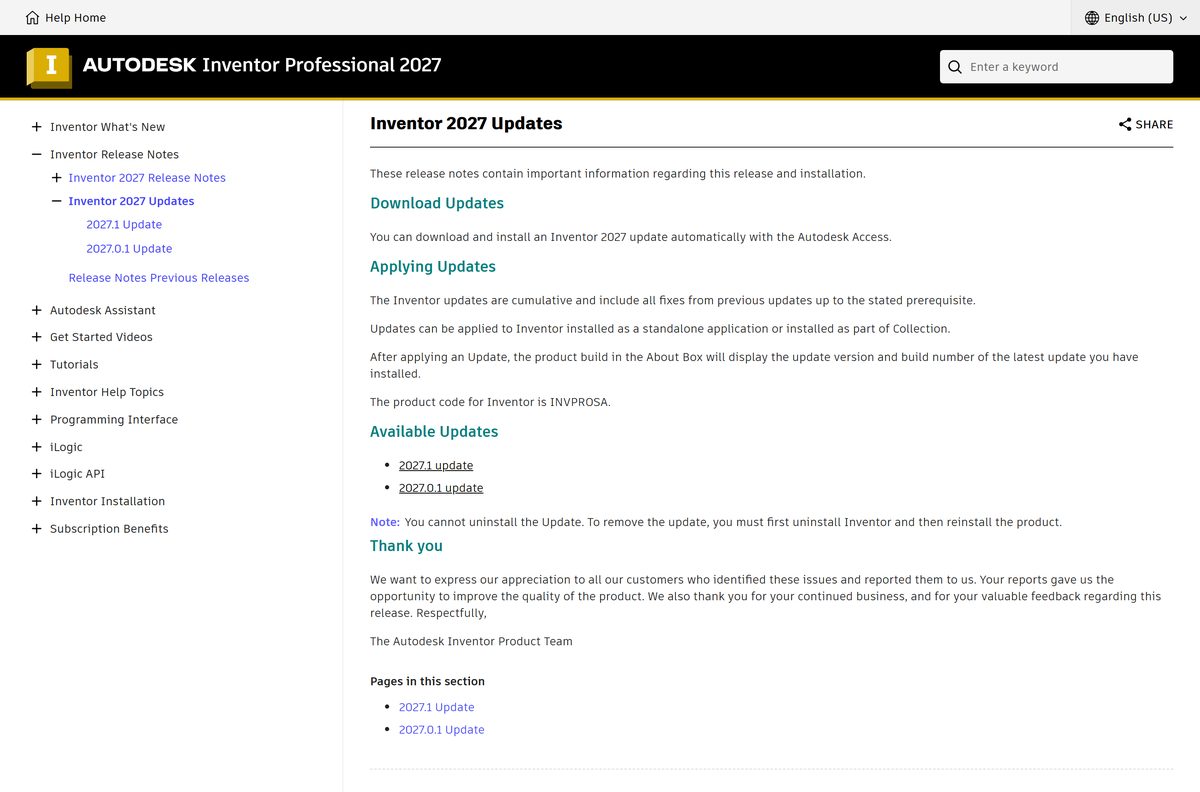
Inventor 2027 updates are cumulative, so the newest one carries every earlier fix.
- Open Inventor and open the About box from the Help menu.
- Note the update version and build number it shows.
- Compare it with the latest release on Autodesk’s Inventor 2027 Updates page.
- Open Autodesk Access from the Windows system tray.
- Install the Inventor update it offers.
- Restart Inventor and check the About box again.
An installed update cannot be removed on its own. To roll back, uninstall Inventor and reinstall it.
Check the Autodesk Inventor system requirements before you download
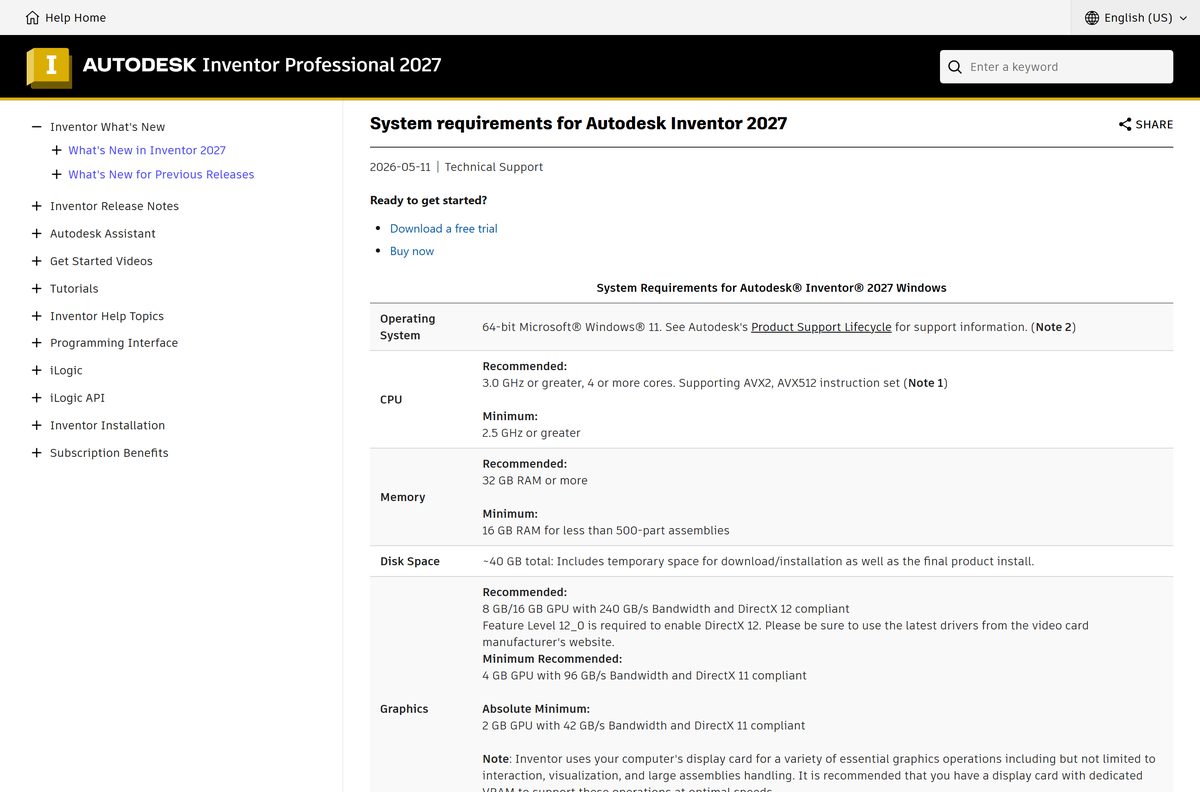
Inventor 2027 raised the bar to Windows 11, and assembly size drives how much memory you need.
| Field | Value |
|---|---|
| Software | Autodesk Inventor (3D mechanical CAD) |
| Developer | Autodesk, Inc. |
| Latest version | Inventor 2027.1 |
| Licence | Paid subscription; free trial and education access |
| Operating system | 64-bit Windows 11 (Inventor 2026 also supports Windows 10) |
| macOS | No Mac version |
| Processor | 2.5 GHz minimum; 3.0 GHz, 4 cores, AVX2 recommended |
| Memory | 16 GB under 500 parts; 32 GB recommended; 64 GB for 1,000+ parts |
| Graphics | DirectX 11 with 2 GB minimum; 8 GB DirectX 12 recommended |
| Display | 1280 x 1024 minimum; 3840 x 2160 recommended |
| Disk space | About 40 GB, including temporary install files |
| .NET | .NET 10.0 or later, with Windows Update turned on |
| Offline installer | Yes, Direct download from Autodesk Account |
| Last verified | 2026-09-24 |
Press Windows + R, type winver and select OK to confirm your Windows version. Open Task Manager > Performance to see your memory and graphics card.
Fix Autodesk Inventor not installing on Windows 11 or 10
The install couldn’t finish. Error 1644
A permission or security setting blocks the installer.
- Update Windows Defender to version 1.447.134.0 or later through Windows Update.
- Open Settings > Privacy & security > Windows Security > App & browser control and set Smart App Control to Off.
- Sign in with a local administrator account.
- Download the Direct download package instead of the web installer and run it as administrator.
- Turn your security settings back on once Inventor is installed and activated.
The download never starts
The browser blocks the pop-up that starts the installer.
- Turn off the pop-up blocker for autodesk.com.
- Return to Products and Services and select Install again.
- If it still stalls, use the Download method and run the saved file as administrator.
Setup refuses to run on Windows 10
Inventor 2027 supports Windows 11 only.
- Press Windows + R, type winver and check the result.
- Upgrade the PC to Windows 11, or install Inventor 2026 instead.
A file says it is newer than your Inventor version
The file was saved in a later release.
- Install the latest update for your release if the file is one year newer.
- Install the latest Inventor release if it is two or more years newer, or if it is a drawing or presentation.
- Ask the sender for a STEP or SAT copy if you cannot upgrade.
How to uninstall Autodesk Inventor completely
Back up your custom templates, Content Center libraries and style libraries first. The cleanup below deletes them.
- Copy C:\Users\Public\Documents\Autodesk\Inventor 2027\Templates and your custom libraries to a safe folder.
- Open Control Panel > Programs and Features.
- Select Inventor and select Uninstall, then follow the prompts.
- Delete C:\Program Files\Autodesk\Inventor 2027 and C:\ProgramData\Autodesk\Inventor 2027 .
- Delete the Inventor 2027 folders under Public Documents\Autodesk and your AppData\Local\Autodesk folder.
- Back up the registry, then delete the RegistryVersion keys for your release under Software\Autodesk\Inventor in HKEY_CURRENT_USER and HKEY_LOCAL_MACHINE.
- Restart the PC before you reinstall.
The old Autodesk Uninstall Tool does not apply to Inventor 2022 and later. Use Programs and Features for current releases.
Which Autodesk Inventor alternative should you pick?
Two other desktop CAD programs cover the same mechanical design work, each with its own licence model.
| Option | Platforms | Pick it when |
|---|---|---|
| Autodesk Fusion | Windows and Mac | You want cloud CAD, CAM and a free personal-use licence |
| SOLIDWORKS | Windows | Your clients or suppliers send native SOLIDWORKS files |
| Inventor Read-only Mode | Windows | You only review Inventor files and never edit them |
Stay with Inventor when your drawings, iLogic rules and Content Center parts already live in Inventor files.
Frequently asked questions
Is Autodesk Inventor free to download?
No. Inventor is a paid Autodesk subscription. You can download a free trial that is fully licensed for 15 to 30 days for evaluation, and students and educators at qualified schools can install the education licence on up to two devices.
Where is the official Autodesk Inventor download page?
Trial users start at autodesk.com/products/inventor/free-trial. Subscribers sign in to Autodesk Account at manage.autodesk.com, open Products and Services, and select Install next to Inventor. Any other download site is unofficial.
Does Autodesk Inventor work on Windows 11?
Yes. Inventor 2027 supports 64-bit Windows 11 only. Inventor 2026 supports both Windows 11 and Windows 10, so a Windows 10 PC needs the 2026 release or an upgrade to Windows 11.
How big is the Autodesk Inventor download?
Autodesk publishes no single installer size, because the download depends on the method and components you choose. Inventor 2027 needs about 40 GB of free disk space, which includes temporary download and installation files.
Is there an Autodesk Inventor offline installer?
Yes. In Autodesk Account, open Products and Services, select View details for Inventor and choose Direct download. It saves a complete installer you can copy to a PC without internet and run as administrator.
Can I download Autodesk Inventor on a Mac?
No. Inventor has no macOS version, and Autodesk leaves it off its list of Mac-compatible software. Mac users who need Autodesk 3D modeling can install Autodesk Fusion, which runs natively on macOS.
Is Autodesk Inventor 64-bit only?
Yes. Inventor requires 64-bit Windows, and Inventor 2027 recommends a 3.0 GHz processor with four or more cores and AVX2 support. Autodesk lists no 32-bit, macOS or ARM build.
Is Autodesk Inventor safe to download?
Yes, when it comes from autodesk.com or your Autodesk Account. Cracked copies and keygens from download portals carry tampered files that can hold malware and break Autodesk’s licence terms.
What is the latest version of Autodesk Inventor?
Inventor 2027.1 is the latest release. Autodesk also shipped the 2027.0.1 update, and every update is cumulative, so installing 2027.1 through Autodesk Access brings in all earlier fixes.
Can I open Inventor files without a licence?
Yes. Inventor Read-only Mode, included with every Inventor installation, opens part, assembly, drawing and presentation files without consuming a licence. It cannot edit or save files, and it keeps working after the trial ends.
Can students get Autodesk Inventor free?
Yes. Students and educators at qualified educational institutions can download Inventor through Autodesk’s education access and install it on up to two devices. The education licence is for learning, not commercial work.
Why is Autodesk Inventor not installing on my PC?
Common causes are Error 1644 from security settings, a blocked pop-up, or Windows 10 with Inventor 2027. Update Windows Defender, turn off Smart App Control during setup, install as administrator, or use the Direct download package.