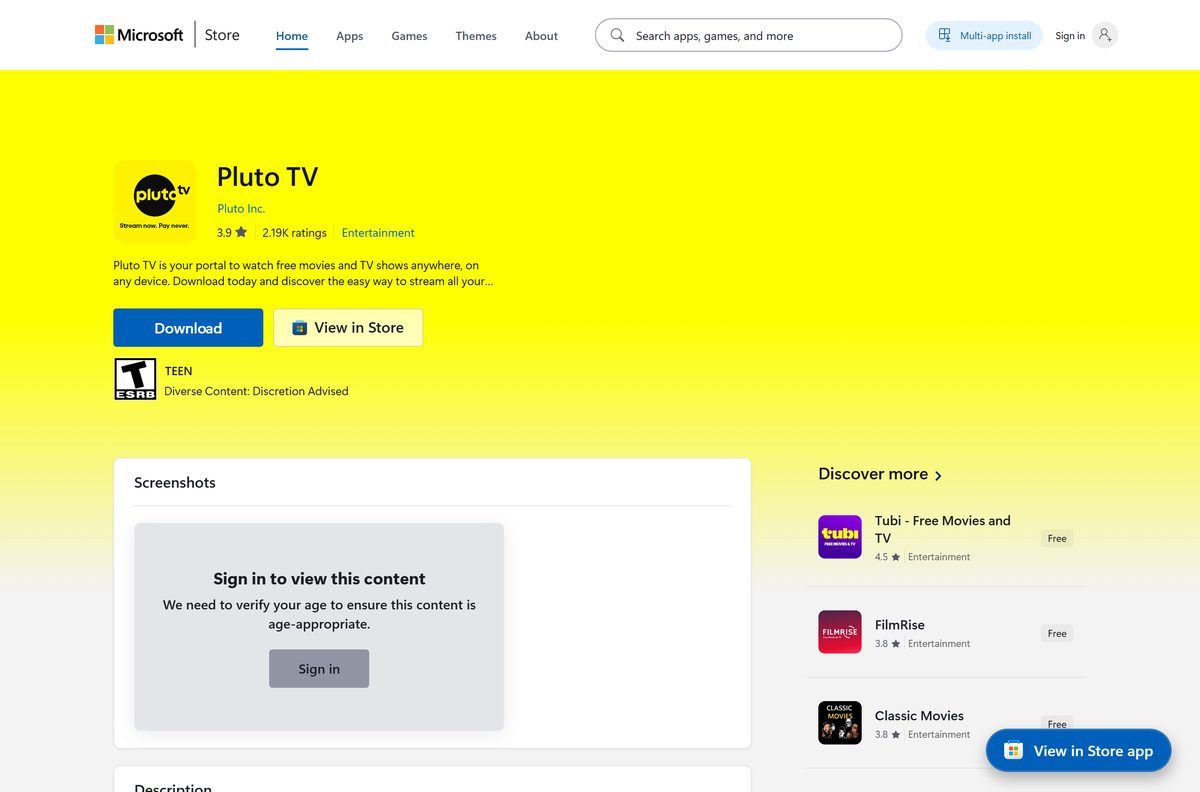
You can install Pluto TV on a Windows 11 or Windows 10 PC straight from the Microsoft Store. The app is free, published by Pluto Inc., and takes up well under a megabyte to download.
On a Mac, open pluto.tv in Safari, Chrome, Edge or Firefox and start watching live channels and on-demand films. No account, card or subscription is required at any point.
Below are the official links, the Windows and Mac setup, the iPhone, iPad and Android apps, and fixes for streams that stall or refuse to load.
Which Pluto TV download do you need?
Match the device in front of you to a row. Every route is free and plays the same channel lineup.
| Your device | What to get | What it needs |
|---|---|---|
| Windows 11 or Windows 10 PC | Pluto TV in the Microsoft Store | Windows 10 build 19003 or later, 0.6 MB |
| Any PC without Store access | pluto.tv in a browser | Current Chrome, Edge or Firefox |
| MacBook, iMac, Mac mini or Mac Studio | pluto.tv in a browser | Current Safari, Chrome, Edge or Firefox |
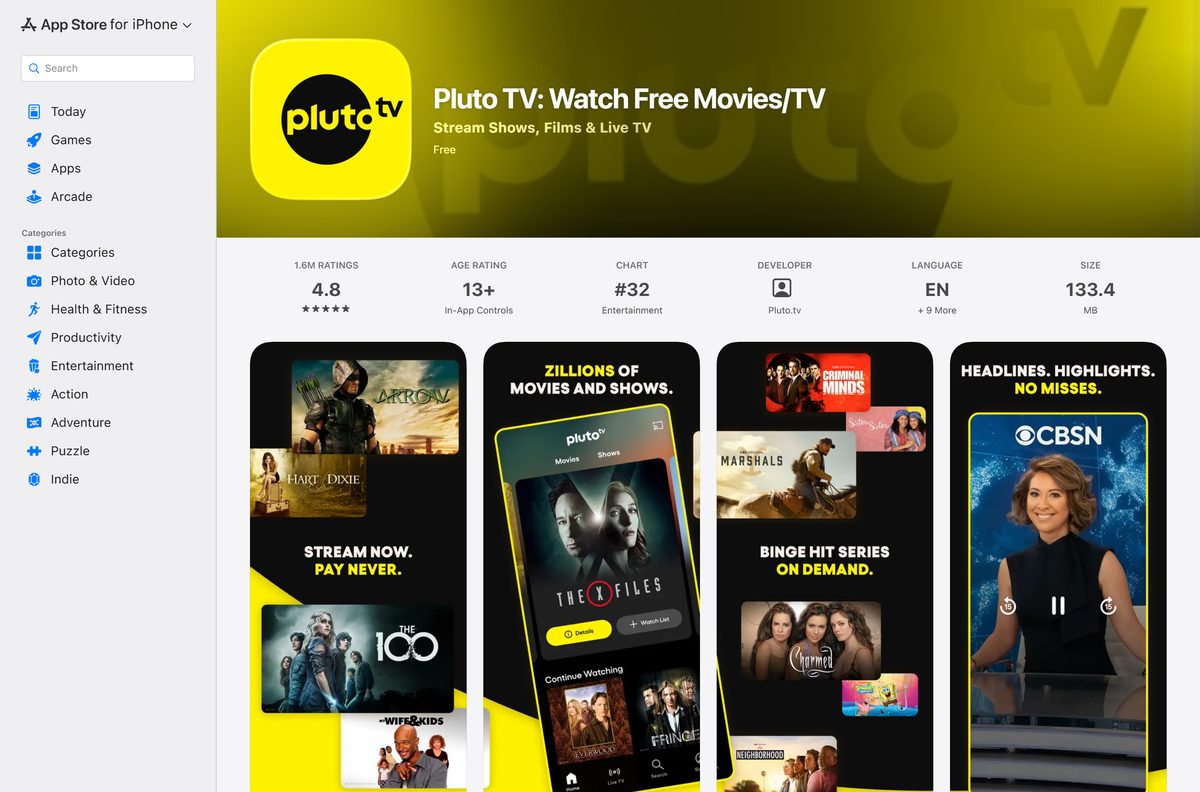
| iPhone or iPad | Pluto TV on the App Store | iOS or iPadOS 18.0, 127.2 MB |
| Android phone, Chromebook or TV | Pluto TV’s device list | Install from Google Play on the device |
The Windows app is small because it loads the Pluto TV player over the network. Every minute of playback needs a connection.
Download Pluto TV from its official sources
These addresses come from Pluto Inc. or the store that distributes its apps.
- Pluto TV in the Microsoft Store — 0.6 MB · the Windows desktop app, publisher Pluto Inc., product ID 9P9LV240KQ9R
- pluto.tv, the web player — watch in a browser on Windows, Mac and Chromebook
- Pluto TV on the App Store — 127.2 MB · iPhone and iPad, seller Pluto, Inc., version 15.26.0
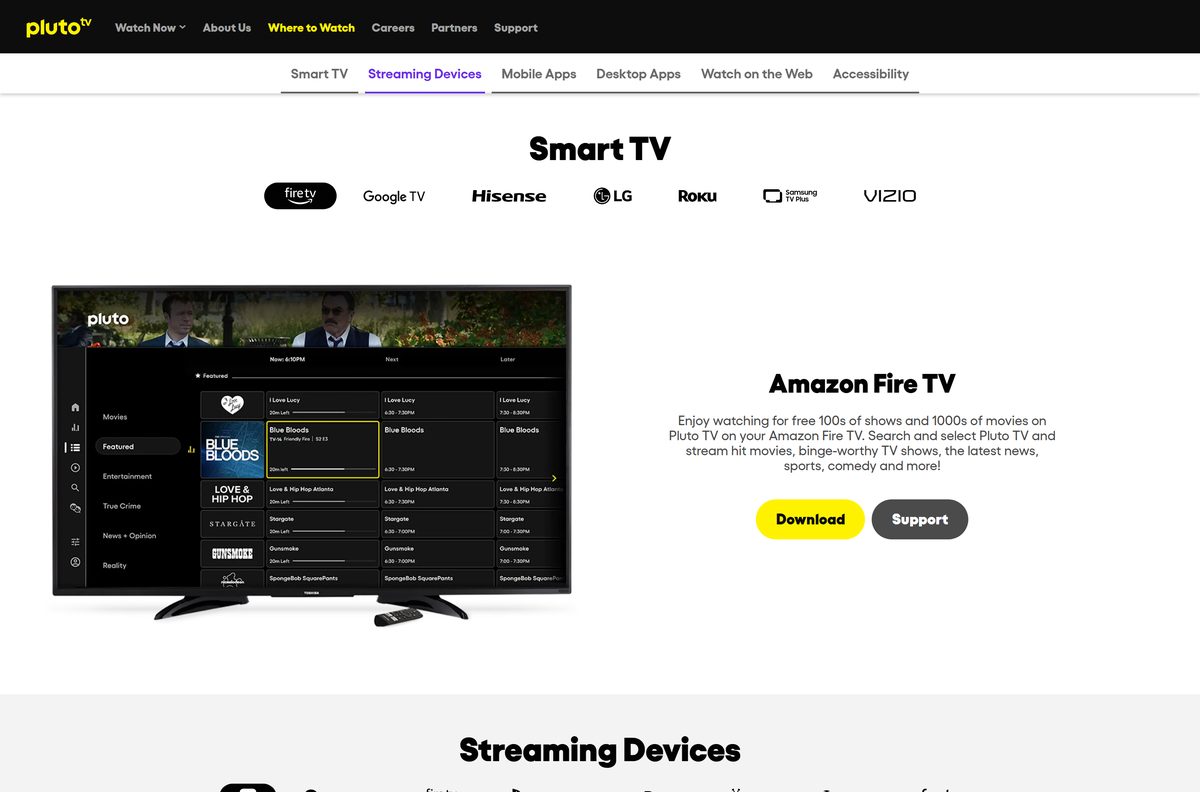
- Where to Watch, Pluto TV’s own download page — links for smart TVs, streaming sticks, phones and the Windows app
Pluto TV publishes no .exe or .dmg file. A setup file offered by a download portal does not come from Pluto Inc.
How to install Pluto TV on Windows 11 and 10
The Microsoft Store handles the download, the install and every later update.
- Open the Pluto TV Store listing in your browser.
- Select Get, then allow the browser to open Microsoft Store.
- Check that the listing names Pluto Inc. as the publisher.
- Select Get or Install and wait for the button to change to Open.
- Select Open, or press the Windows key and type Pluto TV.
- Pick a channel under Live TV, or browse titles under On Demand.
To add the app to the taskbar, right-click its icon while it runs and choose Pin to taskbar.
Install Pluto TV on iPhone, iPad and Android
The phone and tablet apps cost nothing and sign in with the same optional account.
- On an iPhone or iPad, open App Store and search for Pluto TV.
- Check that the seller is Pluto, Inc., then tap Get.
- On Android, open Google Play, search for Pluto TV and tap Install.
- Open the app and start a channel straight away, with no sign-in required.
- To sync favorites across devices, tap the Profile icon at the top right.
- Enter your email address, tap Next, fill in the sign-up form and tap Sign Up.
The iPhone and iPad build needs iOS or iPadOS 18.0 or later.
Which Pluto TV download do you need for your Mac?
Pluto TV has no macOS app, and the App Store listing covers iPhone and iPad only. The web player is the Mac route.
| Your situation | What to do | What it needs |
|---|---|---|
| Any Mac, Apple silicon or Intel | Open pluto.tv in Safari | The latest Safari |
| You want a Dock icon | Open pluto.tv in Chrome and install it as an app | Current Chrome or Edge |
| Playback stutters in Safari | Switch to Chrome or Firefox | Pluto TV’s recommended desktop browsers |
In Chrome, open the three-dot menu, then Cast, save and share, then Install page as app.
Is Pluto TV free?
Yes, completely. The Store app, the web player and the mobile apps all cost nothing.
Pluto TV is free to install and free to watch, with ads paying for the service. The Microsoft Store and the App Store both list the app at $0.00, and Pluto TV sums up its model as stream now, pay never. There is no paid tier and no card to enter. An account is optional, and the Watch List works without one. Short ad breaks run inside live channels and on-demand titles. Any site charging for a Pluto TV download, a premium key or an ad-free build is not selling a real product.
Pluto Inc. is part of Paramount Skydance Corporation, which also runs the paid Paramount+ service.
Choose between the Pluto TV app and the browser on a PC
Both play the same channels. The difference is the window, not the content.
Install the Microsoft Store app on Windows 11 or 10, and use the browser everywhere else. The Store app opens in its own window, pins to the taskbar and updates through the Store. Pluto TV’s device list names it as a desktop app for Windows 11. The browser needs no install at all and is the only route on a Mac or on a work machine that blocks the Store. Pluto TV recommends Chrome or Firefox for the best desktop playback.
Closed captions and volume controls sit on screen in both versions.
How to check your Pluto TV version and update it
Pluto TV’s support team names an outdated app or operating system as a common cause of playback trouble.
- On Windows, open Microsoft Store and select Library at the bottom left.
- Select Get updates, then Update next to Pluto TV if it appears.
- To read the installed version, open Settings, then Apps, then Installed apps, select the three dots next to Pluto TV and choose Advanced options.
- On an iPhone or iPad, open App Store, tap your profile picture and tap Update next to Pluto TV.
- In a browser, reload pluto.tv with Ctrl + Shift + R on Windows or Command + Shift + R on Mac.
- Install pending Windows or macOS updates as well, then restart the device.
The current iPhone and iPad build is 15.26.0, released on 23 September 2026.
Check the Pluto TV requirements before you install
Any PC or Mac with a current browser and a steady connection clears the bar.
| Field | Value |
|---|---|
| Software | Pluto TV |
| Developer | Pluto Inc., part of Paramount Skydance Corporation |
| Latest version | 2021.917.2041.0 (Microsoft Store desktop package); 15.26.0 on iPhone and iPad |
| License | Free, ad-supported |
| Download size | 0.6 MB (620,281 bytes) from the Microsoft Store |
| Supported OS | Windows 11 and Windows 10 build 19003 or later; macOS in a browser |
| Browsers | Latest Safari, Edge, Chrome or Firefox |
| Architecture | Architecture-neutral Store package: x64 and ARM64; any Mac in a browser |
| Official download source | Microsoft Store and pluto.tv |
| Offline installer | No |
| Mac app | None; watch at pluto.tv |
| Connection speed | Faster than 5 Mb, and stable |
| Age rating | ESRB T on the Microsoft Store; 12+ on the App Store |
| Last verified | 2026-09-24 |
Check your Windows build with Windows + R, then type winver and press Enter.
Check whether Pluto TV runs on your other devices
Pluto TV’s official device list covers far more than computers. Some platforms are United States only.
| Platform | Supported devices | Where |
|---|---|---|
| Web | Latest Safari, Edge, Chrome and Firefox; desktop app on Windows 11 | All regions |
| Apple | iOS, tvOS on Apple TV, visionOS | All regions |
| Android phones, Android TV, Chromebook, Google TV | All regions | |
| Microsoft | Xbox One, Xbox Series S and Series X | All regions |
| Amazon | Fire TV, Fire Stick, Fire TV Cube, Fire tablets | All regions |
| Smart TVs | LG webOS, Samsung Tizen 2017 or newer, Vizio SmartCast, Hisense VIDAA | All regions |
| Roku | Roku players and TVs | All regions |
| Sony | PlayStation 4, PlayStation 5, Sony TV | United States only |
| Google Chromecast | Cast from a phone or browser | United States only |
The full list, including TiVo and cable boxes, is on Pluto TV’s device page.
Fix Pluto TV not working on Windows 11, 10 or Mac
Most failures on a computer come down to an old build, a weak connection or the browser.
The Store app will not download or install
The Microsoft Store cache or a pending Windows update is blocking the install.
- Press Windows + R, type wsreset.exe and press Enter; the Store reopens when the reset finishes.
- Open Settings, then Windows Update, and install anything pending.
- Sign in to the Microsoft Store with a Microsoft account.
- Try the install again, or use pluto.tv in the browser meanwhile.
Video buffers, freezes or drops quality
The connection is too slow or unsteady for live streaming.
- Run a speed test; Pluto TV wants more than 5 Mb.
- Move the PC to a wired connection, or sit closer to the router.
- Pause large downloads and other streams on the same network.
- Restart the router and the computer.
pluto.tv shows a blank page or no video in the browser
An outdated browser, a stale cache or an extension blocking the player.
- Update the browser, then reload the page with Ctrl + Shift + R.
- Switch to Chrome or Firefox, which Pluto TV recommends for desktops.
- Turn off ad blockers and script blockers for pluto.tv.
- Clear the browser’s cache and cookies for the site, then sign in again.
How to uninstall Pluto TV from Windows and Mac
Removing the app leaves your account and favorites intact on Pluto TV’s servers.
- On Windows, open Settings with Windows + I, then Apps, then Installed apps.
- Find Pluto TV, select the three dots and choose Uninstall.
- Confirm with Uninstall again.
- On a Mac with a Chrome shortcut, open chrome://apps , right-click the tile and choose Remove from Chrome.
- On an iPhone or iPad, press and hold the icon and tap Remove App, then Delete App.
A Mac that only used Safari has nothing to remove beyond the site’s cookies.
Frequently asked questions
Is Pluto TV free to download?
Yes. The Microsoft Store app, the App Store app and the web player all cost nothing. Pluto TV runs on ads, so there is no subscription, no trial and no card to enter.
Where is the official Pluto TV download for PC?
The Microsoft Store, under product ID 9P9LV240KQ9R and publisher Pluto Inc. Pluto TV’s own Where to Watch page links its Windows download button to that listing. No official .exe file exists.
Does Pluto TV work on Windows 11 and Windows 10?
Yes. The Store app needs Windows 10 build 19003 or later, or any Windows 11 release. Pluto TV’s device list names the desktop app for Windows 11, and the browser route works on both.
How big is the Pluto TV download?
The Windows desktop package is 620,281 bytes, about 0.6 MB, because it loads the player over the network. The iPhone and iPad build is much larger at 127.2 MB.
Is there a Pluto TV app for Mac?
No. The App Store listing covers iPhone and iPad, and no macOS build exists. On a Mac, watch at pluto.tv in Safari, Chrome, Edge or Firefox, or install the site as an app from Chrome.
Is there a Pluto TV offline installer for Windows?
No. The Windows app installs only through the Microsoft Store. Pluto TV streams live and on-demand video, so the app also needs an internet connection every time you watch.
Does Pluto TV run on ARM64 and Apple silicon?
Yes. The Store package is architecture-neutral, so it installs on x64 and ARM64 Windows PCs alike. On an Apple silicon or Intel Mac, the browser player works the same way.
Do you need an account to watch Pluto TV?
No. Live channels and on-demand titles play without signing in, and the Watch List works without an account too. A free account adds sign-in across devices and keeps your place in shows.
Who owns Pluto TV?
Pluto Inc. publishes the apps, and Pluto TV’s support site carries a Paramount Skydance Corporation copyright. The same company runs Paramount+, which is a separate paid service.
Is the Pluto TV app safe to install?
The Microsoft Store and App Store listings both come from Pluto Inc., and both stores check what they distribute. Pluto TV files offered by download portals and APK mirror sites are not from the company.
Why does Pluto TV keep buffering on my PC?
Pluto TV recommends a connection faster than 5 Mb and says stability matters as much as speed. Use a wired connection, pause other downloads, and keep the app and Windows updated.