The current Arduino IDE download is version 2.3.10, a free 150.8 MB installer published on arduino.cc for Windows 11, Windows 10, macOS and Linux. Arduino releases it as open source, so nothing on the download page costs money.
Two builds cover the Mac: one for Intel machines and one for Apple silicon. Windows adds an MSI package for deployment and a ZIP you can run from a USB stick.
This guide covers the right file for your machine, installation on each platform, the legacy 1.8.19 branch, updates, board-detection fixes and clean removal.
Which Arduino IDE download do you need?
Arduino serves seven files for the current release. Match the row to your machine before you click anything.
| Your machine | Download | Size |
|---|---|---|
| Windows 11 or Windows 10, 64-bit | arduino-ide_2.3.10_Windows_64bit.exe | 150.8 MB |
| Windows, deploying to many PCs | arduino-ide_2.3.10_Windows_64bit.msi | 159.4 MB |
| Windows, no installer wanted | arduino-ide_2.3.10_Windows_64bit.zip | 196.1 MB |
| Mac with an Intel processor | arduino-ide_2.3.10_macOS_64bit.dmg | 196.0 MB |
| Mac with M1, M2, M3 or M4 | arduino-ide_2.3.10_macOS_arm64.dmg | 186.1 MB |
| Linux, 64-bit x86 | arduino-ide_2.3.10_Linux_64bit.AppImage | 192.4 MB |
| Linux, extract instead of install | arduino-ide_2.3.10_Linux_64bit.zip | 192.0 MB |
There is no 32-bit build of the current release and no Windows on Arm build. A 32-bit PC needs the legacy 1.8.19 branch instead.
Download Arduino IDE for Windows 11 and Windows 10
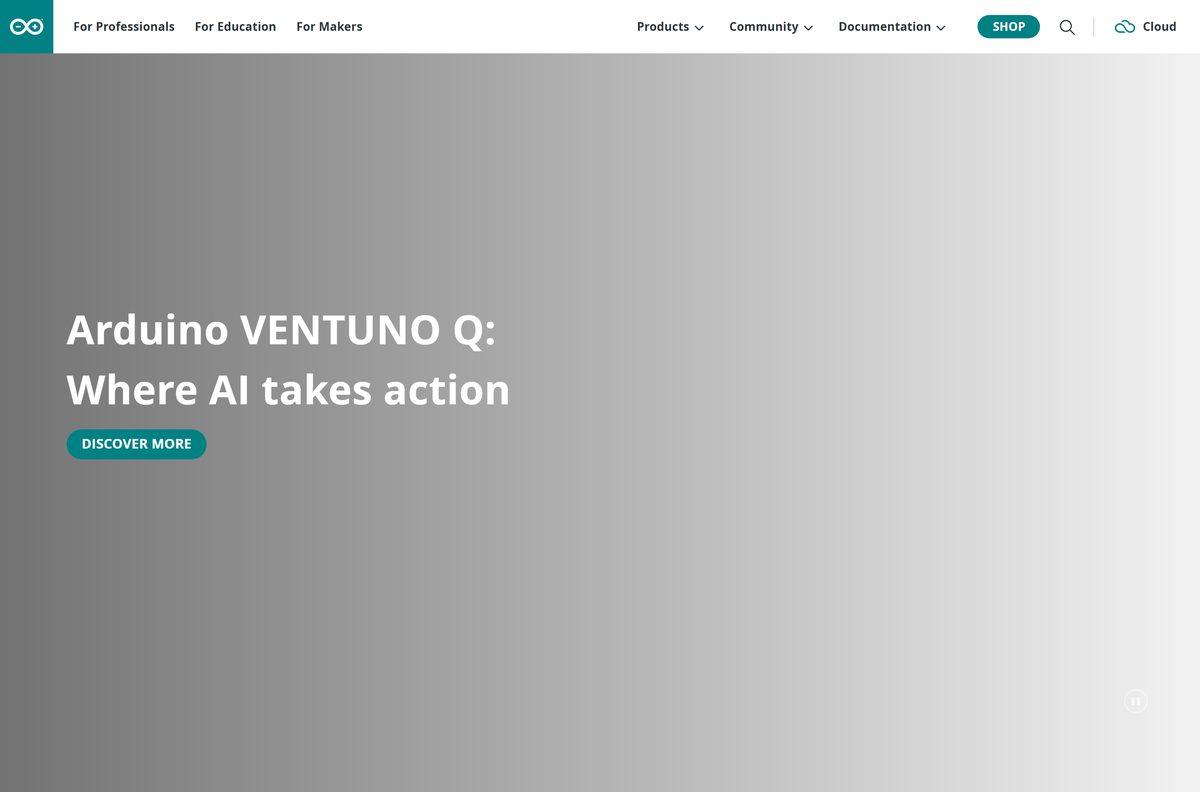
The DOWNLOAD button on the Arduino software page detects your platform, and the arrow beside it opens the full list. Every file is served from downloads.arduino.cc.
- Arduino software page — the official download page for every platform
- Windows 64-bit installer (.exe) — 158,074,632 bytes, version 2.3.10
- Windows MSI package — 167,145,472 bytes
- Legacy installer 1.8.19 for Windows 7 and newer — 111.9 MB, security fixes only
- Arduino Cloud Editor — write and upload sketches in a browser, no install
A file named anything other than arduino-ide_2.3.10_Windows_64bit.exe, or served from a host other than downloads.arduino.cc, is not Arduino’s installer.
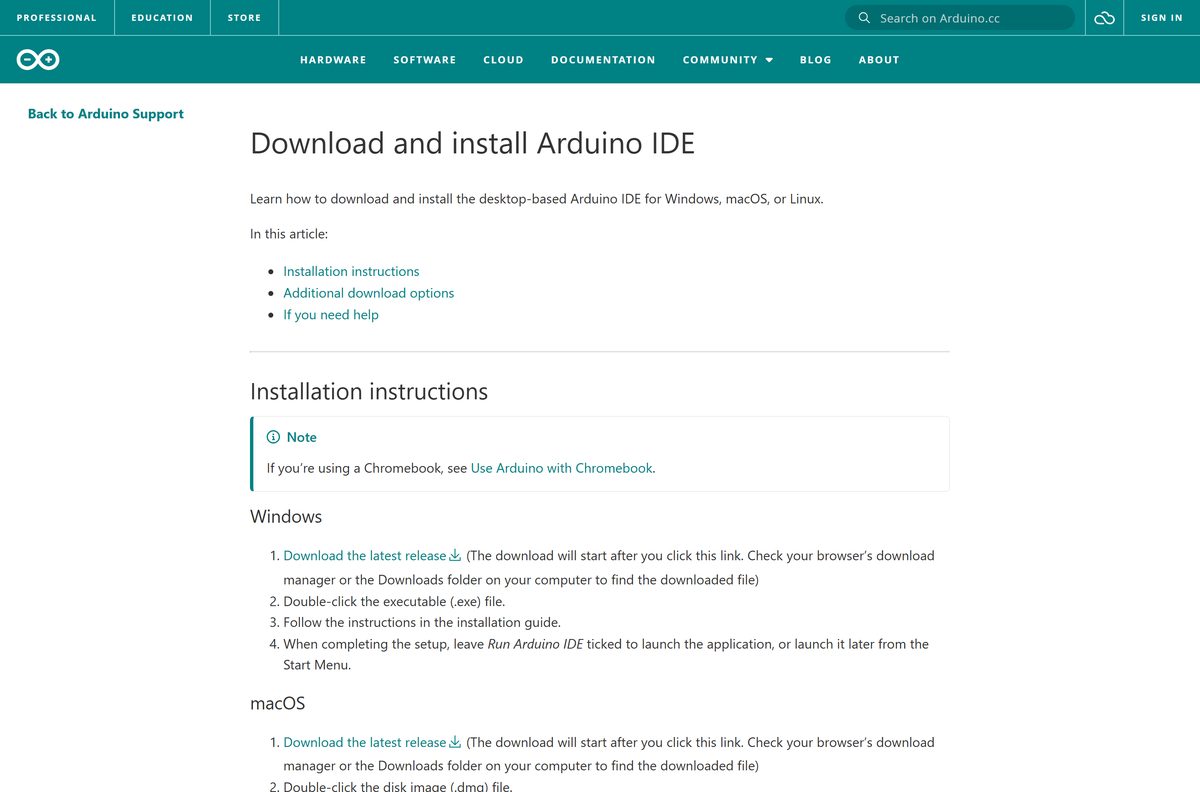
How to install Arduino IDE on Windows 11 and 10
Setup writes to your user profile and takes two to four minutes. Leave the PC online: the first launch pulls the remaining components down.
- Open the Arduino software page and pick Windows Win 10 or newer (64-bit).
- Save the file when the browser prompts you.
- Double-click arduino-ide_2.3.10_Windows_64bit.exe in your Downloads folder.
- Accept the licence agreement.
- Choose Install for all users or Install for me only, then select Install.
- Approve the driver prompts Windows raises during setup, so your boards are recognised later.
- Leave Run Arduino IDE ticked and select Finish.
- Wait on first launch while the IDE downloads its remaining components, then select Allow access if Windows Defender Firewall asks.
Your sketches land in C:\Users\{username}\Documents\Arduino, outside the program folder, so they survive an upgrade or a reinstall.
Install Arduino IDE from the Microsoft Store
Microsoft Store carries the classic 1.x branch only, published by Arduino LLC. Use it when you want Store updates and a sandboxed install; use the .exe above for release 2.
- Open the Arduino IDE listing in Microsoft Store.
- Check that the publisher reads Arduino LLC.
- Select Get, then Install.
- Wait for the download to finish and select Open.
- Connect your board and pick it under Tools > Port.
- Approve the driver prompt the first time a board is attached.
The Store package is version 1.8.57.0, x86, and needs Windows 10 build 14393 or newer. It is the legacy branch, so it receives security fixes only.
Run Arduino IDE from a USB stick without installing it
Arduino publishes a ZIP of the same desktop build for Windows. Nothing is written to Program Files, so it runs from removable media.
- Download arduino-ide_2.3.10_Windows_64bit.zip, 196.1 MB.
- Right-click the archive and select Extract All.
- Point the destination at your USB drive and select Extract.
- Open the extracted folder and double-click Arduino IDE.exe.
- Select Allow access if Windows Defender Firewall prompts you.
- Set File > Preferences > Sketchbook location to a folder on the same drive.
Board packages still install to C:\Users\{username}\AppData\Local\Arduino15 on the host PC, so a truly self-contained copy is not possible on the 2.x branch.
Download the Arduino IDE MSI package for deployment
The MSI is the file to push through Intune, Configuration Manager or Group Policy. It installs the same build as the .exe.
| File | Size | Use |
|---|---|---|
| arduino-ide_2.3.10_Windows_64bit.msi | 159.4 MB | Windows Installer package for managed deployment |
| arduino-ide_2.3.10_Windows_64bit.exe | 150.8 MB | Interactive setup for a single PC |
| arduino-ide_2.3.10_Windows_64bit.zip | 196.1 MB | Extract to a share for lab machines with no installer policy |
Test the package on one machine first. Each PC still needs outbound internet on first launch, and the board drivers prompt once per device.
Which Arduino IDE download do you need for your Mac?
Open the Apple menu and select About This Mac. The Chip line tells you which of the two disk images to take.
| About This Mac says | Download | Size |
|---|---|---|
| Apple M1, M2, M3 or M4 | arduino-ide_2.3.10_macOS_arm64.dmg | 186.1 MB |
| Intel Core i5, i7 or i9 | arduino-ide_2.3.10_macOS_64bit.dmg | 196.0 MB |
| A Mac still on macOS 11 or older | arduino-1.8.19-macosx.zip | 170.8 MB, legacy branch |
Double-click the .dmg, drag Arduino IDE into Applications, then launch it from Spotlight with Command and Space.
Is Arduino IDE free?
Yes. Arduino IDE is free and open source, with no paid tier, trial period or licence key. Arduino states on its software page that the IDE 2.0 is open source and hosts the source code publicly. Any site charging for the installer, selling an activation code or bundling an installer wrapper is not Arduino.
Arduino IDE 2 or legacy 1.8.19: which should you install?
Both branches sit on the same download page, which is why the choice trips people up.
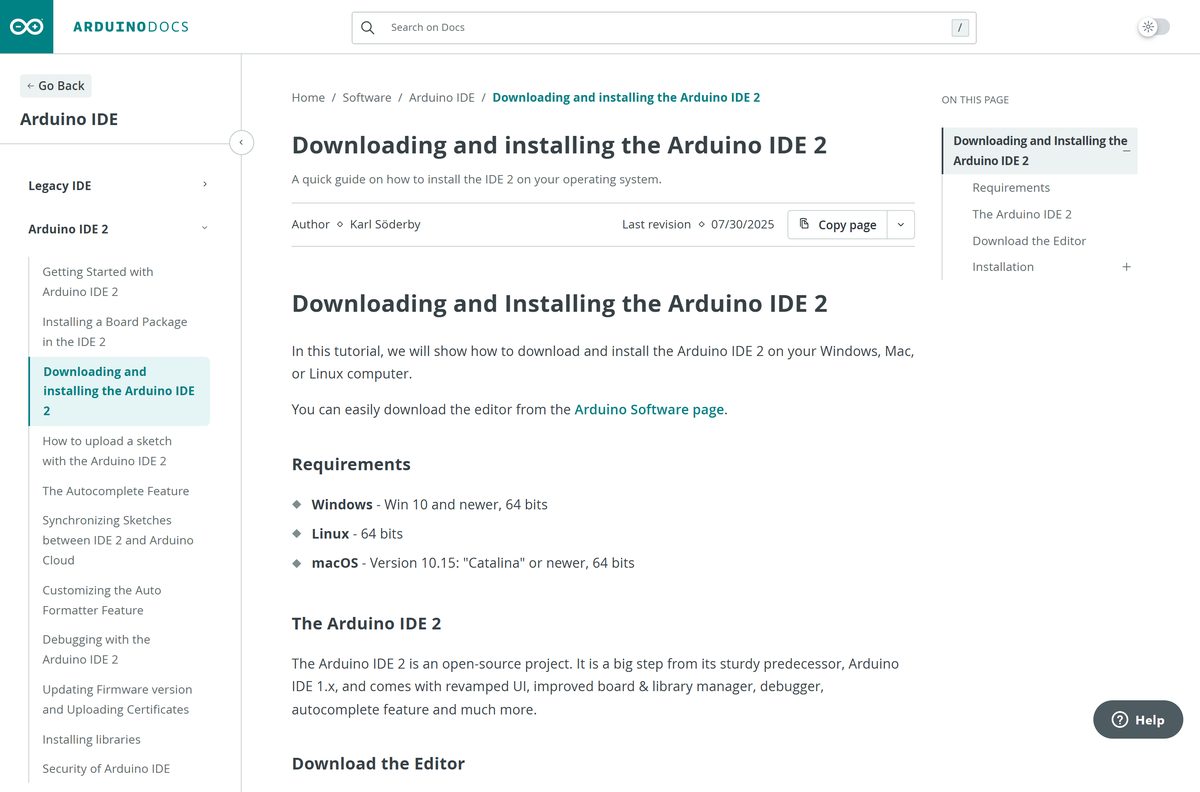
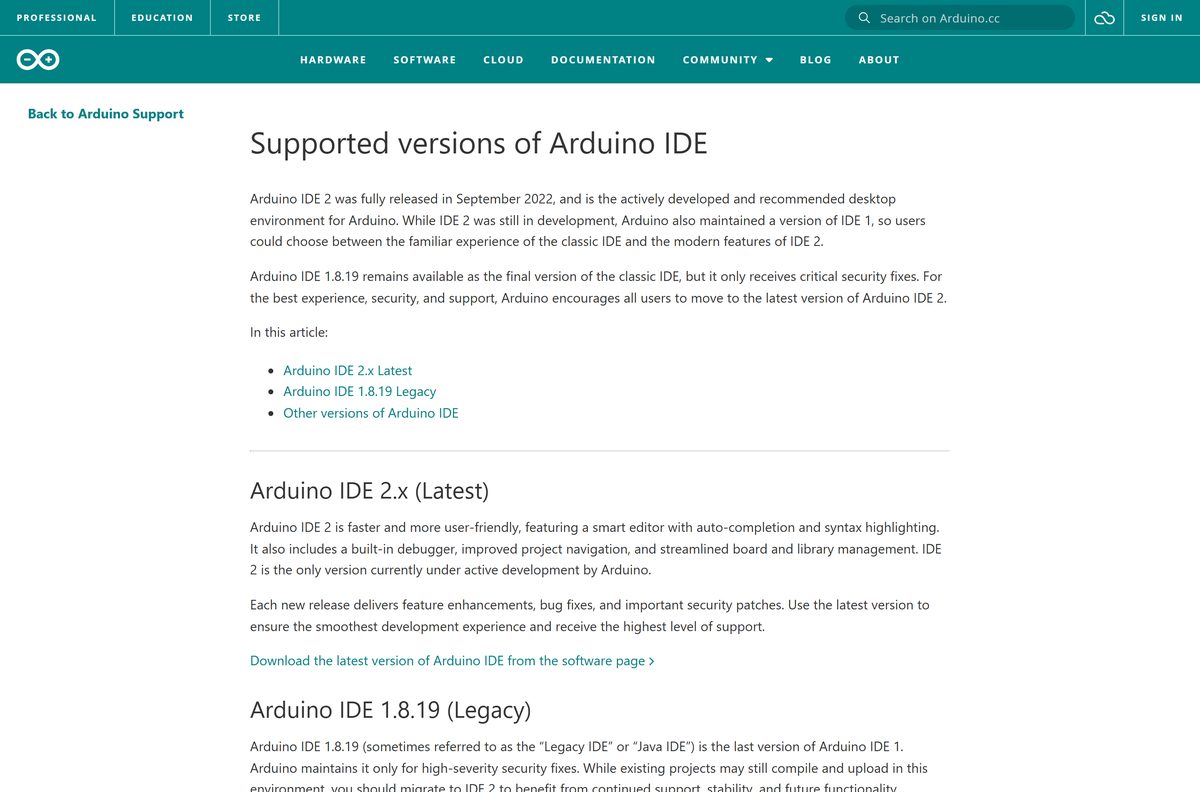
Install 2.3.10 unless a 32-bit PC or an old Mac rules it out. Arduino describes IDE 2 as the only version currently under active development, and says 1.8.19 is the final release of the classic IDE, maintained for high-severity security fixes only. Release 2 adds autocompletion, a debugger, a board manager sidebar and a serial plotter. Every other 1.x version has been pulled from the software page as unsupported.
Sketches written in 1.8.19 open in release 2 without conversion, because the sketchbook folder is shared.
How to check your Arduino IDE version and update it
The IDE updates its board packages and libraries on its own, but the application itself is replaced by installing the newer release over the old one.
- Open C:\Program Files\Arduino IDE, or AppData\Local\Programs\Arduino IDE for a single-user install.
- Right-click Arduino IDE.exe, select Properties, open the Details tab and read Product version.
- Compare it with the number shown on the Arduino software page.
- Download the newer installer and run it over your existing copy if the numbers differ.
- For board packages, press Ctrl + Shift + P on Windows or Command + Shift + P on a Mac to open the Command Palette.
- Type Update and select Check for Arduino Updates, which also checks libraries.
- Select Install All in the Updates are available prompt, or Install Manually to choose.
- To update one package only, open Tools > Board > Boards Manager, set the Type filter to Updatable, and select Update.
- Wait for Platform X installed in the Output panel.
Arduino ships security fixes in point releases, so a version behind the software page is worth replacing rather than leaving.
Check your PC against the Arduino IDE requirements
The requirements are modest, but the first launch is the part that catches people: it needs a working internet connection.
| Field | Value |
|---|---|
| Software | Arduino IDE |
| Developer | Arduino |
| Latest version | 2.3.10 |
| Legacy version | 1.8.19 |
| Licence | Free and open source |
| File size | 150.8 MB (Windows 64-bit installer) |
| Supported OS | Windows 10 (64-bit) or newer; macOS 12 Monterey or newer; Linux 64-bit |
| Architecture | x64 on Windows and Linux; Intel x64 and Apple silicon arm64 on macOS |
| Windows formats | EXE installer, MSI package, ZIP archive |
| Offline installer | Yes, but the first launch needs internet access |
| Sketchbook location | Documents\Arduino on Windows, Documents/Arduino on macOS |
| Official download source | arduino.cc |
| Last verified | 2026-09-22 |
To check your own PC, open Settings > System > About and read Edition and System type. On a Mac, open the Apple menu and select About This Mac.
What Arduino IDE can open and program
The editor handles sketch files directly and reaches everything else through the board and library managers.
| Item | Support | Notes |
|---|---|---|
| .ino sketch files | Opens and compiles | The file must sit in a folder of the same name |
| .cpp, .h, .c source files | Opens as sketch tabs | Added beside the .ino in the sketch folder |
| Arduino AVR boards | Installed by default | Uno, Nano, Mega, Leonardo |
| Third-party boards | Through Boards Manager | Add the vendor URL under Preferences first |
| Libraries | Through Library Manager | Or File > Add .ZIP Library for an archive |
| Serial output | Serial Monitor and Serial Plotter | Both open from the toolbar |
| Debugging | Supported hardware only | Needs a board with a debug unit and a probe |
Board packages and tools install to AppData\Local\Arduino15 on Windows and Library/Arduino15 on macOS, separate from the application.
Fix Arduino IDE not installing, starting or seeing your board
Match the symptom below to its fix. Most reports fall into these five.
The IDE hangs on the splash screen after a fresh install
On its first run the IDE downloads the remaining components, and it stalls if it cannot reach the internet.
- Confirm other sites load in a browser.
- Close every Arduino IDE window.
- Allow the application through your firewall or proxy.
- Start the IDE again and wait for the first-run setup to finish.
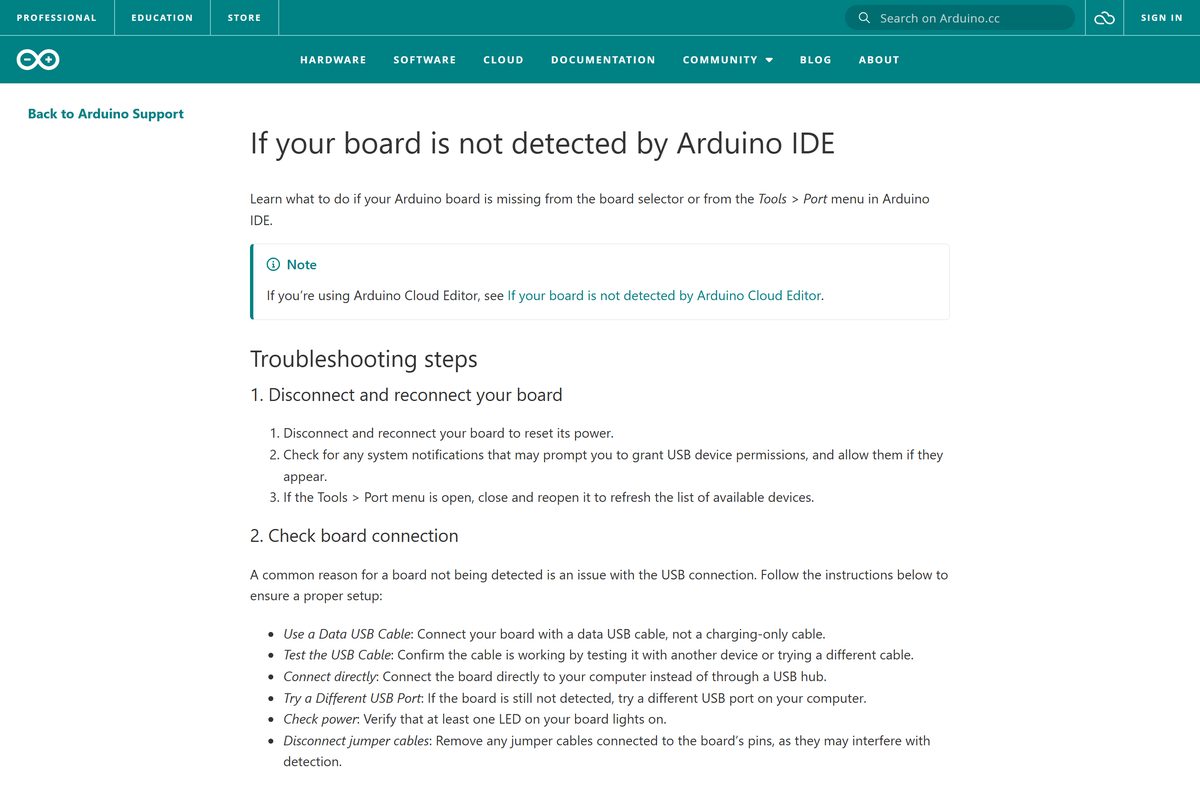
Your board is missing from Tools > Port
A charge-only USB cable, a hub, or a board sitting outside bootloader mode.
- Swap in a USB cable that carries data, tested on another device.
- Plug the board straight into the PC rather than through a hub.
- Try a different USB port and check that a board LED lights up.
- Remove any jumper wires from the pins.
- On an MKR or newer Nano, press RESET twice quickly until the LED fades in and out, then reopen Tools > Port.
Windows raises a driver warning during setup
Setup installs the USB drivers your boards need.
- Select Install at each driver prompt.
- Finish setup before connecting a board.
- If you dismissed the prompts, run the installer again and accept them.
The IDE freezes or stops responding while in use
A stale user data folder, or a pending system update.
- Restart the PC after saving your work.
- Install any waiting Windows or macOS updates.
- Close the IDE and delete C:\Users\{username}\AppData\Roaming\arduino-ide on Windows, or ~/Library/Application Support/arduino-ide on a Mac.
- Start the IDE again.
- If it persists, uninstall and reinstall the IDE from arduino.cc.
Compiling or uploading throws console errors
A damaged board package or library folder.
- Close the IDE.
- Delete the Arduino15 folder and the libraries subfolder of your sketchbook.
- Start the IDE and reinstall your board package from Tools > Board > Boards Manager.
- Reinstall your libraries from Library Manager.
How to uninstall Arduino IDE
Removing the application leaves your sketches, libraries and board packages in place. Delete those folders separately if you want a clean slate.
- Open the Start menu and find Arduino IDE.
- Right-click it and select Uninstall.
- Alternatively, open the installation folder and run Uninstall Arduino IDE.exe.
- On a Mac, open Finder, go to Applications and remove Arduino IDE.app.
- To clear board packages, delete C:\Users\{username}\AppData\Local\Arduino15 on Windows or /Users/{username}/Library/Arduino15 on a Mac.
- To clear settings, delete the hidden .arduinoIDE folder in your user folder.
- To clear sketches and libraries, delete the Documents\Arduino folder.
- Reinstall from arduino.cc rather than reusing an old installer.
Keep Documents\Arduino if you are only reinstalling to fix a fault. That folder holds your own work.
Choose another Arduino editor when the IDE will not fit
Arduino publishes three other editors. Each targets a different way of working, and all are free.
| Tool | Runs on | Best for |
|---|---|---|
| Arduino Cloud Editor | Any browser | School PCs and locked-down machines where you cannot install software |
| Arduino CLI | Windows, macOS, Linux | Scripted builds, CI pipelines and headless machines |
| Arduino PLC IDE | Windows 10 or newer, 64-bit | IEC 61131-3 industrial programming on Portenta and Opta hardware |
| Legacy IDE 1.8.19 | Windows 7 or newer, older Macs | 32-bit PCs and machines too old for release 2 |
The Cloud Editor needs the Arduino Cloud agent installed before it can upload to a board over USB.
Frequently asked questions
Is Arduino IDE free?
Yes. Arduino IDE is free and open source, and Arduino publishes its source code openly. There is no paid edition, no trial period and no licence key.
Where is the official Arduino IDE download page?
The official page is arduino.cc/en/software. Its DOWNLOAD button detects your platform, and the arrow beside it lists every build. The files themselves are served from downloads.arduino.cc.
Does Arduino IDE work on Windows 11?
Yes. Arduino lists Windows 10 64-bit or newer as the requirement, which covers Windows 11. The 64-bit installer, MSI package and ZIP archive all run on it.
How big is the Arduino IDE download?
The Windows 64-bit installer is 150.8 MB. The MSI package is 159.4 MB, the Windows ZIP is 196.1 MB, and the two Mac disk images are 196.0 MB for Intel and 186.1 MB for Apple silicon.
Is there an Arduino IDE offline installer?
Yes. The .exe, .msi and .dmg files are complete installers that need no connection to set up. The first launch still needs internet access, because the IDE downloads its remaining components then.
Is there an Arduino IDE for Mac?
Yes. Arduino ships two disk images for macOS 12 Monterey or newer, one for Intel Macs and one for Apple silicon. Open the .dmg and drag Arduino IDE into the Applications folder.
Does Arduino IDE have a 64-bit or ARM64 build?
Release 2 is 64-bit only on Windows and Linux, and there is no Windows on Arm build. On macOS, the arm64 disk image runs natively on M1, M2, M3 and M4 Macs.
Is there a 32-bit Arduino IDE download?
Not on the current branch, which ships 64-bit builds only. A 32-bit PC needs the legacy 1.8.19 installer, which Arduino maintains for high-severity security fixes.
Is Arduino IDE safe to download?
Yes, when you take it from arduino.cc. Arduino runs secure code reviews and component analysis on the IDE, and publishes security bulletins when a release fixes a vulnerability. Installers from download portals are not covered by that process.
What is the latest version of Arduino IDE?
Version 2.3.10 is the current release on the Arduino software page. Arduino IDE 1.8.19 remains available as the final version of the classic branch, in security-fix maintenance only.
How do I download an old version of Arduino IDE?
Only two versions are offered: the current release and the legacy 1.8.19. Arduino removed every other release from the software page as unsupported, and warns that using them can expose you to security risks.
Why won’t Arduino IDE open after installation?
It usually stalls because the first run cannot reach the internet to fetch its remaining components. Confirm your connection, close every IDE window, and start it again. If it still hangs, remove the arduino-ide user data folder and relaunch.
Why does Arduino IDE not detect my board?
Most often the USB cable carries power only. Swap in a data cable, connect the board directly instead of through a hub, and try another port. On MKR and newer Nano boards, press RESET twice quickly to enter bootloader mode.
Can I use Arduino IDE without installing it?
Yes. Extract the Windows ZIP archive to a USB drive and run Arduino IDE.exe from it. Board packages still install to AppData on the host PC, so the copy is not fully self-contained.
Where does Arduino IDE save my sketches?
In Documents\Arduino on Windows, Documents/Arduino on macOS, and /home/{username}/Arduino on Linux. The folder sits outside the application, so an upgrade or a reinstall leaves your work untouched.