The official Signal download for Windows 11 and 10 is a free 255 MB installer from signal.org, and Mac users get one disk image that runs on Apple silicon and Intel. Signal Desktop installs in about a minute, then links to the Signal app on your phone.
This guide covers the right file for your computer, installing on Windows and macOS, the Microsoft Store and winget routes, checking the installer, updates, requirements, and fixes for Signal not installing.
Which Signal download do you need?
Signal publishes one installer per desktop platform. Match your computer to a row and click the file name.
| Your computer | File to download | Size |
|---|---|---|
| Windows 11 or 10, any 64-bit PC | signal-desktop-win-8.27.0.exe | 255 MB |
| Windows, Intel or AMD only, smaller file | signal-desktop-win-x64-8.27.0.exe | 128 MB |
| Windows on Arm (Snapdragon), smaller file | signal-desktop-win-arm64-8.27.0.exe | 127 MB |
| Mac with Apple silicon or Intel, macOS 13 or later | signal-desktop-mac-universal-8.27.0.dmg | 255 MB |
| Ubuntu, Debian or Linux Mint | APT repository instructions | Via APT |
| 32-bit Windows or Windows 8.1 | No build. Signal Desktop needs 64-bit Windows 10 or 11 | None |
The first file is what the Download for Windows button serves. It bundles the x64 and ARM64 builds, hence the size.
Press Windows + I, open System > About and read System type to see whether your PC is x64 or ARM64.
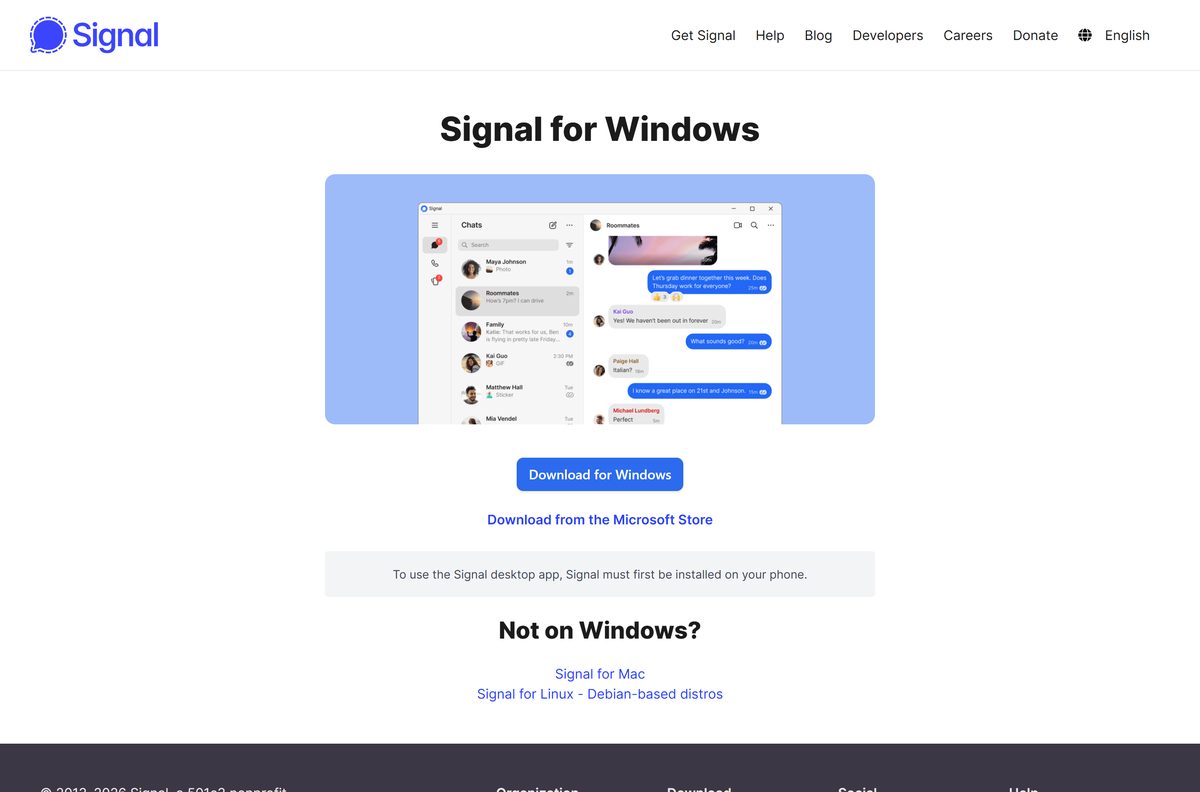
Download Signal from the official Signal sources
Signal Desktop comes from signal.org, its update server and the Microsoft Store. Any other site is serving a copy it repackaged.
- Signal for Windows — Download for Windows button and the Microsoft Store link
- Signal for Mac — universal disk image for Apple silicon and Intel
- Signal for Linux — APT repository and AppImage instructions
- Signal Private Messenger on the Microsoft Store — the Store listing signal.org links to
- Signal Desktop releases on GitHub — release notes and source code
The Windows .exe and the Mac .dmg are full installers, so you can copy them to a PC with no connection. Linking to your phone still needs the internet.
How to install Signal on Windows 11 and 10 and link your phone
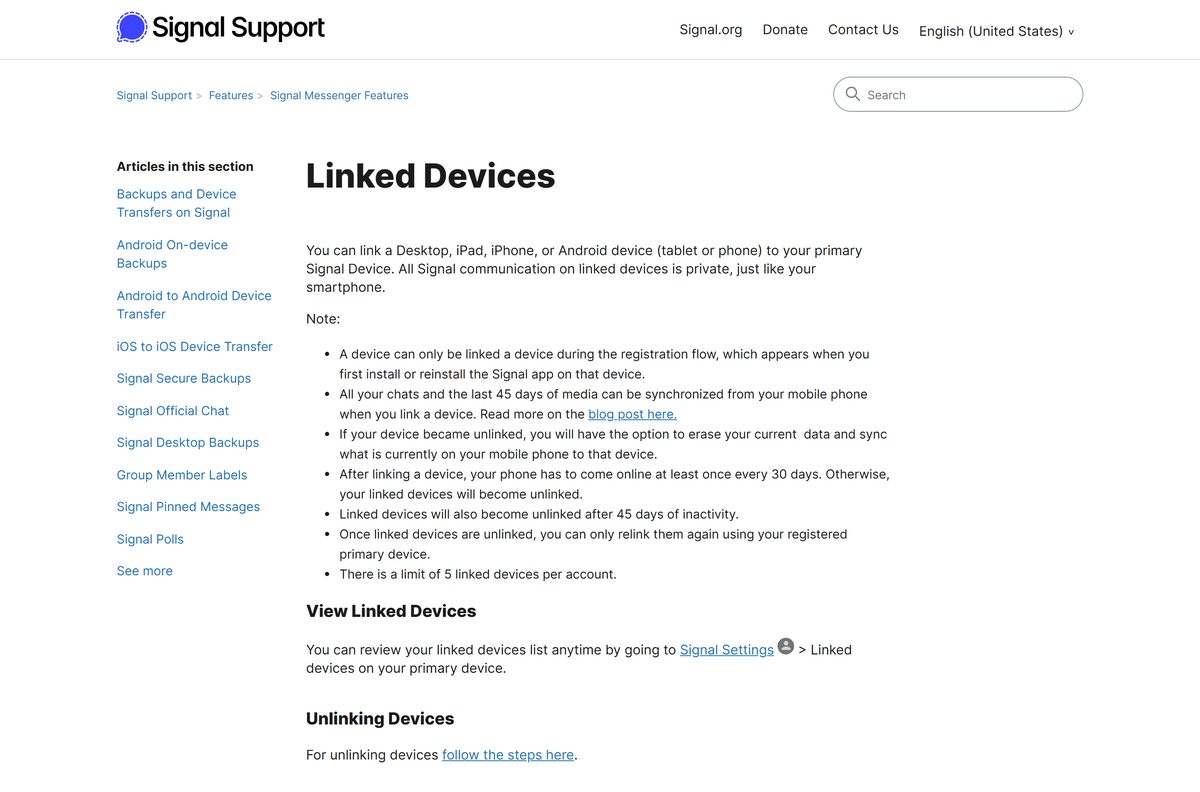
Install Signal on your phone first. Signal Desktop cannot register an account on its own, so it links to the phone app instead.
- Open Signal for Windows and select Download for Windows.
- Double-click the downloaded .exe file in your Downloads folder.
- Follow the prompts until Signal Desktop opens and shows a QR code.
- On your phone, open Signal and go to Settings > Linked devices > Link a new device.
- Unlock the phone with your fingerprint, face or passcode when asked, not your Signal PIN.
- Point the phone camera at the QR code on your PC screen.
- Choose Transfer Message History or Don’t Transfer.
- Send a test message from the PC to confirm the link works.
The transfer option copies your chats and the last 45 days of media. If you skip it, you must reinstall Signal Desktop to transfer later.
Install Signal from the Microsoft Store or with winget
Both routes install the same Signal Desktop app. Use the Store if you prefer Windows to handle the download, or winget to script it.
- Open the Signal Private Messenger listing on the Microsoft Store.
- Select Get or Install and let the Store app finish the download.
- Select Open when the button changes.
- To use winget instead, open Terminal and run winget install OpenWhisperSystems.Signal .
- Type Y if winget asks you to accept the source agreement.
- Start Signal from the Start menu and scan the QR code with your phone.
The winget package ID comes from Microsoft’s public winget-pkgs repository.
How to verify the Signal installer
Signal’s update feed lists a SHA-512 hash for every installer, written in Base64. A match proves the file arrived intact.
- Open latest.yml for Windows, or latest-mac.yml for Mac, in your browser.
- Copy the sha512 value listed under the file name you downloaded.
- Open PowerShell in your Downloads folder.
- Run [Convert]::ToBase64String([Security.Cryptography.SHA512]::Create().ComputeHash([IO.File]::ReadAllBytes(“$PWD\signal-desktop-win-8.27.0.exe”))) .
- Compare the output with the value you copied. They must match character for character.
- Delete the file and download it again from signal.org if the two strings differ.
On a Mac, run shasum -a 512 signal-desktop-mac-universal-8.27.0.dmg | cut -d’ ‘ -f1 | xxd -r -p | base64 in Terminal and compare the result the same way.
Run Signal on Linux with the AppImage
The AppImage runs on most 64-bit Linux distributions without a package manager. Signal signs it with a GPG key so you can check it first.
- Open Signal for Linux and scroll to Signal AppImage for all distros.
- Run the listed curl commands to fetch the AppImage, the signing key and the signature file.
- Run gpg –import signal-appimage.asc to import the key.
- Run gpg –verify signal-desktop.AppImage.gpg signal-desktop.AppImage and look for Good signature from “Signal Messenger, LLC”.
- Run chmod +x signal-desktop.AppImage to make the file runnable.
- Run ./signal-desktop.AppImage and scan the QR code with your phone.
The AppImage updates itself. On Debian-based systems, the APT repository on the same page is the recommended route.
Which Signal download do you need for your Mac?
Signal ships a single universal disk image. Open the Apple menu and select About This Mac to check your macOS version, since the chip does not matter.
| About This Mac says | Download | Size |
|---|---|---|
| Chip: Apple M-series, macOS 13 or later | signal-desktop-mac-universal-8.27.0.dmg | 255 MB |
| Processor: Intel, macOS 13 or later | signal-desktop-mac-universal-8.27.0.dmg | 255 MB |
| macOS 12 Monterey or older | Not supported. Update macOS first | None |
Open the .dmg , drag Signal into Applications, then launch it from Launchpad or Spotlight and scan the QR code with your phone.
Is Signal free?
Signal Desktop, the phone apps and every call and message between Signal users cost nothing.
Yes. Signal Desktop, messaging and calls between Signal users are free. Signal is run by the Signal Technology Foundation, a 501(c)(3) nonprofit that funds the app through donations. The desktop app is open source under the GNU Affero General Public License v3.0, and its code is public on GitHub. Any site that charges for the Signal Desktop download, or sells a “Signal Pro” key, is not Signal.
How to check your Signal version and update it
Signal Desktop checks for updates at startup and while it runs. A blue banner above the chat list means one is ready.
- On Windows, open Help > About to see your version.
- On a Mac, open Signal > About Signal Desktop.
- Quit and reopen Signal to force a fresh update check.
- Select Click to restart Signal or Click to download update in the blue banner.
- If you dismissed the banner, open Settings and select Update Signal.
- On Linux with APT, run sudo apt update && sudo apt install signal-desktop , then restart Signal.
Compare your number with the newest release on the Signal Desktop releases page.
Check Signal system requirements against your PC
Signal Desktop needs a working Signal account on an Android phone or iPhone. Everything else is modest.
| Field | Value |
|---|---|
| Software | Signal Desktop |
| Developer | Signal Messenger, LLC (Signal Technology Foundation) |
| Latest version | 8.27.0, released 10 September 2026 |
| License | Free, open source (AGPL-3.0) |
| Windows | Windows 10 and 11, 64-bit, x64 or ARM64 |
| macOS | macOS 13 or later, Apple silicon or Intel |
| Linux | 64-bit amd64 (x86_64) only; APT or AppImage |
| Phone | Signal on Android 6.0 or later, or iOS 15 or later |
| Linked devices | Up to 5 per account |
| Windows installer size | 255 MB combined, 128 MB x64, 127 MB ARM64 |
| Mac disk image size | 255 MB universal |
| Offline installer | Yes |
| Official download source | signal.org |
| Last verified | 2026-09-19 |
Your phone must come online at least once every 30 days, or Signal Desktop unlinks. It also unlinks after 45 days without use.
Fix Signal not installing or linking on Windows 11 or 10
Find the symptom that matches what you see, then work through its steps in order.
Signal Desktop asks you to register or will not continue
Signal Desktop only links to an existing phone account; it cannot register a number.
- Install Signal on your Android phone or iPhone and finish registration there.
- Open Settings > Linked devices > Link a new device on the phone.
- Scan the QR code shown by Signal Desktop.
The installer will not run or says the app cannot run on this PC
The PC runs 32-bit Windows, an older Windows version, or the file is damaged.
- Open Settings > System > About and confirm a 64-bit system on Windows 10 or 11.
- Check the file against the SHA-512 value in latest.yml.
- Download the combined installer again from signal.org.
Signal on a Mac will not update
A non-admin Mac user cannot replace the app in the main Applications folder.
- Open ~/Applications , the Applications folder inside your home folder.
- Move Signal into that folder and reopen it.
- On an admin account, run id -un in Terminal to get your username.
- Run sudo chown USERNAME ~/Library/Caches/org.whispersystems.signal-desktop.ShipIt/* with your username.
- Reopen Signal and choose the update from the banner.
Signal Desktop was unlinked and shows no messages
The phone stayed offline for more than 30 days, or the desktop went unused for 45 days.
- Open Signal on your phone and let it connect.
- Open Signal Desktop and follow the prompt to relink it.
- Scan the new QR code from Settings > Linked devices on the phone.
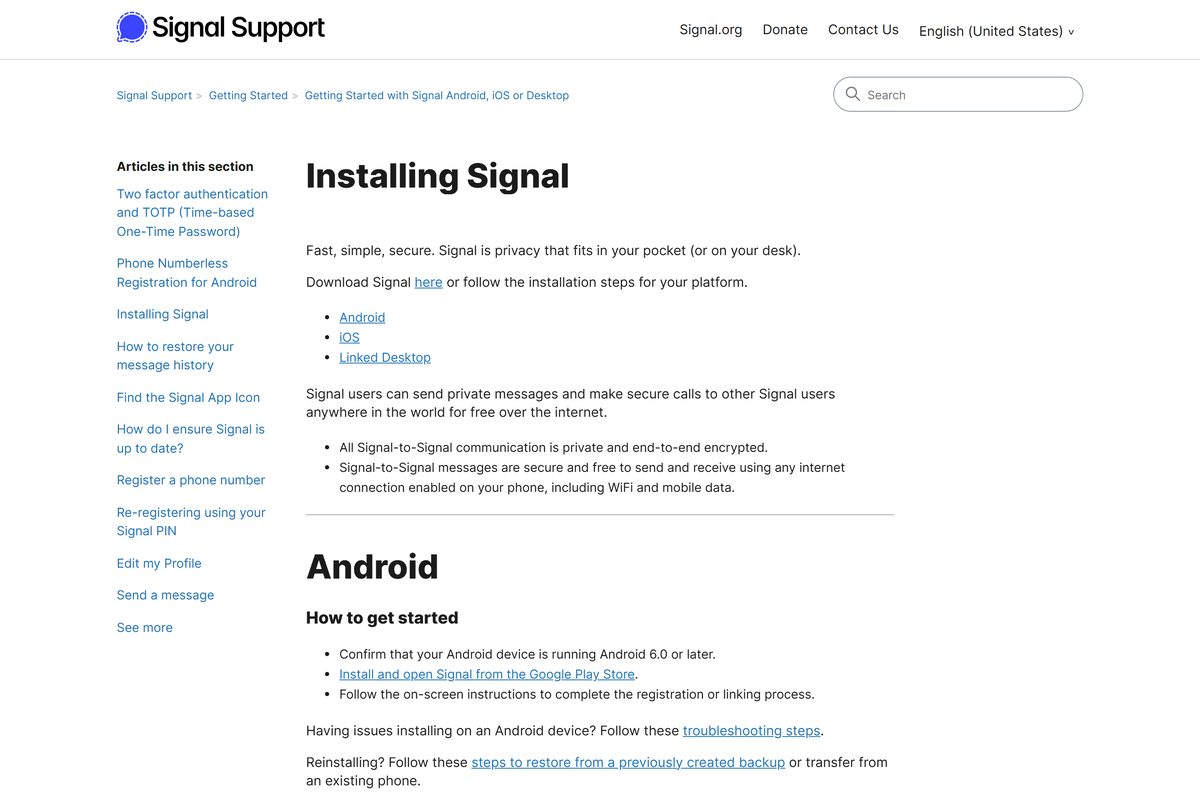
Signal’s own install and update troubleshooting page covers the phone apps as well.
How to uninstall Signal from Windows or Mac
Delete the desktop data first. That unlinks the computer and clears its message history; your phone stays registered.
- Open Signal and go to File > Settings on Windows, or Signal > Settings on a Mac.
- Select General, then Delete Data, and confirm the prompt.
- On Windows 11, open Settings > Apps > Installed apps, or Apps & Features on Windows 10.
- Find Signal, select it and choose Uninstall.
- On a Mac, drag Signal from Applications to the Trash.
- On your phone, open Settings > Linked devices and confirm the computer no longer appears.
If you installed with winget, run winget uninstall OpenWhisperSystems.Signal instead of step 4.
Choose a Signal alternative for desktop messaging
Pick the app your contacts already use. Each name links to its official download page.
| App | Price | Best for |
|---|---|---|
| Signal | Free, open source | Private chats and calls with other Signal users |
| Free | Reaching contacts who already use WhatsApp | |
| Telegram Desktop | Free | Large groups and public channels |
Frequently asked questions
Is Signal free to download?
Yes. Signal Desktop is a free download from signal.org for Windows, Mac and Linux, and messages and calls between Signal users cost nothing. The Signal Technology Foundation, a nonprofit, funds the app through donations.
What is the official Signal download page?
The official page is signal.org/download, run by Signal. The installers come from updates.signal.org, and signal.org also links to the Signal Private Messenger listing on the Microsoft Store for Windows users.
Can I use Signal on a PC without a phone?
No. Signal Desktop must be linked to Signal on an Android phone or iPhone, and it cannot register a number by itself. Set up Signal on your phone, then scan the QR code that Signal Desktop shows.
Does Signal work on Windows 11?
Yes. Signal Desktop supports 64-bit Windows 10 and Windows 11 on both x64 and ARM64 processors. The standard installer from signal.org contains both builds and picks the right one.
What is the Signal download size?
The Windows installer from signal.org is 255 MB because it holds both the x64 and ARM64 builds. The single-architecture Windows files are 128 MB and 127 MB, and the universal Mac disk image is 255 MB.
Is there a Signal offline installer?
Yes. The Windows .exe and the Mac .dmg are complete installers that set up the app without a connection. Linking Signal Desktop to your phone afterwards needs the internet.
Is there a Signal download for Mac?
Yes. Signal ships one universal disk image that runs on Apple silicon and Intel Macs. It needs macOS 13 Ventura or later, and it installs by dragging Signal into the Applications folder.
Is there a 64-bit or ARM64 version of Signal?
Signal Desktop is 64-bit only. Windows gets x64 and ARM64 builds in one combined installer, Macs get a universal build, and Linux supports amd64 (x86_64) only. There is no 32-bit version.
Which Signal Desktop version is the latest?
Signal Desktop 8.27.0, released on 10 September 2026, is the current stable release. Signal Desktop updates itself; quit and reopen the app, then select the blue update banner when it appears.
Is Signal safe to download?
Yes, from signal.org, the Microsoft Store or the official signalapp GitHub organization. Signal’s update feed lists a SHA-512 hash for each installer, and the Linux AppImage carries a GPG signature you can verify.
How many computers can I link to Signal?
You can link up to five devices, such as computers and tablets, to one Signal account. Your phone must come online at least once every 30 days, or the linked devices unlink.
Why won’t Signal install on my PC?
The usual causes are 32-bit Windows, a version older than Windows 10, or a damaged download. Confirm a 64-bit system in Settings > System > About, check the file’s SHA-512 hash, and download it again from signal.org.