The much-awaited Native lazy loading feature is now landed in Chrome 76 and the browser now supports “loading” attribute. Developers can now use loading attribute to lazy load images and iframes without need to write custom code or use a separate JavaScript library.
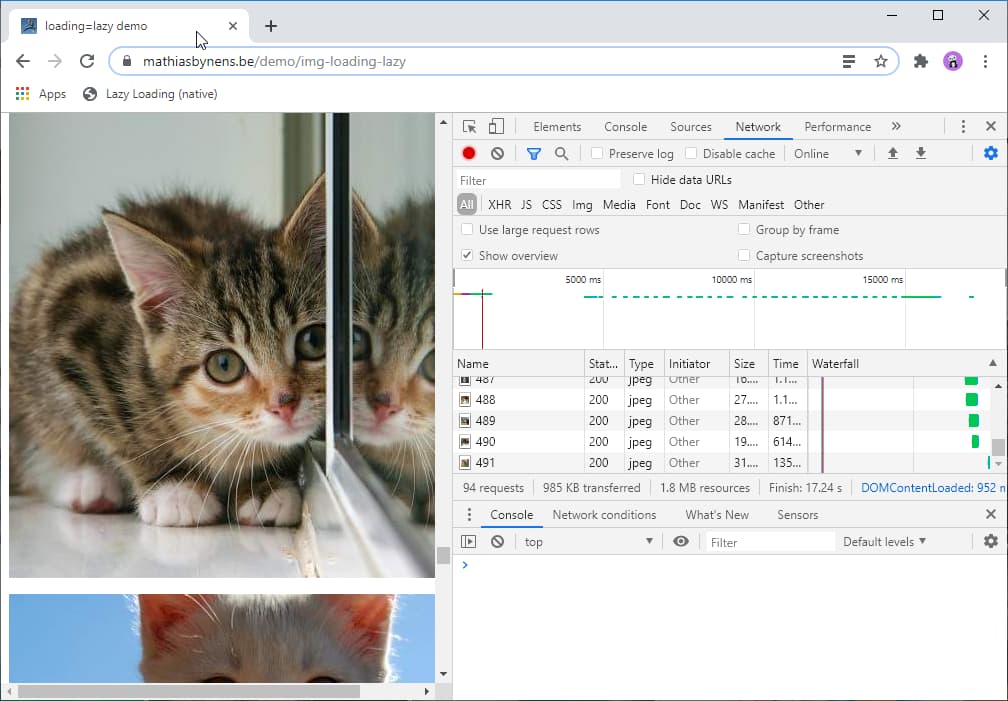
A lot of images and iframes in a webpage can cause performance issue, loading the below-fold content when the user sees “improves page load times, minimizes user bandwidth and reduces memory usage” .
With version 76 of Chrome and Chromium-based browsers now supporting lazy loading, webmasters no longer need to rely on an external library, the native lazy loading in the browser takes care of deferring of images and iframes even if JavaScript is disabled in the browser.
Enable and test Lazy Loading feature in Chrome
Chrome now lazy loads images and iframes when the viewer scrolls near to them. As of now, we see lazy loading not enabled by default in version 76 (update: the feature is activated by default), you can by turning on below flags, however, we can confirm the feature is working out of the box on Canary versions of Chrome 78 and Edge 78.
chrome://flags/#enable-lazy-image-loading
chrome://flags/#enable-lazy-frame-loading
In the Web.dev blog post, Google Performance team for web writes ” In Chome 76, you can use the loading attribute to completely defer the loading of offscreen images and iframes that can be reached by scrolling”
<img src="image.png" loading="lazy" alt="…" width="200" height="200"> <iframe src="https://example.com" loading="lazy"></iframe>
If your Chrome browser satisfies the above requirements, to see the feature in action,
- Visit this demo site
- Click on menu > More Tools > Developer tools, click on Network, click Ctrl+R to record the network activity, as you scroll down, a waterfall in Network Panel shows images are loading as you’re scrolling down the page.
Google is planning to automatically lazy load images and iframes in Chrome on Android if the browser has lite mode feature enabled.
Search engine giant confirms lazy-loading treats advertisements that display in the form of image or iframe will be treated as other images or iframes. When it comes to printing a page that contains images, images and iframes will be loaded immediately if printed.




