Due to the Pandemic, Google has adjusted Chrome release schedules. They skipped version 82 and released Chrome 83 recently, Microsoft which adopted Chromium for Edge follows suit. Today, the company started rolling out Edge 83 stable version with Extension sync, automatic profile switching, Collections feature improvements and security fixes.
Note: Starting Microsoft Edge 83, for all major versions, the browser update will be rolled out gradually. Microsoft has enabled “Progressive rollouts” for Edge on Windows 10, Windows 8/8.1, and Windows 7.
Edge 83 changelog
On the Security front, Microsoft fixed elevation privilege vulnerability CVE-220-1193. You can read completed details about Edge specific security issue here.
Microsoft Defender SmartScreen service in Edge that protects against malicious sites and downloads of malware and low-reputation apps, has been improved. The protection feature now guards against “malware sites that redirect when loading and top-level frame blocking” and Edge now completely replaces such malicious sites with the Defender Smart Screen Safety page.
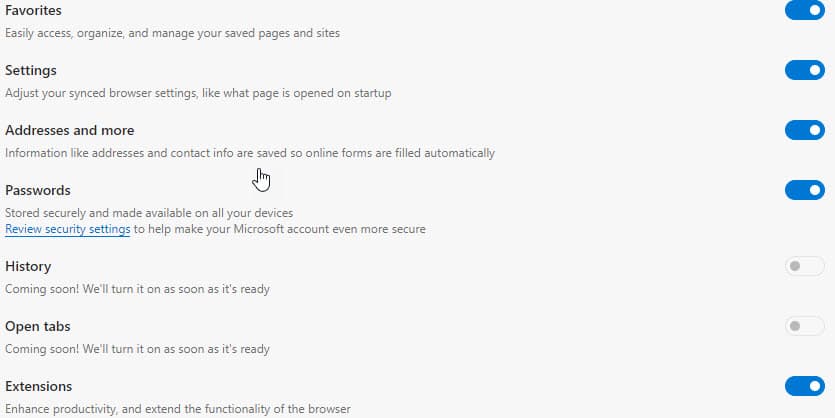
Extension sync is finally available in Microsoft Edge across all devices. If you sign into Edge with Microsoft Account, the extensions installed from Chrome and Edge Add-ons store will sync and available on all devices running new Edge in all channels (beta, dev, and canary) including release
Users will now be allowed to exclude some cookies from automatic clearing when the browser closes. Doing so prevents signing out of specific sites you added here: edge://settings/clearBrowsingDataOnClose > Cookies and other site data > Do no Clear > Add.
Microsoft brings automatic profile switching to Edge for users that use multiple profiles. Edge with the feature enabled by default prompts the user to switch to the correct profile if it detects external links opened in an incorrect profile.
Edge now also allows us to choose and set a specific profile as default to open external links. Visit edge://settings/profiles/multiProfileSettings to do so.
Edge Chromium can now be set as a default browser from its Settings itself. Visit edge://settings/defaultBrowser and click “Make a default”, you’ll be asked to choose an app from the Settings’ Default Apps page in Windows 10.
Collections which has recently received Pinterest Integration in Canary has got the following improvements in the stable version.
Collections feature improvements:
You can use drag and drop to add an item to a collection without opening the collection. During the drag and drop you can also choose a location in the collection list where you want to put the item.
You can add multiple items to a collection instead of adding one item at a time. To add multiple items, select the items and then drag them to a collection. Or you can select the items, right-click and then pick the collection where you want the items.
Check Edge 83’s release notes here.
Related articles:
Microsoft Edge enables Automatic Profile Switching for Multiple Profiles
Microsoft Edge 83 offers a Setting to prevent notifications from interrupting the users
Microsoft Edge Canary allows to keep cookies for specific sites when you close the browser





