Google Chrome now alerts if the browser detects the credentials you type while signing into the non-Google website has been leaked or part of a data breach. The company which recently has updated Password Checkup extension in Chrome Web Store now seems to have integrated the extension into browser and is available behind a flag in Canary with name “Password leak detection”.
Password leak detection in Chrome
The password leak detection feature is now available in latest Chrome 78 Canary and can be turned on by following the instructions given below. The feature which aims to keeps your account secure detects the leaked passwords when enabled.
1. Visit chrome://flags
2. Search for “leak” password, for “Password leak detection” experimental feature

3. Select “Enabled” and restart the browser
The password lock detection feature also has been built-into Password manager as well. What this means is, Chrome browser will show a warning “when they use an unsafe password that was part of data breach” and the setting informs “it is available for signed-in users only”.

Here is how the feature supposed to work according to this bug
When a user enters a leaked credential on a website that suffered data breach, Chrome popups a dialog asking the user to check passwords by saying “Chrome found this password on a public list of unsaved passwords that were part of a data breach.” and suggests checking saved passwords to keep his/her account safe.
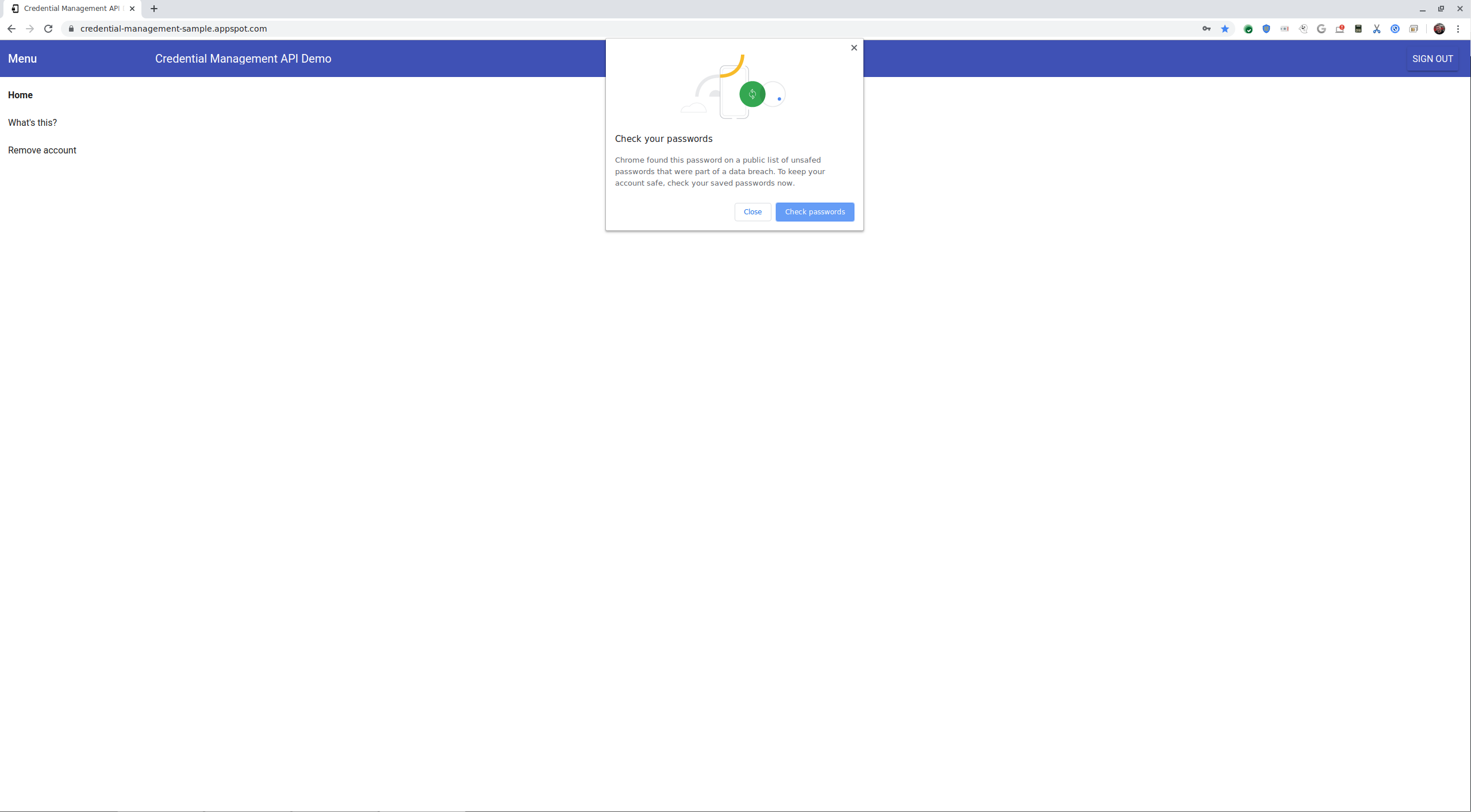
If the user proceeds to check, he will be redirected to Password Checkup and service reconfirms password was breached and asks to change the password on the affected website. Clicking “OK” may take the user to that website’s password reset page or homepage where the user has to make the change the password.

Chrome has this feature and Firefox has Firefox Monitor feature, which also alerts if your password is detected in a data breach. The Firefox Monitor Web App and feature are powered by popular Have I Been Pwned.




