To activate Fubo on a TV, open the Fubo app, select Sign In and then Sign In With A Code, then go to fubo.tv/connect on a phone or computer, sign in, enter the code and select Submit.
Activation codes are valid for five minutes, so enter the code soon after the TV shows it. This guide covers the code route, signing up from the TV, supported devices, plans, and fixes for rejected codes, missing apps, playback errors and repeated sign-outs.
How do you activate FuboTV Connect on a TV?
The code route saves typing a password with a TV remote, and Fubo recommends it. You need an active Fubo account and a second device with a browser.
- Open the Fubo app on your connected device or Smart TV.
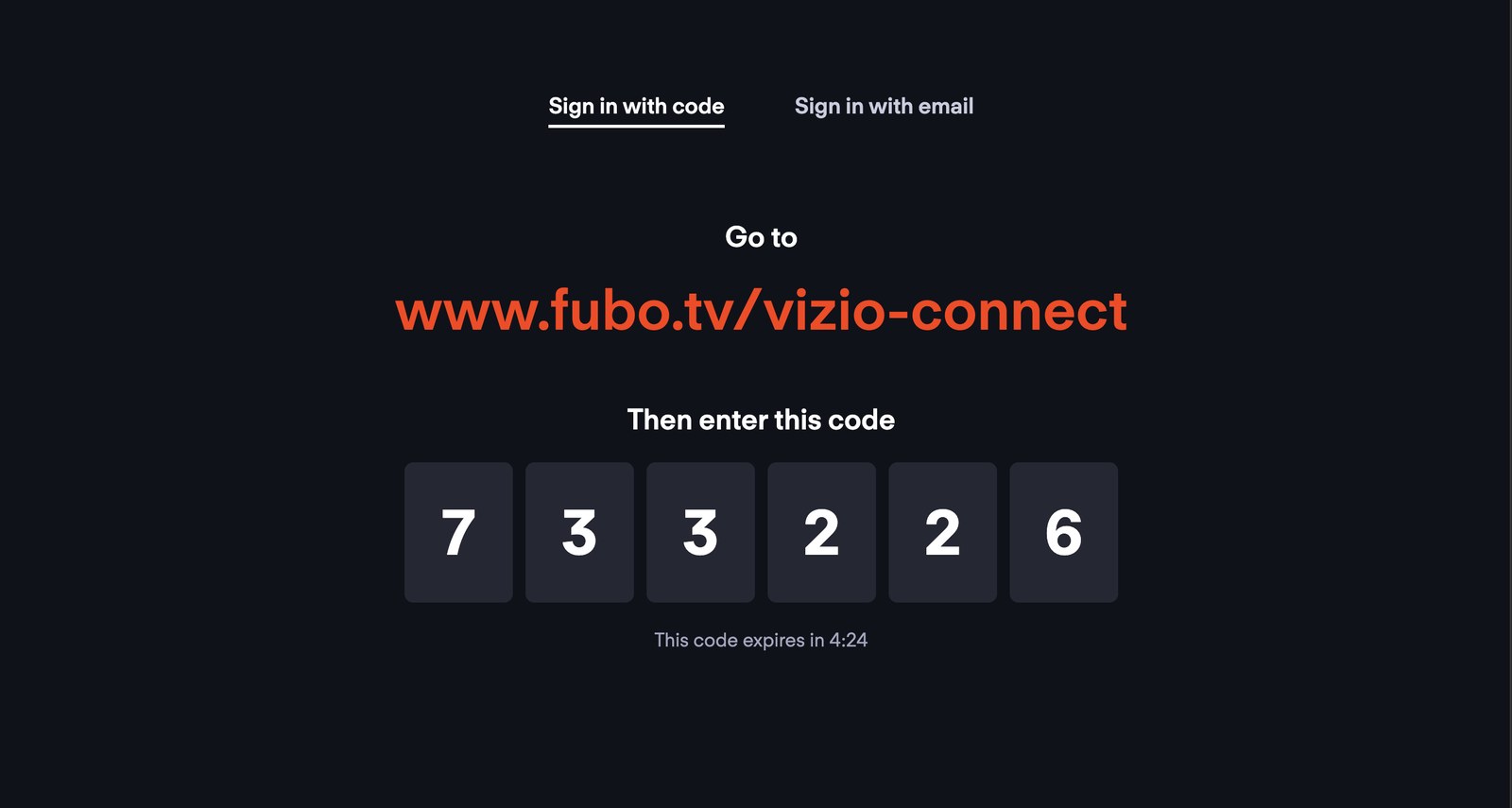
- Select Sign In, then choose Sign In With A Code. The TV shows a web address and a six-digit code with a countdown.
- On a phone, tablet or computer, go to fubo.tv/connect. If your TV shows a different fubo.tv address, such as a brand-specific connect page, type that one.
- Sign in with your Fubo email and password on that page.
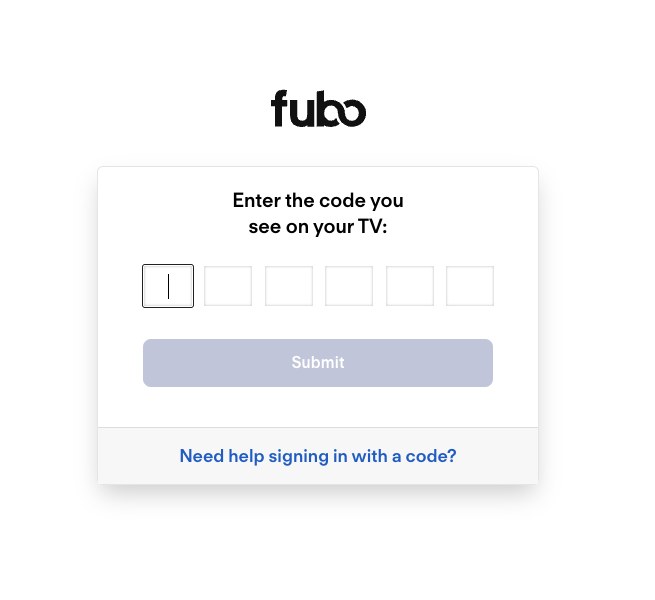
- Enter the code displayed on your TV, then select Submit.
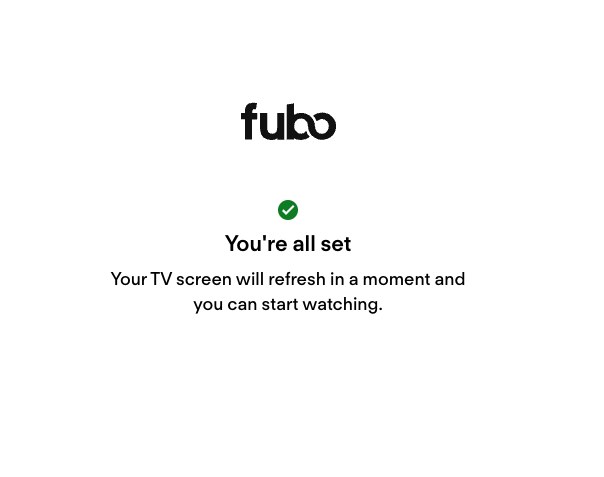
- Wait for the success message in the browser. The TV refreshes and opens the Fubo Home screen on its own.
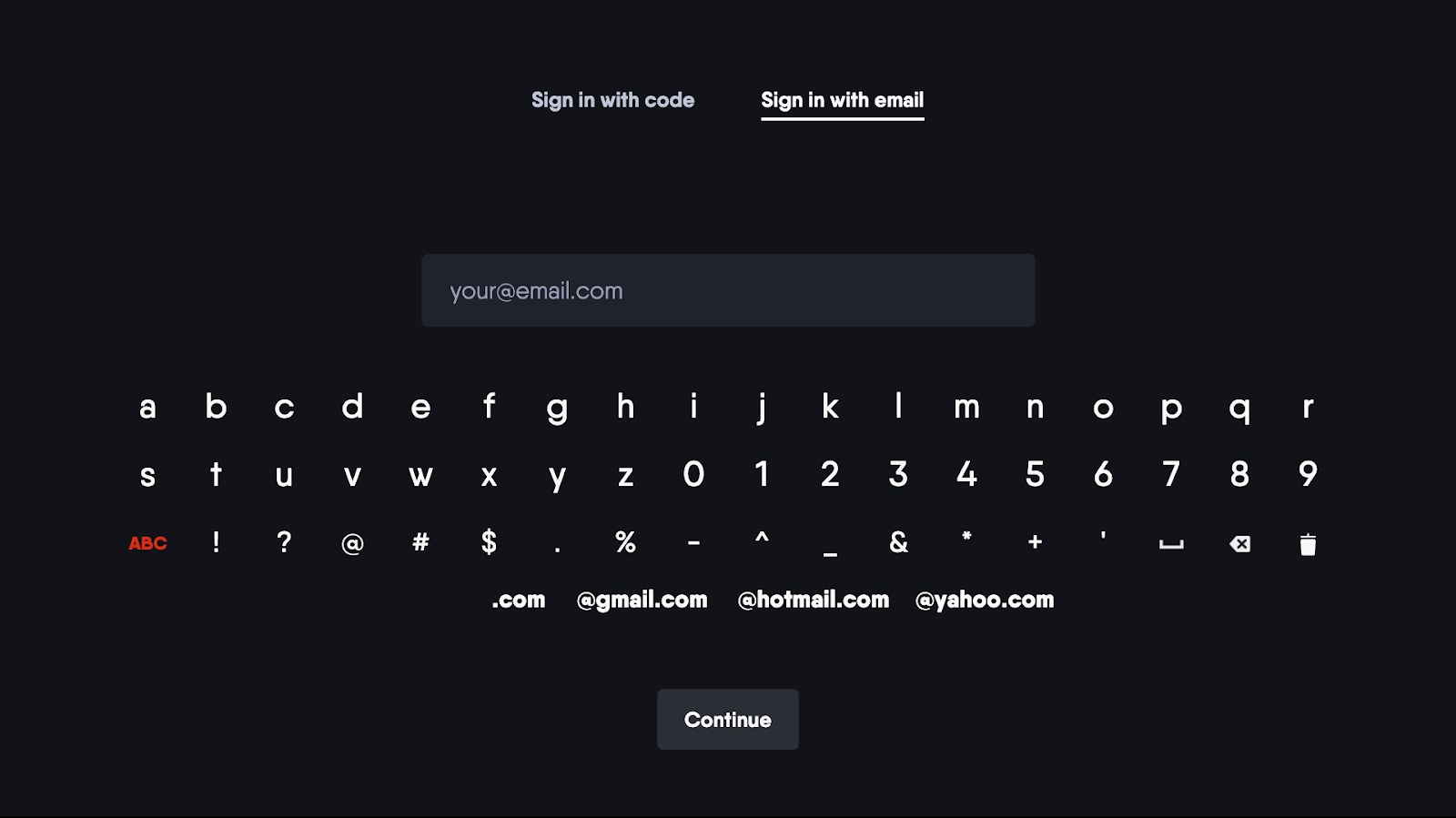
If the code route keeps failing, select Sign In With Email on the TV's sign-in screen and type your email and password with the remote. Fubo lists both routes for Roku, Fire TV and Samsung TVs.
Who needs the Fubo Connect page?
Only TVs and streaming players use the activation code. Match your device and account state to a row.
| Your situation | Use this | Why |
|---|---|---|
| You have a Fubo account and the TV shows a code | fubo.tv/connect on a phone or computer | Signs the TV in without typing a password with the remote |
| The TV shows an email field | Switch to Sign In With A Code, or type your credentials | Both tabs sit on the same TV sign-in screen |
| You have no Fubo account yet | Sign Up in the TV app, then finish on your phone | Most TVs show a QR code and a link; the activation code comes after sign-up |
| You use a Roku | Sign Up inside the Roku app, or sign in with a code | Roku sign-ups are billed through your Roku account |
| You watch on a phone, tablet or computer | Sign in directly with email and password | No code is needed outside TV devices |
What do you need before connecting Fubo?
| Requirement | What Fubo states | Where to check |
|---|---|---|
| An active Fubo account | You must have an active Fubo account to sign in with a code | Your account page at fubo.tv |
| A supported device | Each platform has a minimum model or OS version, listed in the device table below | Fubo's device requirements page |
| The Fubo app installed | Install it from the device's own app store | Your TV's app store |
| Enough bandwidth | 7+ Mb/s for 720p on connected devices, 10+ Mb/s for 1080p, 25+ Mb/s for 4K | fast.com, which Fubo suggests for testing |
| A second device with a browser | Needed to open fubo.tv/connect and enter the code | Any phone, tablet or computer |
How do you sign up through a TV app?
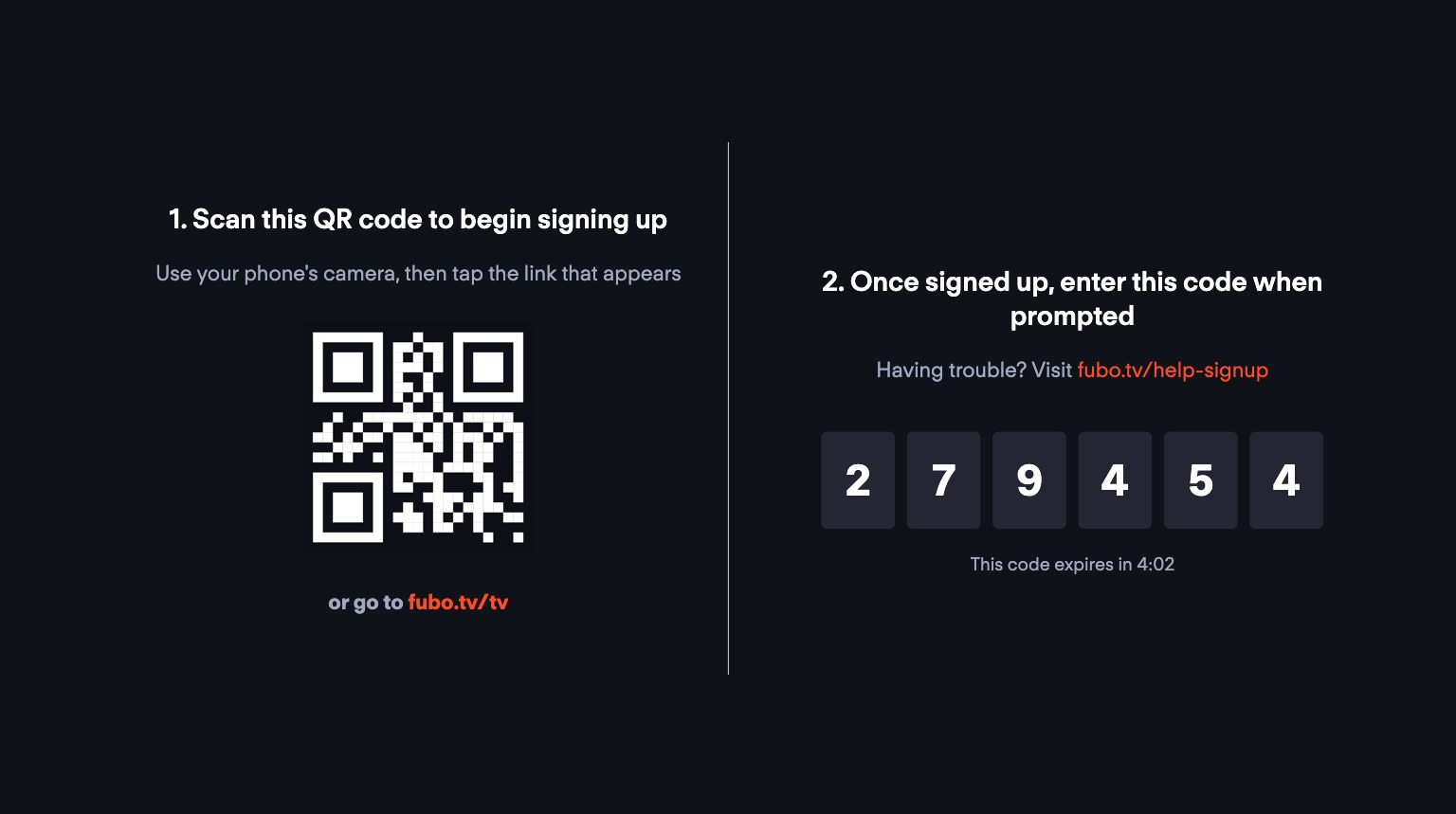
When you open Fubo on a Smart TV or streaming player, you see two options: Sign Up or Sign In. On most devices other than Roku, sign-up moves to your phone.
- Open the Fubo app on the TV and select Sign Up.
- Scan the QR code on the TV with your phone camera, or type the link shown into a browser on your phone, tablet or computer.
- Follow the on-screen instructions to create the account: an email address, a password and the ZIP code you will stream from.
- Choose a plan and enter a payment method. Some plans include a free trial and some do not.
- Enter the activation code shown on the TV into the space provided. The TV signs in straight away.
On Roku, sign-up runs inside the app instead. Select Sign Up, choose Continue to use your Roku.com email or Cancel to use another, enter a password and ZIP code, and select Create Account. Pick a plan with Choose Plan, enter your Roku PIN and select Start Subscription.
A subscription created through Roku In-App Billing is managed and cancelled through your Roku account, not at fubo.tv. Fubo offers the Pro, Elite, Ultimate and Latino plans this way; other plans and add-ons need a sign-up at fubo.tv.
Install Fubo on Roku, Fire TV, Samsung, Apple TV and Google TV
Every platform installs the same free app; only the store menus differ.
| Device | Install steps | Note |
|---|---|---|
| Roku | Press Home, go to Search, enter Fubo, choose Add Channel, then Go to channel | Roku also lets you add apps from channelstore.roku.com on a computer |
| Amazon Fire TV | Go to Find > Search, type Fubo, select the app, choose Get or Download, then Open | You can also hold the Alexa Voice button and say Fubo |
| Samsung Smart TV | Press Home, select Apps, use the Search icon, type Fubo, then choose Install | Turn on Auto Update under Apps > Settings to keep it current |
| Apple TV | Open the App Store, find Fubo, select Get | Open means it is already installed |
| Google TV | Select Search, say or type Fubo, then select Install | Apps work for every profile except kids' profiles |
Fire TV owners can follow the full routine to watch Fubo on Amazon Fire TV, including casting and screen mirroring fallbacks.
How to check Fubo is connected on your TV
- Look at the browser after you select Submit. It should show a success message, and the TV should move to the Fubo Home screen.
- Open Guide on the TV and play a live channel for a minute. Picture and sound should hold steady.
- Close the app and reopen it. It should open to the home screen, not the sign-in screen.
- Sign in at fubo.tv on a computer and open Device Manager. The TV should be listed among the devices signed in to your account.
What is FuboTV Connect?
FuboTV Connect is the code sign-in that links a TV app to a Fubo account. The TV shows a code, and you enter it at fubo.tv/connect while signed in on another device.
| Question | Answer |
|---|---|
| What it does | Signs a TV app in to an existing, active Fubo account |
| What it does not do | Create an account, choose a plan or take payment |
| Where the code comes from | Sign In > Sign In With A Code in the TV app |
| Where the code goes | fubo.tv/connect, or the fubo.tv address the TV displays |
| How long a code lasts | Five minutes; the TV then shows a new code |
| Who owns Fubo | FuboTV Inc., which also owns Hulu + Live TV and Molotov |
Which devices support Fubo?
These are Fubo's own minimum requirements. The Fubo app is not offered on set-top boxes from a cable or satellite TV provider.
| Platform | Fubo's stated requirement |
|---|---|
| Amazon Fire TV | All Fire TV devices and Fire TV Edition TVs with Android OS 7.0 (Nougat) or higher |
| Android TV / Google TV | Play Protect Certified devices, including some Sony, Sharp and TCL TVs, with Android OS 7.0 or higher |
| Apple TV | 4th generation or newer; the current App Store build requires tvOS 17.0 or later |
| Roku | Full support on Roku OS 14, model 3700X and higher; limited functionality on model 3600X and lower |
| Samsung Smart TV | 2017 or newer TVs |
| LG TV | 2018 or newer TVs with webOS 4.0 or higher |
| Vizio SmartCast TV | All 2016 or newer SmartCast TVs |
| Hisense VIDAA | VIDAA Smart OS TVs, 2020 and newer models |
| Xbox | Xbox One, Xbox One S and Xbox One X |
| Xumo and Xfinity | Xfinity Flex, Xumo Stream Box, XG1v4 and Xi6 |
| Chromecast | Chromecast 2nd gen or newer and Chromecast Ultra, cast from an Android phone or iPhone/iPad |
| Web browsers | Latest Chrome, Edge, Firefox or Safari on Mac and PC |
Older Fire TV and Android devices that cannot update to Android 7.0 lost Fubo support on February 5, 2026, when Fubo forced an app update those devices cannot run.
What can you do in Fubo after connecting?
| Feature | What Fubo states |
|---|---|
| Live channels | Over 350 channels in the store listings, including ABC, CBS, FOX, ESPN, NFL Network and NBA TV |
| Regional sports | Current English plans include regional MLB, NHL and NBA games, depending on location |
| Cloud DVR | Unlimited DVR on current English plans; record from the Guide and find recordings under My Stuff > Recordings |
| Lookback and restart | Restart a program or watch from earlier in the day, where available |
| Screens | Up to 10 streams on your Home Network plus 3 on the go, 13 in total |
| 4K | Included with the Elite and Ultra plans |
| Multiview | Watch several games at once on Apple TV and select Roku devices |
How much does Fubo cost?
Fubo's help center states that the price varies by plan and add-ons, and points to fubo.tv for current pricing. The plan line-up itself is published.
| Plan or item | What Fubo states |
|---|---|
| Pro | Base plan, unlimited DVR, unlimited screens |
| Core | Base plan, unlimited DVR, unlimited screens; select markets only |
| Elite | Adds 4K, Fubo Extra and News Plus |
| Ultra | Adds 4K, Fubo Extra and News Plus; select markets only |
| Sports + News | Unlimited DVR and screens with ESPN Unlimited; select markets only |
| Latino | Spanish base plan with Standard Share (2 screens) |
| Add-ons | Billed on top of the base plan, such as MGM+, Starz, Paramount+ With SHOWTIME and Sports Plus with NFL RedZone |
| $1 charge at sign-up | A card validation charge, refunded within 7 to 10 business days |
| FuboTV Connect | No charge; it is only a sign-in method |
Check the current price on the sign-up page at fubo.tv before you subscribe, because featured plans and offers change.
What should you know about Fubo free trials?
| Point | What Fubo states |
|---|---|
| Availability | Some plans include a free trial; some plans and add-ons do not |
| Who qualifies | New customers only; returning customers are charged on reactivation |
| Payment | A credit or debit card is required, and the trial turns into a paid plan automatically |
| Length | Varies; confirm it at checkout before you start |
| End date | Shown at checkout and under My Account at fubo.tv |
| Cancelling | Cancelling during the trial ends it immediately |
| Roku sign-ups | A trial started on Roku is managed through your Roku account |
Is Fubo worth it?
Fubo suits households that want live sports, regional sports networks and local channels without cable, and that will use the DVR on several TVs. Current English plans include unlimited DVR, regional MLB, NHL and NBA games where available, and up to 10 home streams plus 3 away. A viewer who mainly watches entertainment and news may get what they need from a cheaper live TV plan.
What are the main alternatives to Fubo?
Prices change often. Confirm them on each provider's own site before switching. If YouTube TV is the pick, check what each YouTube TV plan includes first; its TV sign-in also uses a code, so you can activate YouTube TV on your TV the same way.
| Service | Price stated on its own site | What stands out |
|---|---|---|
| YouTube TV | $82.99/mo, with a lower introductory price for new users | 100+ channels, unlimited DVR space, up to 3 simultaneous streams |
| Sling Orange | $45.99/mo base | One stream at a time; Sports Extra costs $11/mo more |
| Sling Blue | $45.99/mo base | Up to three streams at the same time; billed monthly with no long-term contract |
| Hulu + Live TV | Check hulu.com for the current price | Owned by FuboTV Inc. alongside Fubo |
How do you fix a FuboTV Connect code that does not work?
The Connect page shows an error after you enter the code
The code was mistyped, expired after five minutes, or was entered on the wrong site.
- Check that the page address begins with https://www.fubo.tv/.
- Compare the code on the page with the one on the TV, digit by digit.
- Look at the TV for a new code, refresh the activation page, and enter the new code straight away.
- Confirm the account you signed in with is active; a code cannot sign in a lapsed account.
- If you forgot the password, request a reset email from the Fubo sign-in page, then try again.
- If codes still fail, select Sign In With Email on the TV and enter your credentials with the remote.
Why does the Connect page show no code field?
You finished signing up on your phone but never saw a place to enter the code
The sign-up flow ended before the activation step.
- Open a browser on your phone, tablet or computer and go to fubo.tv/connect.
- Sign in with the email and password you used to create the account.
- Enter the code shown on the TV and select Submit.
- If the TV code has expired, back out of the TV sign-in screen and choose Sign In With A Code again for a fresh one.
fubo.tv/connect shows only a sign-in form
The page asks for your Fubo email and password before it shows the code boxes.
- Sign in with your Fubo email and password.
- Enter the six-digit code when the Enter the code you see on your TV box appears.
Why is the Fubo app missing from the device store?
Fubo does not appear when you search the store
The device is below Fubo's minimum requirements, is a TV provider's box, or has its country or region set incorrectly.
- Compare your device with the requirements table above. If it is not listed or falls short, the app cannot be installed on it.
- Update the device's software first. On Roku, go to Settings > System > Software update > Check Now.
- Check that the device's country or region is set to an area where Fubo is available.
- Remember that cable and satellite set-top boxes do not carry the Fubo app; install it on a supported TV or streaming player instead.
- On Fire TV and Android devices, confirm the device can run Android 7.0 or later.
Why does Fubo sign in but fail to play video?
Fubo is signed in, but channels spin, buffer or will not start
A VPN, a service outage, a stuck app or a slow connection.
- Turn off any VPN on the device or router.
- Open the Fubo Status page in the help center and check that Streaming shows Operational.
- Restart the stream, then sign out of Fubo and back in.
- Restart the Fubo app, and reinstall it if the problem stays.
- Try another device on the same account to see whether the issue follows the account or the TV.
- Test your speed at fast.com. A connected device needs 7+ Mb/s for 720p, and three 720p streams need 21 Mb/s or more.
- Restart your modem and router.
A "We're unable to play this content" message appears
The video setup fails the channel's digital rights management requirements, usually on a computer with an external monitor.
- Try another browser: Safari on a Mac or Microsoft Edge on Windows.
- Disconnect the external monitor, or one of them if you use more than one.
- Unplug the HDMI cable at both ends and reconnect it.
- Replace an older HDMI cable or monitor that does not support HDCP 2.2.
- On first-generation Fire TV and some Android devices, choose different content or another device.
What should you do if the app keeps freezing or logging out?
Fubo freezes, buffers briefly or responds slowly on the TV
A stuck app process or a full app cache.
- Clear the Fubo app's cache; Fubo's help center lists the steps for each device.
- On Fire TV, force-close it under Settings > Applications > Manage Installed Applications > Fubo > Force Stop.
- On a Samsung TV, press and hold Back until the TV returns to the Smart Hub, then reopen Fubo.
- On Google TV, select Settings > Apps, select Fubo, then Force stop > OK.
- Update the app. On Roku, highlight Fubo, press the Star button and select Check for Updates; on Fire TV, press Menu, select More Info, then Update.
Fubo keeps logging out or says too many devices are in use
The device was removed in Device Manager, the plan lapsed, or the account is streaming on TVs in two locations.
- Sign in at fubo.tv and confirm the subscription is active.
- Open Device Manager and remove devices you no longer use. A removed device is signed out and must sign in again.
- Stop streaming on any TV at another location; TV devices can stream from only one location at a time.
- Sign the TV in again with Sign In With A Code.
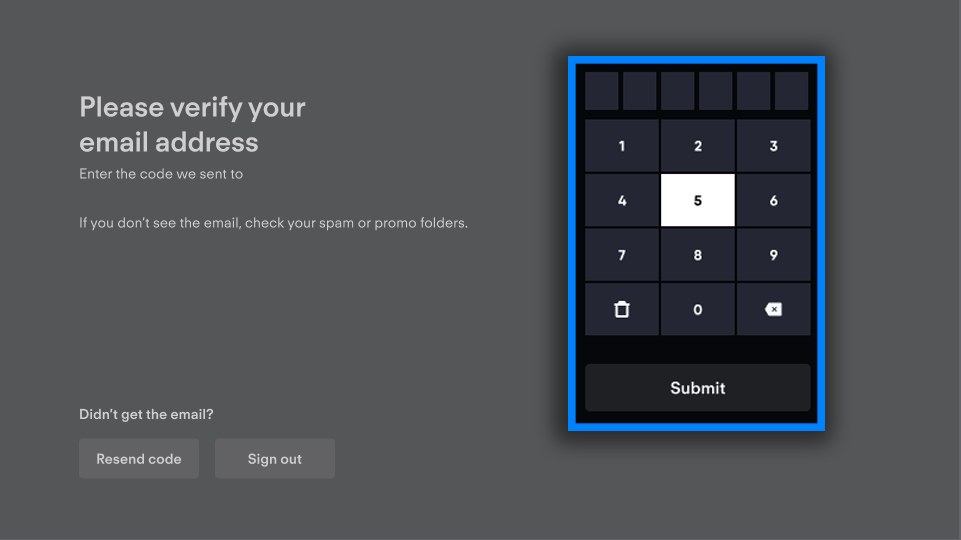
- If a verification screen asks for an emailed code, enter it within 60 minutes or select Resend code.
- If a "Too Many Devices" error persists for more than 3-4 hours after removing devices, contact Fubo through the help center.
What is the safest way to use FuboTV Connect?
- Type the activation address yourself and check that it begins with https://www.fubo.tv/ before you sign in.
- Enter your Fubo password only on fubo.tv or inside the official Fubo app.
- Never send an activation code or a verification code to anyone who contacts you offering help.
- Install the app only from your device's official store.
- Review Device Manager at fubo.tv and remove any device you do not recognize.
- Change your password under Account Information > Password > Update if an unknown device appears.
FuboTV Connect frequently asked questions
How do I activate Fubo TV?
Open the Fubo app on the TV, select Sign In and then Sign In With A Code. On another device, go to fubo.tv/connect, sign in, enter the code within five minutes and select Submit.
How do I log in to FuboTV?
Sign in with your Fubo email and password at fubo.tv or in the app. On a TV, use the activation code at fubo.tv/connect or select Sign In With Email and type your details with the remote.
How do I sign up for FuboTV?
Go to fubo.tv/signup, enter an email, a password and your ZIP code, choose a plan and add a payment method. On a TV, select Sign Up and finish on your phone; Roku handles sign-up inside the app.
How do I get FuboTV on my TV?
Install the free Fubo app from your TV's store, such as Roku, Fire TV, Samsung Smart Hub, Apple TV or Google TV. Then open it and sign in with a code or your email.
How do I connect to Fubo from my TV?
Choose Sign In With A Code on the TV. Open fubo.tv/connect on another device, sign in, enter the code and the TV signs in to that account.
How do I add Fubo to my TV?
Search for Fubo in the TV's app store and install it. If the TV does not meet Fubo's requirements, connect a supported streaming player and install it there.
How do I set up Fubo on a smart TV?
Install the app, open it, and choose Sign Up if you are new or Sign In if you already have an account. Fubo supports Samsung TVs from 2017, LG TVs from 2018 and Vizio SmartCast TVs from 2016.
How do I subscribe to FuboTV?
Subscribe at fubo.tv, or on Roku through Roku In-App Billing. Some plans include a free trial for new customers, and add-ons are charged on top of the base plan.
How do FuboTV devices and compatibility work?
Fubo runs as an app on each device, all signed in to one account. Current English plans allow 10 streams on your Home Network plus 3 away, and TV devices can stream from one location at a time.
How long does a Fubo activation code last?
Five minutes. If the code expires, the TV shows a new one; refresh the fubo.tv/connect page and enter the new code.
Can I activate Fubo without a subscription?
No. Fubo states you must have an active Fubo account to sign in with a code. Create an account first, then activate the TV.
The bottom line on FuboTV Connect
Use Sign In With A Code and fubo.tv/connect to sign in a TV, and switch to Sign In With Email only if the code keeps failing. The code route avoids typing a password with a remote. Most failures come from a code that expired after five minutes, a wrong site, or an unsupported device, and each has a direct fix above.