To dial directly to someone's voicemail, call their number and tap \* as soon as their greeting starts; on most Verizon mobile lines this skips the greeting and takes you straight to the beep.
No US carrier documents a consumer code that drops a message into another person's mailbox without their phone ringing, so this guide covers the routes that do work: skipping the greeting, replying from inside Verizon voicemail, reaching your own mailbox by number, and sending your own incoming calls straight to voicemail on iPhone and Android.
How to dial directly to someone's voicemail on Verizon
Verizon states that when you call most Verizon mobile subscribers, tapping the star key as their message begins skips the rest of the greeting.
- Call the person's 10-digit mobile number as normal.
- Wait for the call to roll to voicemail, or for the person to decline it.
- Tap \* the moment their greeting starts to play.
- Leave your message after the tone.
- Hang up when you finish speaking.
The phone still rings first, because the call goes through the normal network path. The star key only removes the wait for the greeting.
Understanding voicemail functions and reasons for dialing directly to voicemail
Voicemail is a mailbox your carrier runs for each line. It records callers when you are busy or do not answer, and stores the messages until you play them by phone or in a visual voicemail app.
| Reason to go straight to voicemail | What actually helps |
|---|---|
| You only need to leave a short message, not talk | Skip the greeting with \* on Verizon, or reply from inside your own Verizon mailbox |
| You want to avoid waking or interrupting someone | Send a voicemail Reply or Forward between Verizon mobile mailboxes in the same area |
| You need to check your own messages from any phone | Dial your own number and press # (Verizon) or \* (AT&T) at your greeting |
| You want your own incoming calls to go straight to voicemail | Decline, silence unknown callers, Do Not Disturb, or Google Voice Do not disturb |
| You want unanswered calls to land in a different mailbox | Conditional call forwarding to a Google Voice number |
Methods to reach voicemail directly compared
Pick the row that matches what you are trying to do. Each method is explained in its own section below.
| Method | What it does | Rings the other phone? | Works on |
|---|---|---|---|
| Use a specific code (\* at the greeting) | Skips the greeting to the recording beep | Yes | Most Verizon mobile subscribers |
| Voicemail Reply (8) or Forward (6) | Sends a recording from your mailbox to theirs | Not a phone call | Verizon mobile voicemail to Verizon mobile voicemail in your area |
| Block the call temporarily (decline) | Sends one incoming call to your voicemail | Your phone only | iPhone; most regions |
| Use call forwarding (\*71 to Google Voice) | Sends busy and unanswered calls to another mailbox | Your phone rings first | Verizon mobile lines |
| Do Not Disturb mode | Silences calls so they ring out to voicemail | Yours, silently | iPhone Focus, Android, Google Voice |
| Contact your carrier | Turns forwarding on or off when star codes fail | Not applicable | Any carrier |
Step-by-step guide to dialing directly to voicemail with Verizon Reply and Forward
Verizon basic voicemail can send a recording from your mailbox to another subscriber's mailbox. Verizon notes that Forward and Reply only work with other Verizon mobile voicemail subscribers in your own area.
- Obtain the voicemail access number: on a Verizon Android phone it is \*86.
- Dial the voicemail access code \*86 from your own handset.
- Enter your voicemail password when prompted, then follow the prompts to play a message from the person you want to reach.
- After the message finishes, press 8 to reply to the sender or 6 to forward it.
- If you forward, follow the spoken prompts to address it, entering the recipient's phone number or voicemail box number in the form the prompt asks for.
- Record your message and follow the prompts to send it; this step replaces ringing their phone.
- Confirm the connection by staying on the line until the prompts finish, then hang up.
Verizon does not publish a separate call-bypass code for consumer lines, and the reply and forward keys only work when a message from that person is already in your mailbox or you are forwarding one.
What number to dial for voicemail on Verizon and AT&T
The access number reaches your own mailbox. From another phone, you dial your own number and interrupt your greeting with the key in the last column.
| Line | Dial from your own phone | From another phone | Password |
|---|---|---|---|
| Verizon mobile (Android, basic voicemail) | \*86 | Your 10-digit number, press # as the greeting starts | 4 to 7 digits, no 1111 or 1234 style codes |
| Verizon mobile with Visual Voicemail | Visual Voicemail app, or \*86 | Your 10-digit number, press # | Same mailbox password |
| AT&T wireless | Press and hold 1 | Your 10-digit number, press \* at the greeting | Voicemail password if asked |
| AT&T landline home phone | \*98 or your Access Number | Your home number, press \* at the greeting, or dial the Access Number | PIN; the temporary PIN is usually your 10-digit number |
| AT&T Unified Messaging | \*98 or your home number | Your home number, press \* at the greeting | Unified Messaging PIN |
How to dial voicemail on landline and from another phone
These steps reach your own mailbox when your phone is not with you.
- Dial your own 10-digit phone number from any touchtone phone.
- When your greeting starts, press # on a Verizon mobile line or \* on an AT&T mobile or home line.
- Enter your voicemail password or PIN.
- On an AT&T home line, press 1 for Get your Messages, then 1 for Voice Messages.
- On any line, follow the spoken prompts to play, save or delete messages.
How to dial voicemail on iPhone and Android
- On an iPhone or Google Pixel, open the Phone app and tap Voicemail to play visual voicemail messages.
- On a Samsung phone with AT&T, open the Visual Voicemail app and choose a message.
- To call in on AT&T instead, press and hold 1 on the keypad.
- To call in on a Verizon Android phone, dial \*86.
- Enter your voicemail password if asked; new messages then play.
How to send calls directly to voicemail on iPhone
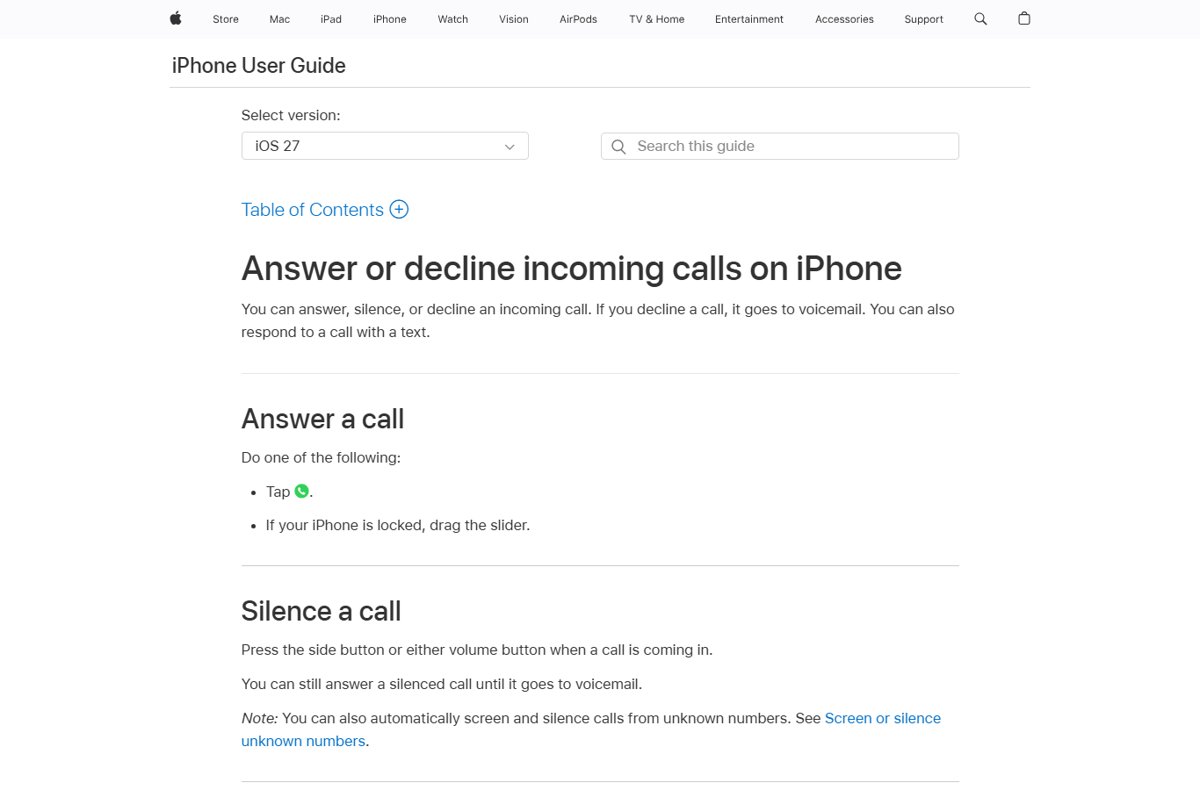
These iPhone features send your own incoming calls to voicemail. Apple notes that in some countries or regions a declined call is disconnected instead.
- To decline one call, press the side button twice quickly, or swipe up on the call banner.
- For more choices, tap the call banner, then tap Voicemail to send that call to voicemail.
- To stop calls from unsaved numbers ringing, open Settings, tap Apps, then tap Phone.
- Under Screen Unknown Callers, choose Silence; those calls are silenced, sent to voicemail and still listed in Recents.
- Turn on Spam in the same screen so carrier-flagged spam calls are also silenced and sent to voicemail.
To only quiet a call without declining it, press the side button or either volume button. You can still answer a silenced call until it goes to voicemail.
How to send calls directly to voicemail on Android with Do Not Disturb
Do Not Disturb silences the phone, so a call you do not answer follows the normal no-answer route to your mailbox.
- Swipe down from the top of the screen to open Quick Settings.
- Tap Do Not Disturb to turn it on.
- Open the Do Not Disturb settings to choose who can still interrupt you, so important callers get through.
- Swipe down and tap Do Not Disturb again to turn it off.
Blocking a caller is not the same thing. The Phone by Google app declines blocked numbers automatically, and if visual voicemail is on, blocked callers cannot leave voicemails at all.
Enable call forwarding to voicemail on Verizon with Google Voice
Conditional call forwarding sends busy and unanswered calls to another number. Pointing it at a Google Voice number sends those calls to your Google Voice voicemail instead of your carrier mailbox.
- Open the phone's own keypad, not the Google Voice app keypad.
- Dial \*71 followed by your 10-digit Google Voice number, for example \*71-999-555-4567.
- Listen for a series of beeps, then wait for the call to end on its own.
- Test it by calling your mobile from another phone and letting it ring out.
- To return to your Verizon voicemail, dial \*73.
\*72 plus a number forwards every call immediately, so your phone never rings. Forwarding to international numbers is not available, and star codes may not work outside Verizon coverage.
Using iPhone call forwarding on a GSM carrier
iPhone has a built-in forwarding switch for carriers on GSM networks. For busy or no-answer forwarding, Apple tells you to ask your carrier for the setup.
- Open Settings, tap Apps, then tap Phone.
- Tap Call Forwarding, then turn on Call Forwarding.
- If your iPhone has Dual SIM, choose a line.
- Tap Forward To, enter the number to redirect to, then tap Back.
- Check that the Call Forwarding icon appears in the status bar.
You must be in cellular range when you set it, or calls will not be forwarded.
Google Voice Do Not Disturb to send calls straight to voicemail
Google Voice is the one service here that documents sending calls directly to voicemail without ringing your number. Voicemails can be up to 3 minutes long.
- Open the Voice app on your phone.
- Tap Menu at the top left, then tap Settings.
- Under Do not disturb, turn on Do not disturb to send every call to voicemail for now.
- To do it on a schedule, tap Calendar under Do not disturb and turn on Follow working hours.
- Turn Do not disturb off again when you want calls to ring.
Third-party dialer apps and ringless voicemail services
Use Verizon's own voicemail Reply and Forward, or Google Voice, before any third-party dialer app or ringless voicemail service. Neither Verizon, AT&T, Apple nor Google documents a consumer feature that drops a message into a mailbox on another network without ringing. Third-party services that promise this sit outside your carrier's support, and some need your contacts or call access. Verizon and AT&T both point customers to their own support line when star codes or forwarding fail.
Voicemail dialing tricks and additional tips
| Trick | How to use it | Limit |
|---|---|---|
| Using a special code | Tap \* when a Verizon greeting starts | The phone rings before the greeting |
| Blocking the call temporarily | Press the iPhone side button twice to decline | Declined calls are disconnected in some regions |
| Using call forwarding | \*71 plus a number for busy or no answer, \*72 for all calls, \*73 to turn off (Verizon) | No international numbers |
| Employing third-party apps | Google Voice Do not disturb | Covers your Google Voice number only |
| Skip within your own mailbox | Press # to finish or skip a Verizon message, 5 for date and time | Verizon basic voicemail keys |
| Save a message | Press 9 after a message on Verizon or AT&T home voicemail | Verizon is not liable for lost messages, even saved ones |
How to check a voicemail was delivered or a call went to voicemail
- After a Verizon Reply or Forward, wait for the system prompt that confirms the message before hanging up.
- On iPhone, open Phone and check Recents; silenced unknown calls still appear there.
- On iPhone, check the Unknown Callers or Spam list if call filtering is on.
- After \*71 or \*72, confirm you heard the series of beeps before the call ended.
- Call your mobile from another phone and let it ring to confirm the call lands in the right mailbox.
Why phone calls go directly to voicemail
Calls from unsaved numbers go directly to voicemail on iPhone
The unknown callers option is set to Silence, or the Spam filter caught the call.
- Open Settings, tap Apps, then tap Phone.
- Set the unknown callers option to Never so unsaved numbers ring.
- Open Phone, find the call under Unknown Callers, and tap Mark as Known to let that number through.
Every call goes straight to voicemail or to another number
Immediate call forwarding or a Do Not Disturb mode is on.
- On Verizon, dial \*73 to turn off forwarding.
- On iPhone, open Settings > Apps > Phone > Call Forwarding and turn it off.
- On Android, swipe down and turn off Do Not Disturb.
- In Google Voice, turn off Do not disturb in Settings.
One caller never rings and cannot leave a voicemail on Android
The number is blocked; with visual voicemail on, blocked callers cannot leave messages.
- Open the Phone app and tap More.
- Tap Settings > Blocked numbers.
- Next to the number, tap Clear > Unblock.
Potential challenges dialing directly to voicemail and how to overcome them
Incorrect dialing format
Forwarding codes need the full 10-digit number, and extra keypresses make the number unrecognised.
- Dial the code and all 10 digits with the area code, for example \*72-999-555-4567.
- Wait for the beeps and let the call end on its own.
- If it still fails, dial \*73 and start again.
Call blockers or Do Not Disturb settings stop the message
Blocking can stop voicemail entirely, while Do Not Disturb only silences the ring.
- Ask the person whether your number is blocked, since a blocked call may not reach their mailbox.
- On your own phone, unblock the number under Blocked numbers or Blocked Contacts.
- Turn off Do Not Disturb if calls you expect are not ringing.
Network restrictions and carrier limitations
Verizon Reply and Forward only reach Verizon mobile voicemail subscribers in your own area, and star codes may fail outside coverage.
- Use the star key at the greeting instead when the person is on another network.
- Move into Verizon coverage before using \*71, \*72 or \*73.
- Contact your carrier to turn forwarding on or off if the codes do not work; resellers may not support conditional forwarding.
Phone settings and software updates moved the menu
Current iPhone versions put call settings under Settings > Apps > Phone.
- Open Settings and tap Apps.
- Tap Phone to find Call Forwarding, Blocked Contacts and the unknown callers option.
- On Android, check the Do Not Disturb steps against your Android version, since some need Android 14 or later.
Privacy and security restrictions block access
Your mailbox asks for a password, and iPhone blocks links that try to turn on call forwarding.
- Enter your Verizon voicemail password, 4 to 7 digits, when calling in.
- On AT&T home voicemail, use the temporary PIN, usually your 10-digit number, if you never set one.
- Ignore any message or link that asks you to turn on call forwarding, and set forwarding only from Settings.
Legal and ethical considerations for ringless voicemail
Leave direct voicemails only for people who know you, and never use bulk or automated ringless voicemail for marketing without legal advice. Skipping a greeting or replying from your mailbox is an ordinary feature, but mass messages dropped into strangers' mailboxes can fall under US telemarketing and robocall rules. Never forward someone else's line or ask them to turn on forwarding; Apple warns that call forwarding links are a scam technique.
Dial directly to voicemail FAQ
How do I dial directly to someone's voicemail?
Call their number and tap the star key as soon as their greeting starts. On most Verizon mobile lines this skips the greeting so you can record straight away. The phone still rings first, because no consumer code bypasses ringing on another person's line.
How do I leave a voicemail without the phone ringing?
On Verizon, use Reply (8) or Forward (6) from inside your own voicemail after playing a message. Verizon says this only works with other Verizon mobile voicemail subscribers in your own area. Across other networks there is no carrier-documented way to skip the ring.
What number do I dial for voicemail?
Dial *86 on a Verizon Android phone, or press and hold 1 on AT&T wireless. AT&T home phone users dial *98 or their Access Number. From another phone, call your own number and press # (Verizon) or * (AT&T) during your greeting.
How do I dial voicemail on a landline?
On an AT&T home line, dial *98 or your Access Number and enter your PIN. Away from home, dial your home number and press * when you hear your greeting. The temporary PIN is usually your 10-digit phone number.
How do I dial voicemail on iPhone?
Open the Phone app and tap Voicemail to play visual voicemail messages. On AT&T you can also press and hold 1 to call in. Enter your voicemail password if asked, and new messages play first.
How do I dial voicemail on Android?
On a Verizon Android phone, dial *86 and enter your password. On AT&T, press and hold 1, or open the Phone or Visual Voicemail app. Google Pixel users can tap Voicemail in the Phone app.
How do I send calls directly to voicemail?
On iPhone, press the side button twice to decline a call, or set unknown callers to Silence under Settings > Apps > Phone. On Android, turn on Do Not Disturb. Google Voice users can turn on Do not disturb to send every call to voicemail.
Why does my phone call go directly to voicemail?
The usual causes are Silence for unknown callers, a spam filter, Do Not Disturb, or immediate call forwarding. Check Settings > Apps > Phone on iPhone, turn off Do Not Disturb on Android, and dial *73 on Verizon to clear forwarding.
Can I check my voicemail from someone else's phone?
Yes. Dial your own 10-digit number, press # as the greeting starts on Verizon or * on AT&T, then enter your voicemail password. Follow the prompts to play your messages.
Bottom line: can you dial straight to someone's voicemail?
Call and tap the star key at the greeting, or use Verizon voicemail Reply and Forward when both of you are Verizon mobile subscribers in the same area. Those are the only carrier-documented ways to reach another person's mailbox faster. Everything else, from declining to Do Not Disturb to forwarding, controls where your own incoming calls go.


![Here’s list of all apps and games from Google’s Play Pass subscription [constantly updated]](https://techdows.com/wp-content/uploads/2026/10/Google-Play-Pass-sign-up-page-with-game-and-app-icons-above-600x338.jpg)