Yes, you can play Brawl Stars on a Windows PC, but not as a native Windows game: Supercell releases it only for iPhone, iPad and Android, so the official route onto a PC is Google's own Android player, Google Play Games on PC.
This guide covers the PC requirements, installing the game, carrying your progress over with Supercell ID, keyboard controls, lag fixes and what to do when the game will not run.
Can you play Brawl Stars on PC?
Supercell's Brawl Stars page links only two stores: the Apple App Store and Google Play. There is no Windows, Mac or browser version of the game.
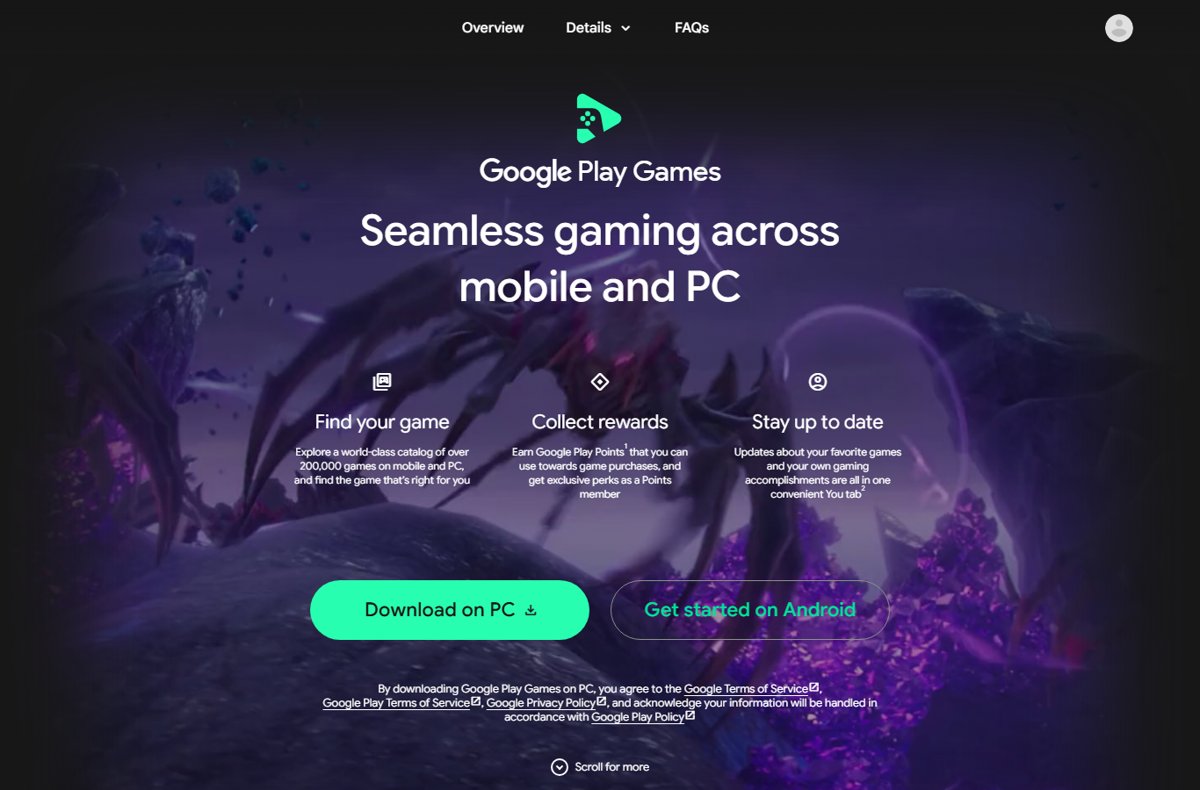
Google Play Games on PC runs Android games from Google Play on Windows 10 and Windows 11, and it is the route Google itself supports. Every game in it carries a compatibility badge, so the details page tells you whether Brawl Stars runs on your particular computer.
- On your Windows PC, go to play.google.com/googleplaygames and click Download.
- Open the downloaded installer and follow the on-screen instructions.
- Sign in with the same Google account you use on your phone.
- Search for Brawl Stars inside Google Play Games and open its details page.
- Check the compatibility badge, then click Install if the game is available for your PC.
- Open Brawl Stars and load your account through Supercell ID.
If the badge reads Not available, Brawl Stars cannot be installed on that computer through Google Play Games, and the phone or tablet stays the way to play.
Best ways to play Brawl Stars on PC
Only one route puts the game on a Windows computer with support from the companies involved. The table matches your situation to the right choice.
| Your situation | Use this | Why |
|---|---|---|
| Windows 10 or 11 PC that meets Google's requirements | Google Play Games on PC | Google's own Android player for Windows, with keyboard mapping and progress sync |
| Windows laptop with integrated graphics | Google Play Games on PC | The minimum is Intel UHD Graphics 630 or comparable, which many laptops meet |
| PC below the minimum requirements | Your phone or tablet | The installer stops if the computer fails the check |
| Mac | iPhone or iPad | The App Store lists Brawl Stars for iPhone and iPad only, and Google Play Games on PC is a Windows app |
| Want to keep one account on PC and phone | Supercell ID on both devices | Supercell ID loads the same account on every device you sign in to |
| Offered a third-party emulator or an APK download site | Skip it | Neither Supercell nor Google lists these as a way to get the game |
PC requirements for running Brawl Stars smoothly
Supercell publishes phone and tablet specifications only, so the requirements that decide whether Brawl Stars runs on a PC are Google Play Games on PC's own. The installer checks them before it continues.
| Component | Minimum | Recommended for better performance |
|---|---|---|
| Operating system | Windows 10 (version 2004) | Windows 10 (version 2004) or Windows 11 |
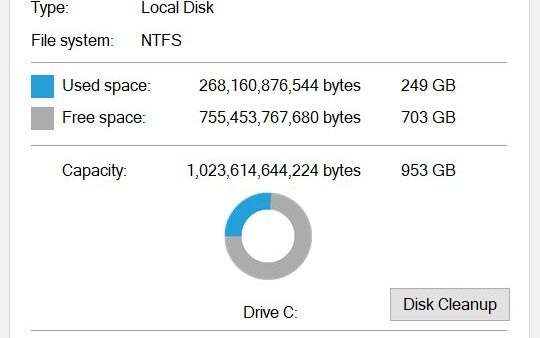
| Storage | SSD with 10 GB of free space | SSD with 10 GB of free space, set up as the main drive |
| Memory | 8 GB of RAM | 8 GB of RAM |
| Graphics | Intel UHD Graphics 630 or comparable | Gaming-class GPU such as Nvidia GeForce MX450 |
| Processor | 4 physical CPU cores | 8 logical cores |
| Account | Windows administrator account and a personal Google account | Same |
| Virtualization | Hardware virtualization turned on | Same, plus Windows Hypervisor Platform when prompted |
For comparison, Supercell lists Android 7.0 or later or iOS 14 or later, with at least 1 GB of RAM, as the minimum for the mobile versions.
How to enable virtualization for Google Play Games on PC
Google Play Games needs virtualization to run many Android games on Windows. If the installer reports it missing, turn it on in the firmware settings. Menu names differ between manufacturers, so check your PC maker's instructions as well.
- Select Start > Power > Restart.
- Press the BIOS key repeatedly during startup; common keys are F2, F10, F12 or Delete, and the right one usually flashes on screen.
- Open the Advanced, CPU Configuration or Security tab.
- Find Intel Virtualization Technology (or VT-x) on Intel PCs, or AMD-V (or SVM Mode) on AMD PCs.
- Set it to Enabled.
- Choose Save and Exit, often on F10, and confirm the restart into Windows.
- Turn on Windows Hypervisor Platform if the Google Play Games installer asks, then restart again.
Other Android emulators already on the PC might stop working once Windows Hypervisor Platform is on. Google documents how to turn it back off if you need to.
How to install Brawl Stars on PC with Google Play Games
- Go to play.google.com/googleplaygames on the PC and click Download.
- Open the downloaded file and follow the installer; it takes a few minutes and stops with a list of missing items if the PC fails the requirement check.
- Sign in with the Google account you use on your Android phone, if you have one.
- Type Brawl Stars in the search box.
- Open the game's details page and read the compatibility badge.
- Click Install and wait for the download to finish.
- Launch Brawl Stars from your Google Play Games library.
Only the Windows user who first installed Google Play Games on PC can open it and play games, so install it from the account that will actually play.
How to link Supercell ID to sync Brawl Stars progress on PC
Supercell ID is Supercell's free account system, and it brings back your Brawlers and trophies on any device you sign in to. Save the account on your phone first, then load it on the PC.
- Open Brawl Stars on your phone or tablet.
- Open the game's Settings.
- Tap the button under Supercell ID and register with your email address if you have not already.
- Open Brawl Stars on the PC and go to Settings.
- Tap the button under Supercell ID and log in with the same email address.
Supercell's rules say to use your account only on devices you own and have sole access to, so use a PC that belongs to you rather than a shared or public machine.
How to check Brawl Stars runs on your PC
- Open Google Play Games and confirm Brawl Stars shows as installed.
- Launch the game and wait for the main lobby with your Brawlers.
- Open Settings and confirm your Supercell ID name appears, not a new guest account.
- Play a match and check that the connection warning sign does not appear.
If the lobby shows a fresh account at trophy zero, you are on a guest profile; log in through Supercell ID before you play any matches.
What devices can you play Brawl Stars on?
Brawl Stars is built for touchscreens. On a phone or tablet, you can get Brawl Stars for iPhone, iPad and Android from the official stores, and every other device depends on one of those two versions.
| Device | Can you play Brawl Stars? | How |
|---|---|---|
| Android phone or tablet | Yes | Google Play, Android 7.0 or later |
| iPhone or iPad | Yes | App Store, iOS 14 or later |
| Windows PC or laptop | Yes, if the PC qualifies | Google Play Games on PC |
| Mac | No official route | The App Store lists iPhone and iPad only |
| Amazon Fire tablet | No official listing | Supercell does not link an Amazon Appstore version |
| PS5, Xbox or Nintendo Switch | No | Supercell lists no console version |
| Web browser | No | There is no online or no-download version; the game is an app |
Tips to improve Brawl Stars performance and reduce lag on PC
Lag in Brawl Stars has two separate causes: the PC struggling to run the game, or an unstable network connection. Supercell's own fixes target the second; Google's target the first.
| Problem | What to do | Why it helps |
|---|---|---|
| Low frame rate or stutter | Update the graphics driver from Intel, Nvidia or AMD | Google lists current GPU drivers as a requirement for good performance |
| Unsure which GPU is in use | Press Ctrl + Shift + Esc, select Performance, then GPU | Shows the GPU model so you download the right driver |
| Game slow on an older laptop | Close other apps running in the background | Frees memory and CPU for the game |
| Warning sign or rubber-banding in matches | Play over a reliable wired or Wi-Fi connection | Supercell names an unstable connection as the main cause of lag |
| "Client and server are out of sync!" | Restart the game and check your connection | The message means the PC lost sync with Supercell's server |
| Problems after an update | Update both Brawl Stars and Google Play Games on PC | Supercell asks players to be on the latest game version |
If you disconnect mid-battle, a bot takes over your Brawler. You lose trophies if the match ends in defeat, and you get control back if you reconnect before it ends.
How to set up controls for Brawl Stars on PC
Google Play Games on PC lets you map keyboard keys to on-screen touch controls with its Controls Editor. If a game already has optimized PC controls, the editor is not offered and you remap keys from the Game Controls settings page instead.
- Launch Brawl Stars from Google Play Games.
- In windowed mode, click Game controls on the left side of the game window; in fullscreen, press Shift + Tab and select Remap Controls.
- Click Edit and choose Joystick to add movement; it fills in W, A, S and D if those keys are free.
- Drag the joystick over the on-screen movement stick and resize it from its corner to match.
- Click Edit again, choose Tap, press the key you want, and give it a label such as "Attack".
- Drag that control over the matching button, then repeat for the super and gadget buttons.
- Click the green checkmark next to the control types to save and leave the editor.
Press F12 to show or hide the control labels. The editor can also save, share and import control schemes.
Why can't I play Brawl Stars on PC? Fixes by symptom
Brawl Stars shows "Not available" or "Unsupported" in Google Play Games
The game is not offered for your computer, or Google found issues that stop it running correctly there.
- Open the game's details page and read the badge.
- With Unsupported, you can still try to launch it, but expect crashes or sign-in errors.
- With Not available, play on your phone or tablet instead; the badge reflects that specific computer.
Google Play Games on PC will not install
The PC is missing one of the minimum requirements, which the installer lists.
- Read which requirement the installer names and fix that item first.
- Turn on hardware virtualization in the BIOS or UEFI settings.
- Turn on Windows Hypervisor Platform when prompted and restart.
- Uninstall Google Play Games from Windows Apps & features, restart the PC and install it again.
Brawl Stars crashes, has no sound or shows screen glitches
An outdated graphics driver or an old version of the game or player.
- Update the graphics driver from your GPU maker's site.
- Restart Google Play Games on PC.
- Update Google Play Games and Brawl Stars to the latest versions.
- Restart the computer and launch the game again.
Brawl Stars loads a new account instead of your progress
The PC is on a guest profile that is not linked to your Supercell ID.
- Open Settings in the game.
- Tap the button under Supercell ID.
- Log in with the email address saved on your phone.
Can't play Brawl Stars on an Amazon Fire tablet
Fire tablets install apps from the Amazon Appstore, and Supercell links only the App Store and Google Play for Brawl Stars.
- Search the Amazon Appstore on the tablet for Brawl Stars.
- If it is not listed, play on an Android phone, an iPhone or iPad, or a Windows PC with Google Play Games.
- Load the same account on that device through Supercell ID.
Is playing Brawl Stars on PC safe?
Google Play Games on PC installs Brawl Stars from Google Play, the same store Supercell links for Android. The risks come from unofficial copies, cheat tools and shared accounts.
| Risk | What Supercell or Google says | Safer choice |
|---|---|---|
| Modified game files or APK sites | Supercell lists hacks, mods and programs that alter the game as third-party software | Install only from Google Play Games on PC |
| Bots and automation scripts | Using them results in a permanent ban | Map keys with the Controls Editor only |
| Cheap gems from third-party sellers | A scam that can revoke currency and ban the account | Buy in-game items only inside the game |
| Shared or borrowed PC | Use your account only on devices you own and have sole access to | Play on your own computer |
| Sharing login details | Even briefly sharing an account can lead to an account sharing penalty | Keep your Supercell ID email and codes private |
| Untrusted software | Google Play runs over 10,000 safety checks on every game it offers | Avoid emulators and installers from unknown sites |
Brawl Stars on PC FAQ
Can you play Brawl Stars on a laptop?
Yes, if the laptop runs Windows and meets Google Play Games on PC's requirements: Windows 10 version 2004 or later, 8 GB of RAM, an SSD with 10 GB free, four CPU cores and Intel UHD Graphics 630 or comparable. Virtualization must also be turned on.
Can you play Brawl Stars on Windows without an emulator download site?
Yes. Install Google Play Games on PC from play.google.com/googleplaygames, search for Brawl Stars and install it from there. That uses Google Play's own copy of the game and avoids third-party installers and APK sites entirely.
Can you play Brawl Stars on PS5, Xbox or Nintendo Switch?
No. Supercell publishes Brawl Stars for iPhone, iPad and Android only, and its game page links no console store. There is no PlayStation, Xbox or Nintendo Switch version to download.
Can you play Brawl Stars on BlueStacks?
BlueStacks is a third-party Android emulator, and Supercell does not list it as a way to play. The official route on a Windows PC is Google Play Games on PC, which Google supports and which runs the Google Play version of the game.
Can you play Brawl Stars on an Amazon Fire tablet?
Supercell links only the App Store and Google Play for Brawl Stars, and Fire tablets install apps from the Amazon Appstore. If the game is not listed there, play on an Android phone, iPhone, iPad or a Windows PC instead.
Can you play Brawl Stars online without downloading it?
No. Brawl Stars has no web or browser version. You have to install the app on a phone or tablet, or install it through Google Play Games on a Windows PC, before you can play online.
Is Brawl Stars free to play?
Yes. Brawl Stars is free to download and play on every platform, but some items, including random items, can be bought with real money. You can turn off in-app purchases in your device's settings.
Does Brawl Stars progress carry over from phone to PC?
Yes, when both devices use the same Supercell ID. Save your account with Supercell ID in the game's settings on your phone, then log in with the same email address in the game's settings on the PC.
What is Brawl Stars?
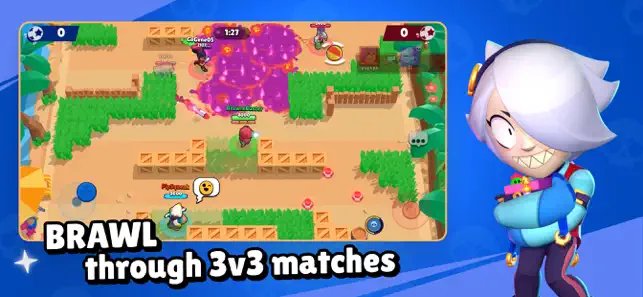
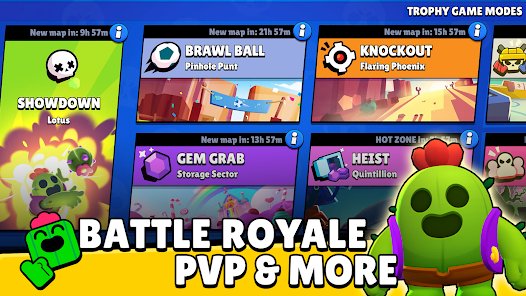
Brawl Stars is Supercell's free multiplayer game of fast 3v3 and 5v5 battles plus a battle royale mode, with matches that last under three minutes. Players unlock and upgrade Brawlers, each with its own attack and super ability.
Why can't I play Brawl Stars?
Most often the device is below the minimum: Android 7.0 or iOS 14 with 1 GB of RAM on mobile, or a PC that fails Google Play Games' requirement check. An unstable connection or an outdated game version also stops matches from working.
Bottom line: should you play Brawl Stars on PC?
Play Brawl Stars on PC through Google Play Games on PC if your computer meets the requirements and the game's badge shows it is available, and link your Supercell ID so the same account works on your phone. It is the only route Google supports for running the Google Play version on Windows, it adds keyboard mapping, and it keeps you clear of the modified copies and third-party tools that Supercell's fair play rules punish.

![How to copy and paste on Chromebook [text & image shortcut]](https://techdows.com/wp-content/uploads/2026/10/Open-Chromebook-laptop-showing-its-keyboard-touchpad-and-ChromeOS-desktop-600x338.jpg)