The Southwest Airlines download for a Windows 11, Windows 10 or Mac computer takes about a minute. On a PC, open southwest.com in Microsoft Edge and install it as an app. On an Apple silicon Mac, get the free Southwest app from the Mac App Store.
The same free app runs on iPhone, iPad and Android. It books flights, checks you in, holds your boarding pass and tracks your bags.
Below are the official links, the Windows and Mac setup, the phone install, the requirements, and fixes for common check-in problems.
Which Southwest Airlines download do you need?
Match the device in front of you to a row. One Rapid Rewards account signs in on all of them.
| Your device | What to get | Minimum version |
|---|---|---|
| Windows 11 or Windows 10 PC | southwest.com, installed as an app from Edge | Current Microsoft Edge |
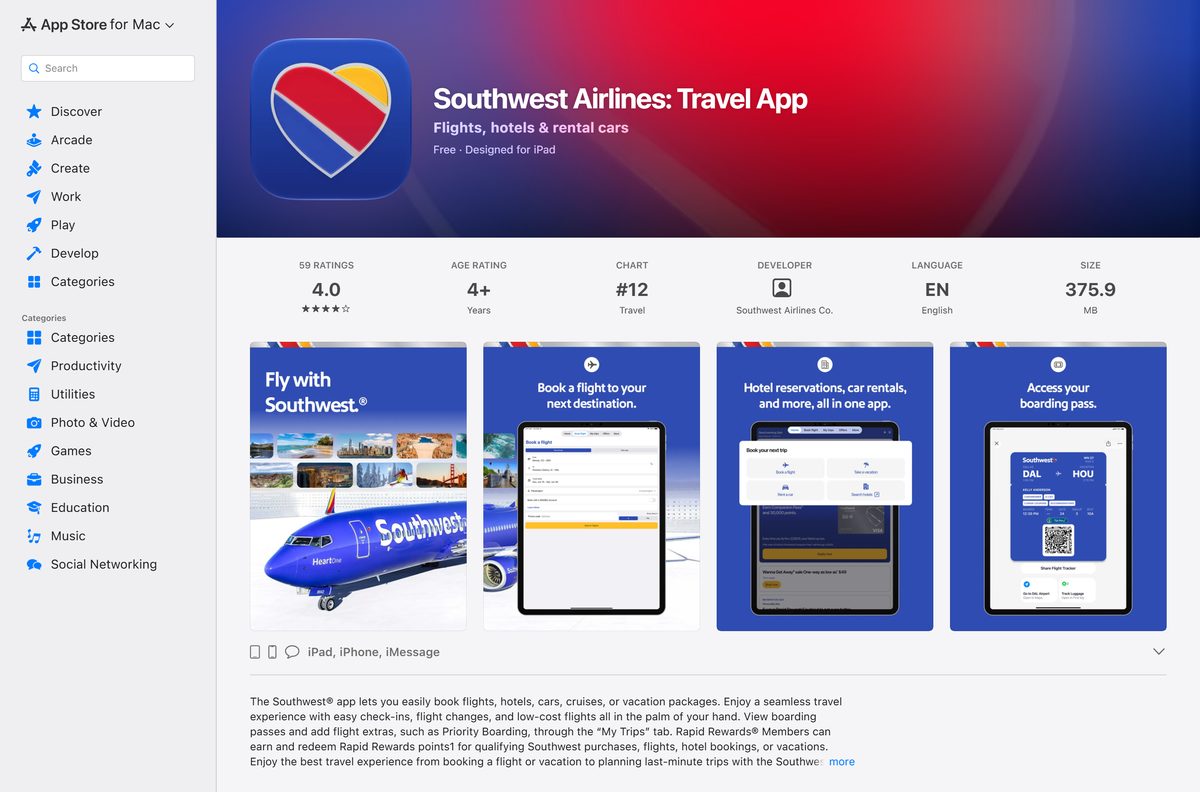
| Mac with Apple silicon (M1 or later) | Southwest app on the Mac App Store, 372.8 MB | Apple silicon Mac |
| Mac with an Intel processor | southwest.com in Safari, then Add to Dock | macOS Sonoma 14 for Add to Dock |
| iPhone or iPad | Southwest Airlines: Travel App on the App Store | iOS 17.0 |
| Android phone | Southwest Airlines: Travel App on Google Play | Listed on Google Play |
No Southwest setup file exists for Windows. The installed window belongs to Edge.
Download Southwest Airlines from its official pages
Every link below is published by Southwest or by the store that distributes its app.
- Southwest app page — Southwest’s overview of the app and its features
- southwest.com — Windows and Mac, in any current browser
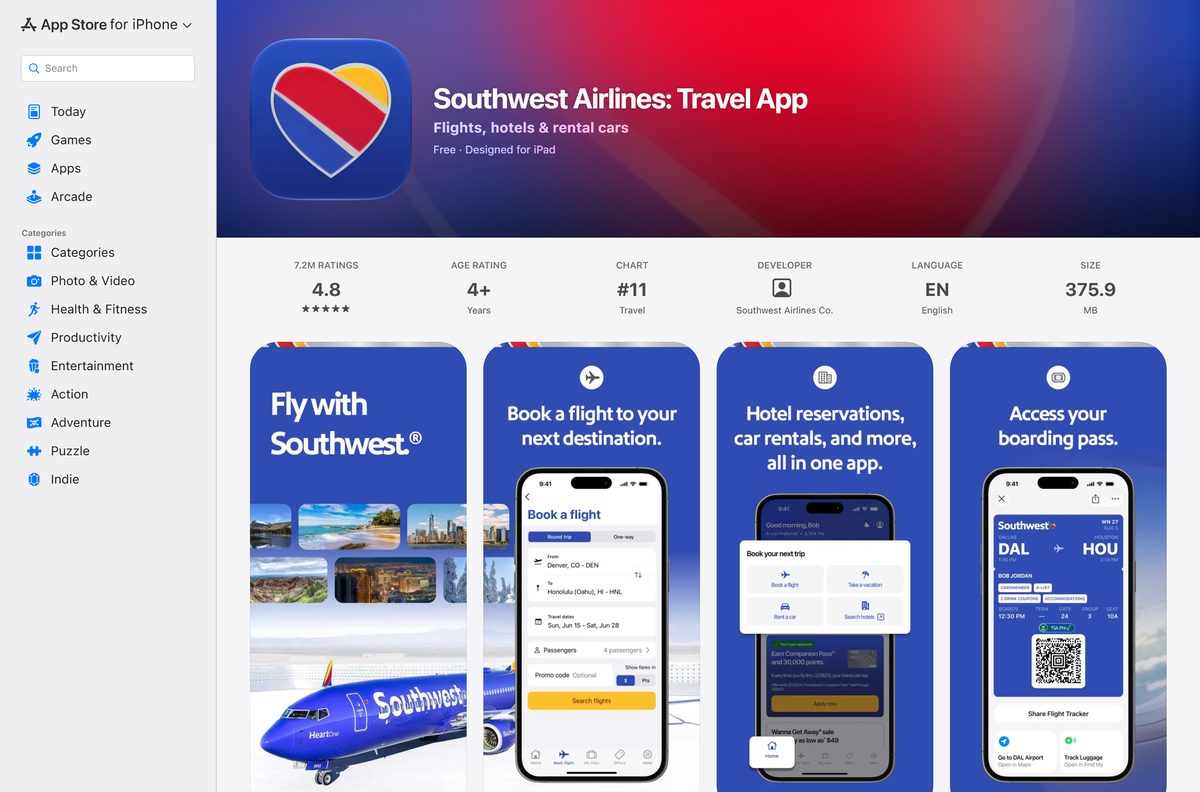
- Southwest Airlines: Travel App on the App Store — 372.8 MB · iPhone and iPad; needs iOS 17.0 or later
- Southwest app on the Mac App Store — 372.8 MB · Designed for iPad; Apple silicon Macs only
- Southwest Airlines: Travel App on Google Play — package com.southwestairlines.mobile
A site offering a Southwest exe, msi or dmg is not Southwest.
How to install Southwest Airlines on Windows 11 and 10
Microsoft Edge turns southwest.com into a Start menu app. The window drops the address bar and opens like any other desktop program.
- Open Microsoft Edge and go to southwest.com.
- Select Log in and sign in with your Rapid Rewards account, or select Create account first if you have none.
- Select Settings and more (the three dots) in the top corner of Edge.
- Choose More tools, then Apps, then Install this site as an app.
- Name the app Southwest and select Install.
- Right-click the new Start menu entry and choose Pin to taskbar.
The installed app lists under edge://apps, where you can remove it later.
Which Southwest Airlines download do you need for your Mac?
The Mac App Store build is the iPad app. Apple runs iPad apps only on Macs with Apple silicon, so your processor decides the route.
Open the Apple menu and choose About This Mac to see the chip.
| Your Mac says | What to do | Result |
|---|---|---|
| Chip: Apple M1, M2, M3, M4 or later | Get the Southwest app from the Mac App Store | The full Southwest app in its own window |
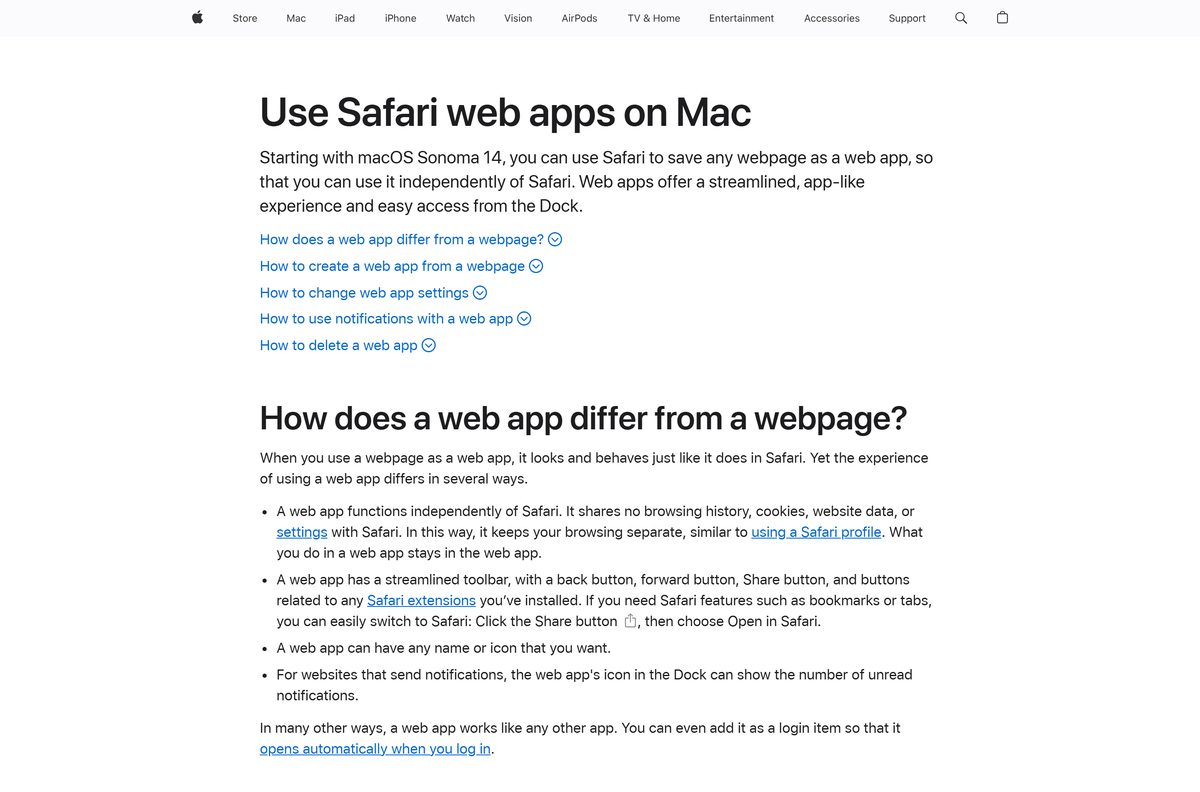
| Processor: Intel, macOS Sonoma 14 or later | Open southwest.com in Safari, then File > Add to Dock | A Southwest web app in the Dock and Applications |
| Processor: Intel, macOS Ventura 13 or earlier | Bookmark southwest.com in Safari | The full website in a Safari tab |
On an Apple silicon Mac, hold the Option key to use the trackpad as a virtual touch screen in the iPad app.
Install the Southwest app on an iPhone or Android phone
The phone app holds the digital boarding pass, which you can add to Apple Wallet or Google Wallet.
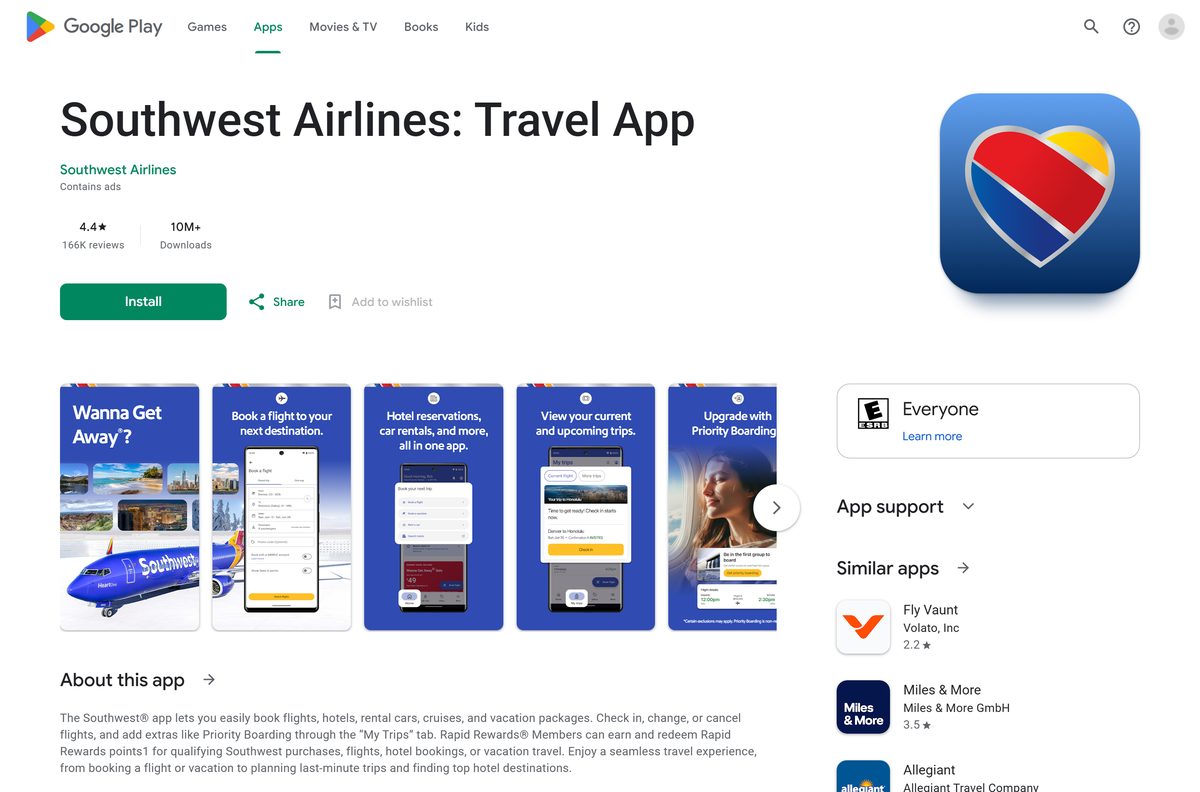
- Open Southwest Airlines: Travel App on the App Store on an iPhone, or on Google Play on Android.
- Check that the developer reads Southwest Airlines Co. on the App Store or Southwest Airlines on Google Play.
- Tap Get on iPhone or Install on Android.
- Open the app and sign in with your Rapid Rewards number and password.
- Allow notifications to receive check-in reminders, boarding alerts and gate changes.
- Open the My Trips tab to see your gate, boarding position and flight status.
On iPhone, add the Southwest widget to the Home Screen to see upcoming flights, departure times and gates without opening the app.
Is the Southwest Airlines app free?
Installing costs nothing. You pay only for the travel you book.
The Southwest app is free on the App Store, the Mac App Store and Google Play, and southwest.com is free to use. Apple lists Southwest Airlines: Travel App as Free, and Google Play installs it at no charge with a Contains ads label. Flights, hotels, rental cars, vacation packages and extras such as Priority Boarding are charged when you buy them.
Anyone selling a Southwest app licence or activation key is not Southwest.
What you can do on southwest.com versus the Southwest app
The website covers booking and check-in. The app adds the features you use at the airport.
| Task | southwest.com on PC or Mac | Southwest app |
|---|---|---|
| Book flights, hotels, cars and vacations | Yes | Yes |
| Check in with confirmation number and name | Yes | Yes |
| Check flight status | Yes | Yes, plus push alerts |
| Digital boarding pass in Apple Wallet or Google Wallet | No | Yes |
| Check and track bags digitally | No | Yes |
| View or change your assigned seat | No | Yes, where available |
| Book a Lyft to the airport | No | Yes, up to four hours before your flight |
| TSA PreCheck Touchless ID indicator | No | Yes, on the mobile boarding pass |
Southwest’s own check-in page points you to the app for digital boarding passes.
How to check your Southwest app version and update it
southwest.com updates itself each time it loads. Only the store apps carry a version number.
- On a Windows PC, close the Southwest window and open it again to load the current site.
- On iPhone, iPad or an Apple silicon Mac, open the Southwest app on the App Store.
- Select Update if it shows; Open means you run the current build, version 13.21.1.
- On Android, open the Southwest app on Google Play.
- Tap Update if it shows; the current Google Play build dates from 22 September 2026.
Check the Southwest Airlines system requirements before you install
A Windows PC needs only a current browser. The App Store build sets the real version floor.
| Field | Value |
|---|---|
| Software | Southwest Airlines: Travel App |
| Developer | Southwest Airlines Co. |
| Latest version | 13.21.1 (App Store; southwest.com is not versioned) |
| License | Free |
| Windows | Windows 11 or Windows 10 through southwest.com in a browser |
| macOS | Apple silicon Mac for the Mac App Store build; any Mac through southwest.com |
| iPhone and iPad | iOS 17.0 or later |
| Android | Google Play, package com.southwestairlines.mobile |
| Architecture | Browser on x64 and ARM64 PCs; Apple silicon for the Mac app |
| App Store size | 372.8 MB |
| Windows download size | None; nothing installs from Southwest on a PC |
| Offline installer | No |
| Language | English |
| Last verified | 2026-09-25 |
Fix Southwest app and check-in problems
Most failures come from the device or the check-in window, not from a broken install.
The Mac App Store has no Get button for the Southwest app
iPad apps run only on Macs with Apple silicon.
- Open the Apple menu and choose About This Mac.
- If it lists an Intel processor, open southwest.com in Safari.
- Choose File, then Add to Dock to save it as a web app.
The App Store says the iPhone is not compatible
The current build requires iOS 17.0 or later.
- Update the iPhone or iPad to iOS 17.0 or later.
- On a device that cannot update, use southwest.com check-in in Safari.
No mobile boarding pass appears yet
The app issues mobile boarding passes 24 hours before departure.
- Wait until 24 hours before your scheduled departure.
- Open the My Trips tab and check in.
- Save the boarding pass to Apple Wallet or Google Wallet.
Check-in on the website does not find your trip
The name or confirmation number does not match the reservation.
- Open the check-in page.
- Enter the confirmation number exactly as it appears on your booking.
- Enter the first and last name as booked, then select Check in.
Be at the gate with a boarding pass at least 10 minutes before departure, or Southwest may cancel your reserved space.
How to uninstall Southwest Airlines from a PC or Mac
Removing the app does not affect your Rapid Rewards account or your trips.
- In Edge on Windows, go to edge://apps.
- Select Details on the Southwest card.
- Select Uninstall, choose whether to delete app history and data, then select Uninstall again.
- On a Mac, open the Applications folder.
- Drag the Southwest app or the Southwest web app to the Trash.
Frequently asked questions
Is the Southwest Airlines app free?
Yes. The App Store lists Southwest Airlines: Travel App as free, and Google Play installs it at no charge. The Google Play listing is marked Contains ads. Flights, hotels, cars and extras you book inside it are paid to Southwest.
Where is the official Southwest Airlines download page?
Southwest’s own app page is southwest.com/mobile-app. The iPhone, iPad and Mac build is Southwest Airlines: Travel App from Southwest Airlines Co. on the App Store, and Android uses the Google Play package com.southwestairlines.mobile.
Does the Southwest app work on Windows 11?
Yes, as southwest.com. Open the site in Microsoft Edge on Windows 11 or Windows 10 and choose Install this site as an app from the Apps menu. It opens in its own window with a Start menu entry.
Is there a Southwest Airlines app for Mac?
Yes, on Macs with Apple silicon. The Mac App Store offers the iPad app, labeled Designed for iPad, at 372.8 MB. Intel Macs cannot run it, so use southwest.com in Safari and choose File, then Add to Dock on macOS Sonoma 14 or later.
How big is the Southwest Airlines download?
The App Store build for iPhone, iPad and Apple silicon Macs is 372.8 MB. Google Play does not list a size. On a Windows PC nothing downloads from Southwest, because southwest.com runs in the browser.
Is there a Southwest Airlines offline installer for PC?
No. Southwest publishes no exe, msi or dmg, and the Microsoft Store has no Southwest Airlines app. Any site offering a Southwest setup file for Windows is not Southwest.
What is the latest version of the Southwest app?
The App Store build is version 13.21.1, released on 22 September 2026. The Google Play build was updated the same day. southwest.com has no version number and is current each time it loads.
What iOS version does the Southwest app need?
The App Store build requires iOS 17.0 or later on iPhone and iPad. Older devices can still check in and check flight status on southwest.com in Safari.
Can I check in for a Southwest flight on my PC?
Yes. Open the check-in page on southwest.com, enter your confirmation number, first name and last name, and select Check in. Digital boarding passes that save to Apple Wallet or Google Wallet come from the phone app.
When can I get my Southwest mobile boarding pass?
The app issues mobile boarding passes for everyone on the trip 24 hours before departure. Southwest requires every passenger to hold a boarding pass and be at the gate at least 10 minutes before the scheduled departure time.