Windows 11 26H2 and 25H2 run the same code, so upgrading mostly gets you a new build number (26300), a few features switched on by default and a support clock that runs a year longer.
This guide compares the two versions side by side, shows who gets the small enablement package and who needs a full upgrade, and ends with a clear call on whether to install 26H2 now.
What’s the difference between Windows 11 26H2 and 25H2?
Microsoft ships 26H2 to 25H2 and 24H2 PCs as an enablement package: a small switch that turns on features the monthly updates already installed. Find your situation in the table and act on the right-hand column.
| Your PC runs | What 26H2 changes for you | What to do |
|---|---|---|
| Windows 11 25H2 (build 26200) | Build 26300, some features on by default, support extended from October 2027 to October 2028 for Home and Pro | Install it when Windows Update offers it; there is no rush before 2027 |
| Windows 11 24H2 (build 26100) Home or Pro | Same as above, and it rescues a version whose updates end on October 13, 2026 | Install 26H2 or 25H2 before October 13, 2026 |
| Windows 11 23H2 or Windows 10 | No enablement package; you need the full upgrade | Use the Installation Assistant or installation media |
| Windows 11 26H1 (build 28000) | Nothing; 26H1 is on a different core and is not offered 26H2 | Stay on 26H1 and wait for Microsoft's future update path |
Most PCs are not offered 26H2 on day one because the rollout is phased over the next few months. The Windows 11 26H2 overview covers the whole release in one place.
Facts to know about Windows 11 version 26H2
These are the figures Microsoft published on its Windows 11 release information page on September 29, 2026, the day 26H2 reached general availability.
| Windows 11 26H2 | Windows 11 25H2 | |
|---|---|---|
| Marketing name | Windows 11 2026 Update | Windows 11 2025 Update |
| OS build | 26300 | 26200 |
| Availability date | September 29, 2026 | September 30, 2025 |
| Latest build on September 29, 2026 | 26300.9550 | 26200.9550 |
| End of updates: Home, Pro, Pro Education, Pro for Workstations | October 10, 2028 | October 12, 2027 |
| End of updates: Enterprise, Education, IoT Enterprise | October 9, 2029 | October 10, 2028 |
| How it installs on a 25H2 PC | Enablement package, single restart | Already installed |
| Hardware requirements | Standard Windows 11 minimums | Standard Windows 11 minimums |
The matching revision number (.9550) is not a coincidence. One monthly update, KB5124010, services 24H2, 25H2 and 26H2 at the same time.
Same operating system platform, same set of features and improvements
Microsoft's KB5121794 article states that Windows 11 versions 24H2, 25H2 and 26H2 share a common core operating system with an identical set of system files. The new 26H2 features already sit on 25H2 PCs in a dormant state.
| What is shared | What that means for you |
|---|---|
| Servicing branch | 25H2 and 26H2 receive the same monthly update on the same day |
| System files | Your apps and drivers see the same Windows code before and after the upgrade |
| Features | Features added through monthly updates appear on 25H2 too; 26H2 mainly switches on the ones that were held back |
| Validation | Microsoft says the shared platform reduces the testing effort for organizations |
| What differs | The build number, the default state of some features, and the support end date |
This is why the upgrade feels like a monthly update rather than a reinstall. It is also why a 25H2 PC that is fully patched already has most of what 26H2 offers.
New features are coming to version 26H2
Microsoft's IT pro notes for 26H2 split the changes into two groups: features switched on by default for commercial devices, and features added to Windows 11 since 25H2 through monthly updates. The second group also reaches fully updated 25H2 PCs, sometimes through a gradual rollout.
| Feature | What it does | Status in 26H2 |
|---|---|---|
| Windows settings backup | Keeps supported settings and the Microsoft Store app list for recovery or a new PC | On by default for eligible commercial devices; admin policies still win |
| App-specific actions from the taskbar | Common app actions straight from the taskbar | On by default for commercial devices |
| File Explorer enhancements | Navigation and usability changes previously held back for business PCs | On by default for commercial devices |
| Movable, smaller taskbar | Place the taskbar at the bottom, top, left or right, and shrink its height | Added since 25H2 |
| Redesigned Start menu | Scrollable All section, category and grid views, choice of size | Added since 25H2 |
| Administrator protection | Just-in-time admin rights instead of standing administrator rights | Available, off by default |
| Built-in Sysmon | System event logging for threat detection | Available, off by default |
| Smart App Control toggle | Turn Smart App Control on or off without a clean install | Available |
| Point-in-time restore and quick machine recovery | Roll a PC back to a recent restore point, or scan for fixes when it fails | Available |
| Fewer update restarts | Eligible updates install together with the monthly security update | Available |
| WMIC | Legacy command-line tool | Removed |
Microsoft has not published a full list of consumer features that move from off to on with 26H2 beyond the commercial examples above. The 26H2 new features rundown goes through each change in more depth.
Enablement Package-based installation
The enablement package is KB5121794. Microsoft calls it a small, quick-to-install master switch that activates the 26H2 features already present on 24H2 and 25H2.
| Item | Detail |
|---|---|
| Update | KB5121794: Feature update to Windows 11, version 26H2 by using an enablement package |
| Runs on | Windows 11 24H2 or 25H2 only |
| Prerequisite | The September 22, 2026 update KB5124010 or a later cumulative update |
| Restart | One restart |
| Channels | Windows Update and WSUS; the Microsoft Update Catalog does not list it |
| Editions | Home, Pro, Enterprise, Education, Enterprise multi-session and IoT Enterprise on 24H2 and 25H2 |
The KB5121794 explainer covers what the package changes and how it reaches managed PCs.
How Windows 11 26H2 will be delivered
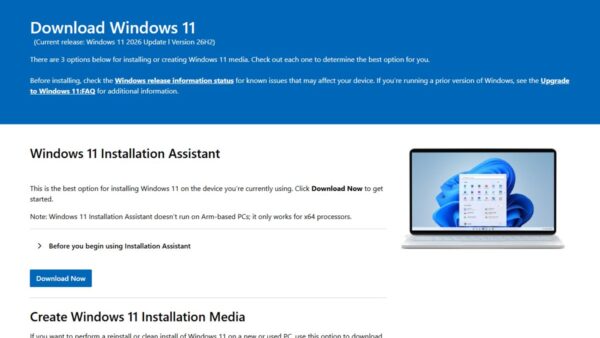
Your starting version decides whether you get the quick switch or a full reinstallation upgrade. The download tools on Microsoft's Windows 11 page all serve version 26H2 now, and none of them uses the enablement package.
| Starting point | Route | Type of install |
|---|---|---|
| Windows 11 25H2 or 24H2 | Settings > Windows Update | Enablement package, one restart |
| Windows 11 23H2 | Windows 11 Installation Assistant or installation media | Full feature update, because the enablement package needs 24H2 or 25H2 |
| Windows 10, version 2004 or later | Windows 11 Installation Assistant (needs 9 GB free) | Direct upgrade from older versions to 26H2 as a full feature update |
| Any x64 PC, clean start | Media Creation Tool or ISO | Full reinstallation upgrade or clean install of 26H2 |
| Arm-based PC | Windows Update | Microsoft tells Arm users to wait for the Windows Update notification; the Media Creation Tool cannot build Arm media |
| Managed business PC | WSUS, Windows Autopatch or the Microsoft 365 admin center | Enablement package through existing update rings and policies |
Upgrade tools trigger a full feature update even on a 25H2 PC, so use Windows Update unless you want a fresh image. The download and install guide walks through every official route.
Upgrading to Windows 11 26H2
These steps use the enablement package on a 25H2 or 24H2 PC. The option to download appears only once Microsoft's rollout reaches your device.
- Open Settings and select Windows Update.
- Turn on Get the latest updates as soon as they’re available.
- Select Check for updates and install any pending cumulative update first.
- When Windows 11, version 26H2 is available appears, select Download & install.
- Select Restart now when the download finishes; one restart completes the upgrade.
To read the details before installing, select See what's in this update on the same page.
How to check you are on 26H2
- Press Windows + R, type
winverand press Enter. - Read the Version line: it should say 26H2.
- Check the OS Build: it should start with 26300 (25H2 shows 26200).
- Select OK to close the window.
The number after the dot matches across 24H2, 25H2 and 26H2 in any given month, so only the first five digits tell you which version you run.
Same hardware requirements
Microsoft's Windows 11 requirements page lists one set of minimums for Windows 11 and names no extra requirement for 26H2. If a PC runs 25H2 today, its hardware already meets that list.
| Component | Minimum |
|---|---|
| Processor | 1 GHz or faster, two or more cores, on a compatible 64-bit processor or SoC |
| Memory | 4 GB |
| Storage | 64 GB or more |
| System firmware | UEFI, Secure Boot capable |
| TPM | Trusted Platform Module version 2.0 |
| Graphics | DirectX 12 or later with a WDDM 2.0 driver |
| Display | 720p, larger than 9 inches, 8 bits per color channel |
One change matters for older Arm laptops. Microsoft's lifecycle page states that 26H2 is the last version that will support devices with Snapdragon 850 processors.
Rollout strategy will be gradual
Microsoft uses a controlled feature rollout for 26H2, and says availability will expand over the next few months. Most PCs will wait days or weeks for the offer.
| Stage | Who gets 26H2 |
|---|---|
| September 29, 2026 | Eligible 25H2 and 24H2 PCs with Get the latest updates as soon as they’re available turned on |
| Following months | More eligible PCs as Microsoft expands availability |
| Safeguard hold | PCs with a known compatibility issue wait until the issue is resolved |
| Commercial and education | Available now through Windows Autopatch, WSUS and the Microsoft 365 admin center; Microsoft recommends targeted deployments first |
Microsoft reports rollout progress and safeguard holds on the Windows release health hub.
Support lifecycle and upgrade path
Installing 26H2 resets the support lifecycle: 24 months for Home and Pro editions and 36 months for Enterprise and Education editions. That is the single biggest practical reason to upgrade.
| Version | End of updates: Home and Pro | End of updates: Enterprise and Education | Next step |
|---|---|---|---|
| 24H2 | October 13, 2026 | October 12, 2027 | Home and Pro should move to 26H2 now |
| 25H2 | October 12, 2027 | October 10, 2028 | Upgrade any time before the date |
| 26H2 | October 10, 2028 | October 9, 2029 | Next annual update in the second half of the year |
| 26H1 | March 14, 2028 | March 13, 2029 | Future update path, not yet dated by Microsoft |
The September 2026 preview update was the final preview update for 24H2. The 26H2 end of support guide covers the full servicing timeline.
Difference between Windows 11 26H2 and 26H1
26H1 is a hardware-optimized release that ships only preinstalled on select new devices, and the first ones use Qualcomm Snapdragon X2 Series processors. It is not a feature update and is not offered through Windows Update.
| Windows 11 26H2 | Windows 11 26H1 | |
|---|---|---|
| OS build | 26300 | 28000 |
| Released | September 29, 2026 | February 10, 2026 |
| How you get it | Enablement package on 24H2 and 25H2, or full install | Only preinstalled on select new PCs |
| Windows core | Shared with 24H2 and 25H2 | A different, higher development core |
| Hotpatch | Available | Not available |
| IoT Enterprise edition | Supported | Not supported |
Why 26H1 will not upgrade to 26H2: Microsoft says 26H1 is based on a different Windows core than 24H2, 25H2 and 26H2, so those devices will get a path to update in a future Windows release instead. The 26H1 vs 26H2 explainer covers why Microsoft shipped two 2026 versions.
Fix problems when moving from 25H2 to 26H2
These are the issues Microsoft listed on the 26H2 release health page on launch day, plus the most common complaint: no offer at all.
26H2 does not appear in Windows Update
The phased rollout has not reached your PC, a safeguard hold applies, or the prerequisite update is missing.
- Run
winverand confirm you are on 24H2 (26100) or 25H2 (26200). - Install every pending cumulative update from Settings > Windows Update.
- Turn on Get the latest updates as soon as they’re available and select Check for updates again.
- Check the 26H2 release health page for a safeguard hold that matches your hardware.
USB audio device shows Code 10 or plays no sound after the upgrade
A known issue affects some USB Audio Class 1.0 devices.
- Open Device Manager and check the device for the error "This device cannot start (Code 10)".
- Install the latest cumulative update from Windows Update.
- Watch the release health page; Microsoft says a fix will come in a future Windows update.
Domain sign-in fails with a trust relationship error
26H2 honors existing Machine Identity Isolation settings, which only work with Windows Server 2025 domain controllers.
- Disable Machine Identity Isolation with the same tool that enabled it: Intune, Group Policy or the registry.
- Restart the device.
- Reset the secure channel in an elevated PowerShell window with
Test-ComputerSecureChannel -Repair -Credential (Get-Credential).
Black screen after sign-in on a virtual desktop
A known issue seen mostly on Azure Virtual Desktop hosts that use FSLogix.
- Press Ctrl + Shift + Esc to open Task Manager.
- Select Run new task, type
explorer.exeand select OK. - For managed fleets, deploy the KB5124010 Known Issue Rollback Group Policy and restart.
The 26H2 not showing fix guide goes deeper on missing offers, and the 26H2 known issues tracker follows each problem until Microsoft resolves it.
More resources
- How to get the Windows 11 2026 Update — Microsoft's launch announcement
- What's new in Windows 11, version 26H2 for IT pros — Features enabled, added and removed
- KB5121794 enablement package — Prerequisites and release channels
- Windows 11 release information — Builds and end-of-updates dates for every version
- Windows 11, version 26H2 known issues — Rollout status and safeguard holds
Frequently Asked Questions
What are the Windows 11 26H2 changes compared with 25H2?
26H2 changes the build number from 26200 to 26300, switches on some features that 25H2 kept off by default, and extends Home and Pro support to October 10, 2028. The underlying system files are identical, because both versions share one servicing branch.
Is 26H2 a big update?
No. On a 24H2 or 25H2 PC, 26H2 installs as a small enablement package that needs a single restart. Microsoft compares the experience to a monthly update rather than a full operating system upgrade.
Do I need to upgrade from 25H2 to 26H2?
Not yet. Windows 11 25H2 Home and Pro receive updates until October 12, 2027, and Enterprise and Education until October 10, 2028. Upgrade before those dates to keep getting security fixes.
Should 24H2 users skip straight to 26H2?
Yes. The enablement package works on 24H2 as well as 25H2, and 24H2 Home and Pro editions reach end of updates on October 13, 2026. Moving to 26H2 gives those PCs support until October 10, 2028.
Does Windows 11 26H2 need new hardware?
No. Microsoft lists one set of Windows 11 minimum requirements, including TPM 2.0 and a compatible 64-bit processor, and names no extra 26H2 requirement. One exception: 26H2 is the last version that supports Snapdragon 850 devices.
What build number is 26H2 and what is 25H2?
Windows 11 26H2 is OS build 26300 and 25H2 is OS build 26200. On September 29, 2026, both sat at revision .9550, because one monthly update services both versions.
Why am I not getting the 26H2 update?
Microsoft is rolling 26H2 out in phases over the next few months, starting with PCs that have Get the latest updates as soon as they’re available turned on. A safeguard hold or a missing prerequisite update can also delay the offer.
Can a 26H1 PC upgrade to 26H2?
No. Windows 11 26H1 is built on a different Windows core than 26H2, so Windows Update does not offer it. Microsoft says 26H1 devices will get an update path in a future Windows release.
Does installing 26H2 with an ISO give the same result?
It ends on the same version, but an ISO, the Media Creation Tool or the Installation Assistant performs a full feature update instead of the quick enablement package. Use Windows Update on a 25H2 PC unless you want a clean image.
Techdows' take: reasons to upgrade to version 26H2
Install 26H2 when Windows Update offers it; if your PC runs 24H2 Home or Pro, do it before October 13, 2026. The upgrade is a one-restart enablement package on the same code you already run, so the risk is low, and it adds a year of support on Home and Pro. The launch-day known issues mostly hit USB Audio Class 1.0 devices, domain-joined PCs with Machine Identity Isolation, and virtual desktops, so managed fleets should pilot first while home users can simply accept the offer.