The Box Drive download for Windows 11, Windows 10 and Mac comes from box.com, and the app itself costs nothing. It streams every file in your Box account into File Explorer or Finder without filling the hard drive.
You sign in with a Box account. The free Individual plan covers one person with 10 GB of storage, and paid business plans raise the storage and upload limits rather than the price of the app.
This guide covers which file matches your machine, the official links, installing on Windows and Mac, MSI deployment, signature checks, pricing and the install failures that stop people.
Which Box Drive download do you need?
Box ships one Windows file and one Mac file. The choice is your platform and your OS build, not a 32-bit or 64-bit decision.
| Your machine | What to install | Note |
|---|---|---|
| Windows 11, 64-bit | BoxDrive.msi | 22H2 needs build 22621.3672 or later |
| Windows 10, 64-bit | BoxDrive.msi | Version 10.0.19045 or later |
| Windows on Arm | BoxDrive.msi, version 2.47 or later | Arm64 works with no extra setup |
| Windows Server 2022 or later | BoxDrive.msi | Auto-update is disabled on Server |
| Mac with Apple silicon | BoxDrive.pkg | Runs natively, no Rosetta |
| Mac with an Intel chip | BoxDrive.pkg | The same Mac package |
| 32-bit Windows | Read the Box OS support policy | Not supported, 64-bit only |
Box states plainly that there is no .exe installer for the Windows client. The MSI is the only Windows package.
Download Box Drive from the official Box download page
The downloads page on box.com carries the desktop apps. Every link below stays on a Box domain.
- Box downloads page on box.com — BoxDrive.msi for Windows and BoxDrive.pkg for Mac
- Download Box Drive and Edit — the same files, from the Box support site
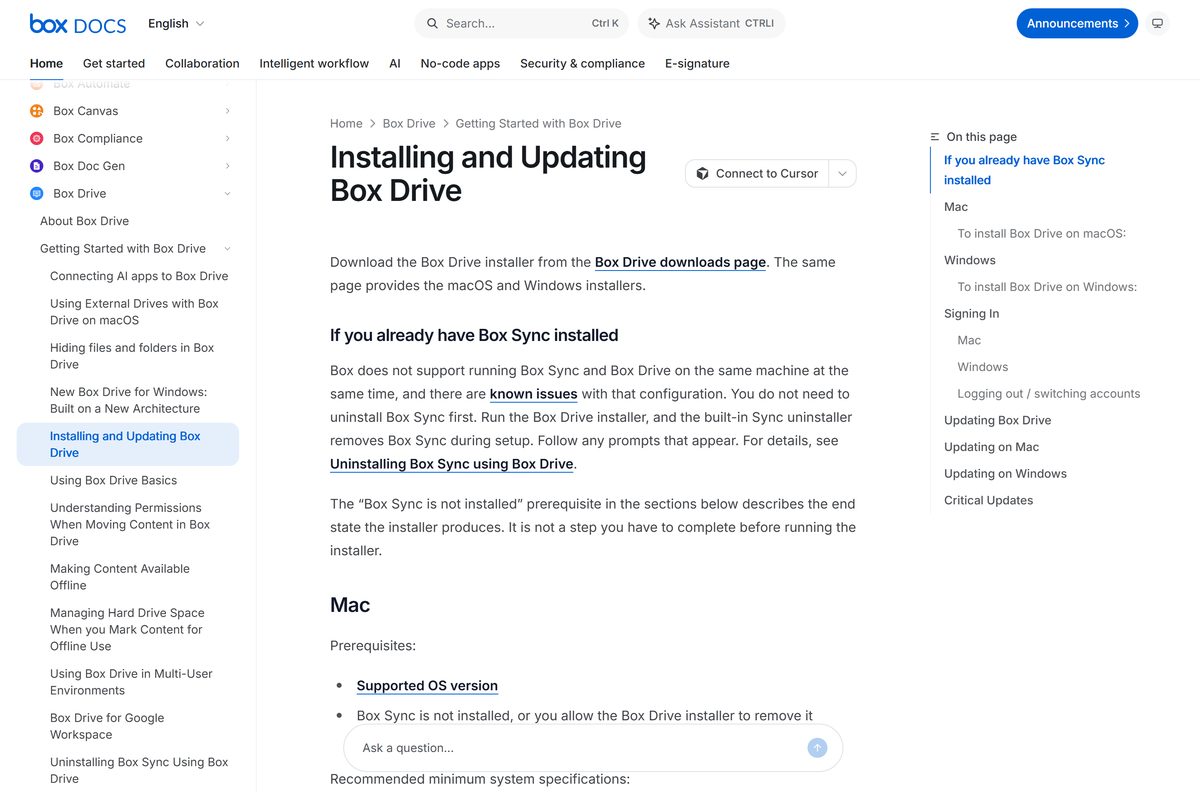
- Installing and Updating Box Drive — prerequisites and the per-platform install steps
- Release notes for version 2.55 — what changed in the current release
- Large Scale Deployments: Box Drive — MSI and PKG distribution for administrators
- Box browser and OS support policy — which Windows and macOS releases stay supported
Download portals repackage the MSI inside their own installer and serve a stale copy. Take the file from box.com and the version matches the release notes.
Check the Box Drive system requirements before you install
The Windows build number is what stops older machines. Box rewrote the Windows client on the native file-system API at version 2.47 and raised the minimum with it.
| Field | Value |
|---|---|
| Software | Box Drive |
| Developer | Box, Inc. |
| Latest version | 2.55 for Windows and Mac, released 21 September 2026 |
| Price | Free app; free Individual plan with 10 GB, paid plans from $5 per user per month |
| Supported OS | Windows 10 build 10.0.19045 or later, Windows 11, Windows Server 2022 or later, all 64-bit; the two latest macOS releases |
| Windows 11 builds | 22H2 from 22621.3672, 23H2 from 22631.3672, 24H2 and later supported |
| Architecture | x64 and Arm64 on Windows; Apple silicon and Intel on Mac |
| Minimum hardware | 1.6 GHz dual core processor and 4 GB of RAM |
| Windows prerequisites | Universal CRT and .NET Framework 4.8 or higher, with Box Sync removed |
| Installer files | BoxDrive.msi on Windows, BoxDrive.pkg on Mac; no .exe |
| Offline installer | Yes, both packages are complete |
| Local cache limit | Half your free disk space or 25 GB, whichever is smaller |
| Official download source | box.com |
| Last verified | 2026-09-22 |
How to install Box Drive on Windows 11 and Windows 10
Setup takes about five minutes, and File Explorer restarts once during it.
- Open the downloads page at box.com/resources/downloads.
- Under Box Drive, select Windows. The browser saves BoxDrive.msi.
- Confirm that .NET Framework 4.8 or higher and the Universal CRT are on the PC. Windows 11 includes both.
- Close Box Sync if it is installed, or let the installer remove it when it prompts you.
- Double-click BoxDrive.msi and follow the prompts to the end.
- Wait while Windows File Explorer restarts. Open folder windows vanish for a moment on a first install.
- Sign in at the Box prompt. Your employer can redirect you to its own login page.
- Open C:\Users\
\Box in File Explorer and start working on your files.
Box Drive launches with Windows after setup. Press Ctrl + Alt + Shift + B to open its search window from anywhere.
Which Box Drive download do you need for your Mac?
One package covers every Mac. Choose Install for all users of this computer and keep the default install location, because Box does not support moving it.
| Your Mac | What to install | Note |
|---|---|---|
| Apple silicon, M-series | BoxDrive.pkg | Native support, no Rosetta |
| Intel processor | BoxDrive.pkg | The same package |
| macOS 27 | BoxDrive.pkg | Supported since September 2026 |
| An older macOS release | Box OS support policy | Only the two latest majors are supported |
| A Mac your IT team manages | PKG deployment guide | Distribute the PKG with your MDM tool |
Your content lands at ~/Library/CloudStorage/Box-Box, and Box appears in the Finder sidebar under Locations.
How to deploy Box Drive with the MSI package
Windows deployment runs through the MSI, since Box publishes no .exe. A silent install still leaves each person to sign in once.
| File or setting | Where it applies | What to do with it |
|---|---|---|
| BoxDrive.msi | Windows 10 build 19045 or later, Windows 11, Server 2022 or later | Push it with your usual MSI tooling |
| BoxDrive.pkg | macOS fleets and machine images | Distribute it through your MDM tool |
| CustomBoxLocation | HKEY_LOCAL_MACHINE\SOFTWARE\Box\Box, REG_SZ | Set the Box folder path before you install |
| MaximumCacheSize | Same registry key, DWORD in GB | Cap the local cache, 5 GB or higher |
Allowlist C:\Program Files\Box\Box\FS\cf\cfctl.exe and streem.exe where Group Policy or endpoint tooling blocks unsigned-looking executables.
On Windows Server, auto-update is off by design. An administrator installs each release while nobody holds an active session.
How to verify the Box Drive installer is genuine
Box moved its desktop binaries to Microsoft Azure Trusted Signing at version 2.52. The signature is what separates the real MSI from a repackaged one.
- Right-click BoxDrive.msi and select Properties.
- Open the Digital Signatures tab. A genuine package lists one signature.
- Check that the signer name reads Box.
- Select the signature, click Details, then View Certificate.
- Open the Certification Path tab and confirm it ends at Microsoft Identity Verification Root Certificate Authority 2020.
- Delete any copy with no signature, or with a signer name other than Box.
That same root certificate is what the auto-updater checks. A machine without it in Trusted Root Certification Authorities refuses every update.
Is Box Drive free?
No edition of the desktop app is sold on its own, and no trial clock runs out.
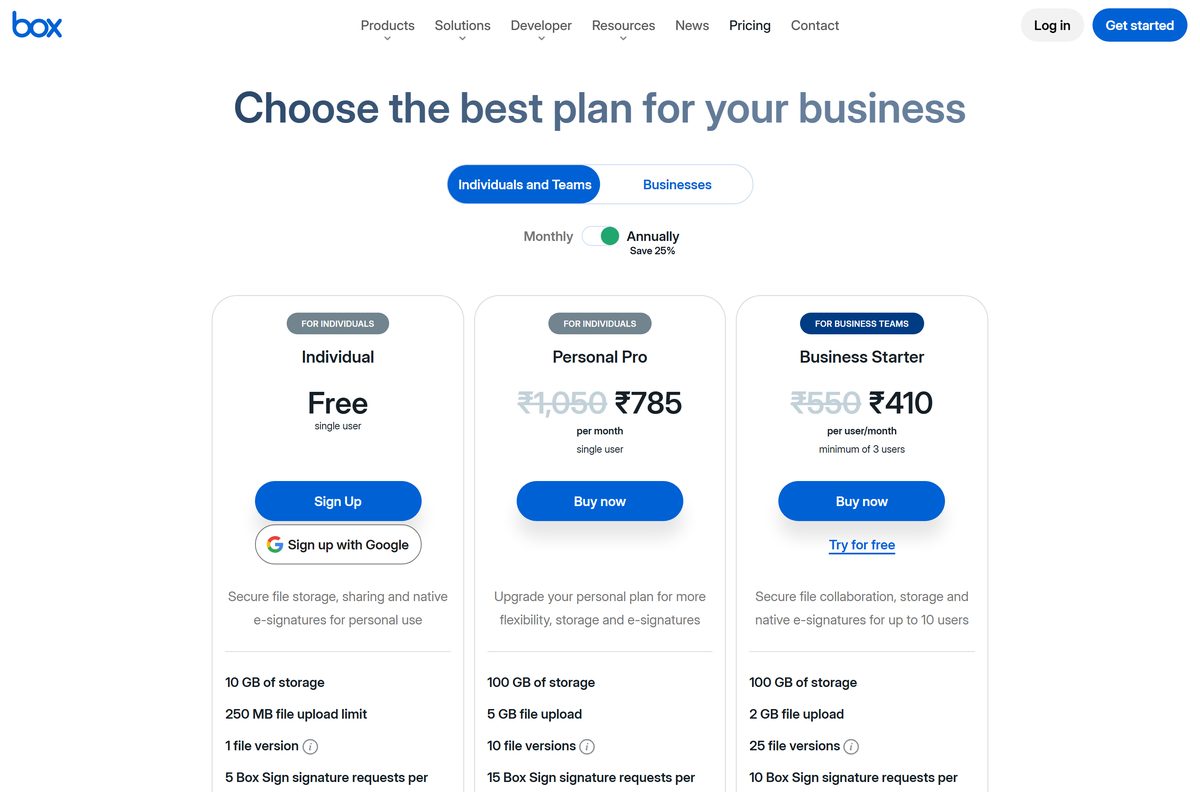
Box Drive is free on Windows and Mac, and every Box plan includes it. Your account tier sets the limits, not the app. A free Individual account gives one person 10 GB of storage and a 250 MB cap on each upload.
Personal Pro raises that to 100 GB with 5 GB uploads. Business plans start at $5 per user per month and need three users.
Business Starter gives 100 GB and a 2 GB upload cap. Business, Business Plus and Enterprise carry unlimited storage, with upload caps of 5 GB, 15 GB and 50 GB.
Anything charging for the installer is not a Box product.
How to check your Box Drive version and update it
Box supports only the current release, so updating is the first thing its support team asks for. Version 2.55 is the one to be on.
- Click the Box icon in the Windows system tray, or press Ctrl + Alt + Shift + B.
- On a Mac, click the Box icon in the menu bar, or press Ctrl + Option + Cmd + Space.
- Look for Update Available in the search window. It shows only when a newer release exists.
- Click Update Available, or click the gear icon and then Update.
- Close any open Box files when the app asks, then let the update run.
- Relaunch the app. A pending update also installs automatically at startup.
- Compare what you are running against the current release notes on the Box support site.
Critical releases prompt you every day until you take them. Administrators on Windows Server push updates by hand instead.
Fix Box Drive not installing on Windows 11 or 10
Five failures cover almost every stuck install. Work down to the symptom you are seeing.
The install stops because Box Sync is on the machine
Box does not support both desktop clients on one computer.
- Quit Box Sync from the system tray.
- Run BoxDrive.msi again and accept the prompt to remove Box Sync.
- Look for a folder named Archived – Box Sync after setup finishes.
- Move anything you still need out of that folder and into your Box folder.
The taskbar and folder windows disappear during setup
A first install restarts File Explorer so the Box shell extension loads.
- Wait for the desktop icons and taskbar to come back.
- Reopen the folder windows that closed. Only one returns on its own.
- Expect this once. Later updates do not restart File Explorer.
The path Box.2.xx.xxx.msi cannot be found
Windows Installer cannot reach the cached package it needs to repair or remove the app.
- Run Microsoft’s troubleshooter for programs that will not install or uninstall.
- Download the Box Drive version named in the error message.
- Copy that MSI into C:\ProgramData\Box\Box\Installer under the exact file name from the error.
- Run the MSI to repair the installation, then uninstall again.
Updates fail with a signature or trust warning
The device is missing the root certificate that Box’s signing chain needs.
- Open certmgr.msc and expand Trusted Root Certification Authorities.
- Look for Microsoft Identity Verification Root Certificate Authority 2020.
- Deploy that certificate through your certificate management tool if it is absent.
- Turn Microsoft Automatic Root Certificate Updates back on where policy allows it.
Setup refuses your Windows version
The current client needs a recent 64-bit Windows build.
- Press Windows + R, type winver and press Enter.
- Check the number against 10.0.19045 on Windows 10, or 22621.3672 on Windows 11 22H2.
- Install the pending Windows update, restart, then run BoxDrive.msi again.
- Move to 64-bit Windows if the PC runs the 32-bit edition.
How to uninstall Box Drive cleanly
Removal deletes anything in your Box folder that never reached the cloud. Check the upload status first.
- Confirm every file has uploaded, then quit the app from the system tray.
- Open Control Panel > Programs and Features and uninstall Box.
- Turn on Show hidden files, folders, and drives under File Explorer’s Options.
- Delete the Box subfolder inside C:\ProgramData\Box, C:\Users\
\AppData\Local\Box and C:\Program Files\Box. - Open Registry Editor and delete HKEY_LOCAL_MACHINE\SOFTWARE\Box\Box and HKEY_CURRENT_USER\SOFTWARE\Box\Box.
- Sign in to each other account on the PC and repeat the folder and registry cleanup.
- On a Mac, quit the app and run /Library/Application Support/Box/uninstall_box_drive in Terminal.
The Windows uninstaller clears the cache for you. On a Mac it stays until that script runs, and it can hold up to 25 GB.
Which other Box desktop app should you install?
Box ships more than one desktop app and they overlap. Only one of them belongs on a new PC.
| App | What it does | When to use it |
|---|---|---|
| Box Drive | Streams your whole account into File Explorer or Finder | The default choice on Windows and Mac |
| Box Tools | Opens files from box.com in desktop applications | You work in the browser and edit in Office, CAD or Photoshop |
| Box Sync | The older two-way folder sync client | Never on a new machine; end of life is December 2026 |
| Box on the web | The browser client | A locked-down PC where you cannot install software |
Install Box Drive. It does everything Sync did, adds search across the whole account, and leaves the files online until you open them.
Frequently asked questions
Is Box Drive free to download?
Yes. The app is free on Windows and Mac, and every Box plan includes it. A free Individual account comes with 10 GB of storage and a 250 MB limit on each upload. Paid business plans start at $5 per user per month.
What is the official Box Drive download page?
The downloads page on box.com, which lists BoxDrive.msi for Windows and BoxDrive.pkg for Mac. Box links the same two files from its Download Box Drive and Edit support article. No download portal is an official source.
Does Box Drive work on Windows 11?
Yes. It needs build 22621.3672 or later on Windows 11 22H2, 22631.3672 or later on 23H2, and any 24H2 build. Windows 10 needs version 10.0.19045 or later. Both have to be 64-bit.
What is the Box Drive download size?
Box publishes no file size for BoxDrive.msi or BoxDrive.pkg on its downloads page, its install article or its release notes. Your browser shows the real size as soon as the download starts.
Is there a Box Drive offline installer?
Yes. The Windows MSI and the Mac PKG are complete packages rather than small downloaders, which is why administrators can push them with standard deployment tools. Box publishes no .exe installer for Windows.
How do you install Box Drive on a Mac?
Download BoxDrive.pkg from box.com, open it, choose Install for all users of this computer and keep the default location. Sign in when the app opens. Your files appear at ~/Library/CloudStorage/Box-Box and in the Finder sidebar.
Does Box Drive support Arm64 and 64-bit?
It runs on 64-bit Windows, and on Windows Arm devices from version 2.47 with no extra configuration. On a Mac it runs natively on Apple silicon and on Intel chips. The 32-bit edition of Windows is not supported.
Is Box Drive safe to install?
Take the installer from box.com. Box signs its desktop binaries with Microsoft Azure Trusted Signing from version 2.52, so the MSI carries a signature you can read in the Digital Signatures tab of its properties.
What is the latest Box Drive version?
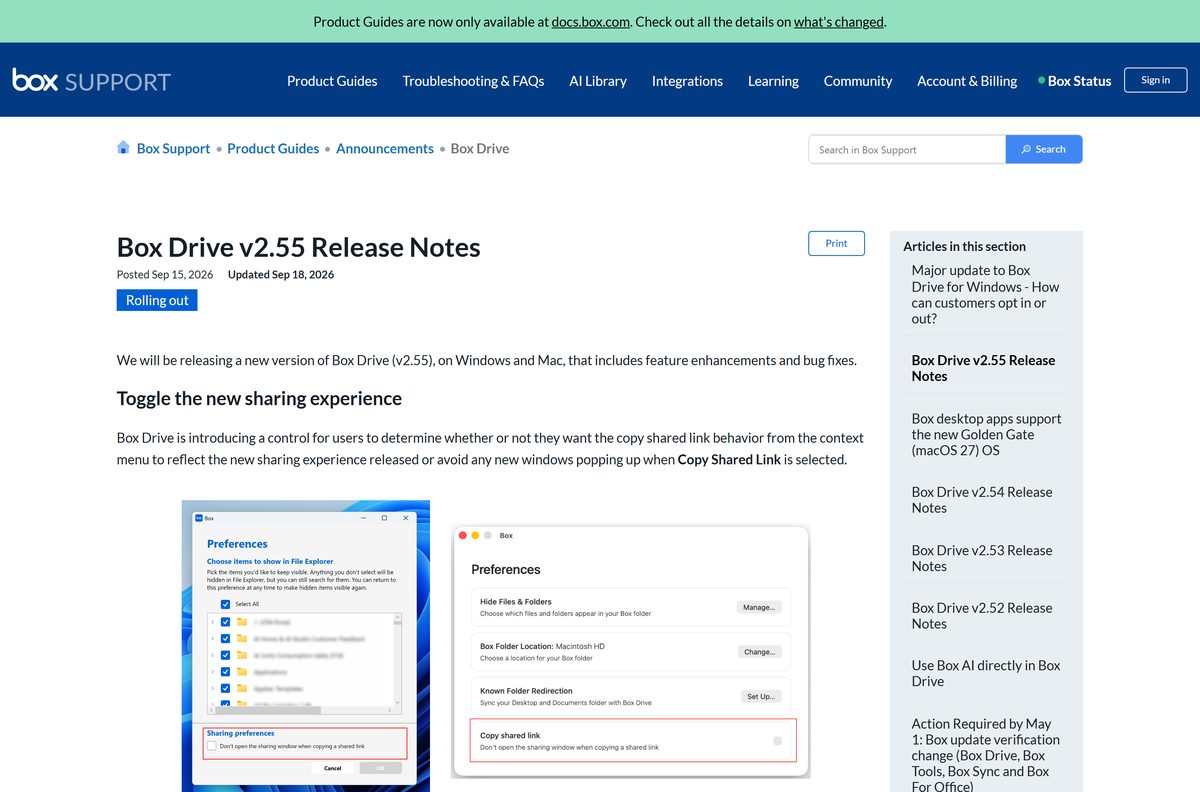
Version 2.55 for Windows and Mac, with release notes published on 21 September 2026. It adds a toggle for the new sharing experience and fixes long file paths and File Explorer stalls on the rewritten Windows client.
Why will Box Drive not install on my PC?
The usual causes are Box Sync still on the machine, a Windows build below the supported minimum, or a 32-bit Windows install. Removing Box Sync and updating Windows clears most of these failures.
How much disk space does Box Drive use?
Files stay online until you open them. The local cache is capped at half your free disk space or 25 GB, whichever is smaller, and cached files are dropped after 30 days without a change.