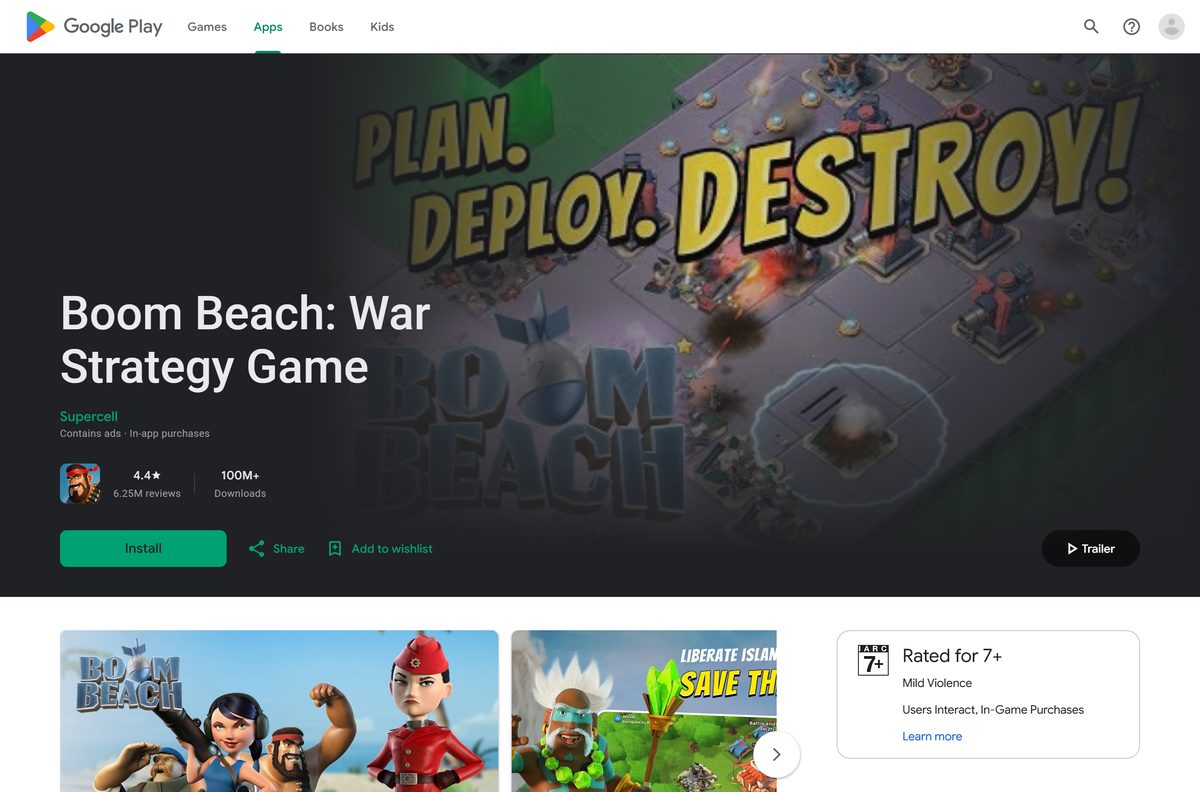
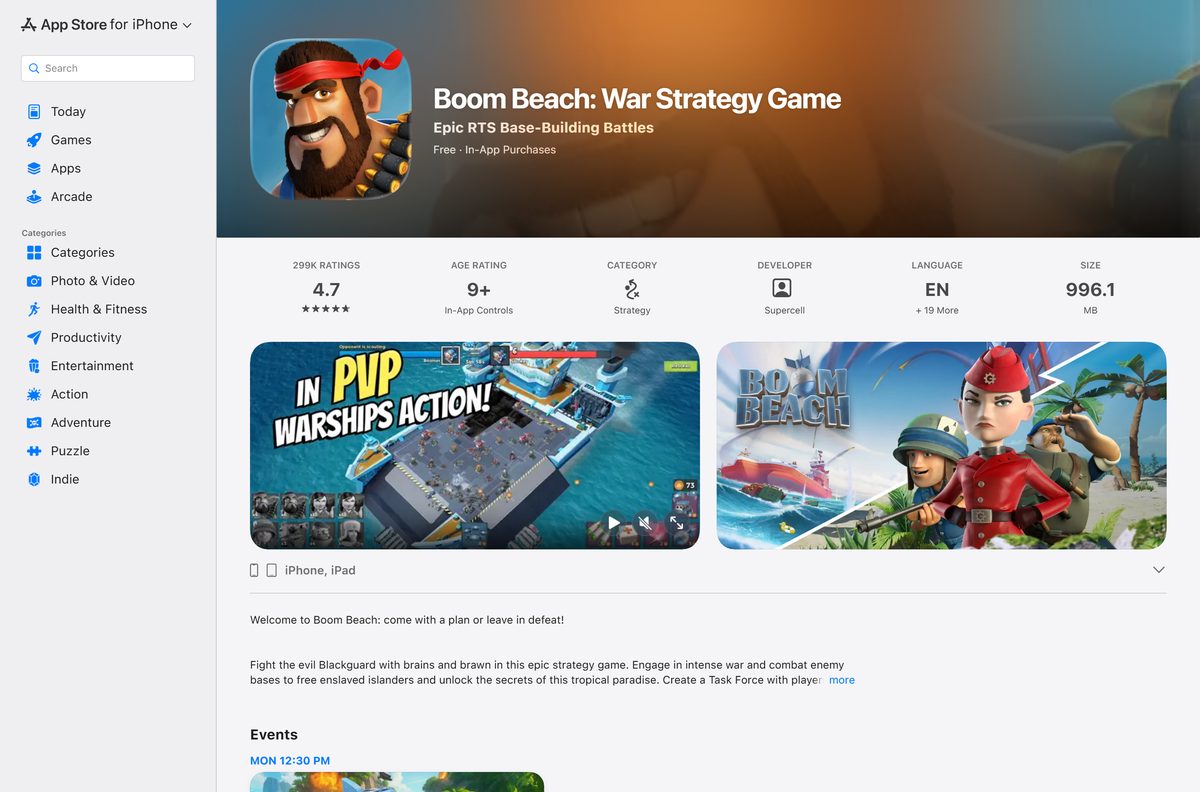
The Boom Beach download is free on iPhone and iPad through the App Store, and on Android phones and tablets through Google Play. Supercell publishes both listings, and neither costs anything to install.
A Windows PC or a Mac reaches the game by mirroring the phone that runs it, because Supercell ships no desktop build. Phone Link covers Windows, and iPhone Mirroring covers macOS Sequoia 15 and later.
This guide covers the official links, the install steps for each store, the PC and Mac routes, requirements, updates, fixes and clean removal.
Which Boom Beach download do you need?
Match your device to a row and open that link. Every route here is free.
| Your device | Where to get it | What it needs |
|---|---|---|
| iPhone or iPad | App Store | iOS or iPadOS 15.0 or later, about 996.1 MB free |
| Android phone or tablet | Google Play | A Google account and free storage |
| Windows 11 or Windows 10 PC | Phone Link | A linked Android phone on Android 10 or later, same Wi-Fi network |
| Mac paired with an iPhone | iPhone Mirroring | macOS Sequoia 15 or later, iOS 18 or later, outside the EU |
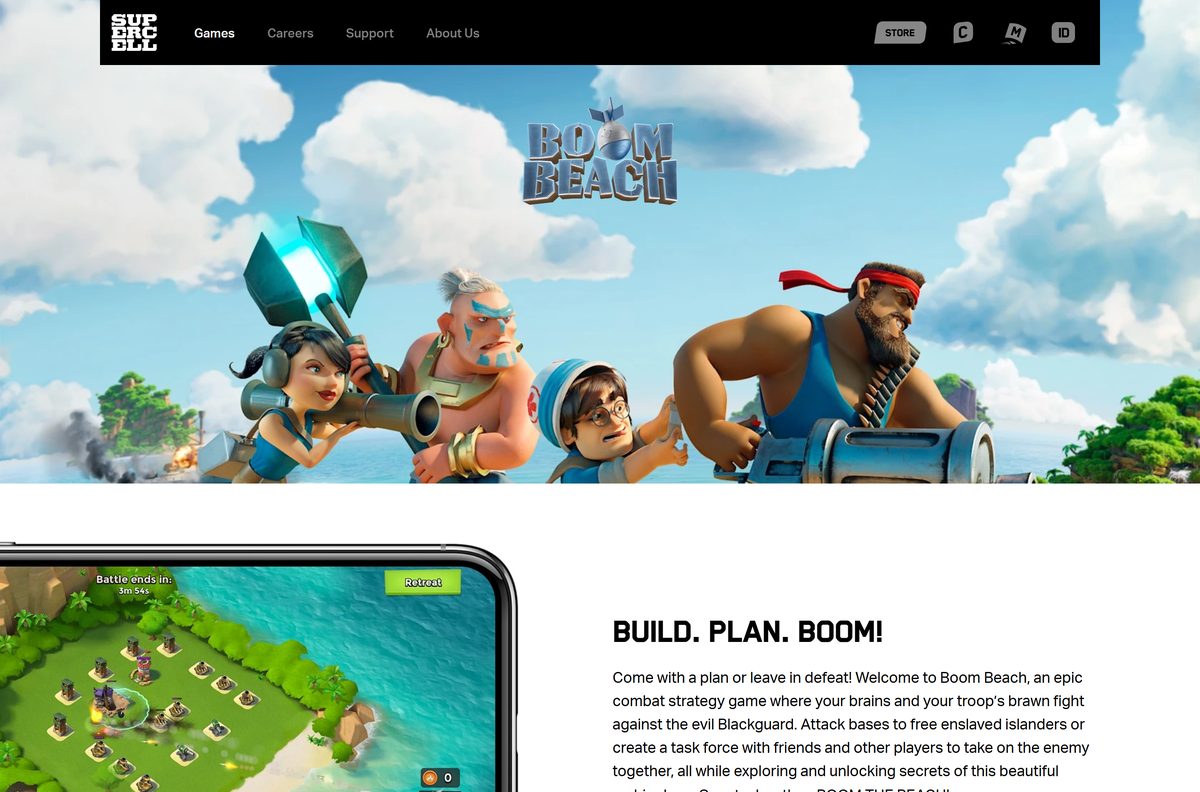
Download Boom Beach from the official App Store and Google Play listings
Supercell Oy is the seller on the App Store and Supercell the developer on Google Play. A listing under any other publisher is not the real game.
- Boom Beach on the App Store — 996.1 MB · iPhone and iPad, free, version 63.202 released September 15, 2026
- Boom Beach on Google Play — Android phones and tablets, free, 100M+ downloads and a 4.4 rating
- Boom Beach on supercell.com — The developer’s game page, with news and social channels
No Supercell page offers an APK file or a desktop setup file. A site handing you either is not official.
How to install Boom Beach on iPhone, iPad and Android
Clear about 1 GB before you start, because the App Store build alone is 996.1 MB.
- On iPhone or iPad, open the App Store listing.
- Tap Get, then confirm with Face ID, Touch ID or your Apple Account password.
- On Android, open the Google Play listing and tap Install.
- Open the game and finish Sergeant Brick’s tutorial to unlock your first island.
- Open Settings in game and connect a Supercell ID so the base survives a lost phone.
- Stay on Wi-Fi for the first session, because a network connection is required to play.
Google Play also flags the listing as Contains ads, alongside the in-app purchases.
How to play Boom Beach on a Windows 11 or Windows 10 PC
Google Play Games on PC does not carry this title. The Google Play page shows a plain Install button, while a supported game such as Clash of Clans shows Install on Windows instead.
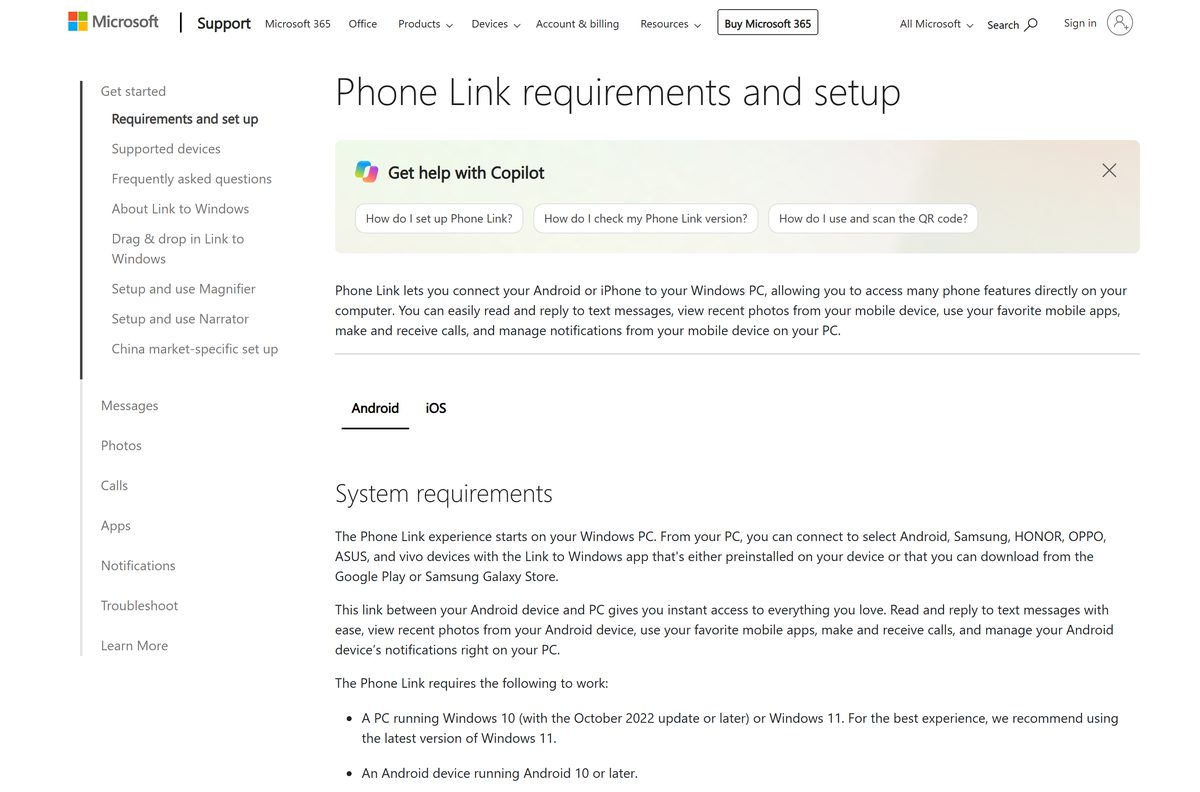
Phone Link is the route Microsoft supports: it mirrors mobile apps from a linked Android phone onto the PC screen.
- Install the game on an Android phone running Android 10 or later.
- Connect the phone and the PC to the same Wi-Fi network.
- On the PC, type Phone Link in the taskbar search box and open it.
- On the phone, open a browser, go to aka.ms/yourpc and install the Link to Windows app.
- Sign in to the mobile app with the Microsoft account you use on the PC.
- Back on the PC, tick I have the Link to Windows app ready, select Pair with QR code and scan the code with the phone.
- Grant the Android permissions the prompts ask for, then select Done.
- Open Apps in Phone Link and start the game in its own window.
Phone Link pairs with select Android, Samsung, HONOR, OPPO, ASUS and vivo devices on Windows 11, or Windows 10 with the October 2022 update.
The phone still runs the game. The PC shows it, so battery and signal on the handset decide how well a raid goes.
Which Boom Beach route works on your Mac?
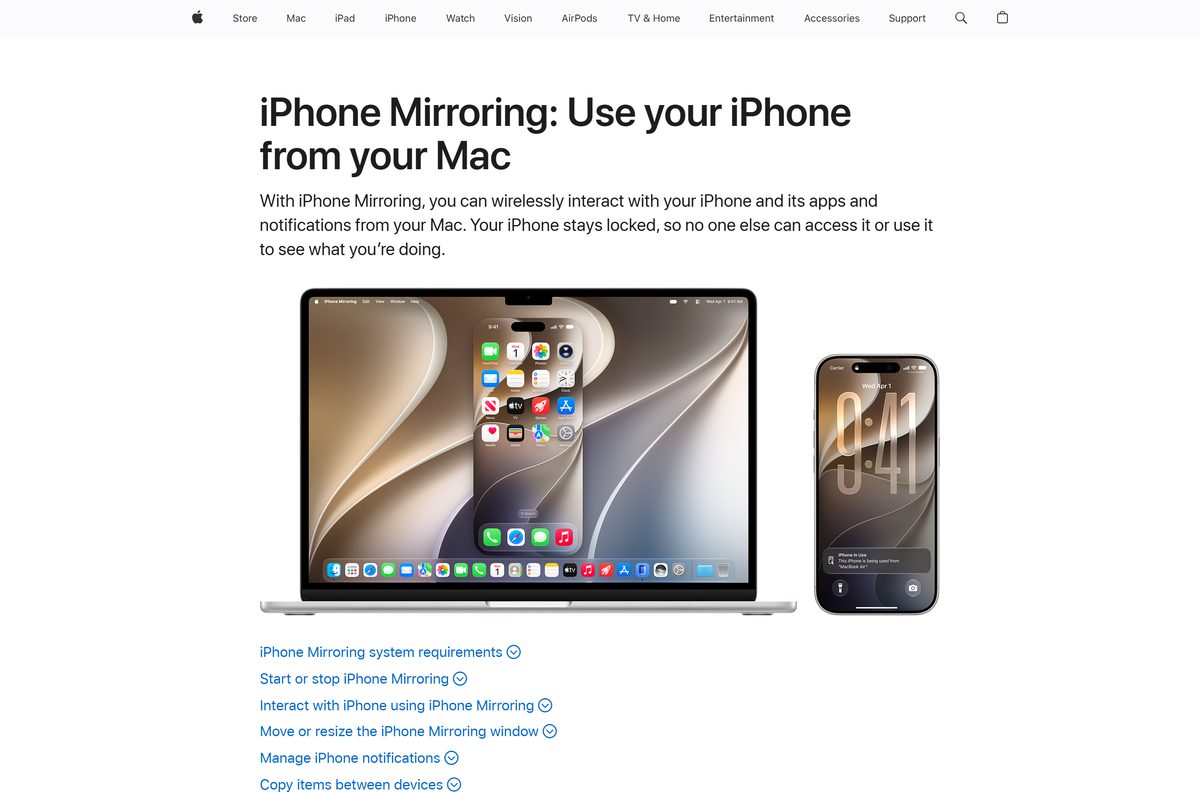
The App Store build is listed for iPhone and iPad only, and no macOS version exists. iPhone Mirroring is the route Apple supplies.
| Your setup | What to do | Link |
|---|---|---|
| Apple silicon or T2 Mac on macOS Sequoia 15 or later, with an iPhone on iOS 18 or later | Click iPhone Mirroring in the Dock, unlock the iPhone once, then launch the game in the window | Apple’s iPhone Mirroring guide |
| Mac or iPhone in the European Union | Play on the iPhone or iPad itself, because iPhone Mirroring is unavailable there | App Store listing |
| Intel Mac without a T2 chip | Use an iPhone, an iPad, an Android device, or a Windows PC with Phone Link | Google Play listing |
Both devices need the same Apple Account with two-factor authentication, Bluetooth and Wi-Fi on, and the iPhone locked and nearby.
Is Boom Beach free to download and play?
The game costs nothing on either official store, and both mirroring routes are free features of Windows and macOS.
Yes. Install it free, build an island base and join a Task Force without paying. Google Play and the App Store both list the price as free and state that some game items, including random items, can be bought for real money. Turn off in-app purchases in your device settings to block them, and note that the App Store advisories name Loot Boxes.
No paid edition exists, so a site selling a setup file is selling something Supercell does not make. An offer of free Diamonds for your login is a theft attempt.
Should you play Boom Beach on a phone or a mirrored PC screen?
Progress follows the account either way, so the choice is about controls and reliability.
Play on the phone or tablet, and add the mirrored PC screen only for long base-building sessions. Mirroring adds a Wi-Fi hop between the handset and the monitor, and a dropped connection mid-raid costs the troops you already landed. A direct install answers a tap instantly, which matters when a Gunboat strike has to land on a Mortar before it fires.
Check the Boom Beach requirements before you install it
| Field | Value |
|---|---|
| Game | Boom Beach |
| Developer | Supercell Oy |
| Latest version | 63.202 (App Store, September 15, 2026) |
| Price | Free, with optional in-app purchases and ads |
| iPhone and iPad | iOS or iPadOS 15.0 or later |
| Android | Phones and tablets through Google Play |
| Download size | 996.1 MB on the App Store |
| Windows | No native build; mirror a linked Android phone with Phone Link |
| Windows for Phone Link | Windows 11, or Windows 10 with the October 2022 update or later |
| macOS | No Mac build; mirror an iPhone on macOS Sequoia 15 or later |
| Google Play Games on PC | Not offered for this title |
| Connection | A network connection is required to play |
| Offline installer | No |
| Age rating | Everyone 10+ (Google Play), 9+ (App Store) |
| Last verified | 2026-09-22 |
To read your Windows build, press Windows + R, type winver and press Enter. Anything older than the October 2022 update rules out Phone Link.
How to check your Boom Beach version and update it
Supercell ships each update through the stores, and an old build stops connecting once a balance change lands.
- On iPhone or iPad, open the App Store, tap your profile picture and tap Update beside the listing.
- On Android, open Google Play, tap your profile icon, then Manage apps & device.
- Tap Updates available, then Update next to the game.
- Open the game, tap the gear icon and read the build number in the corner of Settings.
- Compare it against 63.202, the current App Store build.
- Let the new assets finish downloading before you start a Task Force operation.
The App Store listing’s Version History lists every release with its date and notes.
Fix Boom Beach not downloading or installing
Find the symptom that matches your screen and work through the fix under it.
The App Store says the game needs a newer iOS
The current build requires iOS or iPadOS 15.0 or later.
- Open Settings, then General, then Software Update.
- Install the update and restart the device.
- Tap Get on the App Store listing again.
Google Play sits on Download pending
Another download holds the queue, or the store app carries a stale cache.
- Cancel the other downloads in Manage apps & device.
- Open Settings, then Apps, then Google Play Store, then Storage, and tap Clear cache.
- Free up 1 GB or more, restart the phone and tap Install again.
Google Play Games on PC cannot find the game
The PC client carries a curated catalog, and this title is not in it.
- Stop searching the PC client and install the game on an Android phone.
- Pair that phone to the PC using Phone Link.
- Open Apps in Phone Link and start the game from there.
Phone Link will not pair the phone
The devices sit on different networks, or the phone runs an unsupported Android release.
- Put the phone and the PC on the same Wi-Fi network.
- Confirm the phone runs Android 10 or later.
- Sign in to Link to Windows with the same Microsoft account as the PC.
- Select Pair manually on the PC and type the code the phone shows.
The base will not load past the loading bar
Every session needs a live connection to Supercell’s servers.
- Switch between Wi-Fi and mobile data to test the connection.
- Close the game fully and reopen it.
- Open Settings in game, then Help and Support, and check for a live outage note.
An install downloaded from a website will not open
Only the App Store and Google Play distribute the game, so a downloaded file is something else.
- Delete the file and run a device scan.
- Change your Supercell ID email password if you entered it anywhere off-store.
- Reinstall from the Google Play listing.
How to uninstall Boom Beach
Connect a Supercell ID before you remove anything, because the base lives on the account you attached to it.
- On iPhone or iPad, touch and hold the game icon, tap Remove App, then Delete App.
- On Android, open Google Play, tap your profile icon, then Manage apps & device, select the game and tap Uninstall.
- On a PC, open Settings, then Apps, and uninstall Phone Link if you no longer mirror the phone.
- Reinstall from the same store listing later and sign in with your Supercell ID to restore the base.
Deleting the app never deletes the account behind it, so the base waits for your next sign-in.
Which Supercell game should you download instead?
Each of these is free with the same optional purchases, and the first two install on a Windows PC directly.
| Game | Why pick it | Link |
|---|---|---|
| Clash of Clans | Village building with Clan Wars, and it installs on Windows through Google Play Games on PC | Google Play |
| Clash Royale | Two-minute card duels, also available on Windows through Google Play Games on PC | Google Play |
| Brawl Stars | Three-minute team shooter matches on phones and tablets | App Store |
| Hay Day | Farm building with no combat at all | Google Play |
Want the same raid loop on a real PC install? Clash of Clans is the closest match that Google Play Games on PC actually carries.
Frequently asked questions
Is Boom Beach free to download?
Yes. Boom Beach is free on the App Store and Google Play. Supercell sells optional in-game items, including random items, and you can disable in-app purchases in your device settings.
Can you play Boom Beach on a Windows PC?
Not as a native install. The Google Play listing offers Install only, with no Install on Windows button, so Google Play Games on PC does not carry it. Mirror a linked Android phone with Phone Link instead.
What is the official Boom Beach download page?
The official pages are the App Store listing for iPhone and iPad, the Google Play listing for Android, and supercell.com, which hosts the developer’s own game page. Nothing else is official.
Is Boom Beach on Google Play Games on PC?
No. Google Play Games on PC carries a curated catalog, and this title is not in it. Clash of Clans and Clash Royale are, which is why their listings show an Install on Windows button.
Can you play Boom Beach on a Mac?
Not as a Mac app, because the App Store listing supports iPhone and iPad only. On a Mac with Apple silicon or a T2 chip running macOS Sequoia 15 or later, iPhone Mirroring shows an iPhone on iOS 18 or later in a window.
How big is the Boom Beach download?
The App Store build is 996.1 MB on iPhone and iPad, so clear about 1 GB first. Google Play publishes no download size for the Android build.
Is there a Boom Beach offline installer?
No. Google Play and the App Store install and update the game over the internet, and neither offers a standalone setup file. A network connection is also required to play each session.
Is it safe to download Boom Beach?
Yes, from the App Store and Google Play, where Supercell is the publisher. Avoid download portals, modded APK files and any site offering free Diamonds in exchange for your account details.
What is the latest version of Boom Beach?
Version 63.202 is the current App Store build, released September 15, 2026. It adds the Blitz event, which runs your leader roster through increasingly difficult levels, plus bug fixes.
What age rating does Boom Beach carry?
Google Play rates it Everyone 10+ in the United States and the App Store rates it 9+. Supercell’s terms allow download and play only for people aged 13 or over without parental consent.
Why will Boom Beach not install on Android?
Google Play usually stalls because storage is short or another download holds the queue. Free 1 GB, cancel other downloads in Manage apps & device, clear the Play Store cache and restart the phone.