The easiest Intel driver download for Windows 11 and Windows 10 is the free Intel Driver & Support Assistant, an 8.3 MB installer from intel.com. It scans your PC, finds your Intel graphics, Wi-Fi and Ethernet hardware, and installs the newest drivers Intel offers for them.
Run it once and it stays in the system tray, checking for new drivers and notifying you when an update lands.
This guide covers the official download, installation, running a driver scan, requirements, error fixes, removal and what to use when the assistant skips a driver.
Which Intel driver download do you need?
Intel offers three routes to the same drivers. Pick the one that matches your situation before you download anything.
| Your situation | Download | Size and notes |
|---|---|---|
| Windows 11 or 10 PC and you want Intel to find the right drivers | Intel Driver & Support Assistant | 8.3 MB installer, free |
| You know the exact driver, or you need a chipset, BIOS or Linux package | Intel Download Center | Search by product name or model number |
| An older copy of the assistant will not upgrade or uninstall | Intel DSA Uninstaller | DSAUninstaller.exe, 1.4 MB |
The assistant covers a subset of the Download Center. Chipset drivers, server drivers, Linux drivers and most firmware stay on the Download Center only.
Download Intel Driver & Support Assistant from intel.com
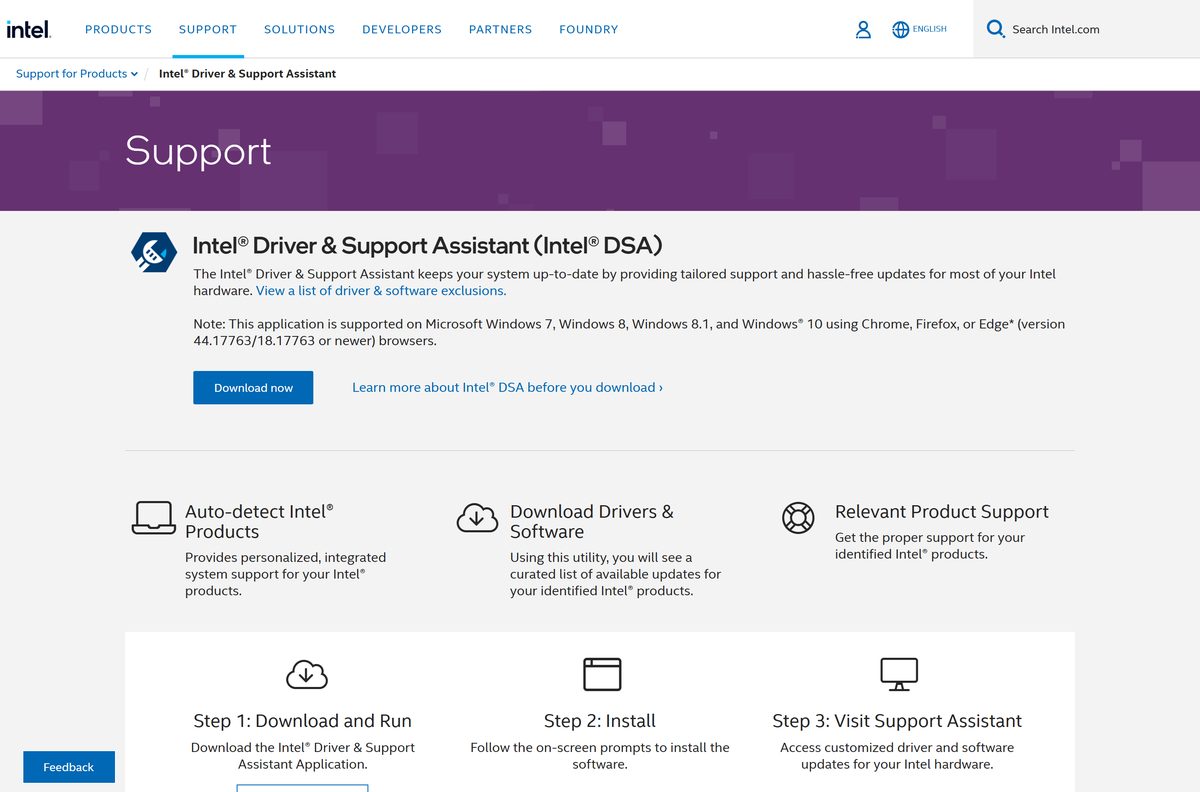
Intel publishes the assistant on its support site and serves the installer from dsadata.intel.com. The file is named Intel-Driver-and-Support-Assistant-Installer.exe.
- Intel Driver & Support Assistant download page — click Download now
- Intel-Driver-and-Support-Assistant-Installer.exe — 8,724,776 bytes, version 26.1.0.0
- Intel DSA fundamentals — supported Windows versions, browsers and ports
- Intel DSA FAQ — Intel’s own answers on install, uninstall and scanning
A file with a different name, or from a host other than intel.com, is not the Intel installer. Delete it and download again from the page above.
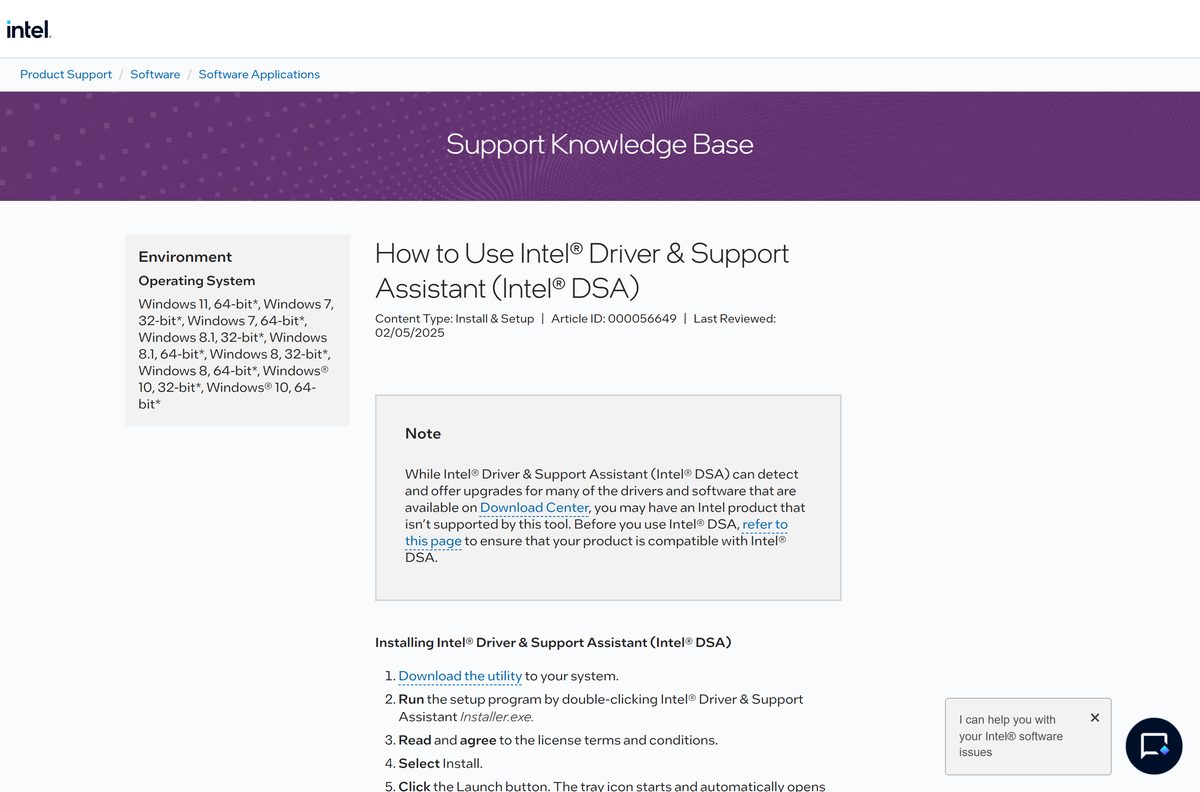
How to install Intel Driver & Support Assistant on Windows 11 and 10
Use an account with administrator rights. Setup, loading and the first scan take about three to six minutes on a broadband connection.
- Open the Intel Driver & Support Assistant page in Chrome, Edge or Firefox.
- Click Download now and save the installer.
- Double-click Intel-Driver-and-Support-Assistant-Installer.exe in your Downloads folder.
- Select Yes at the User Account Control prompt.
- Read the license terms and tick the box to agree.
- Select Install and wait for setup to finish.
- Click Launch.
- Wait for the tray icon to start and open the dashboard in your default browser.
From then on the assistant notifies you about new drivers once a day by default. Change that to weekly, immediate or never under Settings.
How to scan for Intel driver updates and install them
The assistant opens its dashboard as a browser tab. The scan runs locally, so Chrome and Edge must allow local network access.
- Click the Intel tray icon and choose Check for new drivers, or open Intel Driver & Support Assistant from the Start menu.
- Wait for the scan to finish and the dashboard to load.
- Review the list under Available Updates.
- Select Download all, or download individual updates.
- Select Install all, or install each update on its own.
- Follow the driver installer’s prompts and restart when it asks.
- Open the Install History tab to confirm what was installed.
Downloaded drivers are saved in C:\ProgramData\Intel\DSA\Downloads. Change the folder, notification frequency or automatic downloads under Settings on the dashboard.
What Intel hardware the assistant can update
The assistant only offers drivers for components Intel supports directly. A laptop maker’s customised driver stays with the laptop maker.
| Component | Offered by the assistant | Notes |
|---|---|---|
| Intel graphics, integrated and discrete | Yes | Other graphics brands come from their own vendor |
| Intel wireless adapters | Yes, active products | Discontinued adapters are detected but may get no update |
| Intel Ethernet adapters and desktop boards | Some | PC makers customise many network drivers |
| Intel Rapid Storage Technology | Yes | |
| Intel NUC | Most drivers | NUC laptop drivers and BIOS are on the Download Center |
| Chipset, server and Linux drivers | No | Use the Download Center |
Intel keeps the full list of skipped items in article 000032252.
Is Intel Driver & Support Assistant free?
Yes. Intel charges nothing for the assistant or for the drivers it installs. Intel states there is no fee associated with the application and offers it from the download page at no cost. There is no paid tier and no licence key. A site asking for payment, a subscription or a registration code to unlock Intel drivers is not Intel.
Which Intel driver download do you need for your Mac?
Intel Driver & Support Assistant is a Windows application. Intel lists only Windows versions as supported, and there is no macOS package.
| Your machine | What to use | Notes |
|---|---|---|
| A Mac on macOS, Intel or Apple silicon | Apple’s macOS update guide | Open System Settings > General > Software Update |
| A PC on Windows 11 or 10 | Intel Driver & Support Assistant | 8.3 MB installer |
Check the Intel Driver & Support Assistant system requirements
The browser matters as much as Windows here. The dashboard only runs inside a supported browser.
| Field | Value |
|---|---|
| Software | Intel Driver & Support Assistant (Intel DSA) |
| Developer | Intel Corporation |
| Latest version | 26.1.0.0 |
| Licence | Free |
| File size | 8.3 MB (Intel-Driver-and-Support-Assistant-Installer.exe) |
| Supported Windows | Windows 11 (64-bit); Windows 10, 8.1, 8 and 7 (32-bit and 64-bit) |
| Architecture | x86 and x64; Windows 11 is 64-bit only |
| Not supported | macOS, Linux and multi-session Windows |
| Browser | Chrome, Firefox, or Edge 44.17763/18.17763 or newer |
| Network | Internet access to intel.com, dsadata.intel.com and downloadmirror.intel.com on port 443; localhost ports 28385 to 28389 |
| Languages | 12, including English, French, German, Japanese and Spanish |
| Official download source | intel.com |
| Last verified | 2026-09-19 |
To check your own PC, open Settings > System > About and read Edition and System type.
Fix Intel Driver & Support Assistant not installing or scanning
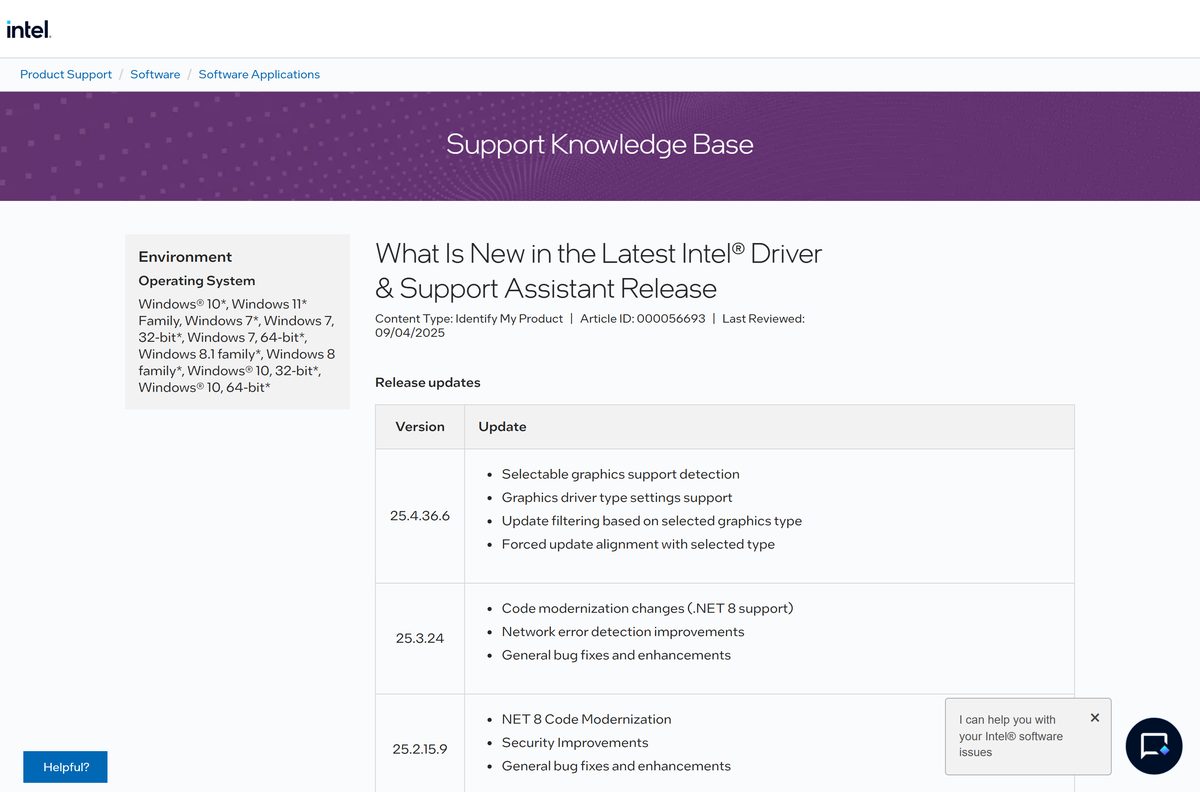
Intel documents each setup and scan error in article 000093693. Match the message you see to the fix below.
Sorry, something went wrong while trying to scan
Chrome and Edge 142 and later block local network access until you allow it.
- Click the View site information icon on the left of the address bar.
- In Chrome, turn on the Local Network Access toggle. In Edge, set Local Network Access to Allow.
- Refresh the page.
- If the error stays, open the dashboard in Firefox or reinstall the assistant.
0x80072ee7: could not connect to the internet
Setup cannot reach Intel’s servers.
- Check that other websites load.
- Allow dsadata.intel.com and downloadmirror.intel.com in any firewall or proxy.
- Run the installer again.
0x80070652 or 1618: another installation is in progress
Windows Update or another setup program is running.
- Wait for other installs and Windows updates to finish.
- Restart the PC.
- Run the installer again.
0x80070570 or 0x80070666: missing or corrupt file
A damaged Visual C++ Redistributable or an antivirus block.
- Allow the installer through your antivirus for the duration of setup.
- Run the Intel DSA Uninstaller.
- Download a fresh installer from intel.com and install again.
The scan finds no update for a component
The part is older, discontinued, not made by Intel, or excluded from the tool.
- Check the component against Intel’s list of detected hardware.
- Search the Download Center for the model.
- For a customised laptop driver, use the PC maker’s support site.
How to uninstall Intel Driver & Support Assistant
Uninstall the assistant from Windows Settings first. Intel’s own uninstaller is the fallback when that fails.
- Right-click the Intel tray icon and close the assistant.
- Select Start, then Settings.
- Go to Apps > Installed apps.
- Find Intel Driver & Support Assistant in the list.
- Select the three-dot menu, then Uninstall.
- Follow the prompts to remove it.
- If removal fails, download DSAUninstaller.exe from the uninstaller page, accept the terms, click Next, then Close.
To reinstall, download a fresh installer from intel.com rather than reusing an old copy.
What to use when the assistant does not offer your driver
The right route depends on whether the driver is generic Intel, customised by your PC maker, or already handled by Windows.
| Tool | Publisher | Best for |
|---|---|---|
| Intel Download Center | Intel | Chipset, BIOS, Linux and specific driver versions |
| Device Manager driver update | Microsoft | Drivers Windows Update already carries, on any PC |
| Your PC maker’s support tool | Dell, HP, Lenovo and others | Laptop drivers the manufacturer has customised |
Keep the assistant for Intel graphics and Wi-Fi. Use the laptop maker’s drivers when Intel’s scan points you there.
Frequently asked questions
Is Intel Driver & Support Assistant free?
Yes. Intel states there is no fee for Intel Driver & Support Assistant, and the drivers it installs are free too. Download it from the Intel support page at no cost, and ignore any site that asks for payment or a licence key.
Where is the official Intel driver download?
The official download is the Intel Driver & Support Assistant page on intel.com. Click Download now, and the installer comes from dsadata.intel.com. For a specific driver file, search the Intel Download Center on intel.com instead.
Does Intel Driver & Support Assistant work on Windows 11?
Yes. Intel lists Windows 11 64-bit as supported, alongside Windows 10, 8.1, 8 and 7 in 32-bit and 64-bit form. Multi-session Windows editions are not supported.
How big is the Intel Driver & Support Assistant download?
The installer, Intel-Driver-and-Support-Assistant-Installer.exe, is 8.3 MB. Driver packages download separately after the scan, and their size depends on which updates your PC needs.
Is there an Intel Driver & Support Assistant offline installer?
No. Intel publishes one installer, and the assistant needs internet access to intel.com, dsadata.intel.com and downloadmirror.intel.com to scan and fetch drivers. For an offline PC, download the driver package from the Intel Download Center on another computer.
Is there an Intel Driver & Support Assistant for Mac?
No. The assistant runs on Windows only. On a Mac, Apple delivers drivers through macOS updates, so open System Settings, then General, then Software Update.
Does Intel Driver & Support Assistant support 64-bit and ARM64?
It supports 32-bit and 64-bit Windows, and Windows 11 in its 64-bit form. Intel does not list Windows on Arm among the supported systems.
Is Intel Driver & Support Assistant safe?
Yes, when it comes from intel.com. Intel says the app collects only system and device information. Avoid renamed copies from download portals, and check that the file is named Intel-Driver-and-Support-Assistant-Installer.exe.
What is the latest version of Intel Driver & Support Assistant?
Intel’s download server currently delivers version 26.1.0.0. Intel’s release notes list 25.4.36.6 as the previous line, which added selectable graphics driver types and update filtering.
Why won’t Intel Driver & Support Assistant install?
The error code tells you why. 0x80072ee7 means no internet connection, 0x80070652 means another install is running, and 0x80070570 or 0x80070666 points to a corrupt file. Run Intel’s DSA Uninstaller, then reinstall from intel.com.
Where does Intel Driver & Support Assistant save downloaded drivers?
It saves them in C:\ProgramData\Intel\DSA\Downloads by default. Change the location from Settings on the dashboard, under Folder Location. The new folder cannot contain hard links, junction points or symbolic links.
Why does Intel Driver & Support Assistant not update my chipset driver?
Intel excludes chipset drivers from the assistant, along with server drivers, Linux drivers and most firmware. Download those packages from the Intel Download Center, or from your PC maker’s support site.