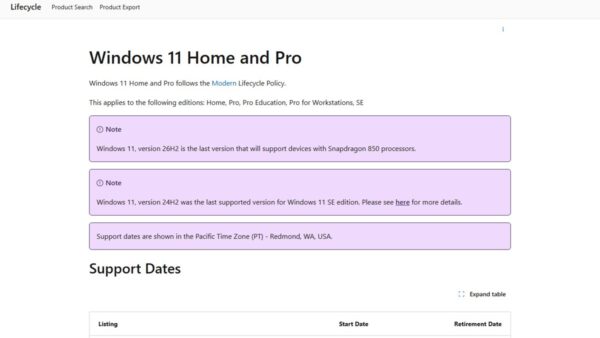
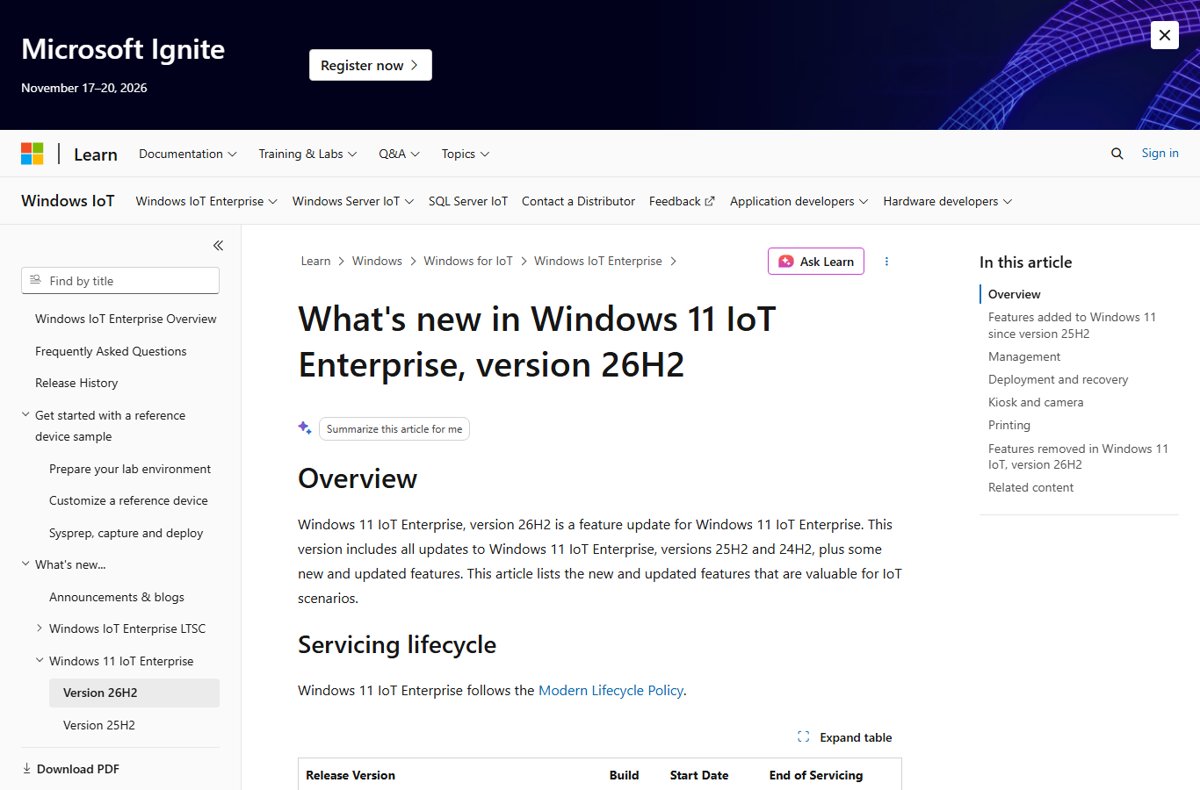
Windows 11 IoT Enterprise, version 26H2 shipped on 29 September 2026 with servicing until 9 October 2029, but there is no 26H2 LTSC release: Windows 11 IoT Enterprise LTSC 2024 and Enterprise LTSC 2024, both based on 24H2, remain the current long-term servicing editions.
This guide lists what ships through which channel and when, how the requirements differ between the general availability and LTSC editions, and which one a fixed-function device should run.
What ships when: 26H2 by edition
| Edition | 26H2 status | End of servicing |
|---|---|---|
| Windows 11 IoT Enterprise (non-LTSC) | Available from 29 September 2026, build 26300 | 9 October 2029 (36 months) |
| Windows 11 Enterprise and Education | Available from 29 September 2026 | 9 October 2029 (36 months) |
| Windows 11 IoT Enterprise LTSC | No 26H2 release; LTSC 2024 (build 26100, based on 24H2) is the latest | LTSC 2024: 10 October 2034 |
| Windows 11 Enterprise LTSC | No 26H2 release; LTSC 2024 is the latest | LTSC 2024: 9 October 2029, no extended support |
| Windows 11 IoT Enterprise on 26H1 | Not supported on version 26H1 | Not applicable |
Microsoft has not announced the next LTSC release or its date. Its LTSC overview says only that new LTSC releases arrive every several years rather than annually.
Windows 11 IoT Enterprise 26H2 release and support dates
IoT Enterprise 26H2 follows the Modern Lifecycle Policy, the same as Enterprise and Education, so it gets 36 months from release rather than the 10 years of an LTSC edition.
| Milestone | Date | Source detail |
|---|---|---|
| General availability | 29 September 2026 | Build 26300, same as every 26H2 edition |
| Windows Update, Windows Autopatch, Microsoft 365 admin center | From 29 September 2026 | Admin center downloads can be delayed |
| Windows Server Update Services (WSUS) | 13 October 2026 | Arrives with the October security update |
| OEM preinstallation | Available now | OEMs can preinstall 26H2 on new devices |
| End of servicing | 9 October 2029 | Microsoft's lifecycle page lists 8 October 2029 because it uses Pacific Time |
Microsoft also notes that 26H2 is the last Windows 11 version to support devices with Snapdragon 850 processors. The wider 26H2 servicing timeline covers every edition.
How to get IoT Enterprise 26H2 on existing devices
Microsoft lists 26H2 as an upgrade for devices already running Windows 11 IoT Enterprise (non-LTSC), not for LTSC editions. Pick the channel you already manage the device with.
| How the device is managed | Route to 26H2 | When |
|---|---|---|
| Standalone, updated from Windows Update | Settings > Windows Update, then install Windows 11, version 26H2 when offered | Phased rollout from 29 September 2026 |
| Windows Autopatch | Deploy 26H2 through Windows Autopatch | From 29 September 2026 |
| WSUS | Deploy the 26H2 feature update from WSUS | From 13 October 2026 |
| Media from the Microsoft 365 admin center | Get 26H2 through the Microsoft 365 admin center | Available, but can lag the other channels |
| Windows 10 IoT Enterprise 22H2 | Update to Windows 11 IoT Enterprise 23H2, 22H2 or 21H2 first | Direct upgrade to 26H2, 25H2 or 24H2 is not supported |
| Windows 11 IoT Enterprise LTSC 2024 | Stay on LTSC 2024; there is no 26H2 LTSC to move to | Next LTSC not announced |
On 24H2 and 25H2 the move is a small enablement package with one restart. Rollout rings, WSUS approval and Intune policies are covered in the 26H2 enterprise deployment guide.
Should a device run IoT Enterprise 26H2 or stay on LTSC 2024?
| Your situation | Run this | Why |
|---|---|---|
| Device needs regulatory certification or must behave the same for years | IoT Enterprise LTSC 2024 | Features do not change for the 10-year lifecycle |
| Device has 2 GB of RAM or 16 GB of storage | IoT Enterprise LTSC 2024 | The non-LTSC optional minimum is 4 GB of RAM and 64 GB of storage |
| You want Administrator protection, built-in Sysmon or post-quantum crypto APIs | IoT Enterprise 26H2 | These arrived after 24H2 and LTSC 2024 does not gain features |
| Kiosk, signage or point-of-sale fleet refreshed every few years | IoT Enterprise 26H2 | Kiosk, printing and camera improvements, with a yearly feature update path |
| General-purpose desktops | Windows 11 Enterprise 26H2 | IoT Enterprise LTSC licences are for fixed-function devices only |
Moving from one LTSC release to the next needs a new licence, so plan LTSC hardware around its full 10-year window.
Hardware requirements: IoT Enterprise 26H2 vs LTSC 2024
Microsoft publishes preferred minimums that match consumer PCs and lower optional minimums for specialized devices. For non-LTSC IoT Enterprise, the 24H2-or-later column applies to 26H2.
| Component | IoT Enterprise 24H2 or later (optional minimum) | IoT Enterprise LTSC (optional minimum) | Preferred minimum (both) |
|---|---|---|---|
| Processor | 1 GHz, 2 cores | 1 GHz, 2 cores | 1 GHz, 2 cores |
| Memory | 4 GB | 2 GB | 4 GB |
| Storage | 64 GB | 16 GB | 64 GB SSD |
| Storage type | SSD, HDD, SSHD or flash (eMMC, SD, USB) | SSD, HDD, SSHD or flash (eMMC, SD, USB) | SSD |
| Firmware | BIOS | BIOS | UEFI |
| TPM | Optional | Optional | TPM 2.0 |
| Secure Boot | Optional | Optional | Enabled |
| DirectX | DirectX 10 or none | DirectX 10 or none | DirectX 12 |
| Display | Custom size or none | Custom size or none | 9-inch, 720p |
Leaving out a TPM can break software an end user later installs, so use the optional column only for true appliance-style devices.
What IoT Enterprise 26H2 adds for devices
IoT Enterprise 26H2 carries everything in the general 26H2 release. These are the changes Microsoft singles out as useful for IoT scenarios.
| Area | Change |
|---|---|
| Security | Administrator protection (off by default), built-in Sysmon (off by default), ML-KEM and ML-DSA crypto APIs, standalone ML-KEM for TLS, batch files locked during execution, Smart App Control toggle without reinstall |
| Kiosk | Simpler Microsoft Edge setup in multi-app kiosk mode |
| Camera | Multi-App Camera and Basic Camera mode managed by Group Policy; pan and tilt controls for supported cameras |
| Printing | Protected Print Mode indicator; Windows Ready Print installs printers with the IPP class driver by default |
| Setup and imaging | Custom user-profile folder name during Windows Setup; policy-based removal of preinstalled Microsoft apps |
| Recovery | Point-in-time restore; quick machine recovery one-time scan (off on managed devices unless enabled) |
| Servicing | Eligible updates combined with the monthly security update to cut restarts |
| Command line | A built-in terminal text editor, edit |
| Arm64 | Remote Server Administration Tools now run on Arm64 |
What to check before upgrading IoT devices to 26H2
| Change | What can break | What to do |
|---|---|---|
| WMIC removed | Provisioning or monitoring scripts that call wmic |
Move them to PowerShell CIM cmdlets; WMI itself is still supported |
| Default trust for cross-signed drivers removed | Older peripheral drivers outside the Windows Hardware Compatibility Program | Audit drivers first; enforcement starts after at least 100 hours and three restarts of auditing |
| MSHTA inline scripts blocked | Automation that passes script straight to mshta.exe |
Rewrite it before the upgrade |
| Machine Identity Isolation honored | Domain sign-in on devices with enforcement set but no Windows Server 2025 domain controllers | Disable the setting with the tool that enabled it |
Microsoft lists the domain trust problem and two other mitigated issues on its release health page; the 26H2 known issues guide has the workarounds.
How to check which edition and version a device runs
- Right-click Start and choose Settings.
- Select System, then About.
- Under Windows specifications, read Edition to confirm whether the device runs an IoT Enterprise or IoT Enterprise LTSC edition.
- Read Version: 26H2 with an OS build starting 26300 means the device is on 26H2; LTSC 2024 shows build 26100.
- On a volume-licensed LTSC device, open Command Prompt and run
slmgr /dlito confirm activation status.
Frequently asked questions
Is there a Windows 11 26H2 LTSC?
No. Microsoft has not released an LTSC edition based on 26H2. Windows 11 Enterprise LTSC 2024 and IoT Enterprise LTSC 2024, both built on 24H2 (build 26100), are the latest LTSC releases, and Microsoft has not announced the next one.
When did Windows 11 IoT Enterprise 26H2 come out?
Windows 11 IoT Enterprise, version 26H2 became available on 29 September 2026 through Windows Update, Windows Autopatch and the Microsoft 365 admin center. It reaches WSUS on 13 October 2026 with the October security update.
How long is Windows 11 IoT Enterprise 26H2 supported?
IoT Enterprise 26H2 gets servicing until 9 October 2029, which is 36 months under the Modern Lifecycle Policy. That matches Enterprise and Education, and is far shorter than the 10 years Microsoft gives each IoT Enterprise LTSC release.
Can I upgrade Windows 11 IoT Enterprise LTSC 2024 to 26H2?
Microsoft lists the 26H2 upgrade for devices running non-LTSC Windows 11 IoT Enterprise, not for LTSC 2024. LTSC 2024 keeps receiving monthly quality updates without new features, and moving to a later LTSC release requires a new licence.
How long is Windows 11 Enterprise LTSC 2024 supported?
Windows 11 Enterprise LTSC 2024 reaches end of updates on 9 October 2029 and has no extended support. Only Windows 11 IoT Enterprise LTSC 2024 gets extended support, which runs until 10 October 2034.
Does Windows 11 IoT Enterprise 26H2 need a TPM?
Not strictly. For IoT Enterprise 24H2 and later, Microsoft's optional minimum requirements make TPM and Secure Boot optional and allow BIOS firmware. The preferred minimum is still TPM 2.0 with Secure Boot enabled, and skipping it can break software that needs a TPM.
Is IoT Enterprise supported on Windows 11 26H1?
No. Microsoft states that IoT Enterprise edition is not supported on Windows 11, version 26H1. Version 26H1 targets new devices that launched in early 2026, while IoT Enterprise continues on the 24H2, 25H2 and 26H2 line.
Can a Windows 10 IoT Enterprise device go straight to 26H2?
No. A Windows 10 IoT Enterprise 22H2 device updating through Windows Update must first move to Windows 11 IoT Enterprise 23H2, 22H2 or 21H2. Microsoft does not support a direct upgrade to 26H2, 25H2 or 24H2.
Bottom line
Keep fixed-function and certified devices on LTSC 2024, and move general IoT Enterprise fleets to 26H2 through your usual channel. No 26H2 LTSC exists, so LTSC buyers lose nothing by waiting; IoT Enterprise 26H2 adds a year of servicing over 25H2 and new security controls, with WSUS approval possible from 13 October 2026. For the consumer-facing side of this release, start at the 26H2 overview.