An SAP Concur download takes about a minute on any device. On a phone, you get the free SAP Concur app from the App Store or Google Play. On a Windows 11 or Windows 10 PC or a Mac, you install the Concur web sign-in at www.concursolutions.com as a desktop app from Edge, Chrome or Safari.
Both routes sign in with the account your company set up, so expense reports, receipts, trips and approvals match on every device.
This guide covers which download fits each device, the official links, install steps for Windows and Mac, first sign-in, and fixes for the Concur app not installing or signing in.
Which SAP Concur download do you need?
Match your device to a row. Phone rows install from the store, desktop rows install from the browser.
| Your device | What to install | Size |
|---|---|---|
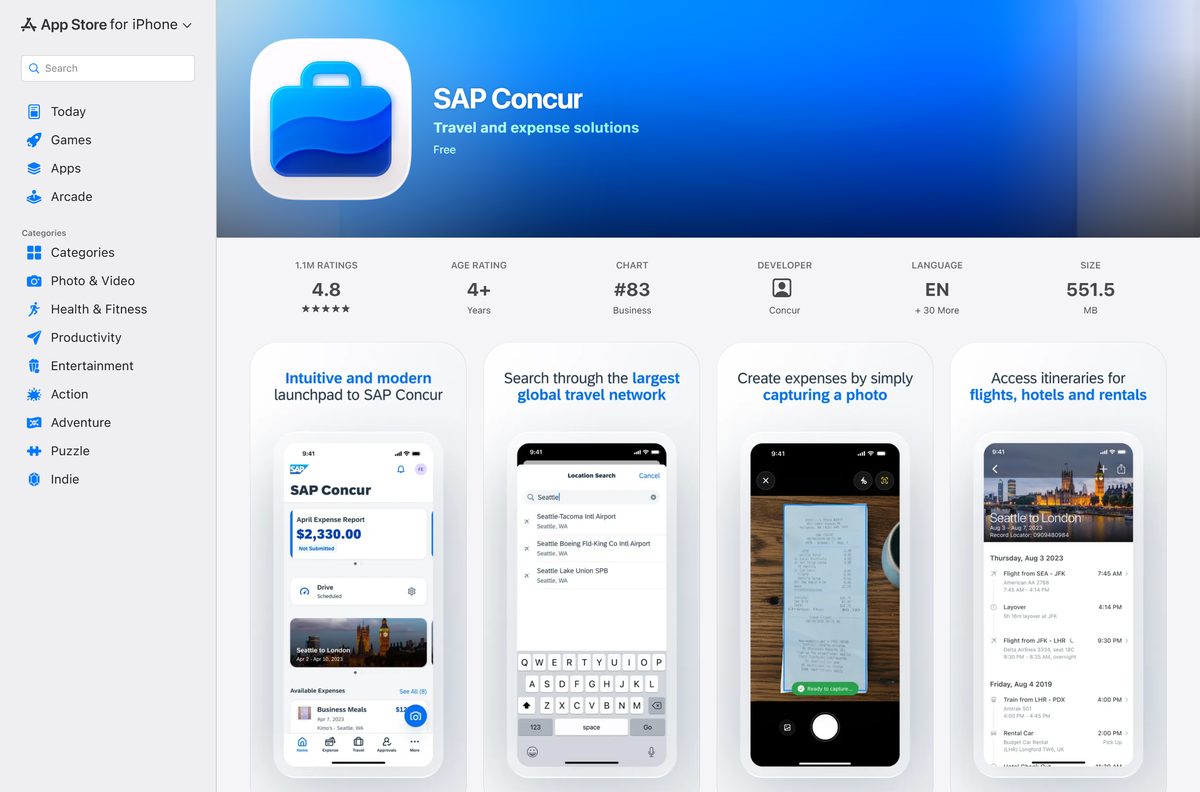
| iPhone or iPad on iOS 18.0 or later | SAP Concur on the App Store | 551.5 MB |
| Android phone or tablet | SAP Concur on Google Play | Play states no size |
| Windows 11 or Windows 10 PC | Concur web sign-in, installed as an app in Edge or Chrome | Nothing to download |
| Mac on macOS Sonoma 14 or later | Concur web sign-in, added to the Dock from Safari | Nothing to download |
Every row needs an SAP Concur account from your employer. The app does nothing on its own.
Download SAP Concur from the official sources
SAP Concur publishes the mobile app on these listings and links both from its own product page. Use these links and nothing else.
- SAP Concur on the App Store — 551.5 MB · developer Concur, iOS 18.0 or later
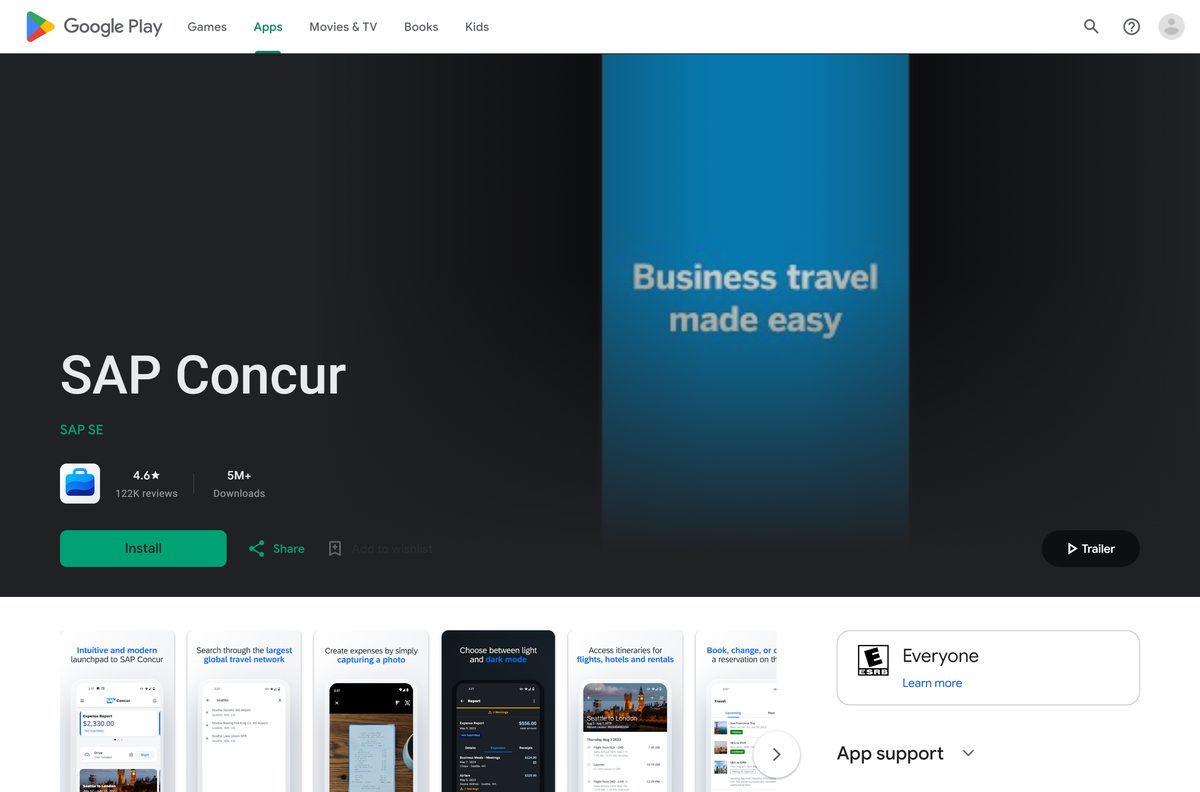
- SAP Concur on Google Play — SAP SE, 5M+ downloads
- SAP Concur mobile app page — concur.com page with both store links
- SAP Concur end user support — points to the web sign-in at www.concursolutions.com
The App Store listing shows 4.8 stars from 1.1 million ratings. Google Play shows 4.6 stars from 122K reviews.
Check the SAP Concur requirements
The desktop route has no hardware floor of its own. The browser you use sets the minimum.
| Field | Value |
|---|---|
| App | SAP Concur |
| Developer | Concur (SAP SE) |
| Latest version | 10.35.0 on iPhone and iPad (14 September 2026); web-based and auto-updating on PC and Mac |
| Price | Free app; needs an active SAP Concur subscription held by your employer |
| iPhone and iPad | iOS 18.0 or later, 551.5 MB |
| Android | Google Play, updated 9 September 2026 |
| Windows | Windows 11 and Windows 10 through www.concursolutions.com in Edge or Chrome |
| Mac | www.concursolutions.com in a browser; the Safari web app needs macOS Sonoma 14 or later |
| Architecture | No desktop build; runs in the browser on any processor it supports |
| Offline installer | None |
| Account | Company SAP Concur account for Concur Travel, Expense or Invoice |
| Languages | English plus 30 more on the App Store |
| Official source | concur.com, the App Store and Google Play |
| Last verified | 2026-09-25 |
How to install SAP Concur on Windows 11 and 10 with Edge
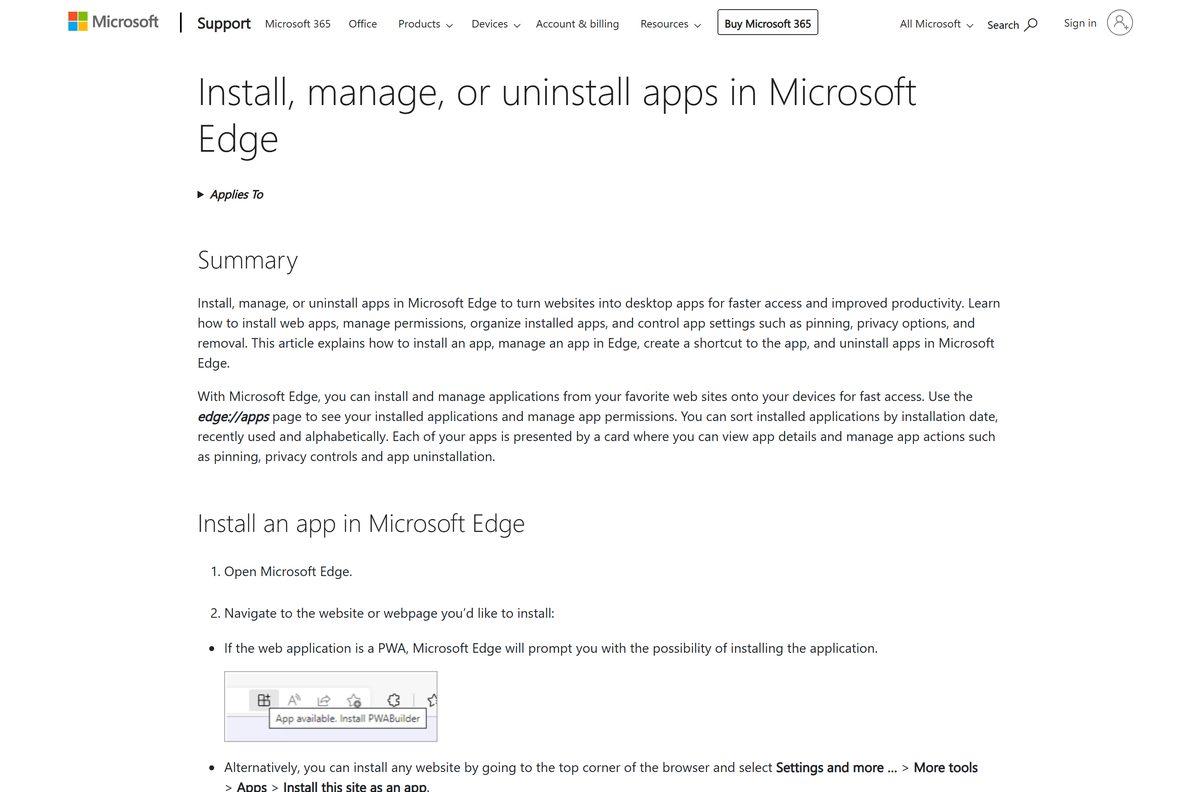
Edge turns the Concur sign-in page into a windowed app that opens from the Start menu and the taskbar. It runs without tabs or an address bar.
- Open Microsoft Edge and go to www.concursolutions.com.
- Sign in with the details your company gave you.
- Select Settings and more, the three-dot button at the top right.
- Select More tools, then Apps, then Install this site as an app.
- Name the app SAP Concur and select Install.
- Go to edge://apps, select Details on the SAP Concur card, then Pin to taskbar or Pin to Start.
A Microsoft Store search for SAP Concur returns other SAP SE apps but no Concur app, so the Edge route is the Windows install.
Install SAP Concur on Windows with Chrome instead
Chrome builds the same windowed app if it is your main browser.
- Open Chrome and go to www.concursolutions.com.
- Sign in, so the app opens on your SAP Concur home page.
- Select More, the three-dot button at the top right.
- Select Cast, save, and share, then Install page as app.
- Name the app and select Install.
- Right-click the new window’s taskbar icon and select Pin to taskbar.
Some sites show an Install button at the right of the address bar, which does the same job in one click.
How to check an SAP Concur download is genuine
Concur holds your receipts, expense reports and travel bookings. Check the publisher and the address before you sign in.
- On the App Store, confirm the developer reads Concur.
- On Google Play, confirm the name under the title reads SAP SE.
- On a PC or Mac, confirm the address bar shows concursolutions.com before you enter your password.
- Delete any .exe, .msi or .dmg that claims to be the SAP Concur app, because SAP Concur publishes none.
Concur also publishes Complete SAP Concur & Amex GBT on the App Store. That is a separate app, not the SAP Concur app.
Which SAP Concur download do you need for your Mac?
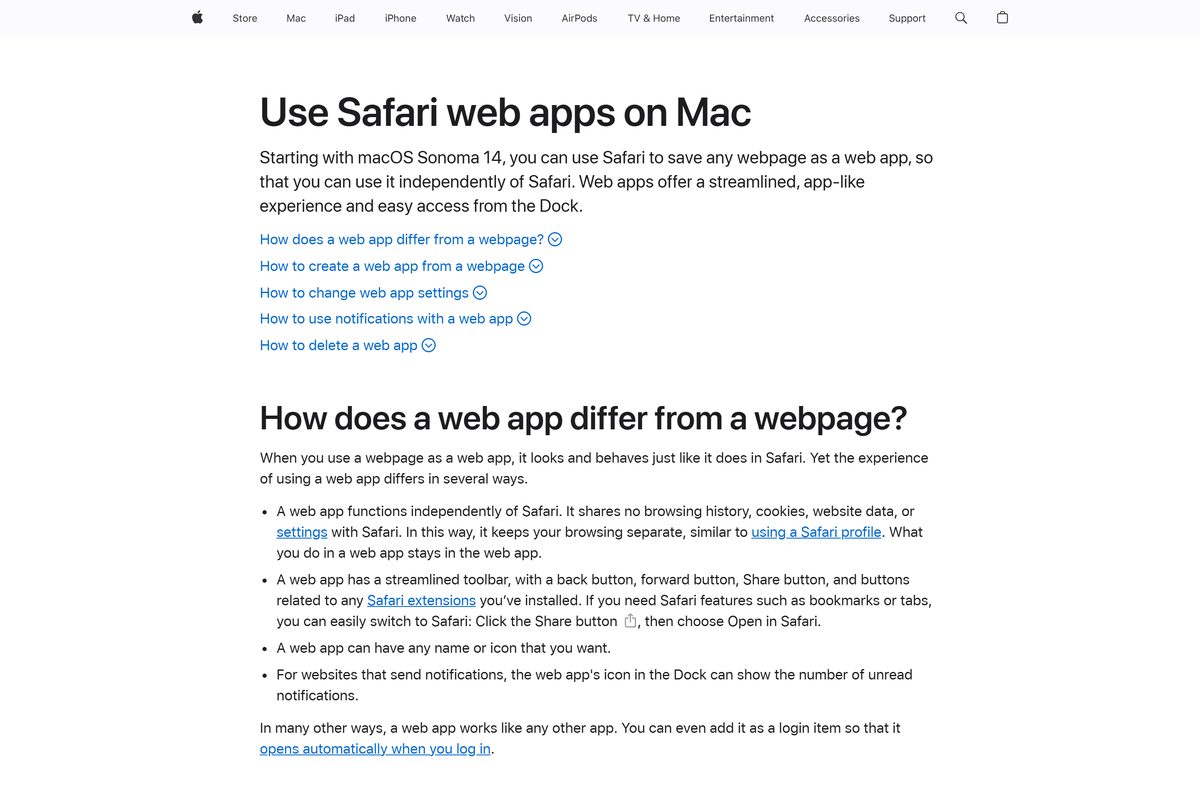
The App Store version of SAP Concur covers iPhone and iPad, and a Mac App Store search for Concur returns no Concur app. On a Mac, Concur runs as a web app.
| Your Mac | What to do | Source |
|---|---|---|
| macOS Sonoma 14 or later | Safari: File > Add to Dock on the Concur sign-in page | Apple |
| Older macOS with Chrome | Chrome: More > Cast, save, and share > Install page as app | |
| You also snap receipts on an iPhone | SAP Concur on the App Store, 551.5 MB | Apple App Store |
To add the Safari app, open www.concursolutions.com, choose File > Add to Dock, type a name and click Add. The Share button in the Safari toolbar also offers Add to Dock.
Is SAP Concur free?
Yes, the SAP Concur app is free to download, but it only works with your employer’s SAP Concur account. The App Store and Google Play list the app as free. concur.com states that using it requires an active SAP Concur subscription, and the store listings call it a companion app for existing users of SAP Concur solutions. Your company pays for Concur Travel, Concur Expense or Concur Invoice, and the app gives you access to those services.
Companies get SAP Concur pricing through Request a quote on concur.com, not through the app.
Should you use the SAP Concur phone app or the web version on your PC?
Use the phone app to capture receipts and approve on the go, and the web version on your PC for building and reviewing full expense reports. The phone app snaps receipt photos into expense reports, captures mileage automatically, books travel and approves expense reports, invoices and travel requests. concur.com adds offline receipt capture and report drafting. A PC or Mac gives the full SAP Concur site on a larger screen, with Help and Get Assistance for company training and guides.
Your company decides which Concur features you see, so some items in the app description may not appear for you.
How to update the SAP Concur app
The web app on a PC or Mac has no version number. It loads the current SAP Concur site every time it opens.
- On an iPhone, open the App Store, tap your profile picture and scroll to pending updates.
- Tap Update next to SAP Concur.
- On Android, open Google Play, tap your profile picture, then Manage apps & device.
- Tap Updates available, find SAP Concur and tap Update.
- On a PC or Mac, keep Edge, Chrome or Safari up to date, because the web app runs inside the browser.
The App Store listed version 10.35.0, released on 14 September 2026, with support for iOS 27. Google Play publishes no version string.
How to sign in to SAP Concur for the first time
Your company creates your SAP Concur account. You cannot sign up for one from the app.
- If you have no SAP Concur account yet, ask your company for access first.
- Open the SAP Concur app on your phone, or go to www.concursolutions.com on your PC or Mac.
- Sign in with the details your company gave you.
- Select Help or Get Assistance for your company’s Concur training, guides and resources.
- Open Company Notes to find who handles Concur questions inside your company.
SAP Concur says internal support usually comes from the people who approve expense reports, invoices or travel.
Fix SAP Concur not installing or signing in
The Microsoft Store has no SAP Concur app
SAP Concur publishes no Windows package, and the Store only lists other SAP SE apps.
- Open www.concursolutions.com in Edge or Chrome.
- Install the page as an app with the steps above.
- Ignore Store results from other publishers that use the Concur name.
The iPhone app will not install
SAP Concur 10.35.0 needs iOS 18.0 or later.
- Open Settings > General > About to check the iOS version.
- Update through Settings > General > Software Update.
- On an iPhone that cannot update, sign in at www.concursolutions.com in Safari instead.
You cannot sign in or have no account
The app is a companion for existing users of SAP Concur solutions, set up by your company.
- Confirm your company uses Concur Travel, Concur Expense or Concur Invoice.
- Ask the person who approves your expense reports or travel for access.
- Check the SAP Concur service status at open.concur.com if sign-in fails for everyone at once.
Add to Dock is missing in Safari
Safari web apps need macOS Sonoma 14 or later.
- Open the Apple menu and select About This Mac to check the macOS version.
- Update macOS if the Mac supports Sonoma or later.
- On an older Mac, install the Concur site as an app from Chrome instead.
How to uninstall SAP Concur from a PC, Mac or phone
Removing the app removes a window and a shortcut. Your expense reports, receipts and trips stay in your company’s SAP Concur account.
- In Edge, go to edge://apps, select Details on the SAP Concur card, then Uninstall, and confirm.
- In Chrome, open the SAP Concur app window, select More, then Uninstall, and select Remove.
- Tick Also delete data from Chrome first to clear what the app stored.
- On a Mac, open your home folder in Finder, open Applications and drag the SAP Concur web app to the Trash.
- On an iPhone or Android phone, press and hold the SAP Concur icon and choose the remove or uninstall option.
Which SAP Concur resource should you use instead of the app?
SAP Concur runs several help and status sites. Each one answers a different problem.
| Resource | Who uses it | Use it for |
|---|---|---|
| Complete SAP Concur & Amex GBT | Companies that roll out Complete | Booking, trip servicing and expenses in one app |
| SAP Concur end user support | Travelers and expense filers | Finding help, training and the web sign-in |
| SAP Concur service status | Anyone who cannot reach Concur | Checking for an outage |
| SAP Help Portal for SAP Concur | Administrators and power users | Guides and release notes |
Install Complete only if your company tells you to. Otherwise the SAP Concur app is the one that matches your account.
Frequently asked questions
Is SAP Concur free to download?
Yes. The App Store and Google Play list SAP Concur as free. It needs an active SAP Concur subscription, which your employer pays for, and it works only with the account your company set up.
What is the official SAP Concur download page?
Use SAP Concur on the App Store for iPhone and iPad, and on Google Play for Android. concur.com links both from its mobile app page. On a PC or Mac, sign in at www.concursolutions.com.
Can I download SAP Concur on Windows 11?
Yes, as a web app. Open www.concursolutions.com in Edge, select Settings and more, then More tools, Apps and Install this site as an app. SAP Concur then opens from the Start menu and the taskbar.
How big is the SAP Concur download?
The iPhone and iPad app is 551.5 MB on the App Store. Google Play shows no size for the Android app. The desktop route downloads no installer, because SAP Concur runs inside the browser.
Is there an SAP Concur .exe or offline installer for PC?
No. SAP Concur publishes no .exe, .msi or .dmg, and the Microsoft Store has no Concur app. Install the Concur site as an app from Edge or Chrome, which needs an internet connection.
Is there an SAP Concur app for Mac?
Yes, as a web app. On macOS Sonoma 14 or later, open www.concursolutions.com in Safari and choose File, then Add to Dock. The App Store version covers iPhone and iPad only.
Can I use SAP Concur without a company account?
No. The store listings call it a companion app for existing users of SAP Concur solutions. If your company does not use Concur Travel, Concur Expense or Concur Invoice, there is nothing to sign in to.
Who do I contact if I cannot sign in to SAP Concur?
Start with your company. SAP Concur says internal support usually comes from the people who approve your expense reports, invoices or travel, and their details appear in Company Notes.