The Vulkan SDK download is free from LunarG at vulkan.lunarg.com, with installers for Windows 11 and 10 (x64 and ARM64), macOS and Linux. It gives developers the Vulkan headers, validation layers, shader compilers and debugging tools needed to build Vulkan apps.
Below: which file fits your machine, install steps for Windows and Mac, silent setup, checksum checks, system requirements and fixes for common install problems.
Which Vulkan SDK download do you need?
LunarG builds a separate SDK for each platform. Match your machine to a row and use that link.
| Your machine | File | Size | Link |
|---|---|---|---|
| Windows 10 or 11 PC with an Intel or AMD CPU | vulkansdk-windows-X64-1.4.357.0.exe | 274.6 MB | Windows x64 SDK |
| Windows 11 PC with an ARM64 chip, such as Snapdragon | Windows ARM64 SDK 1.4.357.0 | 493.8 MB | Windows ARM64 SDK |
| Mac with Apple silicon or an Intel CPU | vulkansdk-macos-1.4.357.1.zip | 358.7 MB | macOS SDK |
| Linux PC (x86_64) | vulkansdk-linux-x86_64-1.4.357.1.tar.xz | 314.3 MB | Linux SDK |
| You only want to play a Vulkan game | Your GPU vendor’s driver, not the SDK | Varies | LunarG SDK page |
Check your CPU type in Settings > System > About, next to System type. “ARM-based processor” means you need the ARM64 SDK.
Download the Vulkan SDK from LunarG
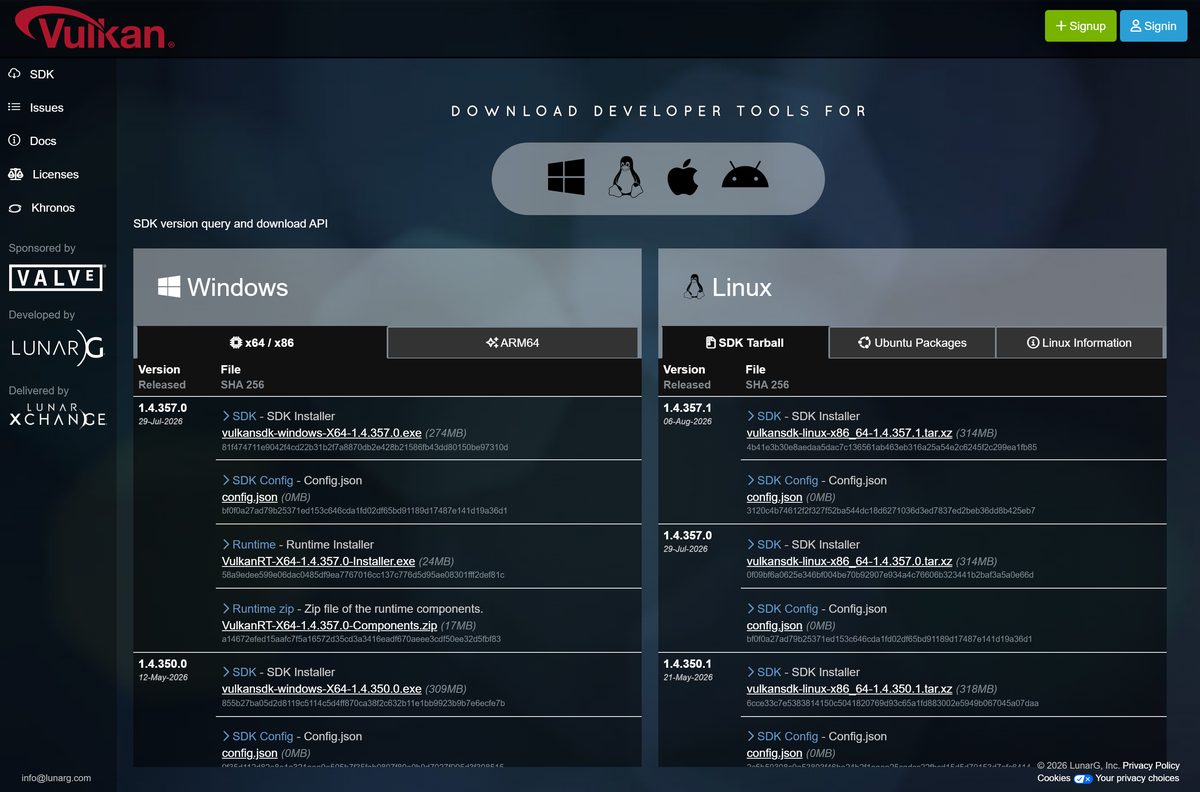
Every link below points to LunarG’s own servers. The first link opens the full release list with SHA-256 hashes; the others always fetch the newest build for that platform.
- Vulkan SDK download page (all versions) — vulkan.lunarg.com
- Latest Windows x64 SDK — 274.6 MB · 1.4.357.0
- Latest Windows ARM64 SDK — 493.8 MB · 1.4.357.0
- Latest macOS SDK — 358.7 MB · 1.4.357.1
- Latest Linux SDK tarball — 314.3 MB · 1.4.357.1
Windows users also see a separate Runtime Installer (VulkanRT-X64-1.4.357.0-Installer.exe, 24 MB) on the download page. It installs only the Vulkan loader for shipping apps, not the SDK tools.
How to install the Vulkan SDK on Windows 11 and 10
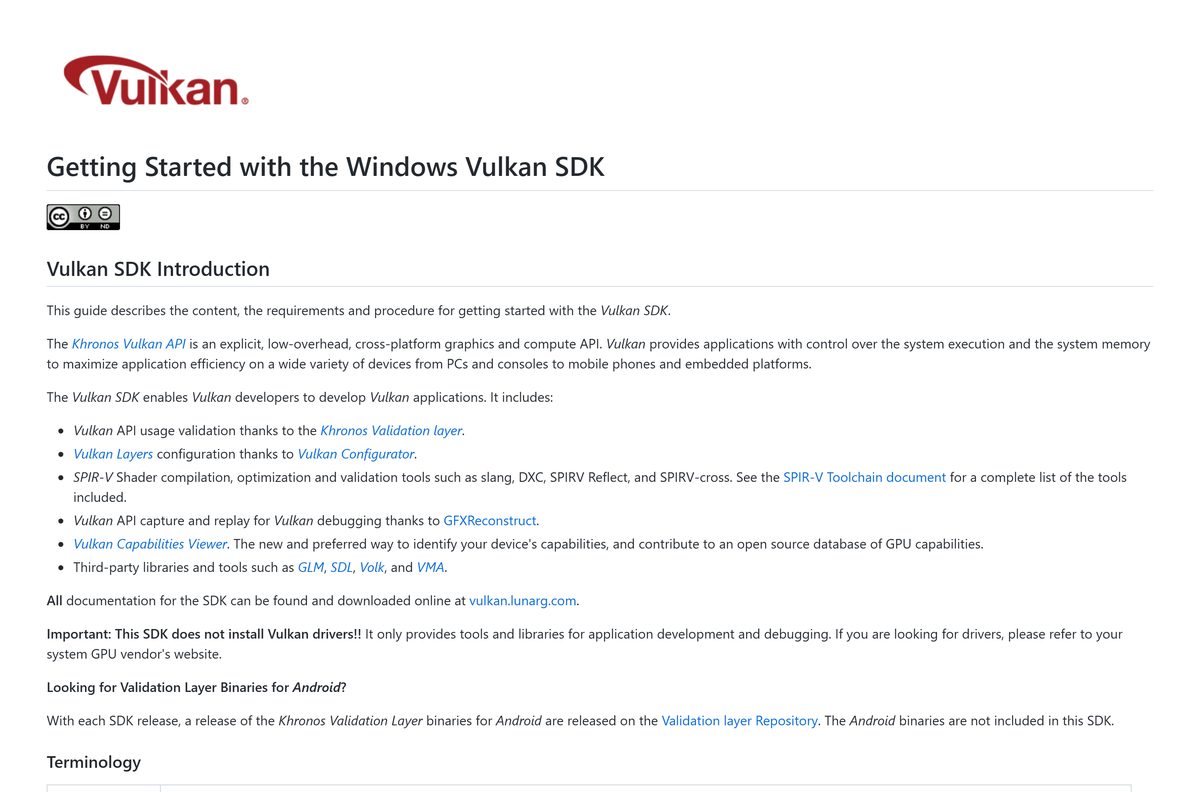
- Install the latest graphics driver from your GPU vendor. The SDK does not install Vulkan drivers.
- Open vulkan.lunarg.com/sdk/home and select the Windows tab, then x64 / x86 or ARM64.
- Select the SDK Installer file for the top version and save it.
- Double-click the downloaded .exe and select Yes at the User Account Control prompt.
- Select Next, keep the default folder C:\VulkanSDK\1.4.357.0 or pick another, then select Next.
- Tick any optional components you want, such as SDL2, GLM, Volk or Vulkan Memory Allocator.
- Accept the license agreements and select Install.
- Select Finish, then close and reopen any Command Prompt or IDE so it picks up the new VULKAN_SDK variable.
- Open Command Prompt and run vkcube. A spinning cube confirms the SDK and your driver work.
Setup sets VULKAN_SDK and VK_SDK_PATH to the install folder and adds %VULKAN_SDK%\Bin to the system PATH.
Install the Vulkan SDK silently on many PCs
LunarG ships no MSI. The .exe accepts Qt Installer Framework switches instead. Run the command from an elevated Command Prompt.
| Task | Command or file |
|---|---|
| Get the installer | vulkansdk-windows-X64-1.4.357.0.exe (274.6 MB) |
| Core SDK, no prompts | vulkansdk-windows-X64-1.4.357.0.exe –accept-licenses –default-answer –confirm-command install |
| Custom folder | vulkansdk-windows-X64-1.4.357.0.exe –root D:\SDKs\Vulkan-1.4.357.0 –accept-licenses –default-answer –confirm-command install |
| Add optional components | append com.lunarg.vulkan.glm com.lunarg.vulkan.volk com.lunarg.vulkan.vma to the install command |
| Copy files only, skip registry and PATH | append copy_only=1 to the install command |
| List optional components | vulkansdk-windows-X64-1.4.357.0.exe search |
| List installed components | maintenancetool.exe list |
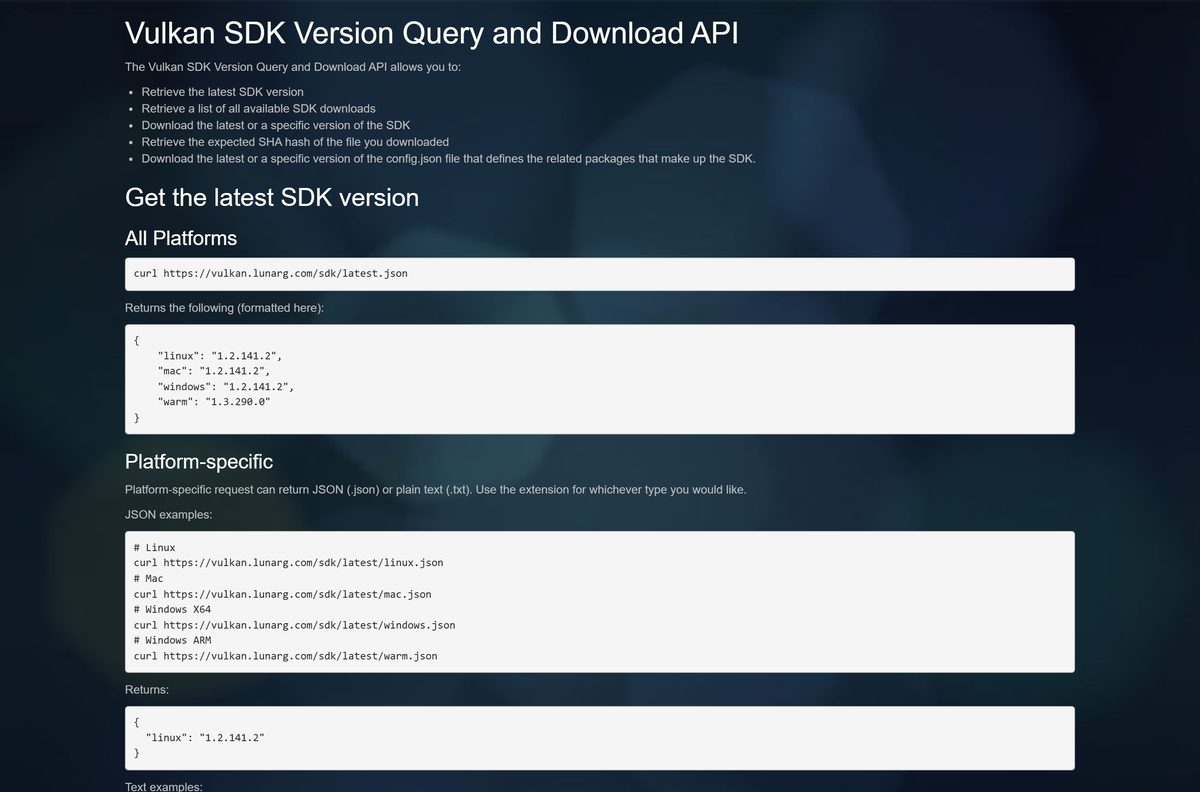
For scripted downloads, the SDK version API returns the newest version number per platform at vulkan.lunarg.com/sdk/latest.json. Test the command on one machine before you push it to a fleet.
How to verify the Vulkan SDK installer
- Open the download page and copy the SHA 256 value under your file. For vulkansdk-windows-X64-1.4.357.0.exe it starts 81f47471.
- Open Command Prompt in your Downloads folder.
- Run certutil -hashfile vulkansdk-windows-X64-1.4.357.0.exe SHA256.
- Compare the output with the value on the page. Every character must match.
- On a Mac or Linux PC, run shasum -a 256 followed by the file name instead.
- Delete the file and download it again from LunarG if the hashes differ.
Which Vulkan SDK download do you need for your Mac?
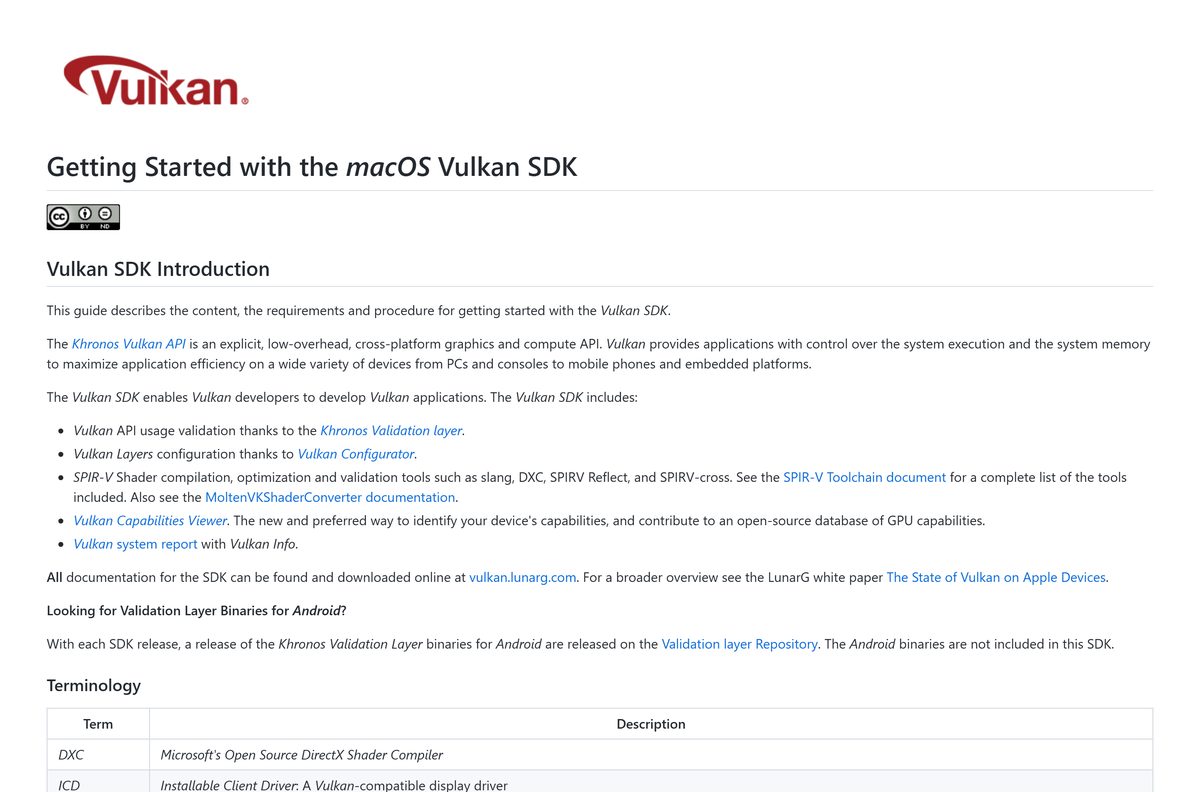
macOS has no native Vulkan driver. The SDK runs Vulkan on top of Apple’s Metal API through MoltenVK, and one zip covers both chip types.
| Your Mac | What you get | Link |
|---|---|---|
| Apple silicon Mac on macOS 26 Tahoe | MoltenVK plus the KosmicKrisp preview driver, which needs Apple silicon and macOS 26 | vulkansdk-macos-1.4.357.1.zip |
| Apple silicon Mac on macOS 15 Sequoia | MoltenVK driver and Universal libraries | vulkansdk-macos-1.4.357.1.zip |
| Intel Mac on macOS 15 or 26 | MoltenVK driver and Universal libraries; KosmicKrisp does not run on Intel | vulkansdk-macos-1.4.357.1.zip |
| Mac on macOS 14 or older | Not covered by LunarG’s support policy for the current SDK | LunarG SDK page |
To install, double-click the .zip, then open the vulkansdk-macOS-1.4.357.1 app. Pick a destination folder such as ~/VulkanSDK/1.4.357.1 and enter your password when asked.
Tick System Global Installation to copy the loader and MoltenVK into /usr/local. Install the latest Xcode (currently 26.x) to build apps against the SDK.
Is the Vulkan SDK free?
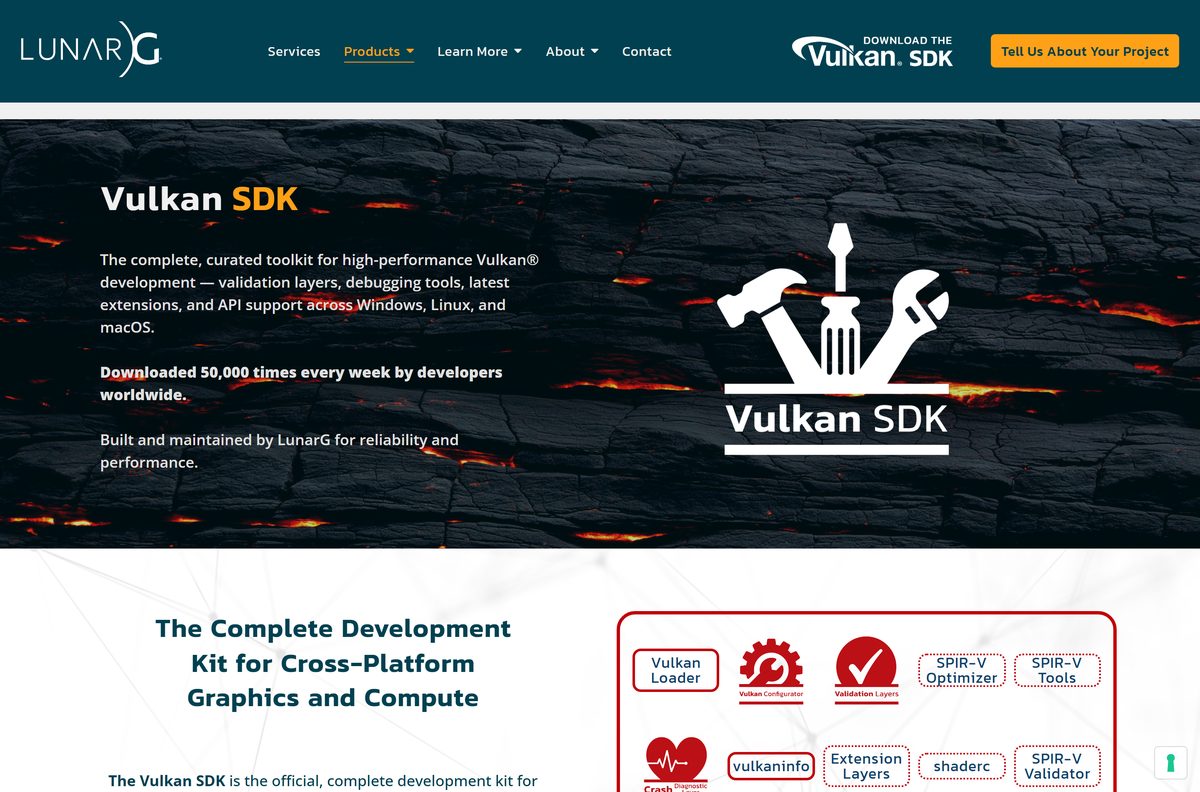
Yes. The Vulkan SDK is free on Windows, macOS and Linux. LunarG builds and publishes it, with sponsorship from Valve, and every installer downloads from vulkan.lunarg.com without a purchase or an account. The bundled components are open source, and the installer asks you to accept their licenses.
A site that sells a Vulkan SDK “license key” or a paid “pro” edition is not LunarG. Download from vulkan.lunarg.com only.
Choose between the Vulkan SDK, Vulkan Runtime and a GPU driver
Install the Vulkan SDK only if you write or debug Vulkan code. Gamers need just an up-to-date GPU driver. The Vulkan loader ships with NVIDIA, AMD, Intel and Qualcomm driver packages, so games run without the SDK. The separate Vulkan Runtime installer exists for developers who bundle the loader with their own app.
The SDK adds validation layers, Vulkan Configurator, GFXReconstruct capture and replay, shader compilers and headers. None of these make games run faster.
How to check your Vulkan SDK version and update it
- Open Command Prompt and run echo %VULKAN_SDK%. The folder name, such as C:\VulkanSDK\1.4.357.0, is the active SDK version.
- Run vulkaninfoSDK to see your Vulkan Instance Version (the loader) and each GPU’s apiVersion (the driver).
- Compare your version with the top row on the download page.
- Download and run the newer installer. It installs next to the old one in its own folder.
- Reopen your shells and IDE. PATH and VULKAN_SDK now point to the newest SDK.
- Remove old versions from Settings > Apps > Installed apps once your project builds on the new one.
To go back to a version older than 1.2.189.1, uninstall every newer SDK first. On a Mac, run echo $VULKAN_SDK after sourcing setup-env.sh to see the active version.
Check Vulkan SDK system requirements
| Field | Value |
|---|---|
| Software | Vulkan SDK |
| Developer | LunarG, Inc. |
| Latest version | 1.4.357.0 (Windows, 29 July 2026); 1.4.357.1 (macOS and Linux, 6 August 2026) |
| License | Free |
| Windows x64 | Windows 10 64-bit or later, 8 GB memory, about 1 GB free disk |
| Windows ARM64 | Windows 11 ARM 64-bit, 8 GB memory, about 1 GB free disk |
| macOS | macOS 15 Sequoia or macOS 26 Tahoe; latest Xcode (26.x) to build apps |
| Linux | x86_64 tarball; Ubuntu packages also listed |
| GPU driver | A Vulkan driver (ICD) from your GPU vendor |
| File size | 274.6 MB (Windows x64 installer) |
| Offline installer | Yes; optional components download during setup |
| Official download source | vulkan.lunarg.com |
| Last verified | 2026-09-25 |
All Windows SDK binaries are built with Visual Studio 2022, and the bundled project templates target Visual Studio 2022.
Check which tools the Vulkan SDK installs
| Tool | What you use it for |
|---|---|
| Khronos Validation layer | Catches incorrect Vulkan API use during development |
| Vulkan Configurator (vkconfig) | Turns layers on and off per app from a GUI |
| GFXReconstruct | Captures and replays Vulkan calls; not in the ARM64 SDK |
| vulkaninfoSDK and vkcube | Reports device capabilities and tests your driver |
| Slang, DXC, glslang, SPIRV-Cross, SPIRV Reflect | Compiles, optimizes and inspects shaders |
| API dump, monitor and screenshot layers | Logs calls, shows frame rate, saves frames |
| GLM, SDL, Volk, VMA | Optional math, windowing, loader and memory libraries |
| Visual Studio templates | Starts a new Vulkan C or C++ project in Visual Studio 2022 |
Fix the Vulkan SDK not installing or not running
vkcube or vulkaninfoSDK reports no compatible driver
The SDK installs no drivers. Your GPU needs its vendor’s Vulkan driver.
- Download the current driver from NVIDIA, AMD, Intel or your PC maker.
- Install it and restart the PC.
- Run vkcube again.
An older SDK refuses to install
SDKs older than 1.2.189.1 cannot install over 1.2.189.1 or newer.
- Open Settings > Apps > Installed apps.
- Uninstall every newer Vulkan SDK, or run maintenancetool.exe in its folder.
- Run the older installer again.
Commands say vkcube or VULKAN_SDK is not found
Shells opened before setup do not see the new environment variables.
- Close every Command Prompt, PowerShell and IDE window.
- Open a new one and run echo %VULKAN_SDK%.
- Sign out and back in if the variable is still empty.
Optional components fail to download
SDL2, GLM, Volk, VMA and the cross-compile binaries come from LunarG’s servers during setup.
- Check your internet connection and proxy.
- Finish the core install without the optional components.
- Add them later with maintenancetool.exe in the SDK folder.
The download stops with a too-many-downloads error
LunarG rate-limits heavy automated downloads from one IP address.
- Add ?Human=true to the end of the SDK download URL.
- Download the file again.
How to uninstall the Vulkan SDK
- On Windows, open Settings > Apps > Installed apps.
- Find the Vulkan SDK entry, select the three dots and select Uninstall.
- Or run maintenancetool.exe in C:\VulkanSDK\1.4.357.0 to remove that version.
- Delete the leftover C:\VulkanSDK folder if no other SDK version remains.
- On a Mac, open Terminal in the SDK folder and run sudo ./MaintenanceTool.app/Contents/MacOS/MaintenanceTool –confirm-command purge.
- Run sudo ./uninstall.sh from the same folder to remove the files copied to /usr/local.
Uninstalling the SDK leaves your GPU driver and its Vulkan loader in place, so games keep working.
Frequently asked questions
Is the Vulkan SDK free?
Yes. The Vulkan SDK is free for Windows, macOS and Linux. LunarG offers every installer as a direct download from vulkan.lunarg.com with no purchase step and no account needed.
Where is the official Vulkan SDK download page?
The official page is vulkan.lunarg.com/sdk/home, run by LunarG. It lists every SDK release for Windows x64, Windows ARM64, Linux and Mac, with the file size and SHA-256 hash of each file.
Does the Vulkan SDK work on Windows 11?
Yes. The x64 SDK needs Windows 10 64-bit or later, so it installs on Windows 11 as well. The ARM64 SDK needs Windows 11 ARM 64-bit, 8 GB of memory and about 1 GB of free disk space.
How big is the Vulkan SDK download?
The Windows x64 installer for 1.4.357.0 is 274.6 MB. The Windows ARM64 installer is 493.8 MB, the macOS zip for 1.4.357.1 is 358.7 MB and the Linux tarball is 314.3 MB. Installed, the Windows SDK needs about 1 GB.
Is there an offline installer for the Vulkan SDK?
Yes. The Windows .exe is a self-extracting full installer that sets up the core SDK without a connection. Only optional components such as SDL2, GLM, Volk and VMA download from the internet during setup.
Is the Vulkan SDK available for Mac?
Yes. LunarG ships vulkansdk-macos-1.4.357.1.zip for macOS 15 Sequoia and macOS 26 Tahoe. Its libraries are Universal, so one download covers Intel and Apple silicon Macs. Vulkan runs on top of Metal through MoltenVK.
Is there a 64-bit or ARM64 version of the Vulkan SDK?
Both. The standard Windows installer is 64-bit x64, and a separate ARM64 installer runs on Windows 11 ARM PCs. Each can add the other architecture’s libraries for cross-compiling. No 32-bit installer is listed for current releases.
Is the Vulkan SDK safe to download?
Yes, when you get it from vulkan.lunarg.com. LunarG publishes a SHA-256 hash next to every file, so you can confirm the installer matches before running it. Avoid copies hosted on download portals.
What is the latest Vulkan SDK version?
Version 1.4.357.0 is the latest for Windows x64 and ARM64, released on 29 July 2026. Version 1.4.357.1 is the latest for macOS and Linux, released on 6 August 2026.
Why won’t the Vulkan SDK install or run?
The usual causes are a missing Vulkan GPU driver, an older SDK installed after a newer one, or a command prompt opened before setup. Update your GPU driver, uninstall newer SDKs first, and restart open shells.
Do I need the Vulkan SDK to play games?
No. Games need only a Vulkan driver, which your GPU vendor’s driver package installs along with the Vulkan loader. The SDK is for developers who build, validate and debug Vulkan applications.