To sign in to your AOL email account, go to mail.aol.com, enter your AOL email address or username, select Next, and enter your password. After any required verification, AOL will open your inbox. You can use the same process on a Windows PC, Mac, Chromebook, Android phone, iPhone, or iPad.
Official AOL Mail sign-in page: Open your AOL inbox
How to Sign In to Your AOL Email Account (Step-by-Step)
- Open AOL Mail in your browser.
- Enter your full AOL email address, AOL username, or linked mobile number.

- Select Next.
- Enter your AOL password.
- Select Next or Sign in.
- Enter the verification code if AOL asks you to confirm your identity.
AOL may request a verification code when you sign in from a new computer, browser, location, or network. The code is sent to a recovery phone number or alternate email address connected to the account.
If AOL opens another person’s inbox, select the profile icon, sign out, and enter your own account details. This can happen when several people use the same browser or the browser has saved multiple AOL accounts.
And if you are unable to sign in, it could mean your account no longer exists. In that case, just click ‘Create account,’ and start filling in your details.
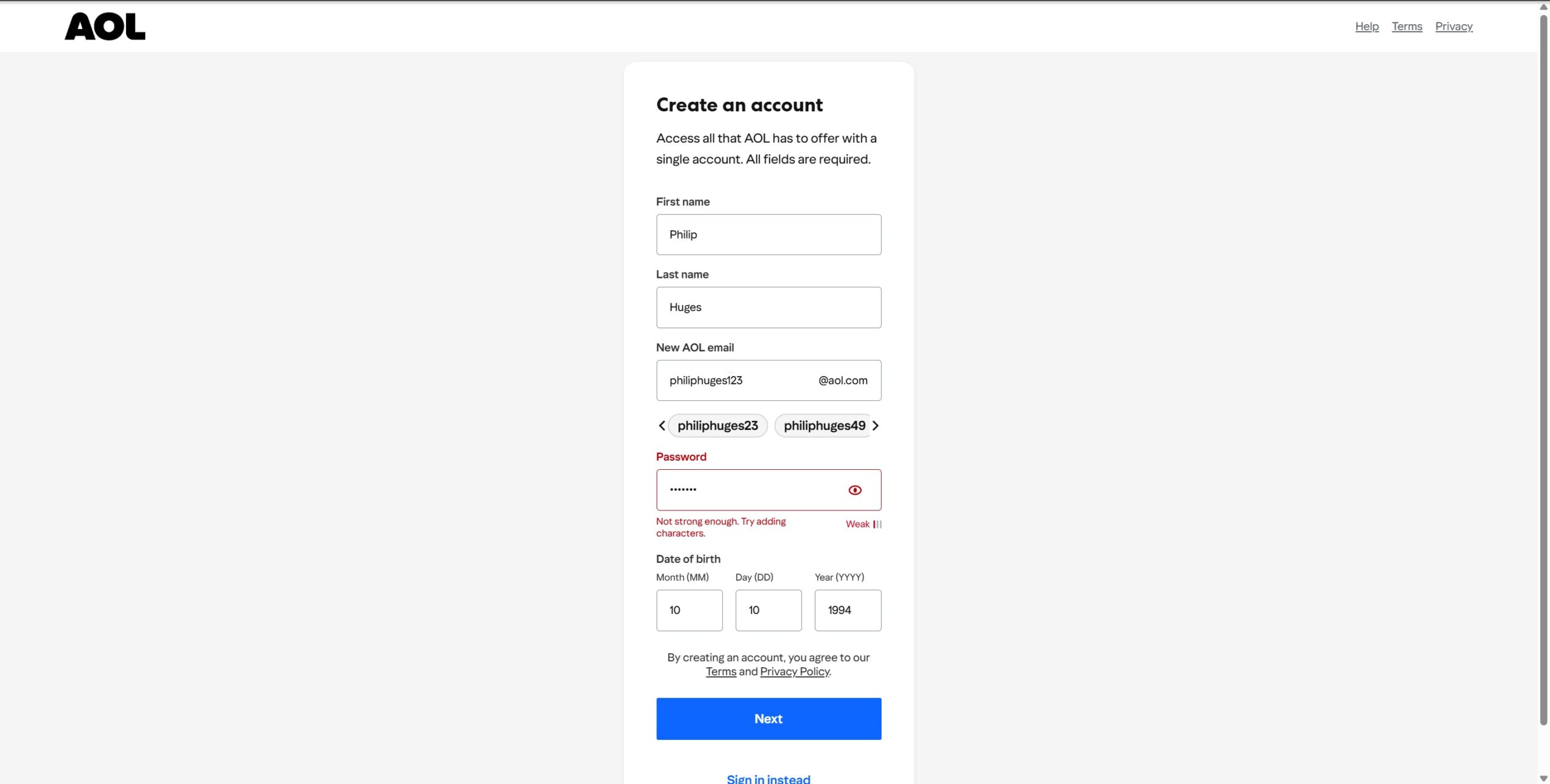
Once AOL Mail is created, you can follow the above steps to sign in.
Make sure you are using the real AOL sign-in page
Before entering your password, check the address bar. A legitimate AOL website will contain aol.com in its domain and use a secure HTTPS connection.
Do not enter your password into a website opened from an unexpected email, pop-up, advertisement, or message claiming that your account will be closed immediately. Important account emails sent by AOL may also carry an Official Mail label inside AOL Mail.
Sign in safely on a shared computer
Use a private or Incognito window when checking AOL Mail on a library, hotel, workplace, school, or shared family computer. Do not let the browser save your password.
When finished, sign out from the profile menu and close every private browser window. Simply closing the AOL tab may leave the account accessible in the browser session.
How to Access Your AOL Inbox on Mobile
You can check AOL Mail through the official AOL app, a mobile browser, or the email app already installed on your phone.
Option 1: Use the official AOL app
- Open Google Play on Android or the App Store on an iPhone or iPad.
- Search for the official AOL app.
- Install and open the app.
- Tap the profile or account icon.
- Select Sign in or Add account.
- Enter your AOL email address and password.
- Complete verification when requested.
The AOL app can display new-message notifications and lets you manage more than one AOL account from the account menu.
Option 2: Use AOL Mail in a mobile browser
Open Chrome, Safari, Firefox, or Edge and visit mail.aol.com. The mobile website lets you read, send, search, delete, and organize messages without installing the AOL app.
This is also a useful way to test the account when the AOL app is not loading or updating correctly.
Option 3: Add AOL to Apple Mail or another email app
On an iPhone or iPad running a current version of iOS:
- Open Settings.
- Go to Apps > Mail > Mail Accounts.
- Select Add Account.
- Choose AOL.
- Enter your AOL username and password.
- Complete verification and select Save.
On Android, open Gmail, Outlook, Samsung Email, or another supported email app and choose the option to add an account. Select AOL when it appears in the provider list, then complete AOL’s own sign-in page.
Common AOL Sign-In Issues and How to Fix Them
| Sign-in problem | What to do |
|---|---|
| AOL says the password is incorrect | Check Caps Lock, remove an outdated saved password from the browser, and use Sign-in Helper if the password is still rejected. |
| You forgot your AOL username | Enter a linked recovery phone number or email address in Sign-in Helper to find accounts connected to it. |
| The verification code does not arrive | Confirm the partially displayed phone number or email address and try another recovery option when available. |
| Your recovery phone number is no longer active | Use another recovery method linked to the account. Recovery may not be possible if AOL cannot verify ownership. |
| The sign-in page keeps reloading | Clear AOL cookies, disable browser extensions temporarily, or try a private window. |
| AOL Mail opens as a blank page | Update the browser, allow cookies and JavaScript, and test AOL Mail without an ad blocker or privacy extension. |
| AOL works in a browser but not in Outlook or Apple Mail | Reauthenticate the account, add it again, or generate an app password if the program does not support AOL’s sign-in page. |
| The inbox opens but all old messages are missing | The mailbox may have been inactive. Signing in can reclaim the address, but deleted mailbox contents may not be restored. |
| AOL says the account was deactivated | Use the account recovery flow to check whether the account can still be reclaimed. |
FAQs
What is the official AOL email sign-in page?
The official AOL Mail address is https://mail.aol.com/. AOL’s general account login page is https://login.aol.com/.
Is AOL Mail still active?
Yes. Existing AOL Mail accounts can still send and receive email through the AOL website, mobile app, and compatible email programs.
Can I sign in using only my AOL username?
Yes. AOL normally accepts the username without @aol.com, the complete AOL email address, or a linked mobile number.
Can I recover AOL Mail without my old phone number?
You may be able to use an alternate recovery email address connected to the account. If no accessible recovery method is available, AOL may be unable to confirm that the account belongs to you.
Why does my password work on AOL.com but not in Outlook or Apple Mail?
The email app may need to reauthenticate through AOL or use an app password. The working browser login confirms that the main AOL password and account are valid.
Does AOL require an app password?
Only some third-party email programs require one. Apps that open AOL’s branded sign-in page can normally use your regular password and verification method.
Can I get back emails deleted because my mailbox was inactive?
No. AOL says signing in can reclaim an inactive mailbox address, but content removed from an inactive mailbox cannot be restored.
Do I need AOL Desktop Gold to read AOL email?
No. AOL Desktop Gold is a separate subscription product. You can use AOL Mail through a browser or the AOL mobile app without it.
Can I access a Verizon.net email address through AOL?
Yes, when the Verizon.net account was migrated to AOL Mail. Use AOL’s sign-in page with the complete Verizon.net email address.
Why is AOL asking me for a verification code?
AOL may request additional verification after detecting a new device, browser, location, or unusual sign-in. The code helps prevent someone with only the password from accessing the account.
Can AOL support tell me my password?
No legitimate support service should reveal or request your existing password. Use AOL’s Sign-in Helper to reset it through the recovery information connected to your account.