Tab groups feature is coming to Chrome 83 this week. The more tabs you open the messier the tab bar gets and difficult to identify and group related tabs. This defeats the objective of the feature. Google now in Chrome 85 Canary allows the user to collapse and further expand a tab group by clicking on its label or icon.
Firefox’s popular no longer existing Tab Groups feature is about to be available to the public in Chrome to allow users to organize tabs into different categories. Google initially introduced Tab Groups behind a flag and continued to develop it by adding headers. The Chromium team made sure Chrome to restore the grouped tabs when you relaunch Chrome in a new session.
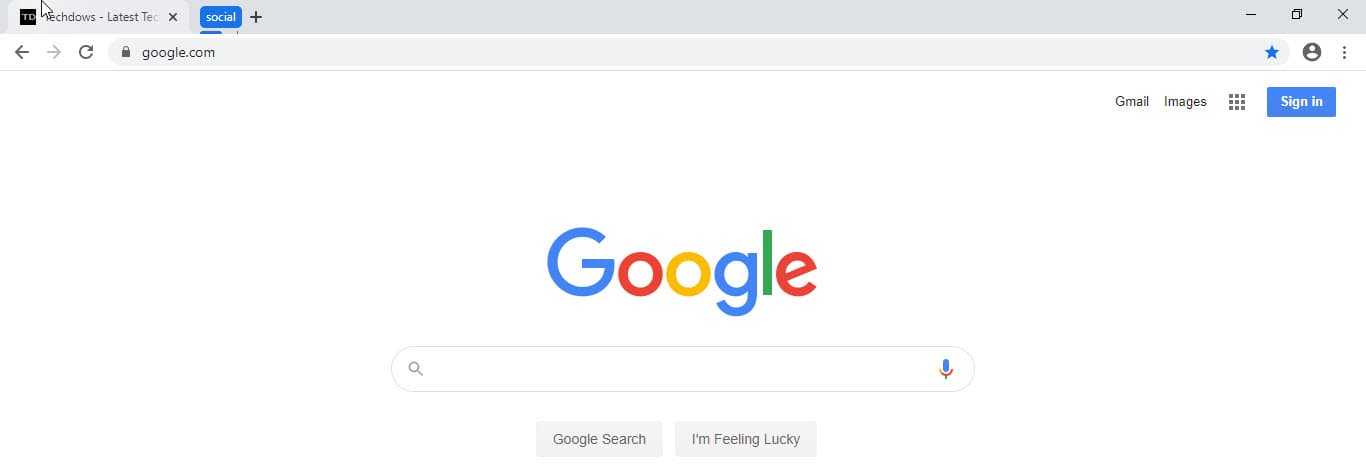
To create a tab group, you need to right-click on a tab and select the add option. This way you can group similar tabs. You can then assign a name and add color to the group header.
Through the options available in the tab context menu, you can group, and move tabs in a group to different tab groups. You can also able to ungroup or close tab groups.
Collapse Tab Groups in Chrome
1. Ensure you’re using latest Chrome Canary 85.0.4148.0 or later, launch Chrome
2. Visit chrome://flags/#tab-groups-collapse

3. Select Enabled and restart the browser
4. Form a group of tabs and give them a label. Now click on the tab group icon/name to see tabs in the group collapsing into the icon like magic.

Do note the flag requires Tab groups flag to be enabled for work, but the latter is already turned on by default in Canary, so enabling the tab groups flag is not required.
Chrome’s Tab groups Collapse feature allows users to save real estate or results in the tab bar to appear less cluttered or clean with a few tab group headers.
Related articles:
Google reveals Chrome Tab Groups UI [Screenshot]
Chrome Tab Groups Update: New Tab Context menu option and more details emerge
Latest Chrome Canary Update adds Headers to Tab Groups
Google Chrome now saves and restores Tab Groups




