You can set up a FOX Sports download on a Windows 11 or Windows 10 PC in about a minute. Open foxsports.com in Microsoft Edge, install it as an app, and it gets its own window, Start menu entry and taskbar icon.
On a Mac, Safari adds the same site to the Dock. iPhone, iPad and Android phones get the full FOX Sports app free from the App Store and Google Play.
Below are the official links, the setup steps for each device, how TV provider sign-in and FOX One work, and fixes for streams that will not start.
Which FOX Sports download do you need?
Match the device in front of you to a row. One FOX account follows you across all of them.
| Your device | What to get | What it needs |
|---|---|---|
| Windows 11 or Windows 10 PC | foxsports.com installed as an app from Edge | Microsoft Edge or Google Chrome |
| MacBook, iMac or Mac mini | foxsports.com added to the Dock from Safari | Safari on macOS Sonoma 14 or later |
| iPhone or iPad | FOX Sports: Watch Live Games on the App Store | iOS or iPadOS 18.0, 245.5 MB |
| Android phone or tablet | FOX Sports on Google Play | Google Play on the device |
| Apple TV or another streaming device | The FOX Sports app page | The device’s own app store |
Windows and Mac have no native build. The browser route plays the same live channels once you sign in.
Download FOX Sports from its official sources
Every official copy comes from FOX through one of these addresses.
- FOX Sports app page — FOX’s own page with the App Store and Google Play buttons
- Watch live on foxsports.com — the PC and Mac route, and the page to install as an app
- FOX Sports: Watch Live Games on the App Store — 245.5 MB · iPhone, iPad, Apple TV and Apple Watch, seller FOX Sports Interactive
- FOX Sports on Google Play — Android phones and tablets, developer Fox Digital Services, LLC
A FOX Sports .exe or .dmg offered on any other site does not come from FOX. Start at foxsports.com instead.

Check the FOX Sports requirements before you sign in
The desktop route needs only a current browser, so the table is short.
| Field | Value |
|---|---|
| Software | FOX Sports |
| Developer | FOX Sports Interactive Media, LLC (Fox Corporation) |
| Latest version | 5.159.0 on iPhone and iPad; the web app updates itself |
| License | Free app; live games need a TV provider or FOX One |
| Supported OS | Windows 11 and 10 and macOS through a browser; iOS 18.0 or later; Android |
| Architecture | Browser-based on PC and Mac: x64, ARM64, Intel and Apple silicon |
| Download size | No desktop file; 245.5 MB on iPhone and iPad |
| Offline installer | No |
| Mac app | None; add foxsports.com to the Dock from Safari |
| Category | Sports |
| Last verified | 2026-09-25 |
The Safari Add to Dock command needs macOS Sonoma 14 or later. Older Macs can still watch in a normal browser tab.
How to install FOX Sports on Windows 11 and 10
Microsoft Edge turns foxsports.com into an installed app with its own window.
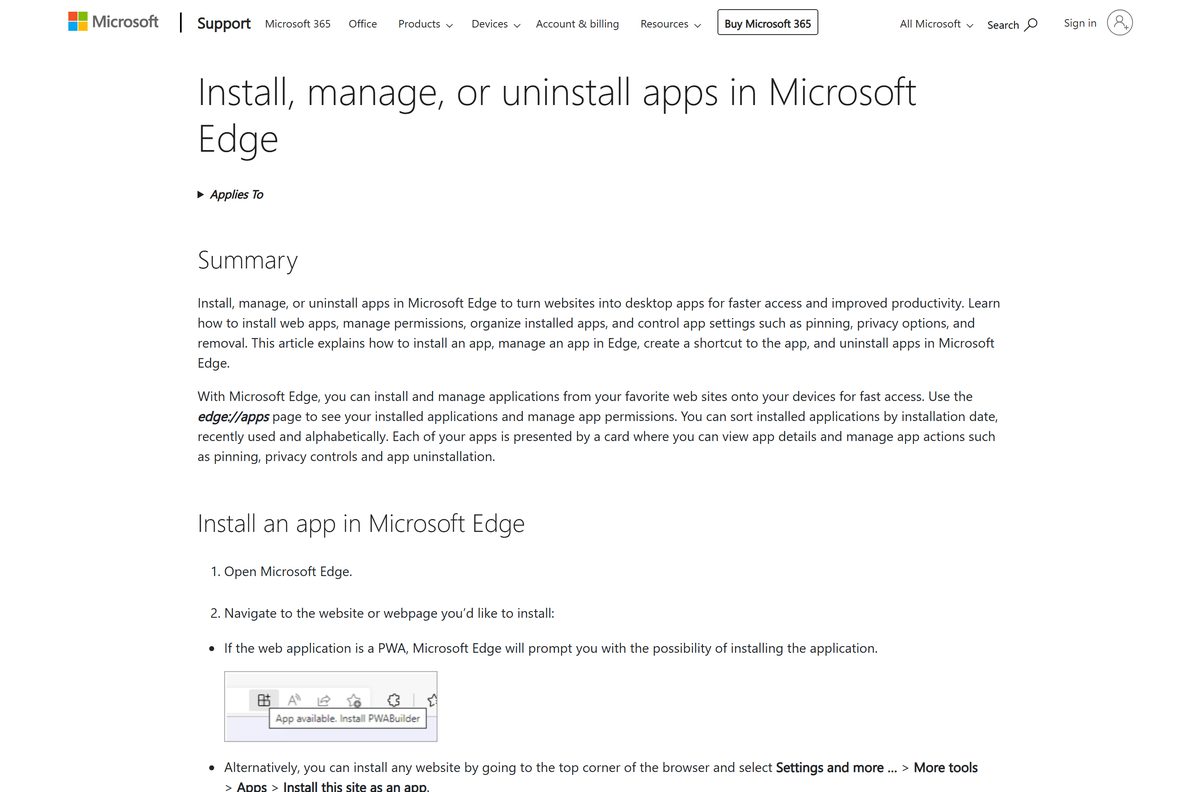
- Open Microsoft Edge and go to foxsports.com/live.
- Select Settings and more (the three dots) at the top right of the browser.
- Select More tools, then Apps, then Install this site as an app.
- Select Install in the dialog that opens.
- Right-click the new FOX Sports icon on the taskbar and select Pin to taskbar.
- Select SIGN IN at the top of the page and sign in to your FOX account.
- Open a live event and pick your TV provider when the player asks for it.
In Google Chrome, open the three-dot menu, then Cast, save and share, then Install page as app. The installed app shows up under edge://apps in Edge.
How to watch FOX Sports in a browser without installing anything
Nothing has to be installed to stream. A browser tab plays the same channels on any PC, Mac or Chromebook.
- Open foxsports.com/live in Edge, Chrome or Safari.
- Select SIGN IN and sign in to your FOX account.
- Pick a game or show from the LIVE NOW row.
- Select your TV provider and sign in with that provider’s username and password.
- With no provider, select Watch 3 days free to start the FOX One trial instead.
News, scores, stories and highlights play without any sign-in at all.
Which FOX Sports download do you need for your Mac?
There is no Mac app. The App Store listing covers iPhone, iPad, Apple TV and Apple Watch only.
| Your Apple device | What to do | What it needs |
|---|---|---|
| Mac on macOS Sonoma 14 or later | Open foxsports.com in Safari, then Share and Add to Dock | Safari |
| Older Mac, Apple silicon or Intel | Watch at foxsports.com/live in a browser tab | A current browser |
| iPhone, iPad or Apple TV | The App Store listing | iOS or iPadOS 18.0 or later |
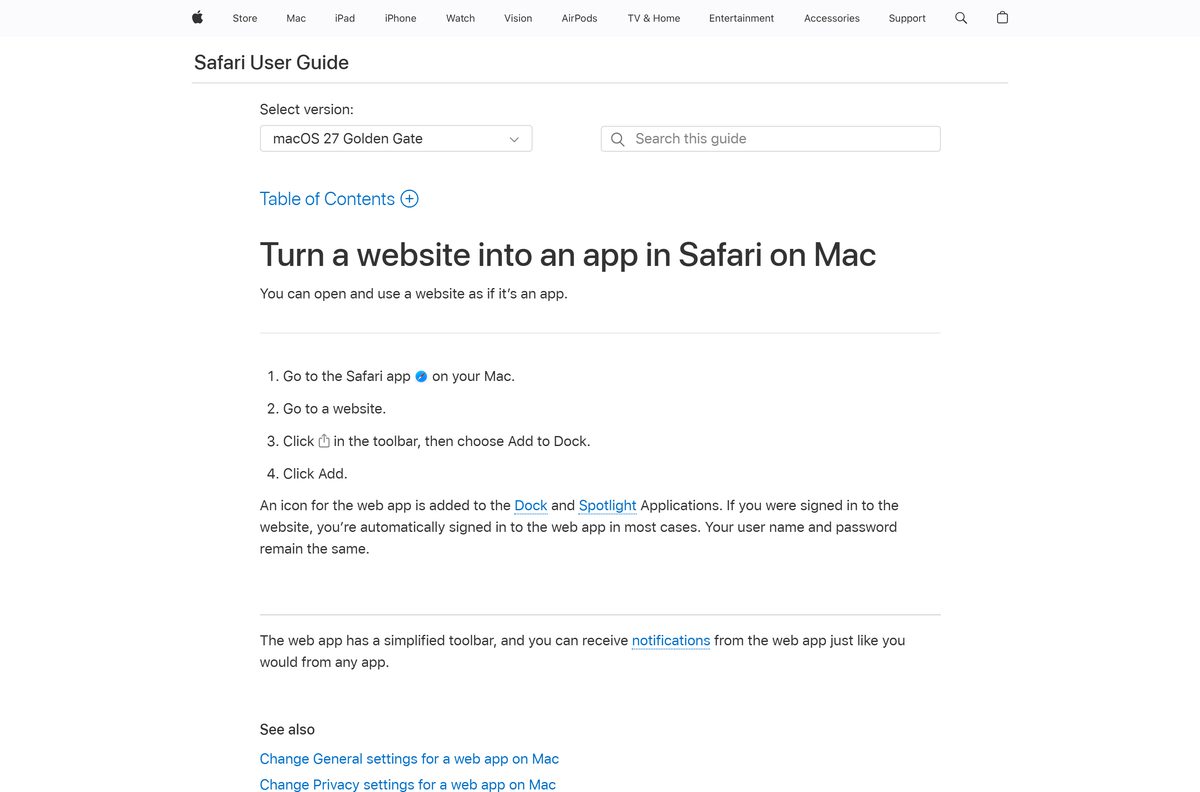
To add it on a Mac, open foxsports.com in Safari, click Share, choose Add to Dock and click Add.
Install the FOX Sports app on iPhone, iPad and Android
The phone and tablet apps are free and carry scores, alerts, live play-by-play and live streams.
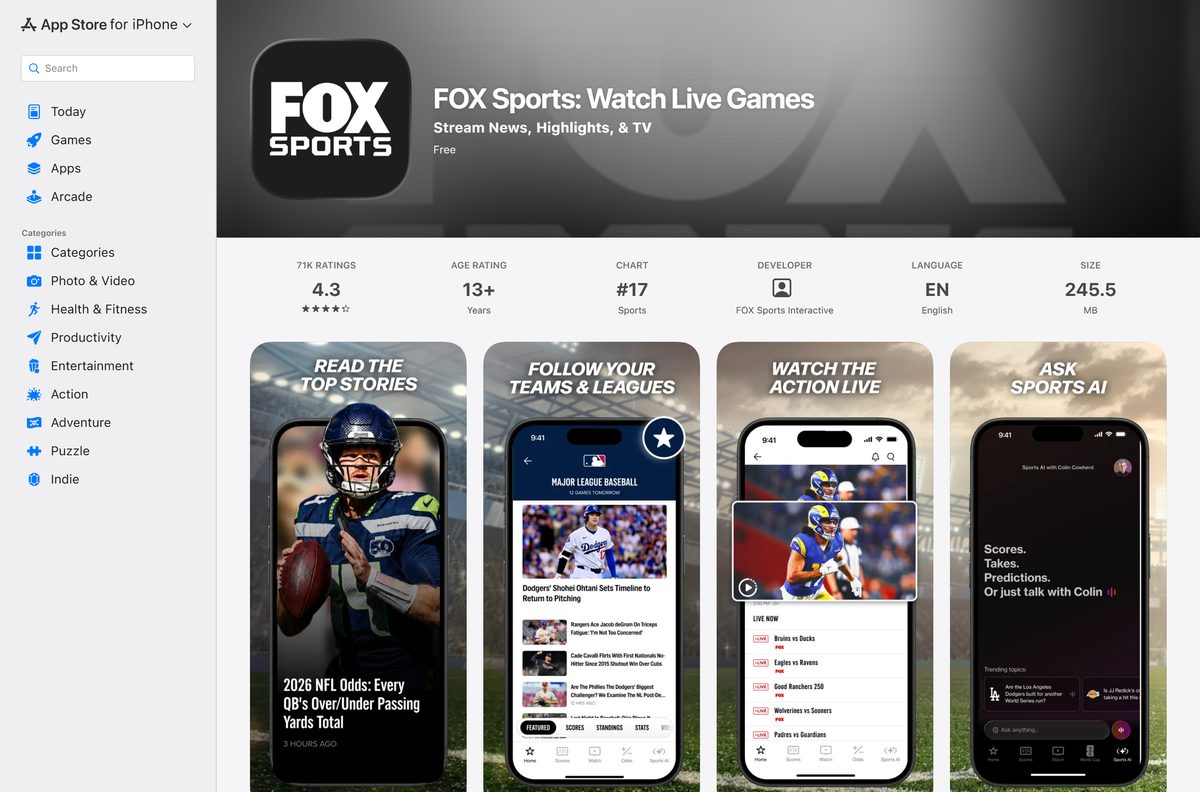
- On an iPhone or iPad, open App Store and search for FOX Sports: Watch Live Games.
- Check that the seller reads FOX Sports Interactive, then tap Get.
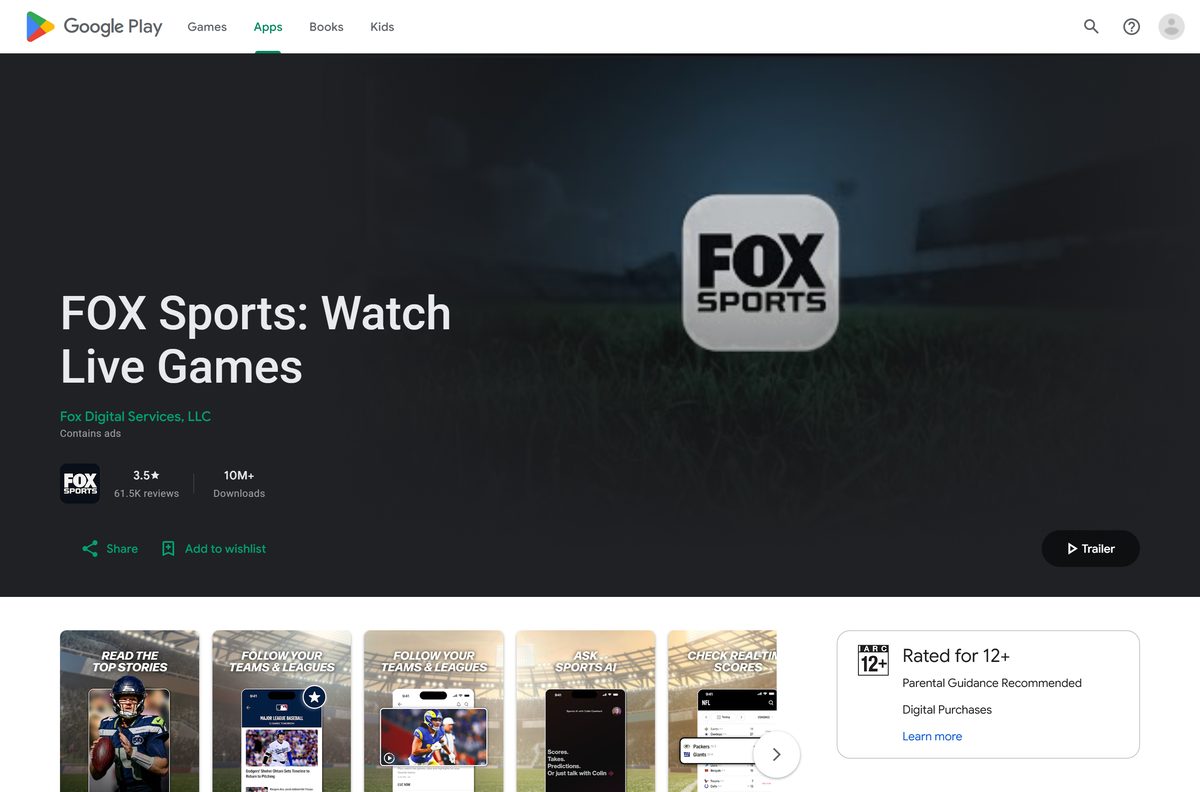
- On Android, open Google Play, open the FOX Sports listing from Fox Digital Services, LLC and tap Install.
- Open the app and pick your favorite teams, players and leagues.
- Allow notifications if you want score alerts.
- Sign in with your TV provider to unlock live games.
The iPhone and iPad build needs iOS 18.0 or later. Google Play marks the Android app as containing ads and in-app purchases.
Is FOX Sports free?
The app costs nothing on any device. Live games need a paid source behind them.
The app and website are free, but live games need a TV provider sign-in or a FOX One subscription. The App Store and Google Play both list FOX Sports as a free install, and news, scores, stories and highlights need no plan. Live events are marked as available with a TV subscription. Viewers without a provider can start FOX One from the Watch 3 days free button on foxsports.com. Any site selling a cracked FOX Sports build or a lifetime pass is not selling anything real.
Check your cable, satellite or live TV streaming package first. If it carries FOX, FS1 or BTN, your provider login unlocks those channels at no extra cost.
Should you use FOX Sports or FOX One?
Both come from Fox, and both stream FOX sports events. They answer different situations.
Use FOX Sports if you have a TV provider; use FOX One if you do not. FOX Sports unlocks live games through a TV provider sign-in and adds scores, stories, odds and studio shows. FOX One is a separate subscription app from Fox Digital Services that bundles FOX sports, FOX News and FOX entertainment shows, with no provider needed. foxsports.com offers a 3-day free trial of FOX One from its live page.
FOX One installs on its own from the App Store. It is not an upgrade inside the FOX Sports app.
Check which devices run FOX Sports
FOX lists phones, tablets and TV streaming devices on its app page. Computers use the website.
| Device family | Where the app comes from |
|---|---|
| Windows 11 and 10 PCs | foxsports.com, installed as an app from Edge or Chrome |
| Mac | foxsports.com in Safari, or added to the Dock |
| iPhone and iPad | App Store, iOS 18.0 or later |
| Apple TV and Apple Watch | App Store on the device |
| Android phones and tablets | Google Play |
| Other TV streaming devices | The device’s own app store, listed on the FOX Sports app page |
The full device list sits on the FOX Sports app page.
How to check your FOX Sports version and update it
The PC and Mac route loads the current site every time, so only the phone apps need updates.
- On an iPhone or iPad, open App Store, tap your profile picture and tap Update next to FOX Sports.
- To read the installed version, open the FOX Sports listing in the App Store and check Version History.
- On Android, open Google Play, tap your profile picture, then Manage apps & device, then Updates available.
- On Windows, update Microsoft Edge from Settings and more, then Help and feedback, then About Microsoft Edge.
- On a Mac, update Safari through System Settings, then General, then Software Update.
The iPhone and iPad app reached 5.159.0 on 18 September 2026.
Fix FOX Sports not working on Windows 11, 10 or Mac
Most failures come from the TV provider sign-in or from the browser itself.
A live game asks for a TV provider again and again
The provider session expired, or the package does not carry that channel.
- Select SIGN IN on foxsports.com and sign out of your TV provider.
- Sign in again with the provider’s username and password.
- Ask your provider whether your package includes FOX, FS1, FS2 or BTN.
- With no eligible package, use Watch 3 days free to try FOX One instead.
The Install this site as an app option is missing in Edge
Edge is out of date, or the page has not finished loading.
- Open Settings and more, then Help and feedback, then About Microsoft Edge to install updates.
- Restart Edge and open foxsports.com/live again.
- Wait for the page to finish loading, then open More tools, then Apps.
The stream plays with no captions
Closed captions are off in the player.
- Start the video.
- Click the screen during playback.
- Click the CC button at the bottom right of the player.
Caption faults can be reported to FOX at [email protected], with the program, network and the device you used.
How to uninstall FOX Sports
Removing the app does not cancel a FOX One plan or change your TV package.
- On Windows, open Microsoft Edge and go to edge://apps .
- Select Details on the FOX Sports card, then select Uninstall.
- Choose whether to clear app history and data, then select Uninstall again.
- On a Mac, drag the FOX Sports icon out of the Dock, then delete it from the Applications folder in your home folder.
- On an iPhone or iPad, press and hold the icon, then tap Remove App and Delete App.
- On Android, press and hold the icon and tap Uninstall.
Chrome users remove it from chrome://apps by right-clicking the tile and choosing Remove from Chrome.
Which other FOX app should you install?
Fox publishes two more apps that overlap with FOX Sports.
| App | Pick it when | Where to get it |
|---|---|---|
| FOX One | You have no TV provider and want FOX sports, news and shows in one plan | App Store |
| FOX Deportes | You want FOX sports coverage in Spanish | App Store |
| foxsports.com | You only need scores, stories and highlights on a computer | foxsports.com |
For most fans with cable or a live TV streaming service, FOX Sports alone is enough.
Frequently asked questions
Is the FOX Sports app free to download?
Yes. FOX Sports installs free from the App Store and Google Play, and foxsports.com costs nothing to open. News, scores and highlights need no plan, while live games need a TV provider sign-in or a FOX One subscription.
Where is the official FOX Sports download for PC?
The official route on a Windows PC is foxsports.com. Open it in Microsoft Edge and choose Install this site as an app to get a desktop icon. FOX does not publish a Windows setup file or a Microsoft Store app.
Does FOX Sports work on Windows 11?
Yes. FOX Sports runs in Microsoft Edge or Google Chrome on Windows 11 and Windows 10. Installed from Edge, it opens in its own window with a Start menu entry and a taskbar icon.
Is there a FOX Sports app for Mac?
No. The App Store listing covers iPhone, iPad, Apple TV and Apple Watch only. On a Mac, open foxsports.com in Safari, then click Share and Add to Dock on macOS Sonoma 14 or later.
How big is the FOX Sports download?
On a PC or Mac there is no file to download, because FOX Sports runs from foxsports.com. The iPhone and iPad app is 245.5 MB and needs iOS or iPadOS 18.0 or later.
Is there a FOX Sports offline installer?
No. FOX Sports offers no offline installer, .exe or .dmg for Windows or Mac. Any FOX Sports setup file offered on another site does not come from FOX, so use foxsports.com or the official app stores instead.
Can I watch FOX Sports without a TV provider?
Yes, through FOX One. foxsports.com offers a 3-day free FOX One trial from its live page. FOX One is a separate subscription app that streams FOX sports alongside FOX News and FOX entertainment shows.
Is the FOX Sports app safe?
Yes, when it comes from the App Store, Google Play or foxsports.com. The iPhone app is sold by FOX Sports Interactive and the Android app by Fox Digital Services, LLC. Avoid unofficial desktop installers from other sites.
What is the latest version of FOX Sports?
The iPhone and iPad app is version 5.159.0, released on 18 September 2026. The Android app was updated on 22 September 2026. The PC and Mac route always loads the current foxsports.com.
Why won’t FOX Sports play a live game?
Live games need a TV provider sign-in or FOX One. Sign out of your provider and back in, then confirm your package includes FOX, FS1, FS2 or BTN. Without a provider, start the FOX One trial instead.