The Pandora download for PC is a free desktop app from the Microsoft Store for Windows 11 and Windows 10. Mac users install Pandora’s desktop app from pandora.com, and phones get it from the App Store or Google Play.
The free tier plays ad-supported stations and podcasts. Pandora Plus removes ads and adds unlimited skips, while Pandora Premium lets you search and play any song on demand.
Below are the official links, Windows and Mac install steps, current prices, and fixes for an app that will not install or play.
Which Pandora download do you need?
Every official copy comes from Pandora or a platform store. Match your device to a row and follow that link.
| Your device | Where to get it | What it needs |
|---|---|---|
| Windows 11 or Windows 10 PC | Microsoft Store | Windows 10 build 14316 or later, x64, a Microsoft account |
| Mac | Pandora desktop page | Mac OS 10.10 Yosemite or later |
| iPhone or iPad | App Store | iOS 18.0 or later, 221.3 MB |
| Android phone or tablet | Google Play | Google Play access |
| Any computer, no install | pandora.com web player | A current web browser |
All of these routes need a location in the United States. Pandora blocks listening from other countries.
Download Pandora from the official Microsoft Store and Pandora pages
Pandora Media is the publisher on every official listing. A different publisher name means the app is not Pandora’s.
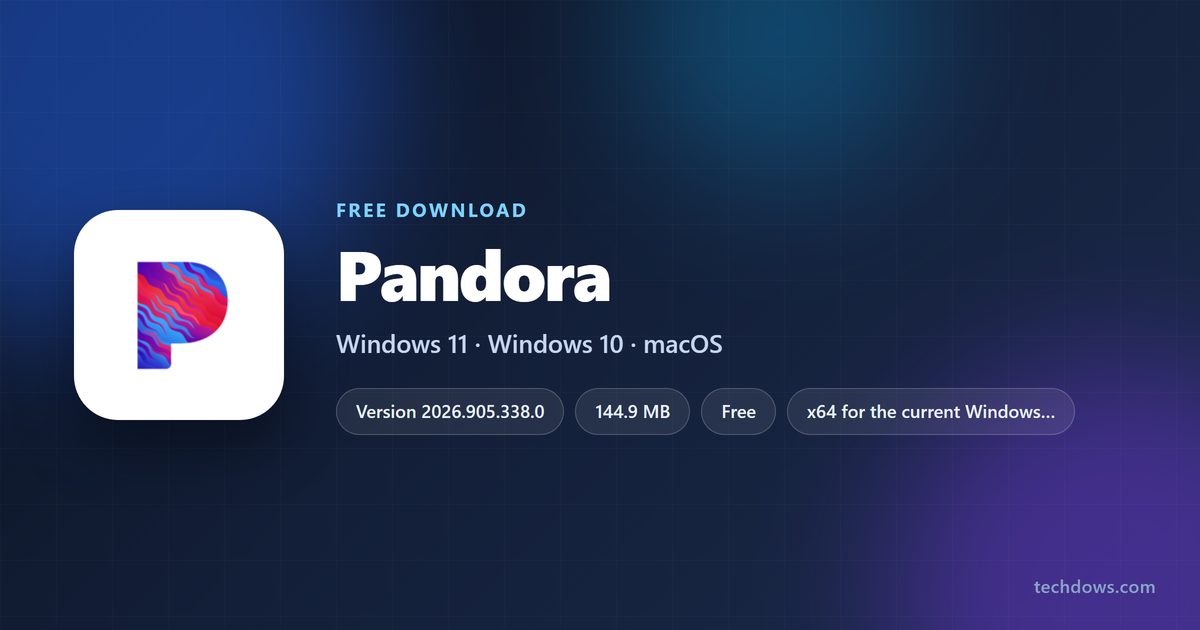
- Pandora on the Microsoft Store — 144.9 MB · Windows 11 and 10, free, version 2026.905.338.0
- Pandora desktop app for Mac — Mac OS 10.10 Yosemite or later, free
- Pandora on the App Store — 221.3 MB · iPhone and iPad, free, version 2609.1.1
- Pandora on Google Play — Android, free, 100M+ downloads
- Pandora desktop app help page — Pandora’s own install instructions for Windows and Mac
Pandora publishes no standalone .exe for Windows. The Store listing is the only official Windows build.
How to install Pandora on Windows 11 and 10
The Store handles the download and future updates. Sign in to Windows with a Microsoft account first.
- Open the Microsoft Store from the Start menu.
- Type Pandora in the search box at the top and press Enter.
- Open the result published by Pandora Media Inc.
- Click Get and wait for the install to finish.
- Click Open, or find Pandora in the Start menu.
- Sign in with your Pandora account, or create a free one.
Your Pandora login stays separate from your Microsoft account. They can use different emails and passwords.
Which Pandora option should you use on a Mac?
The iPhone app is not offered for Mac in the App Store. Pandora’s own desktop page is the Mac download.
| Your situation | What to do | Link |
|---|---|---|
| You want a Dock app with keyboard controls | Download the desktop app, open the downloaded file and follow the prompts | pandora.com/desktop |
| Your Mac runs a version older than OS X 10.10 Yosemite | Listen in the browser instead | pandora.com |
| You only need Pandora now and then | Sign in on the web player, no install | pandora.com |
After the install, drag Pandora from Applications to the Dock for one-click access.
Is Pandora free?
Yes. The Pandora app and the ad-supported free tier cost nothing on Windows, Mac, iPhone and Android. You pay only to remove ads or unlock on-demand play. On the Pandora website, Plus is $4.99 a month or $54.89 a year, Premium is $10.99 a month or $120.89 a year, and Premium Family is $17.99 a month or $197.89 a year. Apple bills Plus at $5.99 and Premium at $12.99 a month; Google Play bills $5.99 and $10.99.
Buy on the website for the lowest price and for the Student, Military and Family plans, which the app stores do not sell. Upgrade at pandora.com/upgrade.
Should you pay for Pandora Plus or Premium?
Choose Pandora Plus if you listen to stations; choose Premium if you want to pick exact songs. Plus gives ad-free stations, personalized stations and unlimited skips. Premium adds search and play of any song, album or playlist, your own playlists, offline downloads on mobile and higher quality audio.
How to check your Pandora version and update it on Windows
The Microsoft Store updates Pandora for you when automatic app updates are on.
- Open the Microsoft Store.
- Select Library at the bottom left.
- Click Get updates to check every Store app.
- Click Update next to Pandora if it appears in the list.
The current Windows package is 2026.905.338.0.
Check the Pandora requirements before you download
| Field | Value |
|---|---|
| App | Pandora |
| Developer | Pandora Media, Inc. |
| Latest version | 2026.905.338.0 (Windows, Microsoft Store) |
| Price | Free with ads; Plus from $4.99 a month, Premium from $10.99 a month |
| Windows | Windows 10 build 14316 or later, and Windows 11 |
| Architecture | x64 |
| Download size | 144.9 MB (Windows x64 package) |
| Mac | Mac OS 10.10 Yosemite or later |
| iPhone and iPad | iOS 18.0 or later |
| Region | United States only |
| Installer type | Microsoft Store only, no standalone .exe |
| Last verified | 24 September 2026 |
What you can control in the Pandora desktop app
The desktop app works with every tier: Free, Plus and Premium.
| Feature | How to use it |
|---|---|
| Play and pause | Press the space bar |
| Skip and thumb songs | Command key shortcuts on Mac, Control key shortcuts on Windows |
| Media keys | Volume, play/pause and skip keys on your keyboard |
| Explicit content filter | Settings > Content Settings, synced to mobile and web |
| Song notifications | Windows or macOS notification settings |
| Start with your computer | Turn auto-launch on or off in the app |
Fix Pandora not installing or not playing on Windows and Mac
The Microsoft Store will not install Pandora
You are not signed in to the Store with a Microsoft account.
- Open the Microsoft Store and click the profile icon.
- Sign in with your Microsoft account.
- Search for Pandora again and click Get.
The Windows app shows a blank screen or stops playing
Saved app data is corrupted.
- Open Pandora and press Alt to show the menu bar.
- Select Help, then Reset App Data.
- Sign in to Pandora again.
The Mac app misbehaves
Saved app data or a damaged install.
- Open the Help menu, go to Troubleshooting and select Reset App Data.
- If that fails, quit Pandora and drag it from Applications to the Trash.
- Empty the Trash, then open the downloaded installer and follow the prompts.
Pandora says it is unavailable in your country or region
Pandora serves listeners in the United States only.
- Connect from a location in the United States.
- Contact Pandora support for account help while you travel abroad.
How to uninstall Pandora
On Windows 11 or 10
- Find Pandora in the Start menu.
- Right-click it and select Uninstall.
- Select Pandora in the list and confirm with Uninstall.
On Mac
- Quit Pandora.
- Open Finder and click Applications.
- Drag Pandora to the Trash, then right-click the Trash and select Empty Trash.
Removing the app does not cancel Plus or Premium. Manage the subscription where you bought it.
Which Pandora app should you use instead of the desktop app?
| Option | Best for | Link |
|---|---|---|
| Web player | Any computer without installing anything | pandora.com |
| iPhone and iPad app | Listening away from the desk, rated 4.8 from 11.3M ratings | App Store |
| Android app | Android phones, Android Auto and Wear OS | Google Play |
Frequently asked questions
Is Pandora free to download?
Yes. The Pandora app costs nothing on the Microsoft Store, the App Store and Google Play, and the free tier plays ad-supported stations and podcasts. Pandora Plus and Pandora Premium are optional paid upgrades.
Where is the official Pandora download for Windows?
The official Windows app is the Pandora listing in the Microsoft Store, published by Pandora Media Inc. Pandora’s own help page sends Windows users to the Store and offers no separate .exe file.
Does Pandora work on Windows 11?
Yes. The current Store package needs Windows 10 build 14316 or later, so it installs on Windows 11 and on up-to-date Windows 10 PCs. You need a Microsoft account to install it.
Is there a Pandora app for Mac?
Yes. Pandora links a Mac desktop app from pandora.com/desktop, and it needs Mac OS 10.10 Yosemite or later. The iPhone app is not listed for Mac, so the desktop page or the web player at pandora.com are the Mac routes.
How big is the Pandora download for PC?
The current x64 Windows package is 144.9 MB, about 151.9 million bytes. The iPhone app is 221.3 MB.
What is the latest version of Pandora for Windows?
The Microsoft Store desktop package is version 2026.905.338.0, updated in September 2026. The Store installs updates on its own when automatic app updates are on.
How much do Pandora Plus and Premium cost?
On the Pandora website, Plus is $4.99 a month and Premium is $10.99 a month. Premium Family is $17.99 a month. Apple charges $5.99 for Plus and $12.99 for Premium, and Google Play charges $5.99 and $10.99.
Can I use Pandora outside the United States?
No. Pandora is available to listeners in the United States only, and pandora.com shows an unavailable in this country or region page elsewhere. Pandora support can still help with account questions while you travel.
Is there an offline installer for Pandora?
No. The Windows app installs and updates only through the Microsoft Store, and Pandora publishes no standalone setup file. Any Pandora .exe on a download portal did not come from Pandora.
Can I download songs to listen offline on my PC?
Offline listening is a Pandora Premium feature of the phone apps, and the Google Play listing names it under Premium. Pandora’s desktop app help page lists no offline mode for Windows or Mac.
Do I need a Microsoft account to use Pandora on Windows?
You need one to install the app from the Microsoft Store. Inside the app you sign in with your Pandora account, which can use a different email and password.
Why does the Pandora app show a blank screen or stop playing?
Reset its saved data first. On Windows, press Alt, open Help and select Reset App Data. On Mac, open Help, go to Troubleshooting and select Reset App Data, then sign in again.