The 8×8 Work download for Windows 11, Windows 10 and Mac comes from one place: the 8×8 Work for Desktop download page. Version 8.37 was published on September 7, 2026 by 8×8, Inc.
Windows has two packages. The EXE installs for one user and updates itself; the MSI installs machine-wide and leaves updates to an administrator. Mac has separate Intel and Apple silicon disk images.
The installer costs nothing. Signing in needs an 8×8 X Series subscription, which 8×8 quotes instead of publishing a price list.
This guide covers which file matches your machine, the install steps, MSI deployment, the browser version, the requirements and install fixes.
Which 8×8 Work download do you need?
Match the machine first, then the way you install. Every file below is the current release.
| Your situation | File to download | Size |
|---|---|---|
| Windows 11 or Windows 10, installing for yourself | work-64-exe-v8.37.2-1.exe | 236.0 MB |
| Windows, deploying to a fleet of PCs | work-64-msi-v8.37.2-1.msi | 242.6 MB |
| Mac with an M1, M2, M3 or M4 chip | work-arm64-dmg-v8.37.2-1.dmg | 222.8 MB |
| Mac with an Intel processor | work-dmg-v8.37.2-1.dmg | 226.0 MB |
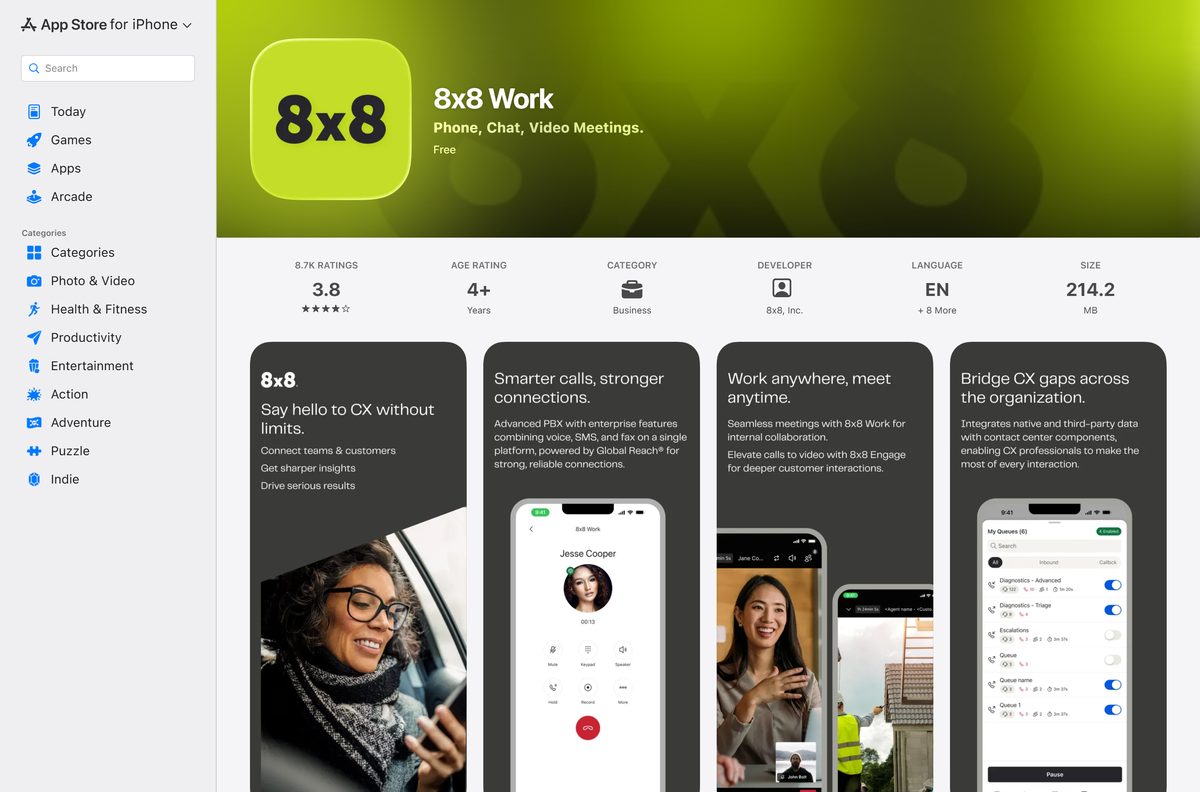
| iPhone or iPad | App Store listing | 214.2 MB |
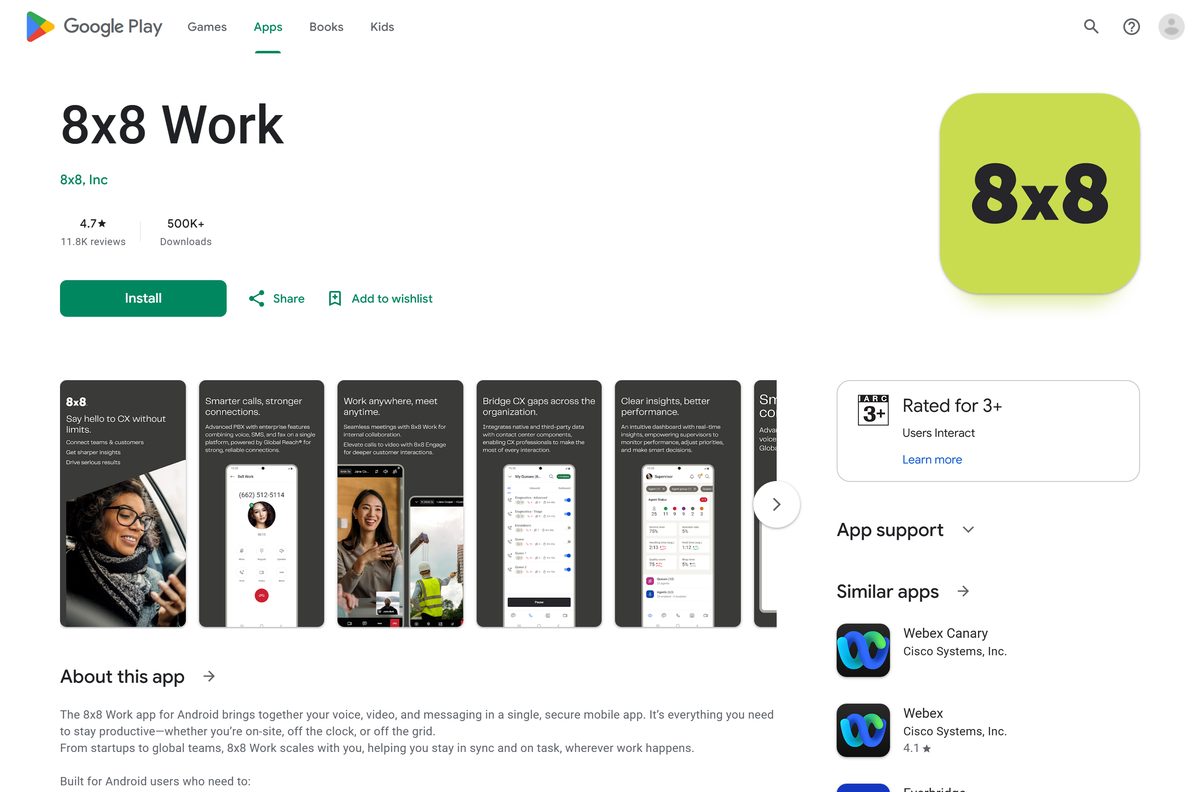
| Android phone or tablet | Google Play listing | Store download |
| A locked-down PC you cannot install software on | 8×8 Work for Web | Browser only |
Download 8×8 Work from the official page for Windows 11 and 10
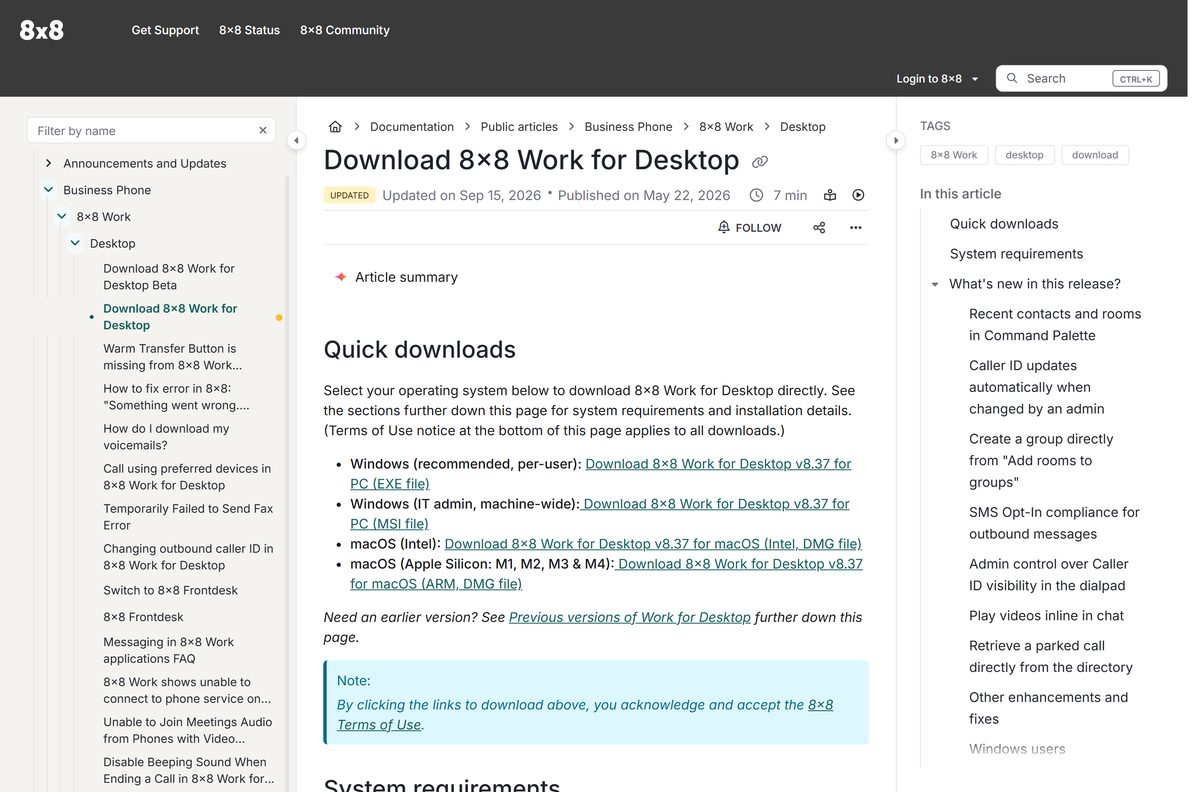
8×8 puts all four desktop packages in a Quick downloads block at the top of its download article. The links below are the targets that block uses.
- 8×8 Work for Desktop download page — Release notes, requirements and every current package
- Windows EXE, per-user install — 236.0 MB · The build 8×8 recommends
- Windows MSI, machine-wide install — 242.6 MB · Managed deployment only
- 8×8 Work apps overview — Store links for iPhone and Android
All four packages are complete installers, not small web bootstrappers, so setup runs offline. The first sign-in still needs a connection.
How to install 8×8 Work on Windows 11 and 10
The EXE package writes to %LOCALAPPDATA% , so a standard account can install it without calling IT.
- Open the 8×8 Work for Desktop download page.
- Under Quick downloads, select the Windows EXE link to fetch work-64-exe-v8.37.2-1.exe .
- Run the file from your Downloads folder and let setup finish on its own.
- Open 8×8 Work from the Start menu when the shortcut appears.
- Enter your work email, or select the single sign-on option your company uses.
- Complete the login and wait for your extension and directory to load.
- Allow microphone and camera access when Windows prompts, or calls stay silent.
- Select the phone icon in the left rail and place a test call.
Install 8×8 Work on your phone from the App Store or Google Play
The mobile app carries your business number and uses the same subscription as the desktop app.
- Open the App Store listing on iPhone or iPad, or the Google Play listing on Android.
- Check the iOS requirement first: the current release needs iOS 17.4 or iPadOS 17.4.
- Select Get on iOS or Install on Android.
- Sign in with the same credentials you use on the desktop.
- Grant microphone, notification and contacts permissions when prompted.
Download the 8×8 Work MSI package for deployment
The MSI installs to Program Files and serves every account on the machine. It never self-updates, so each release has to be pushed through a deployment tool.
Run the commands from an elevated Command Prompt in the folder holding the file.
| Item | Value |
|---|---|
| Package | work-64-msi-v8.37.2-1.msi |
| Size | 242.6 MB |
| Silent install | msiexec /i work-64-msi-v8.37.2-1.msi /quiet |
| Silent uninstall | msiexec /x work-64-msi-v8.37.2-1.msi /quiet |
| Skip the desktop shortcut | DESKTOP_SHORTCUT=0 |
| Disable on-disk debug logs | ALLOW_LOGS=0 |
| Turn off usage telemetry | ALLOW_TELEMETRY=0 |
Each custom parameter defaults to 1, meaning allowed. Set it to 0 to switch the behaviour off.
The EXE package has no silent switch; only the MSI accepts /quiet . Test it on one machine first, because a broken install takes a phone line down with it.
Run 8×8 Work without installing it
8×8 Work for Web handles calls, chat, SMS, meetings and faxes from a browser tab, with an interface close to the desktop app.
- Open work.8×8.com in Google Chrome or Chromium-based Microsoft Edge.
- Sign in with your usual work credentials.
- Select Allow when the browser asks for microphone and camera access.
- Pin the tab so an incoming call never hides behind another window.
- Close the desktop app first, because running both at once causes connection trouble.
The browser version drops the always-on-top call pop-up, keyboard shortcuts and Outlook contact import. Linux is not supported.
Which 8×8 Work download do you need for your Mac?
Open the Apple menu and select About This Mac to read the chip and the macOS version. The chip decides the file.
| Your Mac | Download | Size |
|---|---|---|
| Apple silicon, M1 through M4 | work-arm64-dmg-v8.37.2-1.dmg | 222.8 MB |
| Intel processor | work-dmg-v8.37.2-1.dmg | 226.0 MB |
| macOS 10.15 Catalina | 8×8 Work for Web | Browser only |
Catalina dropped out of support at version 8.20, and macOS 11 Big Sur followed on January 13, 2026. Mac auto-updates also reach only accounts with admin rights.
Is 8×8 Work free?
The confusion comes from the store listings, which both show the app at no cost. That price covers the software, not the phone service behind it.
No. The app is free to install on every platform, but it only signs in with a paid 8×8 X Series subscription. Both store listings state the requirement plainly, and the desktop app stops at the login screen without an account your company has licensed. 8×8 sells X Series through sales quotes, so the cost turns on the seats, the plan and the calling zones you need.
There is no personal tier and no trial you can start yourself. A cracked copy buys nothing, because the login checks 8×8’s own servers.
How to check your 8×8 Work version and update it
The EXE build checks at every sign-in and again once a day, then installs the update the next time you sign in.
- Open your profile menu in the top corner of the app.
- Select Help, then select Check for Updates.
- Accept the update if the app finds one, then let it restart.
- Watch for a Relaunch to Install banner, which appears when a downloaded update has waited three days.
- Select that banner to apply the update immediately.
A missing Check for Updates entry means the MSI build is installed, or an administrator turned elective updates off.
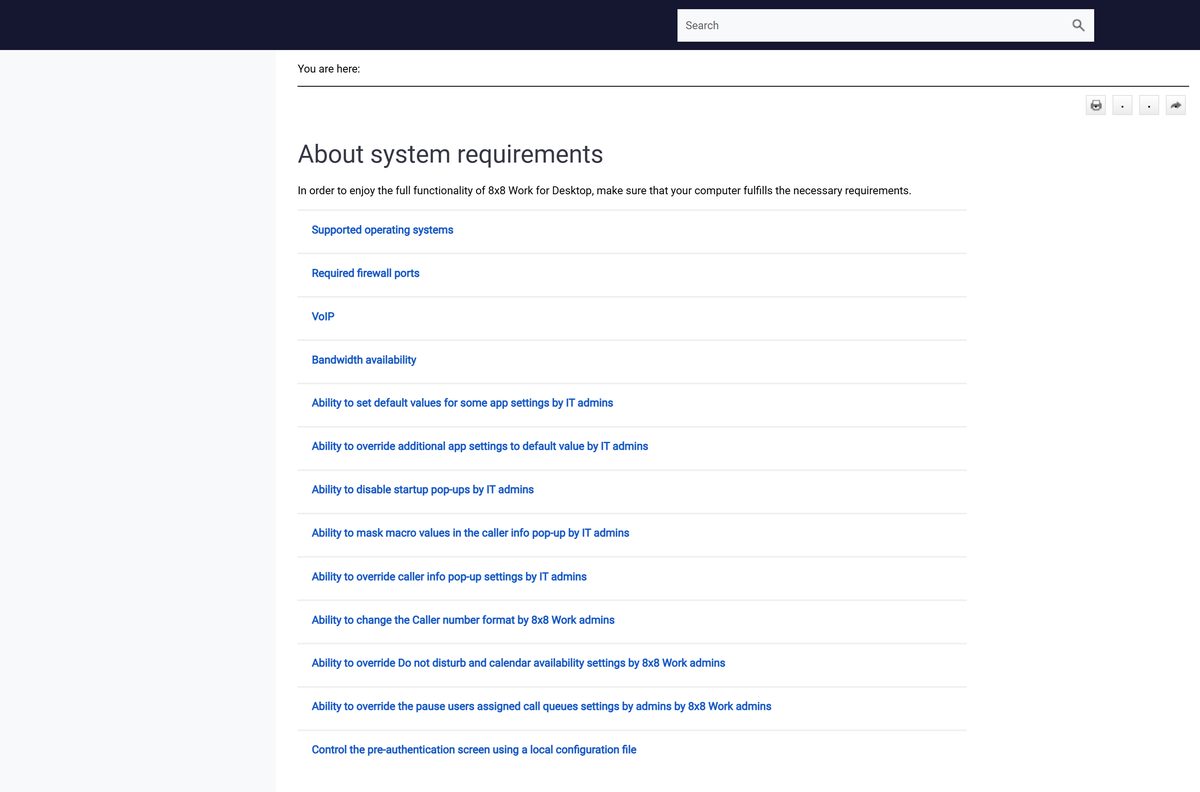
Check the 8×8 Work system requirements before you install
The hardware bar is low. Bandwidth and open firewall ports are what actually decide call quality.
| Item | Detail |
|---|---|
| Developer | 8×8, Inc. |
| Latest version | 8.37, published September 7, 2026 |
| Licence | Free to install, paid 8×8 X Series subscription required |
| Windows size | 236.0 MB EXE, 242.6 MB MSI |
| macOS size | 226.0 MB Intel, 222.8 MB Apple silicon |
| Supported OS | Windows 10 and newer, macOS 11 Big Sur and newer |
| Processor | 1.6 GHz or faster 64-bit (x64); 32-bit is not recommended |
| Memory | 2 GB minimum, 4 GB recommended |
| Disk space | 20 GB available |
| Bandwidth | 1.5 Mbps down and up, 2 Mbps for HD video meetings |
| Firewall ports | TCP 80, 443 and 8443, plus UDP 30000-30040 |
| Offline installer | Yes, all four packages are full installers |
| Official download source | help.8×8.com |
| Last verified | 2026-09-22 |
The UDP range carries the advanced audio codec. Block it and calls connect but sound thin.
Fix 8×8 Work not installing or updating on Windows 11 and 10
Four failures cover most cases. Work through the one that matches your symptom.
Setup fails or stops partway through
A damaged earlier install blocks the new one.
- Open Control Panel, select Programs, then Uninstall a Program, and remove 8×8 Work.
- Open File Explorer, enter %APPDATA% in the address bar, and delete every folder whose name starts with 8×8.
- Run Microsoft’s Program Install and Uninstall Troubleshooter if setup still stops.
- Download the EXE package again and run it.
The app never picks up a new version
The MSI build is installed, or antivirus is blocking the update folder.
- Open your profile menu, select Help, and look for Check for Updates.
- Ask IT for the current package if that entry is missing, because the MSI build cannot update itself.
- Add an antivirus exception for the app folder under %LOCALAPPDATA% on an EXE install.
Sign-in fails with a connection error
A firewall is holding the ports the app needs.
- Ask your network team to open TCP 80, TCP 443 and TCP 8443 outbound.
- Open UDP 30000 to 30040 for the advanced audio codec.
- Test the same credentials at work.8×8.com to separate an app fault from an account fault.
- Contact your 8×8 administrator if the browser fails too, since the extension may not be licensed.
Calls connect but nobody can hear you
The operating system is holding the microphone permission.
- On Windows 11, open Start > Settings > Privacy & Security > Microphone.
- On Windows 10, open Start > Settings > Privacy > Microphone.
- Turn microphone access on for the app.
- On a Mac, open System Preferences > Security & Privacy > Microphone and tick the app.
How to uninstall 8×8 Work and clear what it leaves behind
Removing the program leaves cached account data in your profile. Clear it too before any reinstall, or the old session returns with the fault.
- Close the app completely, including the system tray icon.
- Open Control Panel, select Programs, then Uninstall a Program.
- Select 8×8 Work and select Uninstall.
- Open File Explorer, enter %APPDATA% in the address bar, and delete every item whose name begins with 8×8.
- Clear your browser cache and cookies if you also used the web version.
- Restart the PC before installing a fresh copy.
An MSI install needs an administrator, or the command msiexec /x work-64-msi-v8.37.2-1.msi /quiet from an elevated prompt.
Which 8×8 Work alternatives should you compare?
Every option here is a business platform bought per seat. Switching means porting numbers, so compare before your contract renews.
| Platform | What it is | Official download |
|---|---|---|
| RingCentral | Cloud phone, messaging and meetings in one app | ringcentral.com |
| Zoom Workplace | Meetings first, with a paid phone add-on | zoom.us |
| Microsoft Teams | Chat and meetings for Microsoft 365 tenants | microsoft.com |
| Google Voice | Business numbers inside a Google Workspace account | workspace.google.com |
Frequently asked questions
Is the 8×8 Work download free?
The download and the installer are free on every platform. Using them is not. The app signs in only with a paid 8×8 X Series subscription that your employer buys, and there is no personal tier.
Where is the official 8×8 Work download page?
8×8 publishes all four desktop packages on its support site at help.8×8.com, in the Quick downloads block of its 8×8 Work for Desktop article. The mobile apps come from the App Store and Google Play.
Does 8×8 Work run on Windows 11?
Yes. 8×8 lists Windows 10 and newer for the current release, which covers Windows 11. The build is 64-bit only, and 8×8 says 32-bit Windows is not recommended for it.
How big is the installer?
The Windows EXE is 236.0 MB and the MSI is 242.6 MB. On Mac, the Intel disk image is 226.0 MB and the Apple silicon image is 222.8 MB. Background updates pull about 100 MB each.
Is there an offline installer?
Yes. All four desktop packages are complete installers rather than small web bootstrappers, so setup runs on a machine with no connection. The first sign-in still needs one, because it authenticates against 8×8.
Which file do I take for a Mac?
Take the arm64 disk image for any Mac with an M1, M2, M3 or M4 chip, and the plain disk image for an Intel Mac. Open the Apple menu and select About This Mac to check.
Is there a 32-bit or ARM64 Windows build?
No. 8×8 ships one Windows architecture, 64-bit x64, in both EXE and MSI form. There is no 32-bit build and no native ARM64 build, so an Arm PC runs the x64 package through emulation.
Is the download safe?
The packages come straight from 8×8’s own asset host, linked from its support site. Avoid any mirror offering a cracked or pre-activated copy, because sign-in checks 8×8’s servers and those builds cannot work.
What is the latest version?
Version 8.37 was published on September 7, 2026. It adds recent contacts in the Command Palette, automatic caller ID updates, inline video playback in chat and parked call retrieval from the directory.
Why will the app not install or update?
A damaged earlier copy is the usual cause. Uninstall the app, delete every folder starting with 8×8 under %APPDATA%, then reinstall. If updates never arrive, the MSI build is installed and only an administrator can replace it.